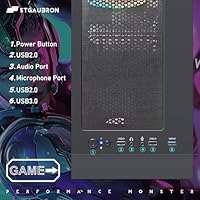
Overview

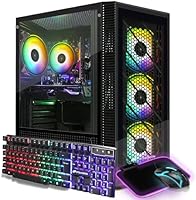
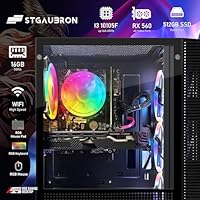
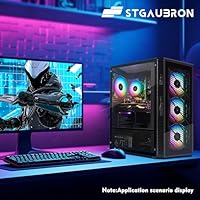
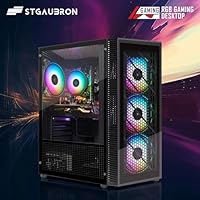
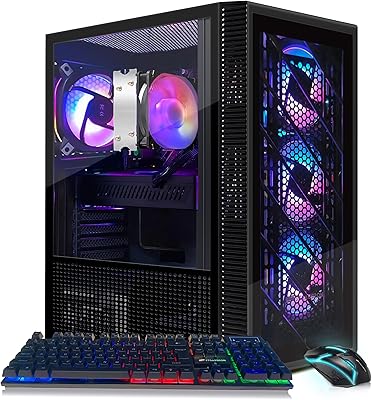
The STGAubron i3-10105F RX 560 Gaming Desktop is a budget-tier prebuilt aimed squarely at entry-level 1080p gaming rather than anything flashier. Under the hood, it pairs a quad-core Intel i3-10105F with an AMD RX 560 4G graphics card, a combination that won't turn heads on a spec sheet but gets the basics covered. You also get 16GB of DDR4 RAM and a 512GB SSD, which together keep everyday multitasking and boot times feeling quick rather than sluggish. Windows 11 Home comes preinstalled, so there's no setup hassle. The case itself leans into a gamer aesthetic with RGB fans and a matching mouse pad, a nice touch for buyers who want some visual flair without paying mid-range prices.
Features & Benefits

Performance-wise, this gaming desktop relies on a quad-core processor that boosts up to 4.4GHz, plenty for general computing and lighter gaming sessions. The dedicated RX 560 GPU handles 1080p play comfortably on older titles or less demanding modern games, though it's not built for chasing ultra settings. Where this prebuilt PC really earns its keep is storage: the 512GB SSD delivers noticeably faster load times than a traditional spinning hard drive, and 16GB of RAM is genuinely generous at this price point, letting you keep several apps or browser tabs open without slowdown. Built-in WiFi and Bluetooth 5.0 mean you won't need extra dongles, and with DisplayPort, HDMI, and DVI outputs, hooking up multiple monitors is straightforward.

Best For

This budget rig makes the most sense for casual gamers who stick to esports titles or older AAA games at 1080p rather than chasing the latest blockbuster releases. It's also a solid pick for students or home users who want a capable everyday desktop that happens to handle light gaming duty on the side. If you're stepping up from integrated graphics, the jump to a dedicated GPU will feel noticeable, even if it's a modest upgrade rather than a dramatic one. Buyers who value storage speed and ample RAM over raw GPU horsepower will find this configuration well balanced. On the other hand, anyone hoping to run demanding modern AAA titles at high settings should look elsewhere.

User Feedback

Reviewers consistently point to strong value for the price when comparing this gaming desktop to building a similar system from scratch, especially given current component costs. Several owners specifically note that the RX 560 is happiest with older or less graphically intensive games, and a handful mention planning to swap in a stronger GPU down the road as a future upgrade. The included RGB mouse, keyboard, and mouse pad get called out more often than expected as a pleasant bonus rather than an afterthought. Overall sentiment lands on the positive side but stays fairly measured, which tracks with what you'd expect from a machine pitched at the budget end of the gaming PC market rather than the high end.

Pros

  • Quad-core CPU with a 4.4GHz boost clock handles everyday tasks and light gaming smoothly
  • 512GB SSD delivers fast boot and load times compared to traditional hard drives
  • 16GB of RAM is generous for this price range and supports real multitasking
  • Windows 11 Home comes preinstalled, so it's ready to use right away
  • Built-in WiFi and Bluetooth 5.0 remove the need for extra adapters
  • Multiple video outputs make it easy to connect different monitor setups
  • Included RGB mouse, keyboard, and mouse pad add nice value for the price
  • Many buyers report strong overall value versus building a comparable system themselves
  • The STGAubron i3-10105F RX 560 Gaming Desktop offers solid specs for a tight budget
Cons

  • The RX 560 GPU struggles with modern AAA titles at higher graphics settings
  • Not a good fit for buyers wanting 1440p or high refresh rate gaming
  • Some owners mention wanting to upgrade the graphics card fairly soon after purchase
  • Limited headroom for serious video editing or 3D rendering workloads
  • GPU choice feels dated compared to newer budget cards on the market
  • RGB styling may feel unnecessary to buyers who just want a plain desktop
  • Storage capacity could feel tight for users with large game libraries
  • Warranty coverage is limited to one year, which is fairly standard but modest

Ratings

Our AI rating system breaks down the STGAubron i3-10105F RX 560 Gaming Desktop after analyzing verified buyer reviews from across the globe, filtering out spam, bots, and incentivized feedback along the way. The scores below reflect real usage patterns, not marketing claims, so you'll see both the genuine strengths and the honest trade-offs of this budget-tier build. Think of it as a transparent snapshot of what actual owners experience day to day.
1080p Gaming Performance
68%
32%
Owners consistently report smooth frame rates in esports titles like CS2 and Valorant, plus reasonable performance in older AAA games at 1080p with settings dialed down. It's a real step up from integrated graphics for casual weekend gaming sessions.
Modern, graphically demanding titles bog down quickly at higher settings, and several reviewers had to lower resolution or detail levels to maintain playable frame rates. It's not a card built for cutting-edge releases.
CPU Performance
79%
21%
The quad-core i3-10105F handles general browsing, office work, and background app multitasking without hesitation, and the 4.4GHz boost keeps things feeling snappy during everyday use. Users doing light productivity work alongside casual gaming found it more than adequate.
It's not a powerhouse for CPU-intensive tasks like video rendering or heavy compiling, and some buyers comparing it to higher core-count chips noted it falls behind in multitasking-heavy workloads. It's built for general use, not specialized work.
Storage Speed
86%
The 512GB SSD delivers fast boot times and quick game load screens that several reviewers specifically called out as a pleasant surprise at this price. Loading Windows or launching applications feels noticeably quicker than older hard-drive-based machines.
512GB fills up faster than expected once you install a handful of modern games alongside everyday files, pushing some users toward external storage or a future upgrade. There's no secondary drive bay mentioned for easy expansion.
Memory & Multitasking
84%
16GB of DDR4 RAM is genuinely generous for this price tier, letting users keep browser tabs, background apps, and a game running simultaneously without noticeable slowdown. It's one of the more frequently praised specs in user feedback.
Heavy multitaskers running multiple demanding applications alongside gaming may eventually want more headroom, though this is a minor concern for most typical home or student use cases.
Value for Money
81%
19%
Many buyers directly compare it to sourcing parts and building a similar system themselves, and feel they came out ahead on price and convenience. The combination of SSD, 16GB RAM, and a dedicated GPU at this price point gets consistent praise.
Value perception drops for buyers who later realize they need a GPU upgrade sooner than expected, since that added cost narrows the initial savings. It's strong value for casual use, less so for serious gamers.
Build Quality
73%
27%
The standard tower case feels sturdy enough for a desk-bound setup, and the RGB fan arrangement gives it a more premium look than the price might suggest. Most owners report no issues with the chassis itself.
It doesn't use premium materials or panels you'd find in higher-end cases, and a few users mentioned the overall fit and finish feels clearly budget-oriented up close.
Connectivity & Ports
88%
Built-in WiFi and Bluetooth 5.0 eliminate the need for extra adapters, and having DisplayPort, HDMI, and DVI outputs together gives flexibility for whatever monitor setup buyers already own. This convenience gets mentioned often in feedback.
Front-facing USB port selection is fairly basic, and buyers with several peripherals or external drives may find themselves needing a USB hub for everyday use.
Upgrade Potential
76%
24%
Since it's a standard tower form factor, several reviewers mention successfully swapping in a stronger GPU once budget allowed, extending the system's useful life considerably. That flexibility is a real plus for buyers planning ahead.
Power supply headroom and case clearance can limit which upgrades are realistic, so buyers eyeing a major future GPU jump should double check compatibility before assuming it'll be a drop-in swap.
Included Peripherals
71%
29%
The included RGB mouse, keyboard, and mouse pad get called out more than expected as a nice bonus, saving buyers from an immediate extra purchase. They work fine for casual everyday use and add some visual personality to the setup.
These peripherals are clearly entry-level rather than gaming-grade, and serious gamers will likely want to replace them with something more responsive and durable down the line.
Noise & Cooling
74%
26%
The four RGB case fans provide decent airflow for a budget build, and most reviewers report stable temperatures during typical gaming and everyday sessions without major thermal throttling concerns.
Fan noise becomes noticeable under sustained gaming load for some users, particularly in quiet rooms, and the cooling setup isn't as refined as what you'd find on pricier mid-range builds.
Setup Experience
89%
Windows 11 Home comes preinstalled, so most buyers describe getting up and running within minutes of unboxing. Built-in WiFi means no immediate need to fuss with drivers or adapters before connecting to the internet.
A few reviewers mention needing to run routine Windows updates and driver installations right out of the box, which adds a little extra time before the system feels fully optimized.
Warranty & Support
77%
23%
The one year parts and labor warranty paired with free lifetime tech support gives buyers some peace of mind, and several reviewers mention responsive customer service when issues came up.
A one year warranty window feels relatively short compared to some competitors in the same price bracket, leaving buyers responsible for repair costs if hardware issues surface afterward.

Suitable for:

The STGAubron i3-10105F RX 560 Gaming Desktop fits well for casual gamers who mainly play esports titles like CS2, Valorant, or older AAA games at 1080p rather than chasing the latest blockbuster releases. It's also a strong match for students or home users who need a reliable everyday desktop that can handle web browsing, schoolwork, and streaming, with light gaming as a bonus rather than the main focus. Buyers coming from a laptop or an integrated-graphics machine will notice a real jump in responsiveness, especially thanks to the SSD and 16GB of RAM. Anyone who values fast boot times and smooth multitasking over raw graphics horsepower should feel satisfied here. It also suits people who want a plug-and-play setup, since Windows 11 comes preinstalled and WiFi is built in.
Not suitable for:

This configuration isn't built for buyers who want to run demanding modern AAA titles at high settings or push high frame rates at 1440p and beyond. The STGAubron i3-10105F RX 560 Gaming Desktop uses an entry-level GPU, so anyone shopping for serious competitive performance in graphically intensive games will likely outgrow it quickly. Content creators doing heavy video editing, 3D rendering, or other GPU-intensive work should also look toward a more powerful build. If you're comparing prices against mid-range systems with newer GPUs, this one will feel limited by comparison once you factor in long-term performance needs. Buyers who already own a decent GPU and just need a CPU upgrade may find better value building or upgrading a system themselves.
Specifications

  • Processor: The system uses an Intel Core i3-10105F clocked at 3.7GHz with a boost speed up to 4.4GHz.
  • Graphics Card: Graphics are handled by a dedicated AMD Radeon RX 560 4G GDDR5 card.
  • Memory: The desktop ships with 16GB of DDR4 RAM.
  • Storage: A 512GB solid state drive serves as the primary storage.
  • Operating System: Windows 11 Home 64-bit comes preinstalled on the system.
  • Wireless Connectivity: Built-in 600M WiFi and Bluetooth 5.0 are included for wireless networking and peripherals.
  • Video Outputs: The motherboard provides one DisplayPort, one HDMI, and one DVI output.
  • Wired Networking: A single RJ-45 Ethernet port is included for wired internet connections.
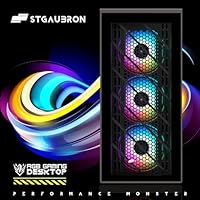
  • Case Cooling: Four RGB fans are installed for airflow and visual lighting effects.
  • Included Peripherals: An RGB gaming mouse, RGB keyboard, and RGB mouse pad are included in the box.
  • Form Factor: The unit is built as a standard computer tower.
  • Weight: The complete system weighs 21.7 pounds.
  • Package Dimensions: The shipping box measures 22 x 19 x 12 inches.
  • Display Support: Maximum supported screen resolution is 1920 x 1080.
  • Warranty: The desktop includes one year of parts and labor coverage plus free lifetime tech support.

Related Reviews
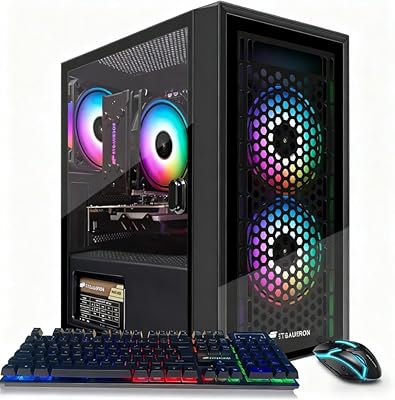
STGAubron Athlon 3000G RX 580 Gaming Desktop
70%
71%
Gaming Performance
74%
Value for Money
88%
Setup & Ease of Use
63%
Build Quality
48%
CPU Performance
More
STGAubron ABR0122 Xeon E5 Gaming Desktop
65%
61%
Value for Money
58%
Gaming Performance
79%
Ease of Setup
54%
Build Quality
47%
CPU Performance
More
STGAubron Gaming PC Desktop, Ryzen 5 5500, Radeon RX 580 8GB, 16GB RAM, 512GB SSD
82%
88%
Gaming Performance
91%
Value for Money
85%
Build Quality
93%
Ease of Setup
80%
Aesthetic Appeal (RGB Fans)
More
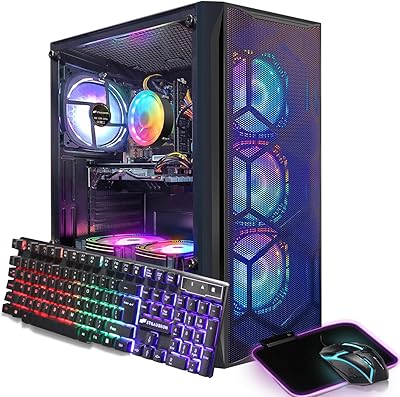
STGAubron Xeon E5 RX 550 Gaming Desktop
66%
54%
Gaming Performance
58%
CPU Performance
71%
Value for Money
83%
Out-of-Box Setup Experience
66%
Build Quality & Chassis
More
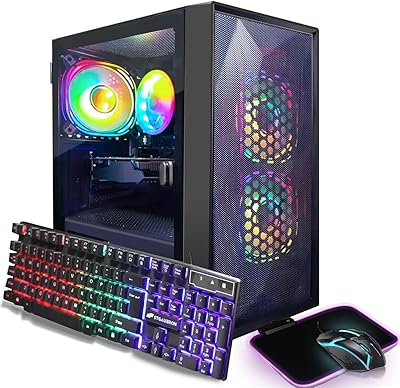
STGAubron ABR0122 Gaming Desktop (i7, RX 580 8G, 16GB, 512GB)
68%
71%
Gaming Performance at 1080p
43%
CPU Capability & Transparency
67%
Value for Money
84%
Out-of-Box Setup Experience
76%
GPU Quality (RX 580 8GB)
More
STGAubron ABR0923 (Core i5-8600, RX 550, 16GB, 512GB SSD)
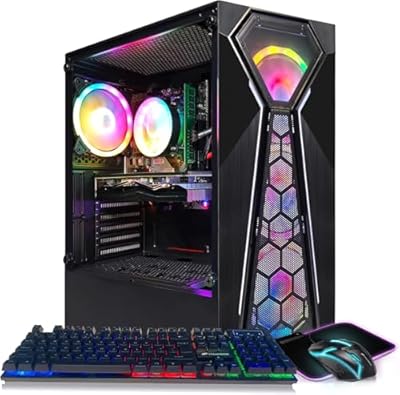
83%
93%
Value for Money
68%
1080p Gaming Performance
91%
Out-of-the-Box Setup
87%
Aesthetic & RGB Lighting
84%
Multitasking Capability
More
STGAubron G5905 RX 580 Gaming Desktop
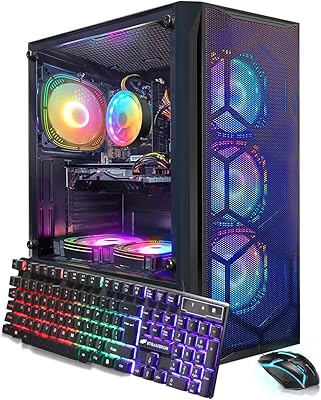
65%
52%
Gaming Performance
61%
Value for Money
38%
CPU Performance
74%
GPU Capability
79%
Memory & Storage
More
STGAubron Gaming PC Desktop, Intel Core i7 8th Gen, Radeon RX 580 8GB, 16GB RAM, 1TB SSD
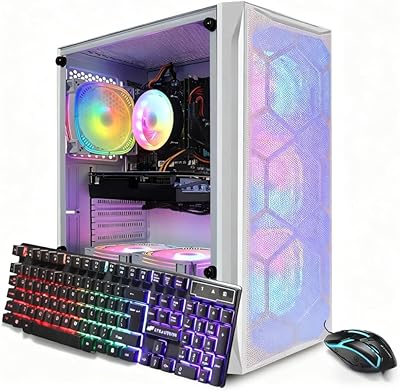
82%
88%
Gaming Performance
91%
Value for Money
85%
Ease of Setup
83%
Multitasking Capability
87%
Graphics Quality (1080p)
More
STGAubron GTX 1660 Ti Gaming Desktop PC
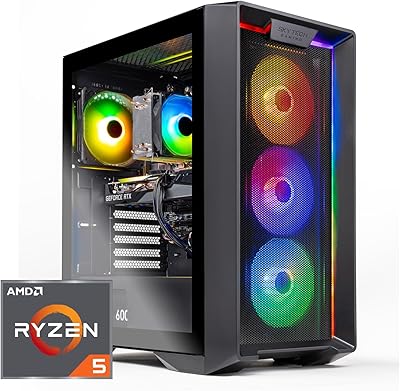
66%
72%
Gaming Performance
61%
Value for Money
88%
Out-of-Box Setup
67%
Build Quality
74%
Thermal Management
More
Skytech Gaming Nebula Gaming Desktop PC
76%
91%
Out-of-Box Experience
68%
Gaming Performance
57%
GPU Capability
83%
CPU Performance
86%
RAM & Memory
More

FAQ

Not really, no. The RX 560 GPU is fine for esports titles and older or less demanding games at 1080p, but it will struggle with newer AAA titles at high graphics settings. Think of it as a starter setup rather than a high-performance gaming rig.

Yes, Windows 11 Home comes preinstalled, so you really just need to plug in a monitor, keyboard, and mouse and you're good to go. WiFi is built in too, so you don't need to run an Ethernet cable unless you prefer a wired connection.

Since it uses a standard desktop tower form factor, swapping in a more powerful GPU down the line is generally possible. Several owners have mentioned doing exactly that once they wanted more graphical headroom. Just double check power supply wattage and physical card clearance before buying an upgrade.

You get a 512GB SSD, which is solid for an operating system, several games, and everyday files, though it can fill up faster than expected with larger modern game libraries. The SSD does mean noticeably quicker load times compared to a traditional hard drive.

For this price tier, 16GB is actually pretty generous and handles multitasking, browser tabs, and most games comfortably. You shouldn't run into RAM bottlenecks unless you're doing heavy multitasking alongside gaming.

No, this is the tower unit only, so you'll need to provide your own monitor. It supports DisplayPort, HDMI, and DVI connections, giving you some flexibility depending on what display you already own.

It comes with one year of parts and labor coverage along with free lifetime tech support from the manufacturer. That's fairly standard for this category of prebuilt desktop.

Reviewers generally describe the included RGB mouse, keyboard, and mouse pad as a nice bonus rather than premium gear. They work fine for everyday use and add some visual flair, but serious gamers may eventually want to upgrade them.

Definitely. The combination of a fast SSD, ample RAM, and a capable quad-core processor makes it well suited for schoolwork, browsing, streaming, and general productivity, with light gaming as an added bonus.

A lot of buyers note it offers solid value compared to sourcing and assembling the same components yourself, especially once you factor in time and compatibility hassles. It won't match a custom mid-range build in raw GPU power, but for a plug-and-play budget option, it holds up well.