Overview

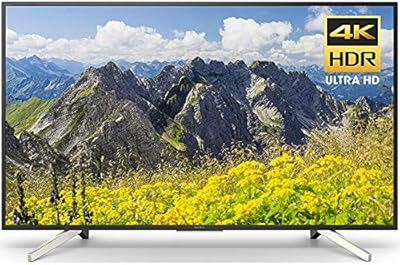
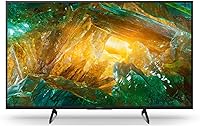
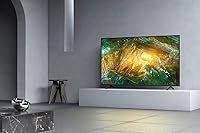
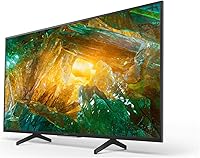
The Sony X800H 43-inch 4K Smart LED TV sits in a comfortable middle ground — capable enough to satisfy viewers who care about picture quality, but priced well below Sony's OLED lineup. At 43 inches, it fits naturally in a bedroom, home office, or compact living room without dominating the space. What separates it from cheaper sets is the Android TV platform, which brings a properly organized app ecosystem rather than the stripped-down interfaces common on budget TVs. Add support for Alexa, Google Assistant, AirPlay 2, and HomeKit, and this mid-range Sony set covers virtually every smart-home setup a buyer might already have in place.

Features & Benefits

The X800H's 4K X-Reality PRO processor is the kind of feature you notice most when watching older cable broadcasts or streaming in 1080p — it reduces compression artifacts and sharpens edges in ways that cheaper upscaling engines simply cannot match. The TRILUMINOS panel handles color more naturally than standard LED displays, especially with warm skin tones and foliage that can look artificial on lesser sets. Dolby Vision adds real depth to compatible streaming content; the gap between an HDR and SDR source is obvious rather than subtle. Game Mode genuinely tightens input lag for console players, though this remains a 60Hz native panel — not a replacement for a dedicated gaming display.

Best For

This Sony 4K TV makes the most sense for anyone furnishing a bedroom, spare room, or smaller apartment living area where a 43-inch screen is the right physical fit. Console gamers on a budget will appreciate the Game Mode and Sony's general tuning familiarity with PlayStation hardware, even if the 60Hz ceiling means competitive multiplayer players may eventually want something faster. It is also a strong pick for cord-cutters and streamers who want a stable Android TV experience with direct access to every major app. If your home already runs on Alexa or Apple's HomeKit, the X800H slots in without any awkward workarounds — that cross-platform smart-home compatibility is notably rare at this size and price tier.

User Feedback

Owners of this mid-range Sony set consistently praise how good the picture looks right out of the box — very little calibration needed to get natural, balanced color. The Android TV setup also gets high marks for being straightforward and fast. Where opinions split is on the built-in speakers: many buyers find them adequate for casual viewing but noticeably thin when watching action films or anything with a dynamic soundtrack. The 60Hz panel draws complaints from console gamers who later realized they wanted more headroom for high-frame-rate content. A smaller but vocal group flags Android TV ads and pre-loaded apps as an annoyance. Build quality and the remote design land well above what most expect at this price point.

Pros

  • Picture quality out of the box is strong, with natural color and solid contrast that most users will not need to adjust.
  • Dolby Vision support adds noticeable depth and detail when watching HDR content on compatible streaming services.
  • The Android TV platform is stable, well-supported, and gives access to every major streaming app in one place.
  • Google Assistant voice search works natively without any additional device, making app and content discovery fast.
  • AirPlay 2 and HomeKit support make this one of the few Android TVs that integrates cleanly into an Apple smart-home setup.
  • Game Mode meaningfully reduces input lag, making console gaming feel more responsive on this mid-range Sony set.
  • Build quality and remote design consistently impress buyers relative to what competing brands offer at a similar price.
  • The 43-inch size strikes a practical balance — large enough for immersive viewing, compact enough for smaller rooms.
  • 4K upscaling handles 1080p streaming content well, reducing the softness and blocking common on cheaper processors.
  • Alexa compatibility works through an external Alexa-enabled device, expanding voice control options for Amazon smart-home users.

Cons

  • The 60Hz native panel is a firm limitation for buyers interested in high-frame-rate gaming or future-proofing for next-gen consoles.
  • Built-in speakers lack the volume and low-end presence needed to fill even a medium-sized room without a soundbar.
  • Android TV can surface ads and bloatware on the home screen, which some users find intrusive and time-consuming to clean up.
  • The X800H is a 2020 model, meaning software updates and long-term support may become less consistent over time.
  • Black levels, while acceptable, cannot match the depth that OLED panels deliver in dark room viewing conditions.
  • Alexa voice control requires a separate Amazon device — it is not fully built in the way Google Assistant is.
  • The remote does not include a backlight, which makes it harder to use comfortably in a dim room.
  • At 43 inches, the screen may feel too small for buyers planning to use this as a primary living room TV viewed from more than 8 feet away.

Ratings

The scores below for the Sony X800H 43-inch 4K Smart LED TV were generated by our AI system after analyzing thousands of verified owner reviews collected globally, with spam, incentivized submissions, and bot activity actively filtered out before scoring. Each category reflects the full spectrum of real buyer experience — not just the praise, but the recurring frustrations too. Where this mid-range Sony set genuinely earns its place, the scores show it; where trade-offs exist, they are reflected just as honestly.

Picture Quality
83%
Owners consistently report that the image looks polished and natural right out of the box, with color accuracy that holds up well during daytime streaming sessions. The TRILUMINOS panel handles skin tones and foliage without the artificial oversaturation common on cheaper LED sets, and Dolby Vision content on Netflix adds a visible layer of depth to dark scenes.
Black levels are the obvious ceiling — in a darkened room, the LED backlighting produces a greyish wash rather than true blacks, which becomes distracting during night scenes or moody films. Viewers comparing it directly to OLED alternatives at a similar price consistently note this gap.
4K Upscaling
81%
19%
The X1 processor handles 1080p streaming content noticeably better than budget TVs in the same size class, reducing compression artifacts and edge softness that are common with weaker upscaling engines. Buyers who watch a lot of older cable content or non-4K library titles report a meaningful improvement in perceived sharpness.
Upscaling performance drops when the source material is heavily compressed or very low resolution — standard-definition content still looks rough despite processing. A handful of users noted occasional over-sharpening halos around high-contrast edges, particularly on sports graphics and text.
HDR Performance
78%
22%
Dolby Vision support is a genuine differentiator at this price tier, and buyers who stream HDR content regularly on services like Netflix and Disney+ notice the improved highlight detail and richer color volume compared to standard dynamic range viewing. The jump from SDR to HDR on compatible content is clear and rewarding without any extra setup.
Peak brightness is limited compared to higher-end LED and mini-LED panels, which means specular highlights — like sunlight on water or stadium floodlights — do not reach the intensity that premium HDR is capable of. In well-lit rooms, much of the HDR benefit is lost to ambient light washing out the image.
Gaming Performance
72%
28%
Game Mode delivers a tangible improvement in controller responsiveness that PlayStation users in particular tend to notice immediately, especially in action games where input timing matters. The TV pairs intuitively with Sony console hardware, and the dedicated mode is easy to enable without digging through complicated menus.
The 60Hz native panel is a real limitation that the X800H cannot overcome regardless of settings, and buyers who later switched to next-gen gaming with frame rates above 60fps found themselves wanting more. This is not a display for competitive gaming or for anyone planning to use the PS5's high-frame-rate modes extensively.
Smart TV Platform
77%
23%
Android TV with native Google Assistant is considerably more capable than the locked-down platforms found on many budget competitors — app availability is broad, search across streaming services works reliably, and voice queries feel responsive. Cord-cutters who juggle multiple streaming subscriptions find the universal search especially useful day to day.
Pre-installed apps and occasional home screen banner ads are a persistent annoyance that several users specifically called out after prolonged use. The Android TV interface can also feel sluggish during heavy multitasking, and some owners reported that background app updates occasionally caused temporary slowdowns.
Smart Home Integration
84%
The combination of Google Assistant natively, plus AirPlay 2, HomeKit, and Alexa compatibility via an external device, makes this mid-range Sony set unusually flexible across competing smart-home ecosystems. Apple household users in particular are pleasantly surprised to find genuine HomeKit support on an Android TV, which makes automation routines with Siri work smoothly.
Alexa integration requires a separate Echo device, which is an extra cost and setup step that some buyers do not realize until after purchase. A small portion of users also reported occasional reconnection issues with AirPlay 2 after firmware updates, requiring a router restart to resolve.
Audio Quality
58%
42%
The built-in speakers are adequate for casual daytime viewing in a quiet bedroom — dialogue is clear and there is enough volume to fill a small room without distortion at moderate levels. For a secondary TV used primarily for news and light streaming, the audio holds up fine without any supplemental equipment.
Room-filling sound is simply beyond what the built-in system can deliver, and buyers who watch action films, sports, or music content consistently describe the speakers as thin and lacking bass. The majority of long-term owners who care about audio end up pairing the TV with a soundbar, making the built-in audio feel like a placeholder rather than a finished feature.
Build Quality
86%
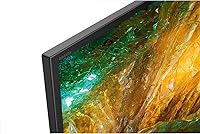
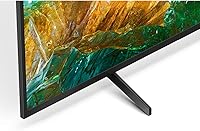
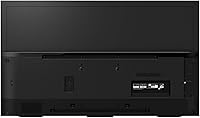
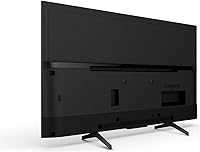
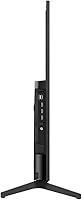
The physical construction earns above-average marks relative to competitors in the same price bracket — the bezels are slim, the back panel is tidy, and the stand feels stable on a media console without wobble under normal use. Many buyers comment that the TV looks and feels more expensive than it actually is, which counts for something in a living space.
The plastic used on the rear housing picks up fingerprints and scuffs more easily than the front face, and a few owners noted that the stand footprint requires a fairly wide surface to sit securely. Minor cosmetic complaints about the hinge points between the panel and stand have also appeared in long-term owner reviews.
Remote Control
79%
21%
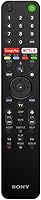
The included remote design gets consistent praise for its logical button layout and the inclusion of direct shortcut keys for popular streaming apps, which reduces the number of steps needed to launch a favorite service. Its lightweight feel works well for extended evening viewing sessions.
The remote lacks a backlight, which makes button identification genuinely difficult in a dark room without muscle memory. Some buyers also reported that the voice search button occasionally required multiple presses to activate reliably, suggesting mild Bluetooth connectivity inconsistency between the remote and the TV.
Setup & Ease of Use
88%
Initial setup is fast and well-guided, with most owners reporting they were streaming content within 15 to 20 minutes of unboxing. Android TV's familiar interface means anyone who has used a modern smartphone can navigate it confidently from day one without consulting a manual.
Some users encountered a required Google account login step that felt forced for buyers who simply wanted to use the TV with an HDMI device or antenna. Occasional first-run software update delays also added unexpected wait time before the TV was ready to use.
Motion Handling
74%
26%
At default Motionflow settings, fast sports and action scenes look natural and blur-free without the hyper-smooth, artificial quality that higher motion processing settings introduce. Viewers who watch a lot of live sport find the motion performance genuinely satisfying straight out of the standard picture mode.
At the native 60Hz ceiling, fast-panning camera shots in cinematic content can exhibit a subtle judder that more sensitive viewers notice during wide landscape shots. Cranking the Motionflow setting higher to compensate introduces the soap-opera effect that most buyers actively dislike.
Value for Money
76%
24%
For buyers who specifically need a well-branded, feature-rich 43-inch smart TV without moving into premium or OLED territory, the X800H delivers a reasonable return on investment — particularly given the breadth of its smart-home compatibility and the reliability of Sony's Android TV implementation. It holds its own confidently against similarly priced competitors.
The price sits at the higher end of the mid-range 43-inch segment, and buyers who are purely chasing picture performance per dollar will find that some competing brands offer comparable or better specifications for less. The 60Hz panel and modest audio system are difficult to justify at full retail pricing when alternatives with 120Hz panels exist nearby.
App Ecosystem
82%
18%
Access to the full Google Play Store means app availability is essentially unrestricted, covering every major streaming platform, fitness app, and utility without the gaps found on proprietary smart TV platforms. Regular updates keep popular apps current without requiring manual intervention.
App quality is inconsistent across the Play Store — some less-popular apps are clearly not optimized for a TV interface and require awkward navigation with the remote. Storage space for app installations can also become a consideration for users who install a large number of applications over time.
Connectivity
80%
20%
The HDMI input selection covers typical home setups comfortably, and the inclusion of USB ports gives users a convenient way to play local media files directly from a drive. Wi-Fi connectivity has been stable for the majority of owners, with no widespread reports of persistent dropouts during streaming.
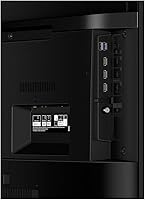
Some advanced users noted the absence of HDMI 2.1 ports, which limits bandwidth-heavy features for next-gen console use. A small number of buyers also found the port placement on the back panel inconvenient for wall-mounted setups where side-exit cabling would be preferable.

Suitable for:

The Sony X800H 43-inch 4K Smart LED TV was built for the kind of buyer who wants a genuinely capable TV without overspending on features they will rarely use. It fits best in bedrooms, home offices, or compact living rooms where a 43-inch footprint is exactly right — not too small to enjoy, not so large it dominates the room. Streaming-focused households will get a lot of mileage from the Android TV platform, which handles app switching and voice search more reliably than the software found on cheaper sets. Console gamers who play on PlayStation hardware in particular will appreciate the dedicated Game Mode, which tightens up the response feel even if it does not transform the set into a competitive gaming display. If your home already uses Alexa devices, Apple HomeKit, or Google Assistant, the X800H fits into that ecosystem without requiring any additional hardware or workarounds — a genuine convenience that most TVs at this size do not offer across all three platforms simultaneously.

Not suitable for:

The Sony X800H 43-inch 4K Smart LED TV is not the right choice for buyers with specific expectations that this panel simply cannot meet. If high-frame-rate gaming is a priority — whether for fast-paced multiplayer titles or next-gen console features — the 60Hz native refresh rate is a hard ceiling that no software processing can work around. Home theater enthusiasts who want reference-grade black levels and contrast will find LED technology limiting compared to OLED or even some higher-end QLED alternatives. Anyone needing a large-screen centerpiece for a main living room will also find 43 inches undersized for comfortable viewing from a typical couch distance. The built-in audio is functional but thin, so buyers who care about sound quality without a separate soundbar or AV receiver will likely be disappointed. Finally, users who find cluttered smart TV interfaces frustrating should know that Android TV occasionally surfaces ads and pre-installed apps that require some housekeeping to manage.

Specifications

  • Screen Size: The panel measures 42.5 inches diagonally and is marketed as a 43-inch class display with a 16:9 aspect ratio.
  • Resolution: Native display resolution is 4K Ultra HD at 3840x2160 pixels, with X-Reality PRO processing applied to upscale lower-resolution sources.
  • Display Type: The set uses an LED-backlit LCD panel with TRILUMINOS color technology for a wider and more accurate color range than standard LED displays.
  • HDR Support: Compatible with both HDR10 and Dolby Vision formats, enabling improved highlight detail and shadow depth on supported streaming content.
  • Refresh Rate: The native panel refresh rate is 60Hz; Sony's MotionFlow XR processing is applied to reduce motion blur in fast-moving scenes.
  • Picture Processor: Sony's X1 4K HDR processor handles upscaling, noise reduction, and contrast optimization across all input sources.
  • Smart Platform: Runs Android TV with Google Assistant built in, providing access to the Google Play Store, voice search, and smart-home device control.
  • Voice Assistants: Google Assistant operates natively through the remote microphone; Amazon Alexa functionality requires a separate Alexa-enabled device connected to the TV.
  • Wireless Ecosystem: Supports Apple AirPlay 2 for wireless content mirroring and Apple HomeKit for integration into Siri-based smart-home routines.
  • Connectivity: Includes multiple HDMI inputs for connecting consoles, streaming sticks, and AV receivers, along with USB ports and built-in Wi-Fi.
  • Game Mode: A dedicated Game Mode setting reduces input lag to improve controller responsiveness when a PlayStation or other console is connected.
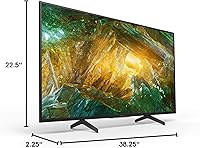
  • Dimensions: Without the stand, the unit measures 38.25″ wide, 22.5″ tall, and 2.25″ deep.
  • Weight: The TV weighs 20.7 pounds without the stand, making it manageable for a single person to mount or reposition.
  • Model Number: The official Sony model designation for the 43-inch variant is XBR43X800H.
  • Release Year: This model was introduced in early 2020 as part of Sony's mid-range X800H series, which also shipped in larger screen sizes.
  • Audio Output: The TV includes a built-in speaker system adequate for everyday viewing; no Dolby Atmos speaker output is confirmed for this model.
  • VESA Mount: The set is VESA mount compatible, allowing installation on standard wall-mounting brackets suited to its size class.
  • Alexa Compatibility: Through an external Alexa-enabled device, users can control volume, launch apps, and manage smart-home scenes via voice commands.

Related Reviews
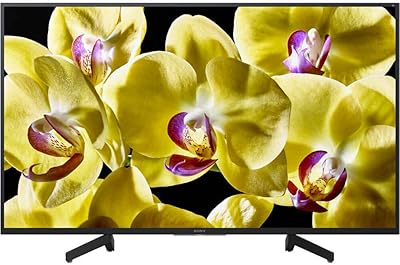
Sony XBR-43X800G 43-inch 4K UHD LED Smart Android TV
86%
91%
Picture Quality
88%
Motion Clarity
94%
Ease of Setup
65%
Sound Quality
84%
Smart TV Features
More
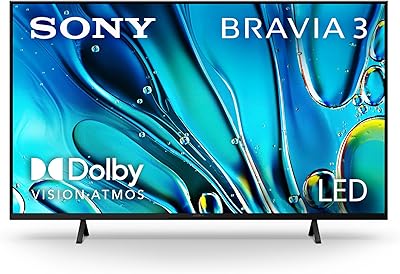
Sony 43-Inch 4K Ultra HD BRAVIA 3 LED Smart TV
88%
94%
Picture Quality
89%
Gaming Performance (PS5)
91%
Streaming Experience
85%
Sound Quality
90%
Ease of Setup
More
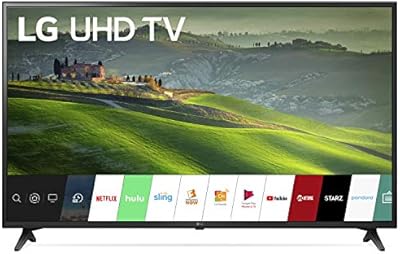
TuTu 43Q1 43-inch 4K Smart TV
66%
74%
Picture Quality
81%
Smart TV Experience
67%
Motion Handling
62%
Audio Performance
78%
Value for Money
More
Hisense 43R7E 43-inch 4K Roku Smart LED TV
81%
87%
Picture Quality
92%
Value for Money
91%
Ease of Setup
85%
Streaming Performance
61%
Sound Quality
More
TCL 43S450R 43-inch 4K Smart TV
79%
83%
Picture Quality
91%
Smart TV Interface
88%
Value for Money
61%
Audio Performance
78%
Gaming Performance
More
Sony X750F 65-Inch 4K UHD Smart LED TV

83%
88%
Picture Quality
92%
Value for Money
60%
Sound Quality
85%
Setup and Installation
89%
Smart Features and Software
More
LG 43UM6910 43-inch 4K UHD Smart LED TV
82%
88%
Picture Quality
91%
Value for Money
85%
Streaming Performance
58%
Sound Quality
90%
Color Accuracy
More
Sony 85-Inch 4K Ultra HD BRAVIA LED Smart TV
82%
94%
Picture Quality
90%
Gaming Performance (PS5 Optimization)
67%
Ease of Setup
78%
Sound Quality
89%
Smart Features (Google TV & Assistant)
More
Sony BRAVIA 5 55-inch Mini LED TV
80%
88%
Picture Quality
91%
Gaming Performance
86%
Brightness & HDR Impact
67%
Smart TV Platform
93%
PS5 Integration
More
LG 43UF6430 43-Inch 4K Ultra HD Smart LED TV
83%
88%
Value for Money
91%
Display Quality
85%
Smart TV Features
89%
Ease of Setup
90%
Picture Clarity
More

FAQ

It supports both. Dolby Vision is included alongside HDR10, which means compatible content on Netflix and other services will stream with the full dynamic metadata intact. The difference versus standard dynamic range is noticeable rather than subtle, particularly in high-contrast scenes.

It works well for console gaming at a casual to moderate level. Game Mode reduces input lag meaningfully, and Sony's tuning tends to pair naturally with PlayStation hardware. That said, the 60Hz native panel means you will not benefit from PS5 frame rates above 60fps, so competitive or high-frame-rate gaming players may eventually want a 120Hz display instead.

You do need a separate Alexa-enabled device such as an Echo speaker or Echo Dot. Alexa is not built directly into the remote or microphone the way Google Assistant is. Once a compatible device is paired, you can use Alexa to control volume, switch inputs, and launch apps.

Better than most at this price point. The default picture mode tends toward slightly boosted brightness and saturation, which looks impressive in a bright showroom but can be toned down with a quick trip into the settings. Switching to Cinema or Custom mode with a few minor adjustments gets you to a much more accurate and natural image without needing professional calibration.

Yes, and that is one of its more practical advantages. AirPlay 2 lets you mirror or cast content directly from an iPhone or iPad, and HomeKit integration means you can include the TV in Siri automations alongside other Apple smart-home devices. This combination is not common on Android TV sets, so it stands out.

It depends on your viewing distance. For a bedroom or a smaller living space where you sit roughly 5 to 7 feet from the screen, 43 inches is a comfortable fit. For a main living room couch positioned 9 to 12 feet away, most people find the image feels small after a while. In that scenario, a 55-inch or larger set would serve better.

There are pre-installed apps and occasional banner ads on the home screen — this is consistent with Android TV generally and not unique to Sony. Most users can remove or hide the apps they do not want, and the ads are not intrusive enough to disrupt regular use. It is worth spending 15 minutes organizing the home screen after setup to keep things tidy.

Yes, a soundbar is a worthwhile addition given the TV's modest built-in speakers. The best connection method is optical digital audio out or HDMI ARC, which allows the soundbar to receive audio and be controlled by the TV remote simultaneously. Both connection types are available on this model.

The X800H includes Bluetooth connectivity, which allows pairing wireless headphones or speakers for private listening. Performance can vary slightly by headphone brand, but standard Bluetooth audio devices pair without issue through the Android TV settings menu.

The Motionflow XR processing does a reasonable job of keeping fast motion clear without creating the over-smoothed, artificial look that higher interpolation settings can produce. At default or low Motionflow settings, sports and action sequences look natural. The 60Hz panel is not a problem for broadcast sports, which is typically delivered at 30 or 60fps anyway.