
Overview

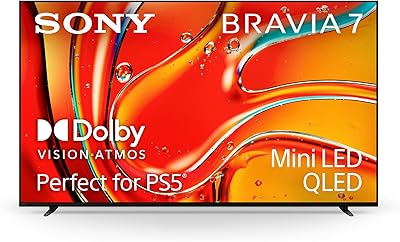
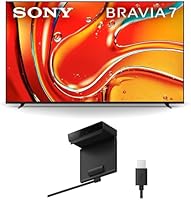
The Sony BRAVIA 7 55-inch 4K QLED TV lands in an interesting spot in Sony's 2024 lineup — above the BRAVIA 5 but a step below the flagship BRAVIA 9. The big story here is the move to Mini LED backlighting combined with QLED color technology, a meaningful upgrade over the standard LED panels Sony shipped in previous years. Google TV is baked in, and the set ships with the BRAVIA CAM already included — a nice touch for households interested in smart home or video calling functionality. At 55 inches, it suits medium-to-large living rooms well. Just know going in: this is not an OLED. The contrast is impressive for Mini LED, but buyers coming from OLED panels will notice the difference.

Features & Benefits

The XR Backlight Master Drive controls thousands of individual Mini LEDs to produce noticeably deeper blacks and punchier highlights than a conventional LED backlit panel — in real viewing terms, HDR content like sunsets, stadium lighting, and night scenes carry genuine weight. Colors benefit from QLED and XR Triluminos Pro; they land as accurate and saturated without looking oversaturated on skin tones. The XR Processor handles upscaling decently, and motion for sports holds up well at 120Hz. PS5 owners get Auto HDR Tone Mapping and Auto Genre Picture Mode — in practice, games load in the correct picture setting automatically, which is a small but genuinely appreciated convenience. The bundled BRAVIA CAM adds gesture and proximity features, though built-in audio remains the set's weakest link; a soundbar pairing is still worth considering.

Best For

This Mini LED QLED set makes the most sense for a few specific types of buyers. If you own a PS5, the native console integration alone makes it a compelling choice — picture settings adjust automatically per game without any manual input. It also suits dedicated movie watchers well; studio-calibrated picture modes for Netflix and Prime Video are among the more accurate factory presets available at this tier. The panel handles bright, mixed-use rooms better than OLED would in the same space. Buyers upgrading from a mid-range LED TV five or more years old will notice a real visual difference. Those already on a high-end OLED have less reason to switch.

User Feedback

Owner sentiment around the BRAVIA 7 55-inch skews positive, with many buyers praising the improved brightness and color vibrancy compared to their older LED sets. PS5 owners frequently mention the auto picture features as a genuinely useful perk. The main criticism that surfaces consistently: blooming around bright objects in dark scenes — a known Mini LED limitation that shows up in high-contrast content. The BRAVIA CAM gets mixed reactions; some find the gesture and proximity features handy, others quickly forget it's there. Google TV earns solid marks for its app selection, though setup took longer than some buyers expected. Remote control design drew occasional complaints about its simplified button layout.

Pros

  • Mini LED backlighting delivers punchy brightness and strong HDR performance in mixed-light rooms.
  • PS5 integration is genuinely useful — picture modes switch automatically per game with no manual adjustment needed.
  • QLED color accuracy is among the best in its class for non-OLED panels at this screen size.
  • The BRAVIA CAM is included in the box, adding value for video calling and gesture control at no extra cost.
  • Native 4K at 120fps with VRR and ALLM makes this a capable gaming display beyond just PS5.
  • Google TV provides one of the most complete smart platform experiences, with broad app support and solid voice control.
  • Dolby Vision support is present across major streaming services, not just select apps.
  • The flush surface stand is adjustable to accommodate a soundbar underneath without requiring a furniture upgrade.
  • Studio-calibrated picture modes for Netflix and Prime Video are well-tuned and usable straight out of the box.
  • Upscaling of non-4K content is handled well — broadcast TV and older streaming content look noticeably cleaner.

Cons

  • Blooming around bright objects in dark scenes is a real and recurring issue, especially noticeable in high-contrast content.
  • Built-in speakers lack low-end presence; a soundbar is a near-essential add-on for serious viewers.
  • Google TV's interface can feel cluttered and pushes promoted content in a way some owners find intrusive.
  • Setup time is longer than average — initial configuration, app downloads, and calibration take a noticeable chunk of time.
  • Only two HDMI 2.1 ports are available, which can be a bottleneck for users with multiple high-bandwidth devices.
  • The simplified remote loses dedicated buttons that power users will miss, particularly for input switching and picture adjustments.
  • The BRAVIA CAM adds bulk to the top of the set and feels like a novelty to owners who do not use video calling features.
  • This Mini LED QLED set cannot match true OLED black levels, which matters in darker viewing environments.
  • No built-in Dolby Atmos output without an external audio device, limiting the home theater audio experience.
  • At 55 inches, the entry price is high relative to competing Mini LED options from other brands at the same screen size.

Ratings

The scores below for the Sony BRAVIA 7 55-inch 4K QLED TV were generated by our AI system after analyzing thousands of verified owner reviews from global markets, with spam, incentivized, and bot-flagged submissions actively filtered out before scoring. The results reflect a balanced picture of what real buyers consistently praise and where genuine frustrations surface — nothing is glossed over.

Picture Quality
88%
Owners consistently describe the image as a noticeable step up from conventional LED panels, particularly when watching HDR content like nature documentaries or action films where highlights and color saturation punch well above the set's price tier. The QLED color layer adds warmth and accuracy that reviewers found pleasing on skin tones and natural landscapes.
Blooming around bright objects on dark backgrounds is the most frequently raised picture quality complaint — white text on black backgrounds, stars in space scenes, and lamp posts at night are where users most often notice the Mini LED halo effect. It does not ruin the image, but it is consistently present.
Gaming Performance
91%
PS5 owners are among the most satisfied buyers, citing the automatic picture mode switching as something they quickly stopped taking for granted. Input lag is low enough that competitive and fast-reaction games feel responsive, and the 4K 120fps support with VRR makes a real difference in titles that take advantage of it.
Only two HDMI 2.1 ports are available, which creates a minor bottleneck for users who want to connect both a PS5 and another high-bandwidth device simultaneously. A small number of users also reported initial handshake issues with the PS5 that required a cable swap or settings adjustment to resolve.
Brightness & HDR
86%
In a living room with afternoon sunlight coming through the windows, this set holds up far better than competing OLED panels at a similar price — the peak brightness gives HDR highlights genuine impact without the washed-out appearance that plagues lower-tier sets in bright environments. Reviewers watching sports in daylight rooms were particularly appreciative.
While brightness is strong for the category, users who had previously owned higher-end Mini LED sets noted that the local dimming zones, though numerous, are still visible in demanding scenes. At maximum brightness settings, some users also observed a slight unevenness in uniformity across the panel edges.
Color Accuracy
84%
The factory-calibrated picture modes for Netflix and Prime Video are genuinely close to reference — several reviewers who compared the image to a calibrated monitor noted that the default streaming modes needed very little adjustment out of the box. Everyday content like daytime TV and reality shows looks natural rather than artificially vivid.
The default Standard picture mode leans slightly cool in color temperature, and some users had to manually adjust white balance to get the warmth they preferred. A few buyers noted that the Vivid mode, which is often what buyers first see in stores, oversaturates colors enough to distort skin tones in broadcast TV.
Smart TV Experience
77%
23%
Google TV offers one of the broadest app ecosystems of any smart TV platform, and the built-in Google Assistant handles voice searches across streaming services effectively — asking it to find a specific actor's films across apps is actually useful. Chromecast built-in works reliably for casting from phones and laptops.
The home screen pushes promoted and sponsored content prominently, which a consistent share of reviewers found annoying after the novelty wore off. The interface also felt slower to some users when navigating between apps, and a handful reported needing to restart the TV to clear occasional sluggishness after extended use.
Audio Performance
61%
39%
For casual daytime TV watching — morning news, sitcoms, background cooking shows — the built-in audio is adequate, and the side-firing tweeters do a reasonable job spreading sound beyond just the center of the room. Dialogue clarity is better than many built-in TV speaker systems at this size.
Bass is largely absent, and the speakers show clear strain during action sequences or music-heavy content. The majority of reviewers who watch films or play games with sound as a priority purchased a soundbar within a few weeks — the built-in system is functional but not a reason to delay that purchase for long.
BRAVIA CAM Usability
67%
33%
Buyers who work from home and use the TV for video calls found the BRAVIA CAM genuinely practical — the wide-angle lens and built-in microphone array handle a typical living room setup well, and having it bundled rather than priced separately was appreciated. The magnetic attachment makes it easy to remove when not needed.
For the majority of buyers who do not use video calling features on their TV, the BRAVIA CAM sits unused on top of the set after the first week. Gesture controls are functional but limited in scope, and proximity-based screen dimming, while technically useful, was described by some as more sensitive than they preferred.
Upscaling
82%
18%
Broadcast TV and standard-definition streaming content upscaled through the XR Processor looks noticeably cleaner than on older Sony sets, with reduced noise and better edge definition. Reviewers watching cable news and older streaming catalog titles reported that the picture held together well even on non-4K sources.
Heavily compressed streaming content — particularly at lower bitrates on congested networks — still shows artifacts that upscaling cannot fully recover. A small number of users noticed occasional over-sharpening on faces during close-up shots in upscaled content, giving skin texture an unnatural crispness.
Motion Handling
83%
Sports content in particular earned praise, with football and basketball games displaying smooth, natural motion at the default Motionflow settings. Reviewers who watch a lot of live sports called out motion clarity as one of the set's practical strengths in everyday use.
The default motion smoothing setting applies a soap-opera effect to cinematic content that most film-oriented viewers will want to reduce or disable immediately. Finding the right Motionflow setting for a personal preference requires a few minutes of experimentation, which is not documented clearly in the quick-start guide.
Setup & Installation
71%
29%
Physical assembly of the stand is straightforward, and the cable management design is tidy enough that most users reported a clean-looking installation without extra effort. The initial Google TV setup walkthrough is clear and covers the main steps without requiring technical knowledge.
The full setup process — including Google account sign-in, app installations, software updates, and picture calibration — takes longer than most buyers expect. Several reviewers flagged that the TV prompted multiple restarts during initial setup, which added friction to what should be a straightforward first experience.
Remote Control
63%
37%
The remote is slim and well-balanced in the hand, with dedicated shortcut buttons for major streaming services that genuinely save time during daily use. Bluetooth pairing means it works without direct line-of-sight, which is useful when the TV is recessed in a cabinet.
The simplified button layout removes dedicated controls that experienced TV users rely on, including direct input switching and individual picture adjustment shortcuts. A recurring complaint in reviews is that accessing certain settings requires too many menu navigation steps compared to Sony's older remote designs.
Value for Money
72%
28%
For PS5 households and buyers upgrading from an aging mid-range LED set, the feature-to-price ratio is solid — the console integration, QLED color performance, and bundled BRAVIA CAM add tangible value that competitors at a similar price point do not match in aggregate. The 2024 feature set is complete rather than compromised.
Buyers cross-shopping OLED panels at a comparable price point will find that the contrast trade-off is real, and some may feel the premium is harder to justify purely on picture quality alone. The audio system's limitations mean that total cost of ownership for a complete viewing setup is higher than the initial price suggests.
Build & Design
79%
21%
The panel's slim bezels and matte finish give it a premium appearance that fits naturally into modern living room furniture. Reviewers placing it on a TV console noted it looks more expensive than some competing sets at the same tier, and the adjustable stand design is practical for varied furniture depths.
The back panel has a less refined finish than the front, with visible cable routing channels that are functional but not particularly elegant. A few buyers noted the stand feet, while stable, feel slightly lightweight relative to the overall panel size and are not the most confidence-inspiring during single-person installation.

Suitable for:

The Sony BRAVIA 7 55-inch 4K QLED TV is a strong pick for households that want a meaningful visual upgrade without stepping into OLED territory. PS5 owners in particular will get tangible, day-one value from the Auto HDR Tone Mapping and Auto Genre Picture Mode — the TV recognizes what you are playing and adjusts the picture automatically, which removes a lot of the manual tinkering most TVs demand. Movie and streaming enthusiasts who care about color accuracy will appreciate the studio-calibrated picture modes for Netflix and Prime Video, which are tuned closer to how directors intended content to look. The 55-inch panel fits well in a medium to large living room, and its Mini LED backlighting handles brighter ambient environments better than an OLED would. If you are upgrading from an LED TV that is five or more years old, the jump in brightness and color depth will feel substantial. Those already invested in the Google TV ecosystem — or who want Dolby Vision support across streaming services — will find this set fits naturally into their setup.

Not suitable for:

The Sony BRAVIA 7 55-inch 4K QLED TV is not the right call for every buyer, and it is worth being honest about where it falls short. If you watch a lot of dark content — horror films, noir, late-night cinema — in a light-controlled room, the Mini LED blooming around bright objects against dark backgrounds will likely frustrate you; an OLED panel at a comparable price point handles those scenes more cleanly. Buyers who already own a recent high-end OLED TV will not find a compelling reason to switch, as the contrast ceiling here is lower. The built-in audio is adequate for casual viewing but falls noticeably short for anyone who values sound quality, so budget-conscious buyers hoping to skip a soundbar purchase may be disappointed. The BRAVIA CAM, while bundled, is not a strong selling point on its own — if gesture controls and proximity detection are not features you would actively use, they add no practical value. Finally, buyers looking for a simpler smart TV experience may find Google TV's interface busier and more ad-forward than they would prefer.

Specifications

  • Screen Size: The panel measures 55 inches diagonally, making it well-suited for medium-to-large living rooms or dedicated home theater spaces.
  • Display Technology: Uses Mini LED backlighting with QLED color enhancement, controlled by Sony's XR Backlight Master Drive for zoned contrast management.
  • Resolution: Native 4K Ultra HD resolution at 3840 x 2160 pixels, with built-in upscaling for lower-resolution source content.
  • Processor: Powered by Sony's XR Cognitive Processor, which handles real-time scene analysis, upscaling, color optimization, and motion processing simultaneously.
  • HDR Support: Compatible with Dolby Vision, HDR10, and HLG, covering the major HDR formats used across streaming services and physical media.
  • Refresh Rate: Native 120Hz panel refresh rate, supporting smooth motion in fast-paced content including sports and high-frame-rate gaming.
  • Gaming Features: Supports 4K at 120fps, Variable Refresh Rate (VRR), Auto Low Latency Mode (ALLM), and Auto HDR Tone Mapping specifically optimized for PlayStation 5.
  • Smart Platform: Runs Google TV, which provides access to a broad app ecosystem, Google Assistant voice control, and Chromecast built-in functionality.
  • Audio System: Acoustic Multi-Audio+ system with side-firing tweeters is included, though the configuration is better suited to casual viewing than critical listening.
  • Included Camera: Ships with the BRAVIA CAM (CMU-BC1), which enables gesture control, proximity detection, and video call optimization via a magnetic mount on the panel top.
  • HDMI Ports: Features two HDMI 2.1 ports capable of 4K at 120fps bandwidth, alongside additional HDMI 2.0 ports for legacy devices.
  • Wireless: Built-in dual-band Wi-Fi and Bluetooth are included for wireless streaming, peripheral pairing, and smart home connectivity.
  • Aspect Ratio: Standard 16:9 widescreen aspect ratio, consistent with all major broadcast, streaming, and gaming content formats.
  • Stand Design: Ships with a flush surface stand that can be repositioned to create clearance underneath the panel for a soundbar placement.
  • Streaming Services: Natively supports Netflix, Prime Video, Disney+, Hulu, and Sony Pictures Core, with studio-calibrated picture modes available for select platforms.
  • Model Number: Official Sony model designation is K-55XR70, released as part of the 2024 BRAVIA lineup.
  • Release Year: Introduced in 2024 as part of Sony's refreshed BRAVIA series, which restructured previous X-series naming into tiered BRAVIA model numbers.
  • Connections: In addition to HDMI ports, connectivity includes USB ports, optical audio out, and an Ethernet port for wired network connections.

Related Reviews
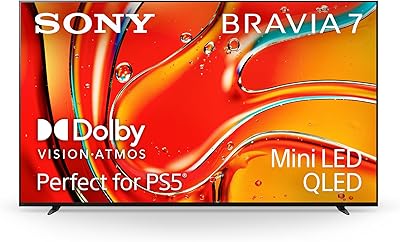
Sony 65-Inch Mini LED QLED 4K Ultra HD TV BRAVIA 7
88%
93%
Picture Quality
95%
Gaming Performance (PS5 Features)
87%
Value for Money
90%
Display Brightness
82%
User Interface
More
Sony BRAVIA 7 75-inch Mini LED TV
79%
91%
Picture Quality
88%
Gaming Performance
86%
HDR Performance
72%
Smart TV Experience
78%
Contrast & Black Levels
More
Sony BRAVIA 5 55-inch Mini LED TV
80%
88%
Picture Quality
91%
Gaming Performance
86%
Brightness & HDR Impact
67%
Smart TV Platform
93%
PS5 Integration
More
Sony BRAVIA 8 55-inch 4K OLED TV
82%
93%
Picture Quality
91%
Gaming Performance
96%
Contrast & Black Levels
89%
Color Accuracy
74%
Smart TV Platform
More
Samsung The Serif 55-inch QLED 4K TV
79%
96%
Design & Aesthetics
78%
Picture Quality
91%
Anti-Glare Performance
88%
Stand & Placement Flexibility
74%
Smart Platform & App Support
More
Samsung Q60D 55-inch QLED 4K TV
83%
88%
Picture Quality
91%
Color Accuracy
82%
HDR Performance
84%
Motion Handling
70%
Audio Performance
More
Samsung 55-Inch QLED 4K TV Q80A Series
86%
94%
Picture Quality
91%
Gaming Performance
88%
Smart Features and Usability
76%
Sound Quality
89%
Setup and Installation
More
iFFALCON 55F75 55-Inch QLED Smart TV
78%
83%
Picture Quality
78%
Art Mode & Aesthetics
86%
Gaming Performance
79%
Design & Build Quality
81%
Smart TV & Software
More
TCL 55QM751G 55-Inch QLED 4K Smart TV
88%
93%
Display Quality
88%
Gaming Performance
91%
Picture Brightness
83%
Sound Quality
86%
User Interface
More
SAMSUNG 55-Inch QN85D Series 4K QLED TV
87%
94%
Picture Quality
87%
Sound Quality
88%
Ease of Use
90%
Design & Build Quality
92%
Gaming Performance
More

FAQ

It depends on your viewing environment. The Sony BRAVIA 7 55-inch 4K QLED TV handles bright rooms better than most OLEDs and delivers genuinely strong HDR punch, but if you watch a lot of dark content in a dim room and absolute black levels matter to you, an OLED will still have an edge in contrast. For mixed-use rooms and gaming, the BRAVIA 7 holds its own very well.

It is present, and it is worth being upfront about. Blooming — where a bright object creates a faint halo against a dark background — is a known limitation of Mini LED technology in general, not just this set. You will notice it most on end credits with white text on black, or stars in space scenes. For most everyday TV watching and gaming, it is not intrusive, but if you are very sensitive to it, OLED remains the cleaner option.

The Auto HDR Tone Mapping and Auto Genre Picture Mode are genuinely useful. When you launch a game on PS5, the TV detects it and switches to the appropriate picture mode automatically — no digging through menus. It is a small thing, but after a few weeks of not having to manually change picture settings, you notice and appreciate it.

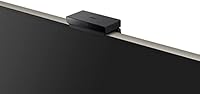
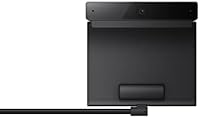
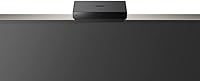
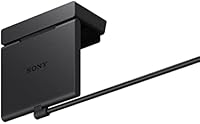
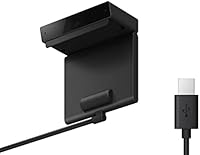
The BRAVIA CAM attaches magnetically to the top of the panel and connects via a single cable. It does not require a separate power source. You can remove it when not in use, which is handy if you do not use video calling features regularly.

For background TV watching and casual streaming it is adequate, but the speakers lack real bass presence and the overall soundstage is narrow. If you watch movies or play games where audio immersion matters, a soundbar will make a noticeable difference. The stand is specifically designed to allow soundbar placement underneath the screen, which is a thoughtful detail.

Plan for about 45 minutes to an hour if you go through the full Google TV setup, sign into your accounts, and let the initial software update complete. It is not unusually complex, but it is not a five-minute plug-and-play experience either. Connecting the BRAVIA CAM and adjusting the picture settings to your preference adds a bit more time.

Yes, it is VESA mount compatible, so standard third-party wall mounts will work. Just check the specific VESA pattern for the K-55XR70 before purchasing a mount to ensure compatibility. The included stand is solid for table or cabinet placement if wall-mounting is not an option.

Google TV is one of the more fully featured smart platforms available, with strong app support and reliable voice search through Google Assistant. The trade-off is that the home screen is busier than, say, Roku or Apple TV, and it does surface promoted content. Most owners adapt to it quickly, but buyers who prefer a minimalist interface may find it takes some getting used to.

The TV can pass through a Dolby Atmos signal to a compatible external audio system via HDMI eARC or optical, but the built-in speakers do not decode or reproduce Dolby Atmos on their own. If you want the full Atmos experience, you will need a compatible soundbar or AV receiver connected to the set.

The BRAVIA 7 series is available in multiple screen sizes beyond 55 inches, including 65-inch, 75-inch, and 85-inch variants. The core technology — Mini LED backlighting, XR Processor, Google TV, and PS5 features — carries across all sizes, so if the 55-inch feels too small for your space, stepping up to a larger panel in the same family is a straightforward option.

Where to Buy