Overview

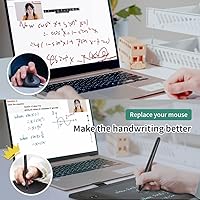
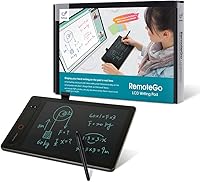
The PenPower RemoteGo LCD Writing Tablet isn't trying to be an artist's tool — it's built specifically for educators, remote workers, and anyone who spends serious time annotating PDFs or running live online sessions. What separates it from a typical pen tablet is the LCD writing surface: your handwriting appears directly on the pad in real time, so you're not constantly glancing between your hand and the monitor. It connects via USB and works across Windows, Mac, and Chrome OS. The included year of DocuINK access adds genuine collaboration value, though most of what makes this pen tablet useful is software-driven, so setup does matter.
Features & Benefits

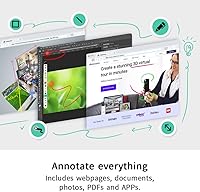
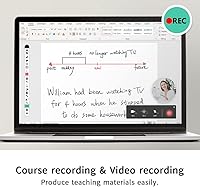
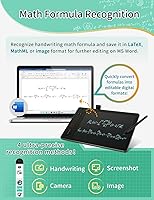
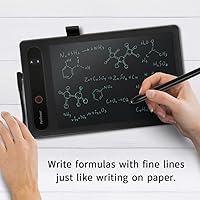
The 8192-level pressure sensitivity and battery-free electromagnetic stylus make writing feel responsive rather than mechanical — thin strokes stay thin, and the pad picks up pressure variation naturally. The RemoteGo pad also integrates directly with Zoom, Google Meet, MS Teams, and Webex without needing third-party workarounds. One genuinely useful addition is math formula recognition: write an equation by hand and export it as LaTeX or MathML, which saves real time for anyone preparing math content. Annotation tools — brushes, highlighters, and screen recording — let you mark up any on-screen content and capture sessions as you go.

Best For

This LCD writing tablet makes the most sense for online teachers and tutors who need to write out diagrams, equations, or annotations during live classes — the feel of writing directly on the pad avoids the disconnect that comes with a standard opaque tablet. Remote workers who regularly mark up PDFs will find it far more comfortable than fumbling with a mouse. Researchers or students handling math-heavy documents will appreciate the formula recognition. That said, this pen tablet isn't a fit for digital illustrators: the active area is 10 inches, there's no tilt sensitivity, and the monochrome LCD display shows no color whatsoever.

User Feedback

With a rating of 3.8 out of 5 across 117 reviews, the RemoteGo pad earns decent marks but not universal enthusiasm. Users who connect with it most tend to find writing on the pad far more intuitive than glancing between hand and screen. The most common frustration is the setup process — particularly on Mac, where the software can require extra troubleshooting to get everything working properly. The DocuINK platform also has a steeper learning curve than some buyers expect. A handful of reviewers noted it doubles as a mouse for everyday computing. Nobody seems to complain about the stylus itself — it feels good in hand.

Pros

  • Handwriting appears directly on the LCD pad, eliminating the disconnect of writing while watching a separate screen.
  • The battery-free stylus never needs charging and responds consistently during long teaching sessions.
  • Native integration with Zoom, Google Meet, Teams, and Webex works without third-party plugins.
  • 8192 levels of pressure sensitivity produce noticeably natural line variation when writing by hand.
  • Math formula recognition saves real time when exporting equations to LaTeX or Word documents.
  • The bundled year of DocuINK access adds PDF collaboration and voice comment features at no extra cost.
  • Built-in screen recording lets you capture annotated sessions without separate software.
  • Compatible with Windows, Mac, and Chrome OS, covering most professional and classroom setups.
  • Can double as a mouse replacement for general computing, adding everyday utility beyond teaching.

Cons

  • Software setup can be frustrating, particularly on Mac, where getting everything running may require troubleshooting.
  • The DocuINK platform has a steeper learning curve than the hardware itself suggests.
  • Most advanced features are locked behind the RemoteGo desktop app, so out-of-box functionality is limited.
  • The 10-inch active writing area feels adequate for most users but leaves no room for sprawling diagrams.
  • After the included year expires, continued DocuINK access requires a separate subscription.
  • The tablet weighs 580 g and is not especially portable compared to lighter pen tablets in a similar price range.
  • No wireless connectivity — USB only, which can be a constraint depending on your desk setup.
  • The LCD display is monochrome, so color-coded annotations or highlights require switching to on-screen tools instead.

Ratings

The scores below reflect our AI-assisted analysis of verified buyer reviews for the PenPower RemoteGo LCD Writing Tablet, sourced globally and filtered to remove incentivized, duplicate, and bot-generated submissions. Each category is scored based on patterns across real user experiences — both the genuine strengths and the recurring frustrations are factored in transparently. No category has been inflated to flatter the product, and no weakness has been glossed over.

LCD Writing Experience
83%
Teachers and presenters consistently describe the LCD visibility as a meaningful upgrade over opaque tablets — being able to watch your own handwriting appear on the pad makes live lessons feel far more natural. For anyone who has struggled with the hand-eye disconnect of a traditional pen tablet, this feature genuinely reduces that learning curve.
The display is strictly monochrome, which surprises some buyers who expected a color or backlit screen. A few users noted the surface texture feels slightly different from paper, requiring a short adjustment period before handwriting looks as clean as intended.
Software Setup & Stability
58%
42%
Once fully installed on a Windows machine, the RemoteGo desktop app runs reliably for most users and the feature set becomes accessible fairly quickly. Users who invest time in learning the interface report that annotation and recording workflows become second nature within a few sessions.
Setup is the single most common complaint in user reviews, particularly on Mac, where driver permissions and app configuration can require multiple troubleshooting steps before anything works properly. A notable portion of buyers felt the out-of-box experience did not match the product's stated ease of use.
Video Conferencing Integration
79%
21%
The native compatibility with Zoom, Google Meet, Teams, and Webex means educators and remote professionals can annotate live without setting up third-party screen-sharing workarounds. Users running regular online classes found the integration reliable once the app was correctly configured.
Integration quality is tightly tied to software stability — when the app behaves, conferencing works well, but any setup issue upstream cascades directly into broken annotation during live calls. A handful of users reported lag in annotation display on certain platforms, particularly older versions of Webex.
Stylus Performance
84%
The battery-free electromagnetic stylus is one of the most consistently praised elements — it never needs charging, which removes a real source of friction for daily users. The 8192 levels of pressure sensitivity translate into noticeably fine line control, especially useful for writing out detailed equations or precise diagram labels.
A small number of users reported occasional calibration drift over time, where the stylus position on screen drifted slightly from the physical writing position on the pad. Replacement nibs are not always easy to source locally, which becomes a concern after months of heavy use.
Math Formula Recognition
71%
29%
For math educators and researchers, the ability to write a formula by hand and export it directly as LaTeX or MathML is a genuinely useful time-saver — it replaces a tedious manual transcription step that most people simply accept as unavoidable. Users preparing lesson materials in Word found this feature cut their document preparation time noticeably.
Recognition accuracy drops with messier or unconventional handwriting, and some users found they had to write more deliberately and slowly than felt natural. The feature also requires the app to be running in a specific mode, which adds steps to a workflow that ideally should be frictionless.
DocuINK Platform Value
63%
37%
The bundled year of DocuINK access adds real collaborative value for teams reviewing documents — voice and video comments on PDFs are features that standalone annotation tools rarely offer at this price tier. For buyers who actually explore the platform, it extends the tablet's utility beyond solo annotation.
Many buyers never fully engage with DocuINK due to its steeper learning curve, and the value essentially evaporates after the first year when a paid subscription kicks in. The platform feels like a bonus that rewards patient users but frustrates those who expected immediate, intuitive utility.
Build Quality & Durability
74%
26%
The RemoteGo pad feels solid and well-constructed for its price tier — there is no noticeable flex in the body, and the USB connection port sits firmly without wobble during active use. Several long-term users reported the device holding up well after a year of daily classroom use.
At 580 g it is heavier than many competing tablets, which becomes relevant if you carry it between classrooms or travel frequently. The writing surface coating can show wear marks after extended use, which does not affect function but can look worn faster than users expect.
Writing Surface Size
66%
34%
The 10-inch active area handles most teaching and annotation tasks comfortably — writing a full equation, sketching a diagram, or marking up a slide all fit within the space without constant repositioning. For users coming from a mouse-only workflow, the size feels generous.
Power users who teach complex multi-part diagrams or annotate dense technical documents found the writing area limiting, particularly when trying to fit several annotations on screen at once. The surface is noticeably smaller than a physical A4 notebook page, which some educators found disorienting at first.
Annotation Tools
76%
24%
The built-in brushes, highlighters, and screenshot tools cover the essentials for a teaching or professional annotation workflow without needing to install additional software. The screen recording feature is particularly appreciated by educators who repurpose live session recordings as asynchronous learning material.
The tool palette is functional but not deep — users who have used professional annotation software like Notability or GoodNotes may find the options feel limited. Customization of brush sizes and colors is present but not as granular as some buyers would prefer.
Ease of Daily Use
67%
33%
Once past the initial setup hurdle, day-to-day use becomes largely frictionless — plug in the USB, launch the app, and the tablet is ready in seconds. The tablet also doubles as a mouse substitute, which adds a layer of everyday utility that makes it feel more integrated into a normal workflow.
The app must be running for most features to function, which adds a step that occasionally trips up users who expect the tablet to behave like a simple input device. App update prompts and the occasional crash disrupt sessions at inopportune moments, particularly mid-lesson.
Compatibility & Portability
72%
28%
Windows, Mac, and Chrome OS coverage is broad enough to fit into most professional and educational environments without compatibility concerns. The USB connection is universal and does not require a dongle on most modern laptops, keeping the setup clean.
The USB-only connection means no wireless flexibility, which is a real limitation for users who prefer a tidy, cable-free desk or who present from a distance. At 580 g the tablet is on the heavier side for a device that is occasionally carried between workspaces.
Value for Money
69%
31%
For buyers who fully commit to the software ecosystem — especially the conferencing integration, formula recognition, and DocuINK platform — the value proposition is reasonable for the mid-range price point. The bundled DocuINK year adds tangible value that comparable tablets at this tier simply do not offer.
Buyers who only use a fraction of the feature set, or who struggle through setup and give up on some tools, will likely feel the price is hard to justify against simpler, cheaper alternatives. The value is conditional on engagement with the software, which not every user sustains.

Suitable for:

The PenPower RemoteGo LCD Writing Tablet is purpose-built for educators and remote professionals who need a more natural way to write, annotate, and present during live online sessions. If you teach math, science, or any subject that requires drawing diagrams or writing equations in real time, the LCD writing surface changes the experience meaningfully — you watch your handwriting appear on the pad rather than hunting for a cursor on a screen. Remote workers who annotate PDFs regularly will find this pen tablet far less frustrating than a standard mouse-based workflow. The math formula recognition is a genuine time-saver for anyone producing LaTeX documents or working in Word with complex equations. It also suits professionals in video conferencing-heavy roles who want a physical whiteboard feel without dedicating wall space to one.
Not suitable for:

Buyers expecting a digital art or illustration tool should steer clear — the PenPower RemoteGo LCD Writing Tablet offers no tilt sensitivity, no color display, and a relatively compact 10-inch active area that would feel restrictive for creative work. The monochrome LCD panel shows your handwriting in a single dark color against a light background, which works fine for note-taking and teaching but is a far cry from what a graphic designer or illustrator needs. The experience is also noticeably software-dependent: without installing the RemoteGo desktop app, the standout features simply don't function, and Mac users in particular have reported extra friction during setup. If you're looking for a plug-and-play input device with broad compatibility out of the box, this pen tablet may test your patience. Those who need a large writing surface for sprawling diagrams or detailed sketches will also find the dimensions limiting.

Specifications

  • Active Area: The writing surface measures 10 inches diagonally, with an active area of 203 mm x 152 mm.
  • Dimensions: The full unit measures 309 mm x 237 mm x 9 mm (approximately 12.2″ x 9.3″ x 0.35″).
  • Weight: The tablet weighs 580 g (approximately 20.5 oz), which is on the heavier side for a portable pen tablet.
  • Display Type: An integrated LCD panel shows handwriting in real time directly on the pad surface in monochrome — not a color or backlit display.
  • Stylus Type: The included stylus uses battery-free electromagnetic induction technology, so it never needs charging or a battery replacement.
  • Pressure Levels: The stylus supports 8192 levels of pressure sensitivity, allowing fine control over line weight and stroke variation.
  • Connectivity: The tablet connects to a computer via USB; there is no Bluetooth or wireless connectivity option.
  • OS Compatibility: Compatible with Windows 7, 8, 10, and 11; macOS 10.10 and above; and Chrome OS 88 and above.
  • Video Platforms: Natively supported video conferencing platforms include Zoom, Google Meet, Microsoft Teams, and Cisco Webex.
  • Math Export: Handwritten math formulas can be recognized and exported in LaTeX, MathML, or image formats for use in Word and other editors.
  • Annotation Tools: Built-in tools include brushes, highlighters, screenshot capture, and screen recording for saving annotated sessions.
  • Bundled Software: Purchase includes one year of free access to the DocuINK online collaboration platform, which supports voice and video PDF comments.
  • Model Number: The official model identifier for this LCD variant is SHARMGK2EN, which distinguishes it from the standard non-LCD RemoteGo model.
  • Mouse Function: The tablet can also function as a mouse substitute for general computer navigation when not in active writing or annotation mode.
  • Required App: Full feature access requires installation of the RemoteGo desktop application; most advanced functions are not available without it.

Related Reviews
YOLIPULI 095F LCD Writing Tablet
87%
91%
Value for Money
88%
Ease of Use
85%
Durability
90%
Battery Life
92%
Portability
More
JSJGETYI PG2800 10-inch LCD Writing Tablet
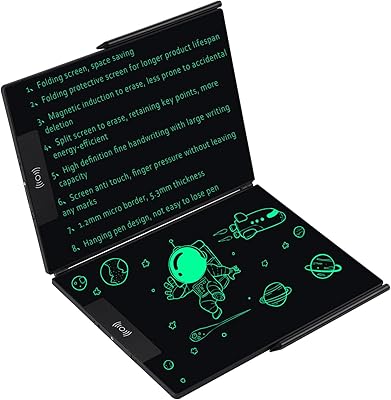
82%
78%
Writing & Drawing Experience
82%
Build Quality & Durability
86%
Protective Cover & Stand Design
74%
Erase Function & Lock Mechanism
66%
Screen Visibility & Display Clarity
More
Amoretti Sonnet 14.3-inch Foldable Writing Tablet
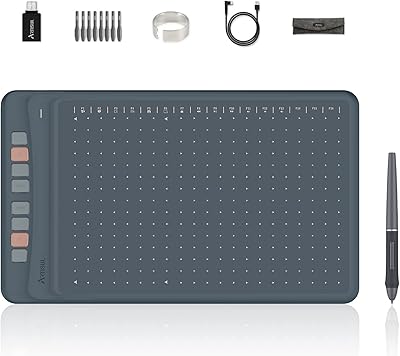
84%
91%
Portability & Design
88%
Writing Precision & Sensitivity
85%
Ease of Use
82%
Battery Life
74%
Display & Visibility
More
GAOMON PD1161 11.6-inch Pen Display Tablet
76%
88%
Pen Accuracy & Responsiveness
79%
Display Quality
74%
Anti-Glare Film & Screen Feel
83%
Tilt Support
67%
Express Keys & Customization
More
Artisul A1201 Drawing Tablet
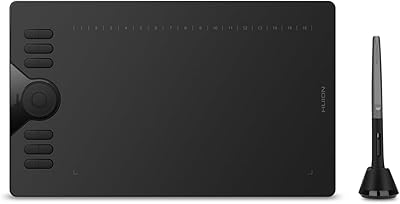
81%
91%
Value for Money
88%
Pen Performance
93%
Active Area Size
86%
Pressure Sensitivity
63%
Driver & Software Setup
More
XENCELABS Pen Tablet Small Drawing Tablet
83%
91%
Pen Performance
88%
Portability
89%
Display Mapping
63%
Active Area Size
82%
Value for Money
More
HUION HS610 Graphics Drawing Tablet
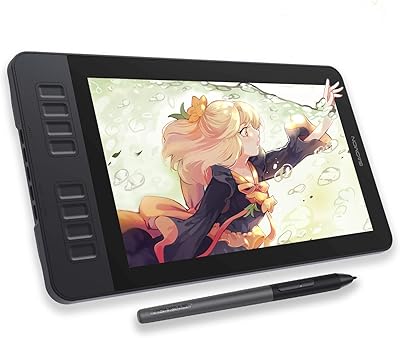
77%
91%
Pen Accuracy & Pressure Sensitivity
83%
Tilt Response
88%
Active Area Size
74%
Build Quality & Durability
86%
Portability
More
ATOZEE 10-Inch 32GB Android Tablet
66%
83%
Battery Life
74%
Value for Money
67%
Display Quality
51%
Performance & Speed
57%
Build Quality
More
VEIKK S640 6x4 Drawing Tablet
80%
91%
Value for Money
86%
Pen Performance
93%
OSU! Gaming Suitability
67%
Build Quality & Durability
89%
Ease of Setup
More
Artisul A801 Drawing Tablet
85%
91%
Value for Money
88%
Pen Responsiveness
93%
Portability
85%
Ease of Setup
80%
Build Quality
More

FAQ

You will need to install the RemoteGo desktop application to access most of the key features, including annotation, math recognition, and video conferencing integration. Basic mouse-like input may work without it, but the LCD pad's real value comes from the software ecosystem. Budget some time for setup before your first lesson or meeting.

Handwriting appears on the pad in monochrome — think dark lines on a light LCD background, similar to an e-ink surface. It is not a color display. What your students or meeting participants see on screen depends on the annotation software, which can show colored ink, but the physical pad itself only shows one color.

The RemoteGo pad is compatible with macOS 10.10 and above, so it does support Mac. That said, a number of Mac users have reported that the initial setup takes more effort than on Windows — driver installation and app permissions can require extra steps. It works once configured, but go in expecting a bit of troubleshooting if you're on a Mac.

Yes — when the RemoteGo app is running and your screen is shared, your handwritten annotations appear on screen for participants just like any other screen content. The LCD panel on the pad is for your own reference so you can write naturally without looking up at a monitor. It is a practical setup for live teaching.

The one year of DocuINK included with the tablet is a promotional access period. After it expires, continued use of the DocuINK platform requires a separate subscription purchased directly from PenPower. If you only need the local annotation and writing tools, those remain available through the desktop app regardless.

The active area is 10 inches diagonally (203 mm x 152 mm), which is roughly the size of a standard tablet screen. Most users find it adequate for writing equations, labeling diagrams, and taking structured notes. If you regularly draw large, detailed schematics or architectural sketches, it may feel a bit tight — but for typical teaching and annotation tasks it holds up well.

The tablet integrates natively with video conferencing tools like Google Meet, but it does not have a direct plugin for Google Classroom itself. That said, since it works as a screen annotation layer, you can write on top of any browser-based content — including Classroom assignments — during a shared screen session. It is flexible enough to fit into most online teaching workflows.

The stylus is battery-free, using electromagnetic induction to draw power from the tablet's writing surface. This means no charging, no battery swaps, and no interruptions mid-lesson. In terms of physical durability, the nib will wear down with heavy use over time, but replacement nibs are a standard accessory available through PenPower.

Yes, you can clear the LCD surface — the RemoteGo app includes an erase or clear function that wipes the pad display. It works similarly to a reusable LCD memo board. Keep in mind that erasing the pad display is separate from undoing annotations on your computer screen; those are managed independently within the app.

It can be, but you should weigh that against simpler options. The RemoteGo pad really shines in live, interactive scenarios — video calls, real-time annotation, teaching sessions. For purely occasional PDF markup, a less software-dependent tablet at a lower price point might serve you just as well without the setup overhead. If you anticipate growing into the video conferencing and formula recognition features, the added capability justifies the investment.