
Overview

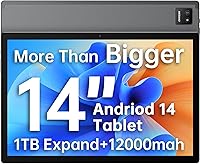
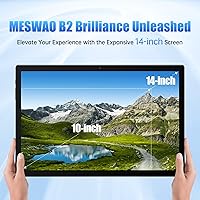
The MESWAO MES-B2 14-inch Android Tablet occupies an interesting space in the tablet market — it targets buyers who want a noticeably larger screen without spending flagship money. Most budget tablets top out at 10 or 11 inches, so the 14-inch form factor alone sets it apart before you look at anything else. The MediaTek Helio G99 powering it is not a throwaway chip; it is the same processor found in some genuinely capable mid-range phones, which matters. MESWAO is not a household name, and that is worth acknowledging upfront — you are trading brand recognition for size and value. It ships with Android 14 out of the box, a legitimate freshness point for a 2025 purchase.

Features & Benefits

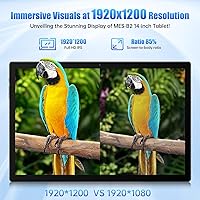
The 1920x1200 IPS display is genuinely sharp for this price tier — text stays crisp, colors look reasonable, and wide viewing angles make it comfortable for sharing a show with someone beside you. The Helio G99 handles everyday apps, light gaming, and video streaming without obvious stuttering; paired with 6GB of RAM, it multitasks decently, though the DDR3 memory type is a generation behind current standards, which may show under heavier workloads. Storage starts at 128GB and expands to 1TB via microSD, useful if you store a lot of offline content. Wi-Fi 6 support is a real step up from what most tablets in this range offer, delivering noticeably more stable connections in crowded networks.

Best For

This large-screen Android tablet makes the most sense for people who spend significant time watching content, attending video calls, or reading — anyone who has found a standard 10-inch screen just a bit too cramped. Students and remote workers will appreciate the extra room for split-screen apps or keeping a document open alongside a browser. It also suits seniors or accessibility-focused users who benefit from larger text and interface elements without squinting. At roughly a kilogram, it is not something you would comfortably hold one-handed for long stretches, so frequent commuters expecting a featherlight travel companion should manage expectations. Think couch, desk, or bedside table — not backpack essential.

User Feedback

Buyers who have spent time with the MESWAO 14-inch tablet tend to agree on one thing: the screen-to-price ratio is hard to argue with. Getting a full-HD 14-inch display at this tier earns genuine praise, and most users find the Android 14 experience clean enough straight out of the box. On the flip side, build quality feedback is mixed — the metal frame sounds reassuring on paper, but some users note that fit and finish can feel inconsistent between units. Battery impressions are broadly positive, though real-world endurance typically falls short of the quoted peak. Software update frequency remains uncertain for a lesser-known brand, and the stylus, sold separately, rarely factors into feedback unless buyers specifically go looking for it.

Pros

  • A 14-inch full-HD IPS screen at this price point is genuinely rare and delivers sharp, comfortable visuals for media.
  • The MediaTek Helio G99 is a capable mid-range chip that handles streaming, browsing, and light gaming without obvious lag.
  • Wi-Fi 6 support puts this large-screen Android tablet ahead of most competitors in the same budget tier for connection stability.
  • 128GB of built-in storage is generous, and microSD expansion up to 1TB means running out of space is unlikely.
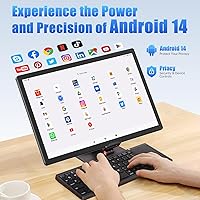
  • Android 14 out of the box feels current and includes practical privacy and customization improvements over older versions.
  • The 12000mAh battery provides solid all-day endurance for moderate use, reducing how often you need to reach for the charger.
  • USB-C charging means no fussing with orientation and compatibility with modern cables you likely already own.
  • The wide viewing angle on the IPS panel makes it comfortable for side-by-side viewing, a genuine plus for a shared household device.
  • At roughly 0.35 inches thin, the profile is slim enough that it does not feel bulky when propped on a stand or desk.

Cons

  • DDR3 RAM is an outdated standard for 2025 and may bottleneck performance when running multiple demanding apps simultaneously.
  • MESWAO is a little-known brand with no established record of long-term software updates or reliable customer support.
  • The 32MP rear camera claim should be taken with skepticism — real-world photo quality on budget tablets rarely matches the spec sheet.
  • At nearly 1kg and over 12 inches wide, extended hand-held use becomes tiring quickly, limiting true on-the-go usability.
  • Build quality consistency has been flagged in user reports, with some units showing less-than-premium fit and finish despite the metal frame marketing.
  • The stylus is sold separately, meaning the advertised pen input capability comes at an additional cost not reflected in the base price.
  • Actual mixed-use battery life tends to fall short of the quoted peak figure, especially with screen brightness turned up.
  • Bloatware presence and unclear update frequency are recurring software concerns that buyers should factor into the long-term ownership picture.
  • No cellular connectivity option means you are entirely dependent on Wi-Fi, a real limitation for users who travel or commute regularly.

Ratings

The scores below for the MESWAO MES-B2 14-inch Android Tablet were generated by our AI engine after analyzing verified buyer reviews from multiple global markets, with spam, bot-submitted, and incentivized feedback actively filtered out. Each category reflects the genuine balance of praise and frustration that real users reported, so you will find both strong scores where this tablet earns them and honest low marks where it falls short.

Screen Quality
82%
18%
Most buyers are genuinely impressed by how sharp and color-accurate the 14-inch IPS panel looks when streaming or reading. The wide viewing angle means multiple people can watch comfortably side by side, which comes up repeatedly in family and household use reviews.
Outdoor visibility in bright sunlight is a recurring complaint — the display can wash out without a higher brightness ceiling. A handful of users also noted that the color temperature runs slightly cool, which can make white backgrounds look a bit harsh for long reading sessions.
Screen Size & Usability
89%
The 14-inch form factor is consistently the most praised aspect of this large-screen Android tablet, with reviewers noting it fills a real gap between compact tablets and laptops. Students and seniors especially highlight how much easier text, subtitles, and video conferencing feel at this scale.
The sheer size is a double-edged sword — users who expected something portable found it too wide and heavy for comfortable one-handed use on the go. Several buyers mentioned needing a dedicated stand or case before the experience felt practical rather than awkward.
Performance
74%
26%
For everyday tasks like streaming, browsing, and video calls, the Helio G99 chip handles things smoothly enough that casual users rarely run into frustrating slowdowns. Light gaming on titles like casual strategy and puzzle games also gets positive marks from reviewers in this use bracket.
More demanding apps and heavy multitasking can expose the limits of the DDR3 RAM, with some users reporting noticeable lag when switching between several open applications. The memory configuration feels dated for a 2025 device and is likely to age less gracefully than more modern DDR4 implementations would.
Battery Life
76%
24%
The 12000mAh capacity earns consistent praise from users who primarily use this budget big-screen tablet for media — many report getting through a full day of mixed streaming and browsing without reaching for the charger. Overnight charging usually restores a full charge without issue.
The 8-hour video claim proves optimistic under real mixed-use conditions, with most reviewers landing closer to 5 to 6 hours at moderate brightness with apps running in the background. Charging speed is standard rather than fast, which means recovery from a low battery takes several hours.
Build Quality
61%
39%
The metal frame does add a sense of solidity compared to fully plastic-bodied budget tablets, and many users say the device feels sturdier than expected for the price. The slim 0.35-inch profile also draws positive comments given the size of the screen.
Build consistency is a recurring concern in user feedback, with some units showing flex around the frame edges or slightly uneven panel gaps that suggest quality control is not uniform across the production run. A few buyers reported minor creaking when holding the device firmly, which undercuts the premium-frame narrative.
Value for Money
83%
The combination of a full-HD 14-inch screen, a capable mid-range processor, Wi-Fi 6, and 128GB of storage at this price tier is genuinely hard to beat, and buyers who went in with calibrated expectations consistently feel they got a good deal. It delivers comfortably on the things that matter most to its target audience.
Value perception drops among buyers who experienced inconsistent build quality or had difficulty accessing reliable post-purchase support from MESWAO. The additional cost of a stylus and a decent microSD card also quietly adds to the total outlay, which some reviewers felt should have been clearer upfront.
Software Experience
66%
34%
Android 14 out of the box is a meaningful positive for a device at this price, and most users find the interface clean and intuitive enough for everyday use. Google Play compatibility works correctly, and popular apps like Netflix, YouTube, and Zoom install and run without issues.
Some pre-installed apps that cannot be easily removed have been flagged in reviews, which annoys users who want a clean software environment. Update frequency from MESWAO is unclear, and for a lesser-known brand this creates genuine uncertainty about how long the software will stay current and secure.
Camera Quality
47%
53%
The built-in flash is genuinely useful for scanning documents or capturing handwritten notes in dim rooms, which is about the most practical camera use case a tablet offers. For quick video call check-ins, the 5MP front camera gets the job done acceptably.
The 32MP rear camera claim does not hold up in practice — image quality is soft, colors are inconsistent, and low-light performance beyond what the flash directly illuminates is poor. Most reviewers agree that this is a tablet camera in the traditional sense: functional for documents, not for anything requiring actual photographic quality.
Connectivity
84%
Wi-Fi 6 support is a standout feature at this price point, and users in households with a Wi-Fi 6 router report noticeably stable streaming and video call connections even in multi-device environments. Bluetooth 5.0 pairs reliably with headphones and keyboards with minimal dropout complaints.
The absence of any cellular data option is a hard limit for buyers who want internet access away from known networks without tethering to a phone. A small number of users also reported that the 2.4GHz band performance felt average despite the Wi-Fi 6 label, suggesting the antenna implementation may be modest.
Portability
53%
47%
For users who move primarily between a few fixed spots — bedroom, couch, home office — the MESWAO 14-inch tablet is manageable to carry short distances, and the slim profile helps it slide into a bag when needed. Its size also means it doubles as a practical stand-in for a secondary monitor.
At nearly a kilogram and over 12 inches wide, sustained hand-held use becomes physically tiring, and regular commuters or travel users repeatedly cite this as a dealbreaker. Finding a bag sleeve or case that fits properly is an extra inconvenience that smaller tablets do not impose.
Stylus Support
58%
42%
Users who purchased the separate MESWAO stylus report that basic note-taking and annotation tasks work reasonably well, with low enough latency to feel usable in a classroom or meeting context. The large screen makes writing feel more natural than it would on a smaller tablet.
The stylus not being included in the box is a consistent irritation in reviews, especially given that compatibility is marketed as a feature. Pressure sensitivity and precision fall well short of dedicated productivity styluses, making it unsuitable for detailed illustration or professional creative work.
Audio Quality
67%
33%
Built-in speaker volume is adequate for casual solo media consumption in a quiet room, and Bluetooth 5.0 audio to quality headphones or speakers sounds clean and free from connectivity dropouts. For video calls, audio output is clear enough that remote participants are easy to understand.
The onboard speakers lack meaningful bass and can sound thin during music playback or action sequences in films, which is a common trade-off on slim tablets. Users sensitive to audio quality consistently recommend pairing it with external Bluetooth speakers or headphones rather than relying on the built-in speakers.
Display Brightness
63%
37%
Indoors at moderate ambient light — which covers most of the use cases this tablet is designed for — the screen brightness is comfortable and easy on the eyes during long reading or viewing sessions. Auto-brightness adjustment works adequately for most home and office environments.
Direct sunlight or brightly lit outdoor settings expose the panel's brightness ceiling, and several users specifically noted the screen becomes difficult to read in these conditions. This limits the device's practicality for outdoor study sessions, patio streaming, or any context where you cannot control ambient lighting.
Storage & Expandability
86%
Starting at 128GB is genuinely practical for this price range, leaving meaningful headroom for apps, downloaded shows, and files without immediately feeling cramped. The microSD slot supporting up to 1TB gives offline content lovers — language learners, travelers downloading entire playlists — rare flexibility for a budget device.
Some users noted that app installation to the microSD card is restricted on Android 14, meaning the internal storage still fills faster than expected if you install many apps. A small number of buyers also reported that cheaper microSD cards caused occasional read errors, suggesting the slot benefits from quality card pairings.

Suitable for:

The MESWAO MES-B2 14-inch Android Tablet is a strong fit for anyone who spends most of their tablet time consuming content — streaming shows, following along with online courses, reading, or making video calls — and wants a noticeably larger screen than the typical 10-inch options in this price range. Seniors and accessibility-focused users will find the bigger display genuinely useful for reading text without straining, and the simplified Android 14 interface keeps things approachable. Students who need a secondary device for taking notes, browsing research, or watching lecture recordings will get real utility from the screen size and the 128GB base storage with microSD expansion. It also works well for household use: setting it up as a shared kitchen screen, a bedside media player, or a couch companion for someone who does not want to squint at a phone. If your primary use is stationary or low-mobility and the goal is maximum screen for minimum spend, this large-screen Android tablet makes a compelling case.

Not suitable for:

Buyers expecting a polished, long-supported software experience from a recognized brand will likely find the MESWAO MES-B2 14-inch Android Tablet frustrating — MESWAO does not have the update track record of Samsung, Lenovo, or Google, and long-term OS support is genuinely uncertain. The DDR3 RAM, while functional for casual tasks, is a dated standard in 2025 and will show its limits under heavier multitasking or more demanding apps. At nearly a kilogram and over 12 inches wide, this budget big-screen tablet is not a comfortable one-handed device, so frequent commuters or people looking for something to toss in a bag and use on the go will likely find it awkward. Anyone hoping to use the tablet as a primary camera will be disappointed — the rear camera spec sounds impressive on paper, but tablet cameras at this tier rarely deliver results worth relying on. Creative professionals, power users, or anyone who needs robust stylus support should also note that the compatible stylus is sold separately and pressure-sensitive drawing workflows are not where this device excels.

Specifications

  • Screen Size: The tablet features a 14-inch IPS LCD panel with a 1920x1200 (WUXGA) resolution, offering a pixel density suited to comfortable reading and media viewing at typical arm's length.
  • Processor: Powered by the MediaTek Helio G99 octa-core chip clocked at up to 2.2GHz, a genuinely capable mid-range processor commonly found in competent Android devices.
  • RAM: 6GB of DDR3 SDRAM is included; DDR3 is an older memory standard, but it is sufficient for everyday multitasking, streaming, and light productivity use.
  • Internal Storage: 128GB of onboard flash storage is available for apps, media, and files straight out of the box.
  • Storage Expansion: A dedicated microSD card slot supports cards up to 1TB, sold separately, allowing significant offline media storage.
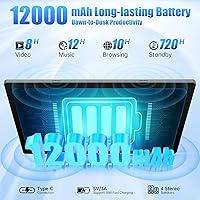
  • Battery: A 12000mAh lithium-ion battery powers the device, with the manufacturer quoting up to 8 hours of continuous video playback under optimal conditions.
  • Operating System: Ships with Android 14 pre-installed, including support for OTA updates from MESWAO where available.
  • Wireless: Wi-Fi 6 (802.11ax) is supported across both 2.4GHz and 5GHz bands, providing faster and more stable connections than older Wi-Fi standards on compatible routers.
  • Bluetooth: Bluetooth 5.0 is built in, supporting high-quality audio output to compatible wireless headphones and speakers.
  • Rear Camera: A 32MP rear-facing camera with a built-in flash is included; real-world image quality, as is typical on budget tablets, may not match the headline megapixel count.
  • Front Camera: A 5MP front-facing camera handles video calls and self-portraits with adequate quality for conferencing applications.
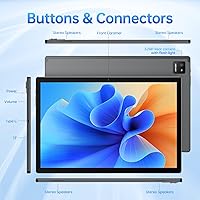
  • Charging Port: Charging and data transfer are handled via a USB Type-C port, which is reversible and compatible with widely available modern cables.
  • Dimensions: The tablet measures 12.5 x 8.26 x 0.35 inches (approximately 317 x 210 x 9mm), making it noticeably larger than most consumer tablets in this segment.
  • Weight: The device weighs 996g (approximately 4.09 lbs), which is substantial for a tablet and better suited to desk, couch, or stand use than prolonged hand-held sessions.
  • Frame Material: MESWAO describes the chassis as having a metal frame, intended to add structural rigidity compared to fully plastic-bodied tablets.
  • Stylus Support: The tablet is compatible with the MESWAO-branded stylus accessory, which is sold separately and not included in the standard package.
  • Google Certification: The device is GMS (Google Mobile Services) certified, meaning the full Google Play Store and associated Google apps are supported.
  • Color Option: The reviewed unit is available in a Space Gray finish, described by MESWAO as Gary in some listings.

Related Reviews
HAOVM G12PK14 10-inch Android 14 Tablet, 32GB
83%
91%
Value for Money
85%
Display Quality
88%
Battery Life
80%
Performance Speed
65%
Storage Capacity
More
HOTTABLET CP81S 8-inch Android 14 Tablet, 32GB
80%
92%
Value for Money
89%
Portability
84%
Display Quality
81%
Battery Life
78%
WiFi Performance
More
Topsand Android 14 Tablet 10-inch 10GB+32GB
84%
82%
Performance
88%
Build Quality & Durability
85%
Battery Life
70%
Display Quality
91%
Storage Capacity & Expandability
More
DMOAO D2 Tablet 11-inch, 128GB, 20GB RAM, Android 14
83%
88%
Performance
90%
Battery Life
75%
Display Quality
85%
Charging Speed
80%
Build Quality
More
COLORROOM C5 11-inch 128GB Android Tablet
71%
82%
Value for Money
79%
Battery Life
57%
Performance & Speed
71%
Display Quality
78%
Streaming Experience
More
YACXBTK J10 10.1-inch Kids Tablet
70%
84%
Battery Life
81%
Value for Money
78%
Parental Controls
62%
Performance
67%
Display Quality
More
ZOFYWNAS 10-Inch Android 14 Kids Tablet
70%
83%
Value for Money
61%
Performance
67%
Display Quality
74%
Build Quality
77%
Parental Controls
More
aiprotablet K12 10-inch Android Tablet
69%
83%
Value for Money
58%
Performance
63%
Display Quality
71%
Bundled Accessories
74%
Battery Life
More
SKYEGG K15 11-Inch Android Tablet
70%
83%
Value for Money
71%
Display Quality
81%
Battery Life
63%
Performance & Speed
86%
Streaming Capability
More
BYANDBY BYCP10-PRO 10.1-inch Android 14 Tablet, 64GB Storage
80%
92%
Value for Money
89%
Battery Life
78%
Performance
87%
Portability/Size/Weight
76%
Build Quality/Durability
More

FAQ

Yes, the MESWAO MES-B2 14-inch Android Tablet is GMS certified, which means you can install Netflix, YouTube, Disney+, and most major streaming apps directly from the Google Play Store. Keep in mind that Netflix HD and HDR playback may require Widevine L1 certification, and this device is reported to support Widevine L3, which could limit some streams to standard definition. For casual streaming it works well; just verify your preferred app's DRM requirements if HD playback is a priority.

Absolutely. The 5MP front camera is adequate for video conferencing, and the large 14-inch screen makes calls feel much more natural than on a phone. Zoom, Google Meet, and Microsoft Teams are all available on the Play Store and run without issues on the Helio G99 chip.

The quoted 8-hour figure is based on continuous video playback at controlled brightness, so expect something closer to 5 to 7 hours under real mixed use — browsing, occasional gaming, and streaming with moderate brightness. That is still solid for an all-day device, and the 12000mAh capacity means infrequent top-ups are generally enough. Charging speed is standard rather than fast, so plan for an overnight charge or a couple of hours if you are running low.

Honestly, it depends on how you plan to use it. At nearly a kilogram and wider than most tablet sleeves are designed for, it is not the kind of thing you casually drop in a bag without planning for it. If your use is mostly at home, at a desk, or in a fixed spot, the size is a genuine advantage. For daily commuters who want something light and compact, a smaller tablet would be more comfortable.

The tablet is compatible with MESWAO's own stylus accessory, but it is sold separately and not included with the tablet. If pen input or note-taking is a big part of why you are considering this device, factor in that extra cost. The stylus support is basic compared to premium options like the Samsung S Pen, but it works reasonably well for handwriting notes and light sketching.

MESWAO supports OTA updates for Android, but as a smaller brand, its long-term update track record is less established than Samsung or Lenovo. The device ships with Android 14, which is current, but do not count on guaranteed major version upgrades years down the line. If having the latest Android version over multiple years matters to you, a tablet from a larger manufacturer would be a safer bet.

The 32MP rear camera sounds impressive, but tablet cameras in this price range rarely produce results that match the headline spec. It is functional for scanning documents, capturing whiteboard notes, or the occasional casual photo, but you would not want to rely on it for anything requiring real image quality. The built-in flash does help in low-light scanning situations, which is one practical upside.

Yes, Bluetooth 5.0 is on board, so pairing wireless headphones, speakers, or a Bluetooth keyboard works reliably. For anyone planning to use this large-screen Android tablet for productivity, a paired Bluetooth keyboard makes a noticeable difference and turns it into a reasonable lightweight workstation.

No, this is a Wi-Fi only tablet with no cellular data option. If you need internet access away from a Wi-Fi network, your only option is tethering to your phone's mobile hotspot. For home and office use this is rarely an issue, but frequent travelers should factor it in.

The standard package includes the tablet, a USB-C charging cable, a charging adapter, and basic documentation. The stylus is sold separately, as is any microSD card for storage expansion. A protective case is also not included, and given the size of the device, picking up a sleeve or cover is worth considering to protect the screen.