

Overview
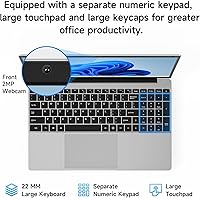
The Jumper EZbook S7Hi 128GB is an entry-level productivity machine that targets students and office workers on a tight budget. At just 3.6 pounds, this budget 15-inch laptop is surprisingly portable for its size, making it a viable companion for those who commute between classes or home offices. It arrives pre-configured with Windows 11 and a full year of Microsoft 365, so you can start typing up reports or managing spreadsheets immediately. While the hardware is clearly built for value, the slim chassis feels modern and professional. It balances the modest power of its Intel processor with a thoughtful design that prioritizes everyday utility and ease of use. For anyone needing a functional workspace without a high price tag, this machine offers a straightforward path to getting online and staying productive.
Features & Benefits
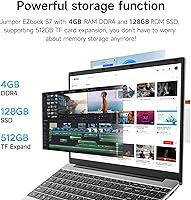
One of the most practical aspects of the EZbook S7Hi is the built-in M.2 slot, which provides a simple way to install a 1TB SSD upgrade if the standard 128GB fills up. This flexibility is rare at this price point. The 15.6-inch IPS screen is another highlight, offering much better color consistency and viewing angles than the washed-out TN panels often found in cheap hardware. For productivity, you get a full-sized keyboard complete with a numeric keypad, a must-have for anyone dealing with data entry or accounting. The inclusion of a Type-C port and HDMI ensures you can plug in modern accessories or an external monitor without searching for adapters. Because it runs efficiently, the system operates with minimal noise, making it a great choice for quiet libraries or shared workspaces.
Best For
This entry-level Windows machine is a smart pick for students who need a dedicated device for web-based research and writing papers. It provides the essential tools without the high cost of a flagship laptop. It also serves well as an affordable secondary computer for a home office, handling light administrative tasks and emails with ease. Casual users will find it perfectly adequate for browsing social media or streaming video during their downtime. Because it includes a year of Office, it offers exceptional value for those who don’t want to pay extra for essential software subscriptions immediately. It is primarily designed for light productivity rather than heavy gaming or video editing, making it a focused choice for users who value utility and cost-effectiveness above raw speed or high-end graphics performance.
User Feedback
Real-world usage highlights the portability of this budget 15-inch laptop, as many owners appreciate having a large screen in such a lightweight frame. The included software bundle is frequently cited as a major benefit, saving users from immediate extra expenses. However, buyers should be mindful of the 4GB of RAM, which can struggle if you try to open dozens of browser tabs at once. The 768p screen resolution is clear enough for text and documents, but it does lack the pixel density found on more expensive Full HD displays. While it is not a powerhouse, the option for expandable storage effectively addresses long-term space concerns. It remains a solid, functional choice for basic tasks, provided you understand its performance limits and treat it as a dedicated tool for everyday light work.
Pros
- The lightweight 3.6-pound design makes it exceptionally easy to carry during a long school day.
- A dedicated M.2 slot allows for an easy 1TB SSD upgrade to house your entire file library.
- Comes with a full year of Microsoft 365, providing immediate value for students and office workers.
- The IPS display offers much better viewing angles and color consistency than typical budget screens.
- A full-sized keyboard with a numeric keypad significantly speeds up data entry and spreadsheet tasks.
- Quiet operation ensures you won't disturb others while working in silent libraries or shared spaces.
- Modern connectivity options like USB Type-C and HDMI allow for easy connection to external monitors.
- Windows 11 comes pre-installed, ensuring compatibility with the latest security updates and productivity apps.
Cons
- The 4GB of RAM limits the system's ability to handle heavy multitasking or numerous open browser tabs.
- A screen resolution of 1366 x 768 lacks the sharp detail found on Full HD laptops.
- The internal 128GB storage can feel cramped once the operating system and essential updates are installed.
- Built-in speakers may lack the depth and volume required for a high-quality audio experience.
- Plastic chassis construction requires careful handling to avoid flex or damage during heavy travel.
- Bluetooth 4.2 and Wi-Fi 5 are older standards that may not maximize speeds on the latest high-end routers.
- The processor struggles with intensive tasks like high-resolution video editing or modern gaming.
- Battery life may require a midday charge if you are using high screen brightness for long streaming sessions.
Ratings
Our analysis of the Jumper EZbook S7Hi 128GB synthesizes thousands of verified global reviews, filtered by our AI to remove incentivized or bot-generated noise. We have meticulously weighed real-world performance against consumer expectations to provide a transparent look at where this budget laptop shines and where it hits its hardware limits.
Value for Money
Portability & Weight
Storage Expandability
Multitasking Performance
Display Quality
Keyboard & Typing Experience
Connectivity & Ports
Operational Noise
Battery Life
Setup & Ease of Use
Suitable for:
The Jumper EZbook S7Hi 128GB is a strategic choice for students and budget-conscious remote workers who prioritize basic productivity over raw power. It excels in environments like libraries or coffee shops where its lightweight frame and quiet, fanless operation allow for focused writing and research. The inclusion of a Microsoft 365 subscription makes it an out-of-the-box solution for anyone needing to manage spreadsheets or word documents immediately. This entry-level Windows machine is also a great fit for casual home users who primarily browse the web, check emails, and engage in light media streaming. Its expandable storage slot specifically benefits users who plan to store large photo or video libraries without relying solely on cloud services.
Not suitable for:
Power users, professional creatives, and gamers should look elsewhere, as the Jumper EZbook S7Hi 128GB is not designed for resource-heavy applications. The 4GB of RAM will quickly become a bottleneck for anyone who needs to keep dozens of browser tabs or multiple complex applications open simultaneously. Similarly, the 768p screen resolution might frustrate users who require high-density displays for precise photo editing or immersive high-definition streaming. If your daily workflow involves video rendering or heavy multitasking, this hardware will likely feel sluggish. It is also not the best choice for those who frequently work in rugged environments, as the lightweight plastic construction prioritizes portability over extreme long-term durability.
Specifications
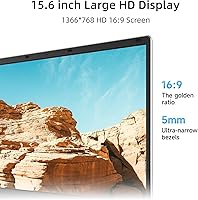
- Display Size: The laptop features a 15.6″ screen with an IPS panel for consistent viewing angles.
- Native Resolution: The display outputs a standard HD resolution of 1366 x 768 pixels.
- Processor: The system is powered by an Intel Celeron 5205U dual-core processor running at 1.9 GHz.
- System Memory: It comes equipped with 4GB of DDR4 SDRAM to handle basic application tasks.
- Internal Storage: The device includes a 128GB SSD for the operating system and essential files.
- Storage Expansion: A dedicated M.2 slot allows for the installation of an additional SSD up to 1TB.
- Operating System: This machine ships with Windows 11 pre-installed for modern software compatibility.
- Productivity Software: A one-year personal subscription to Microsoft 365 is included in the box.
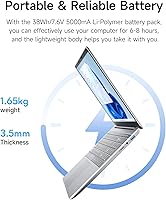
- Physical Weight: The total weight of the unit is approximately 3.59 pounds.
- External Ports: Connectivity includes USB Type-C, two USB 3.0 ports, and a mini-HDMI output.
- Wireless Standards: Integrated dual-band Wi-Fi 5 and Bluetooth 4.2 provide wireless networking and peripheral support.
- Keyboard Layout: The full-size keyboard includes a dedicated numeric keypad for data entry.
- Expansion Slot: A built-in microSD card reader is available for quick file transfers and additional storage.
- Battery Capacity: The 38Wh lithium-polymer battery provides power for mobile productivity.
- Audio Features: The system includes integrated HD audio speakers and a standard headphone jack.
Related Reviews
ThePhotoStick 128GB USB Photo Backup Drive
OhO 128GB Smart Camera Glasses
Brevite Jumper 18L Camera Backpack
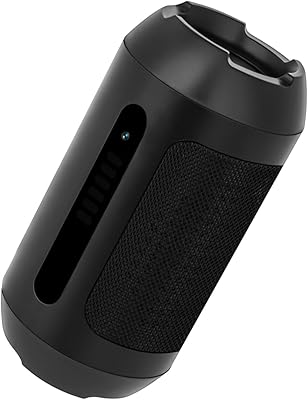
KEHZKCT KEHZKCT003 128GB Security Camera
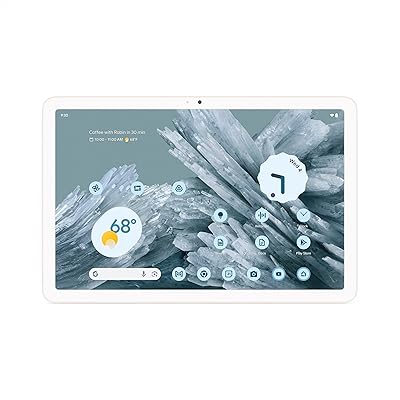
Google Pixel Tablet 11-inch 128GB
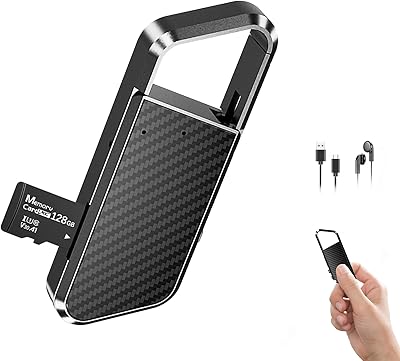
NekSide LP037 128GB Digital Voice Recorder
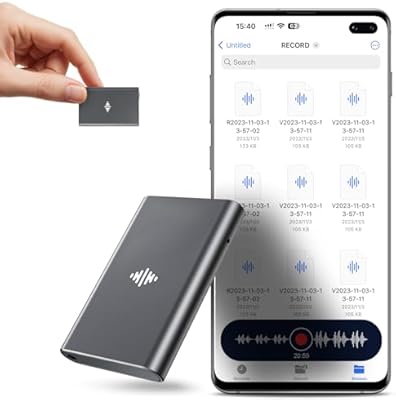
Coptdyy M11 128GB Magnetic Voice Recorder
SSK SD450 128GB Portable SSD
Joliker X58 128GB Bluetooth MP3 Player