Overview

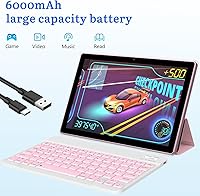
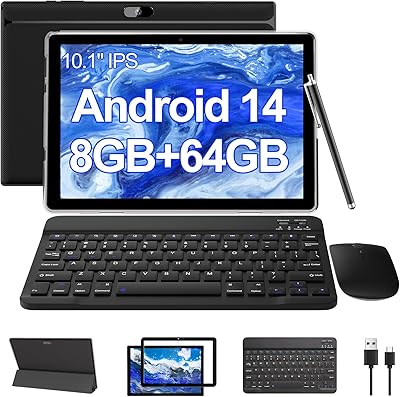
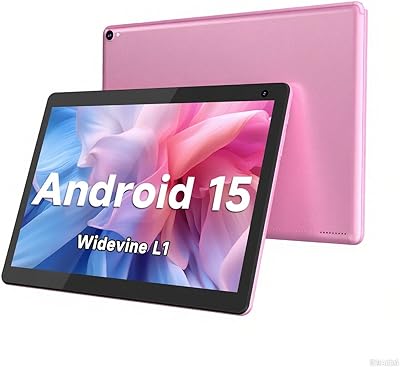
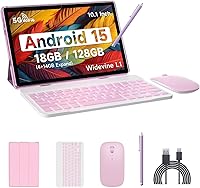
The IWEGGO CP20 Pro 10-inch Android Tablet is a budget bundle that arrives with a keyboard, mouse, stylus, and protective case all in the box — a rare all-in-one package at this price point. It runs Android 15, sports a quad-core ARM processor, and sits squarely in the entry-level tier of the tablet market. IWEGGO isn't a household name, and that's worth acknowledging upfront: the brand has limited visibility outside Amazon listings, which raises fair questions about long-term software support and warranty reliability. The pink colorway and bundled accessories make it a visually appealing gift option for students or younger users wanting a laptop-lite device without the laptop price tag.
Features & Benefits

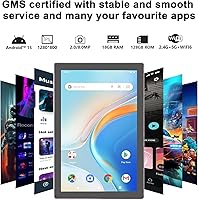
The spec sheet needs some unpacking before you get too excited. The advertised 18GB of RAM sounds impressive, but only 4GB is physical memory — the remaining 14GB is virtual extended RAM, a software trick that uses storage space to simulate additional memory. Useful for light multitasking, but not comparable to real RAM. Storage is genuinely solid at 128GB with microSD expansion available up to 1TB. The 1280×800 display is adequate for YouTube or Netflix but won't satisfy anyone who cares about color accuracy. WiFi 6 and Bluetooth 5.0 are legitimately good inclusions at this price, and the 6000mAh battery holds up well across a full day of moderate use.

Best For

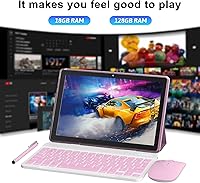
This Android tablet makes the most sense for students who need a basic note-taking and browsing device, particularly those who'd otherwise spend more on a separate keyboard. It's also a reasonable pick for parents buying a first tablet for a teenager — the included case adds real protection, and full Google Play access keeps entertainment options wide open. Casual media consumption is where this device genuinely holds its own: streaming, social media, and light reading all work fine day-to-day. Frequent travelers who just need something compact for flights and hotels will find it fits nicely. Just don't expect it to handle demanding tasks or replace a real laptop.

User Feedback

Buyers who pick up the CP20 Pro tend to come away pleasantly surprised by the bundle value — getting a keyboard, stylus, and mouse alongside the tablet feels like a strong deal, and that comes through consistently in positive reviews. Where things get mixed is around the RAM marketing: several users who understand specs feel misled by the 18GB claim when real-world performance reflects a 4GB device. Build quality is predictably plastic and lightweight, which most buyers accept at this tier, though a few note it feels less solid than expected. App compatibility is generally fine, but ongoing software updates from a lesser-known brand remain a reasonable concern worth keeping in mind before committing.

Pros

  • Comes bundled with a keyboard, mouse, stylus, and protective case — no extra purchases needed out of the box.
  • 128GB of built-in storage is genuinely roomy for apps, photos, and downloaded media at this price tier.
  • Android 15 provides a clean, up-to-date interface with full access to the Google Play Store.
  • WiFi 6 support delivers noticeably faster wireless speeds than most competing tablets in the same price range.
  • The 6000mAh battery handles a full day of mixed use comfortably for students and commuters.
  • Slim and lightweight build makes it easy to carry daily in a backpack or tote without added bulk.
  • MicroSD expansion up to 1TB means storage will never become a long-term constraint.
  • Bluetooth 5.0 pairs quickly and reliably with headphones, speakers, and the included peripherals.
  • The 10.1-inch screen is well-suited for streaming video and casual browsing in everyday indoor settings.
  • At this price point, the overall bundle package offers strong perceived value compared to buying components separately.

Cons

  • The advertised 18GB RAM is misleading — only 4GB is real physical memory; the rest is virtual and noticeably slower.
  • Bundled keyboard and mouse feel cheap in hand, with shallow keys and a barely functional trackpad.
  • The 1280×800 display looks soft and washed out compared to even modestly priced rival tablets.
  • IWEGGO offers no clear roadmap for future software updates or security patches, which is a real longevity concern.
  • The all-plastic chassis flexes under moderate pressure and lacks the solid feel of better-built alternatives.
  • Outdoor use is limited — the screen struggles badly with visibility under direct sunlight.
  • The stylus is not pressure-sensitive, making it useful only for basic tapping rather than real note-taking or sketching.
  • Customer support options are limited and difficult to access, with minimal brand presence outside of Amazon.
  • The processor and DDR3 memory combination becomes a bottleneck quickly when running more than a few apps simultaneously.
  • Speaker audio is thin and tinny at higher volumes, requiring headphones or an external speaker for decent sound.

Ratings

The IWEGGO CP20 Pro 10-inch Android Tablet scores below are generated by AI after analyzing thousands of verified global user reviews, with spam, bot activity, and incentivized feedback actively filtered out. Ratings reflect the full picture — what real buyers genuinely praised and where they ran into frustration — so you can make an informed call before purchasing. Both the standout strengths and the recurring pain points are weighted transparently into every score.
Value for Money
78%
22%
For buyers who factor in the bundled keyboard, mouse, stylus, and protective case, the overall package feels punchy relative to the asking price. Students and parents especially appreciate not having to source accessories separately, which alone can cost as much as the tablet itself.
The value narrative gets murkier once buyers realize the RAM spec is heavily inflated by virtual memory. If you bought it expecting near-midrange performance, the gap between expectation and reality can make the price feel less compelling than it initially appeared.
RAM & Performance
47%
53%
For genuinely light tasks — YouTube, browsing a few tabs, or typing a basic document — the CP20 Pro keeps up without obvious lag. The virtual memory extension does help prevent hard crashes when switching between a handful of apps simultaneously.
Only 4GB of physical RAM powers this device; the advertised 18GB figure is largely a marketing construct built on software-extended virtual storage. Users running more than two or three apps at once, or attempting anything close to gaming or video editing, hit a wall quickly.
Display Quality
63%
37%
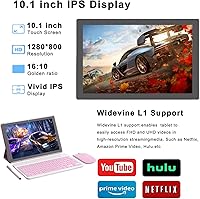
The 1280×800 IPS panel handles Netflix and YouTube streaming well enough for casual viewing, and brightness levels are sufficient for indoor use. Text is readable and colors are pleasant for everyday consumption at this screen size.
Outdoor visibility is noticeably poor under direct sunlight, and color accuracy falls short for anything requiring true-to-life reproduction. Photo editing, graphic design work, or comparing product colors while shopping online are all use cases where the display will disappoint.
Battery Life
74%
26%
The 6000mAh cell consistently delivers a solid full day of mixed use — streaming, light browsing, and some typing — without needing a midday charge. Commuters and students who use it in bursts throughout the day tend to be satisfied with how long it holds up.
Heavy use, particularly with the screen at high brightness or while using the keyboard and WiFi simultaneously, can cut the rated 10-hour figure down noticeably. Charging speed is unremarkable, so running it flat before a long trip requires some planning.
Bundled Accessories Quality
58%
42%
The inclusion of a keyboard, mouse, stylus, and case in the box is genuinely appreciated — it removes the hassle of sourcing peripherals separately and makes the setup feel complete right out of the box. For light typing, the keyboard works well enough for emails and notes.
The keyboard and mouse are built to a budget standard and it shows: key travel is shallow, the trackpad on the keyboard is barely usable, and the mouse feels lightweight in the hand. The stylus is basic and not pressure-sensitive, which limits its usefulness for anything beyond tapping and casual sketching.
Build Quality
55%
45%
The tablet itself is slim and light at 2.2 pounds, making it easy to carry around campus or toss in a backpack. The included protective case adds a layer of practical durability that partially compensates for the chassis itself.
The all-plastic construction gives away the price tier immediately — it flexes slightly when gripped firmly and feels less solid than even modestly priced competing tablets. Some users reported minor creaking around the edges after a few weeks of regular use.
Software & Android 15 Experience
69%
31%
Running the latest Android 15 means access to a clean, up-to-date interface and the full Google Play ecosystem. Popular apps like Netflix, YouTube, and WhatsApp install and run without compatibility issues, which matters for casual daily use.
Long-term software update support from a lesser-known brand like IWEGGO is uncertain — there is no clear public commitment to future Android version upgrades or regular security patches. Buyers who plan to keep the device for two or more years should factor this in.
WiFi & Connectivity
77%
23%
WiFi 6 support is a genuinely above-average inclusion at this price, and users in homes with modern routers notice snappier streaming and faster downloads compared to older-spec tablets in the same range. Bluetooth 5.0 pairs quickly with headphones and speakers.
Real-world WiFi range is average, and signal consistency can drop in larger spaces or through multiple walls. A small number of users reported needing to reconnect the Bluetooth mouse periodically, which is a minor but recurring annoyance during longer work sessions.
Storage & Expandability
82%
18%
128GB of onboard storage is genuinely generous for this price tier and covers most users' needs for apps, photos, and downloaded media. The microSD slot supporting up to 1TB gives plenty of headroom to grow without ever feeling cramped.
The internal storage uses slower flash memory, which means large file transfers and app installations take longer than on faster mid-range tablets. Heavy app libraries with lots of game data can also see slower load times compared to devices with faster storage controllers.
Screen Size & Portability
76%
24%
The 10.1-inch screen hits a comfortable middle ground — large enough for comfortable video watching and reading, yet slim and light enough to carry daily without it feeling like a burden. The form factor suits commuters and students particularly well.
At this screen size and resolution combination, text and UI elements can look slightly soft compared to higher-resolution tablets in the same size range. Users coming from a modern smartphone may find the pixel density underwhelming, especially for reading small text.
Processor Speed
49%
51%
For the core use cases this tablet is designed for — web browsing, streaming, and basic document work — the 2GHz quad-core chip gets the job done without constant hesitation. App launch times are reasonable for light, everyday tasks.
The ARM quad-core paired with DDR3 memory is a noticeably dated hardware combination, and it shows when multitasking or loading heavier applications. Gaming beyond casual titles is largely out of reach, and extended multitasking sessions can make the device feel sluggish.
Audio Quality
52%
48%
The built-in speakers are adequate for casual video watching in a quiet room, and volume levels reach high enough to be heard without earphones in low-noise environments. Most users find them acceptable for standard media consumption.
Audio lacks bass and sounds tinny at higher volumes, which is a common limitation at this hardware tier. Watching movies or listening to music with any expectation of immersive sound will require pairing with external Bluetooth speakers or headphones.
Brand Trust & Support
44%
56%
The product listing is detailed and includes a named model number, which at least provides a reference point for warranty claims and support inquiries. A portion of buyers have had smooth purchase experiences with no issues requiring support contact.
IWEGGO has minimal presence outside of Amazon, which makes verifying warranty claims, accessing customer support, or finding independent repair options genuinely difficult. For a device expected to last two or more years, the lack of an established support track record is a real concern.
Setup & Ease of Use
81%
19%
Android 15 is straightforward to set up, and the tablet pairs with the bundled keyboard and mouse quickly via Bluetooth. Even less tech-savvy users — including older teens and adults new to tablets — can get up and running within minutes.
The initial setup requires a Google account and a working WiFi connection, which is standard but worth noting for buyers planning to gift it to someone less familiar with Android. Pre-installed apps can add minor clutter that some users find mildly annoying to clear.

Suitable for:

The IWEGGO CP20 Pro 10-inch Android Tablet is genuinely well-matched for students who need a no-fuss device for taking notes, catching up on lectures, and browsing between classes — particularly because the keyboard is already in the box. Parents shopping for a first tablet for a teenager will appreciate the bundled protective case and the full Google Play access that keeps the device useful for both schoolwork and downtime. Casual home users who mostly stream video, scroll social media, and handle light messaging will find it covers those bases reliably without demanding a significant investment. It also makes a practical gift for someone who has never owned a tablet before, since the all-in-one package removes the guesswork around accessories. Light travelers who want something compact for flights and hotel stays — and who are not expecting laptop-level productivity — will find the portability and battery life suit that role well.
Not suitable for:

The IWEGGO CP20 Pro 10-inch Android Tablet is not the right choice for anyone who has been drawn in by the 18GB RAM claim and expects genuinely fluid multitasking — the real physical memory is 4GB, and the difference is noticeable the moment you push the device beyond light use. Anyone planning to use this as a primary work machine for spreadsheets, video calls, and document-heavy workflows will quickly find the quad-core processor and DDR3 memory combination frustrating. Gamers should look elsewhere entirely; anything beyond very simple casual titles will struggle with the hardware on offer here. Users who rely on a tablet for photo editing, content creation, or color-accurate work will find the 1280×800 display simply not up to the task. Finally, buyers who want long-term peace of mind around software updates and manufacturer support should be cautious — IWEGGO has limited presence outside of Amazon, and there is no clear commitment to ongoing security patches or OS upgrades.
Specifications

  • Screen Size: The display measures 10.1″ diagonally with an IPS panel and a resolution of 1280×800 pixels.
  • Operating System: The tablet ships with Android 15, providing access to the full Google Play Store and the latest Android interface features.
  • Processor: A 2GHz quad-core ARM processor handles all system tasks and app execution.
  • Physical RAM: The device contains 4GB of physical LPDDR RAM, supplemented by up to 14GB of software-based virtual extended memory.
  • Internal Storage: 128GB of onboard ROM storage is available for apps, media, and files.
  • Storage Expansion: A dedicated microSD card slot supports external storage cards up to 1TB capacity.
  • Battery: A 6000mAh lithium polymer battery provides up to 10 hours of use on a single charge under moderate conditions.
  • Wireless: WiFi 6 (802.11ax) is supported across both 2.4GHz and 5GHz bands for fast, modern wireless connectivity.
  • Bluetooth: Bluetooth 5.0 enables stable, low-latency pairing with the included peripherals and third-party accessories.
  • Charging Port: The tablet charges and transfers data via a USB-C port.
  • Memory Type: The system uses DDR3 SDRAM, which is an older memory standard compared to DDR4 or LPDDR4x found in newer devices.
  • Dimensions: The tablet body measures 9.5″ long by 6.5″ wide by 0.3″ thick.
  • Weight: The tablet weighs 2.2 pounds, which includes the device body without accessories attached.
  • Color: The CP20 Pro is offered in a Pink colorway as the primary available finish.
  • In-Box Accessories: Each unit includes a keyboard, wireless mouse, stylus, protective case, and a USB-C charging cable.
  • Model Number: The official model identifier for this tablet is CP20MAX, marketed under the CP20 Pro product line by IWEGGO.
  • Display Technology: The screen uses IPS (In-Plane Switching) panel technology for wider viewing angles compared to basic TN displays.
  • Brand: This tablet is manufactured and sold by IWEGGO, a consumer electronics brand primarily distributed through Amazon.

Related Reviews

ADREAMER KidsPad10 Pro 10-inch Tablet, 64GB, Android 13
85%
89%
Battery Life
91%
Build Quality
94%
Ease of Use for Kids
87%
Parental Controls
92%
Value for Money
More
BYANDBY BYCP10-PRO 10.1-inch Android 14 Tablet, 64GB Storage
80%
92%
Value for Money
89%
Battery Life
78%
Performance
87%
Portability/Size/Weight
76%
Build Quality/Durability
More
ITMEIPC T-10 Android Tablet 10.1-inch, 6GB RAM, 64GB Storage
80%
91%
Value for Money
85%
Display Quality
74%
Battery Life
78%
Build Quality
88%
Performance for Light Use
More
VOLENTEX M10 10 Inch Android Tablet 32GB
78%
89%
Value for Money
84%
Battery Life
72%
Display Quality
88%
Performance for Casual Use
91%
Expandable Storage
More
FEONAL K118 10.1-inch Android Tablet
68%
83%
Display Quality
67%
Performance & Speed
78%
Battery Life
44%
Camera Quality
81%
Value for Money
More
HAOVM G12PK14 10-inch Android 14 Tablet, 32GB
83%
91%
Value for Money
85%
Display Quality
88%
Battery Life
80%
Performance Speed
65%
Storage Capacity
More
Topsand Android 14 Tablet 10-inch 10GB+32GB
84%
82%
Performance
88%
Build Quality & Durability
85%
Battery Life
70%
Display Quality
91%
Storage Capacity & Expandability
More
COOPERS CP10S 10-inch Android Tablet 32GB
72%
88%
Value for Money
76%
Display Quality
61%
Performance & Speed
72%
Battery Life
54%
RAM & Multitasking
More
ZZB ZB10 10-inch Android Tablet, 32GB Storage
77%
92%
Value for Money
89%
Battery Life
67%
Display Quality
84%
Performance for Basic Tasks
76%
Build Quality
More
aiprotablet C20e 10-inch Android Tablet
68%
83%
Value for Money
78%
Software Experience
71%
Battery Life
62%
Display Quality
59%
Performance & Speed
More
XINHENGTAI M10 Android 13 Tablet, 128GB, 10.1-inch
83%
92%
Value for Money
88%
Performance
91%
Battery Life
84%
Camera Quality
72%
Display Quality
More

FAQ

Not in the traditional sense. The IWEGGO CP20 Pro 10-inch Android Tablet only has 4GB of physical LPDDR RAM — the kind that actually runs your apps and processes. The remaining 14GB is virtual extended memory, which is a software feature that borrows from the internal storage to simulate extra RAM. It can help prevent hard crashes when switching between apps, but it is meaningfully slower than real RAM and should not be compared to a device that actually has 18GB of physical memory.
Yes, and this is actually one of its stronger use cases. The bundled keyboard makes typed note-taking practical right out of the box, and apps like Google Docs and Microsoft Word run fine for standard document work. Just keep expectations realistic — it handles schoolwork well but will slow down if you push it with too many browser tabs or heavy apps simultaneously.

The keyboard connects wirelessly via Bluetooth, so there is no cable tethering you to the tablet while you type. Pairing is straightforward through the standard Android Bluetooth settings menu. The mouse also connects via Bluetooth the same way.

Yes, both apps install and run normally through the Google Play Store. Streaming video at standard and HD quality works without issues on the 1280×800 display. The screen is not going to rival a premium tablet for sharpness or color, but for casual video watching it gets the job done.

With 128GB of internal storage, you will typically have somewhere between 110GB and 118GB free after the Android operating system and pre-installed apps take their share. If that fills up over time, the microSD slot lets you add up to 1TB of additional storage for media, photos, and downloaded content.

Casual games from the Play Store — things like puzzle games, card games, or simple arcade titles — run fine. However, graphically demanding games like Genshin Impact or Call of Duty Mobile will struggle noticeably. The quad-core processor and DDR3 memory are not designed for that workload, and you should expect lag, frame drops, or in some cases the games simply refusing to run at acceptable quality.

It is a basic capacitive stylus, not a pressure-sensitive one. It works for tapping, navigating menus, and casual doodling, but it will not behave like an Apple Pencil or a Wacom stylus for detailed handwriting or drawing. If precise stylus input is important to you, this one will feel limited.

This is a fair concern and worth being upfront about. IWEGGO has limited brand presence outside of Amazon, which means finding independent repair services, third-party support resources, or community forums is difficult. Warranty claims need to go through Amazon or the seller directly. The device comes with a standard limited warranty, but long-term manufacturer support — including security updates and OS upgrades — is not guaranteed in the way it would be from an established brand.

It is genuinely functional. The case wraps around the tablet, provides a folding stand for propping it up at an angle, and gives reasonable protection against everyday scratches and minor drops. It is not a rugged military-grade case by any stretch, but for a student carrying the tablet in a backpack it offers solid practical value.

The tablet has a USB-C port, but whether it supports video output depends on whether the specific USB-C implementation includes DisplayPort Alt Mode — and IWEGGO does not clearly confirm this in the product documentation. Screen mirroring via Miracast or a compatible smart TV is likely a more reliable option. If external display connectivity is a priority for you, this is worth verifying directly with the seller before purchasing.