Overview

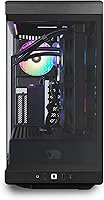
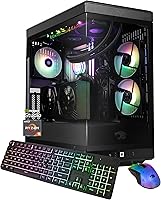
The iBUYPOWER Y40 Pro Gaming PC (Ryzen 9 7900X, RTX 5070 Ti, 32GB DDR5, 2TB) arrived in early 2025 as one of the more compelling prebuilt options for enthusiast-level gaming and content creation. The real draw is the Blackwell-architecture RTX 5070 Ti — a GPU genuinely capable of driving 4K gaming at high framerates rather than just marketing-speak territory. Backing it up is AMD's 12-core Ryzen 9 7900X, which handles streaming, rendering, and multitasking without breaking a sweat. What you're really paying for here is a warranty-backed machine that skips the part-hunting headache entirely. That premium is real, and whether it's worth it depends on how much you value your time and peace of mind.
Features & Benefits

The RTX 5070 Ti is the centerpiece here, and it earns that billing. With 16GB of GDDR7 memory and full support for DLSS 4 and Multi Frame Generation, this GPU handles 4K titles with headroom to spare — something its predecessors couldn't consistently claim. The Ryzen 9 7900X keeps pace on the CPU side, particularly useful if you stream or run heavy editing sessions alongside gaming. Thirty-two gigabytes of DDR5 at 5200MHz in dual-channel means memory won't be a bottleneck anytime soon, and the 2TB NVMe SSD gives you room for a large game library without juggling drives constantly. Built-in Wi-Fi and a clean Windows 11 install with no bloatware round things out sensibly.

Best For

The Y40 Pro makes most sense for serious 1440p and 4K gamers who want to skip weeks of researching parts, waiting on shipments, and troubleshooting a first build. Content creators — particularly those doing video editing, 3D rendering, or regular streaming — will appreciate how well the CPU and GPU share the workload without either becoming a hard limit. It's also a solid pick for someone upgrading from an older mid-range system who wants a generational leap in a single purchase. That said, if you're already sitting on a capable GPU or primarily need a budget-oriented entry point, this RTX 5070 Ti prebuilt is probably more machine than the situation calls for.

User Feedback

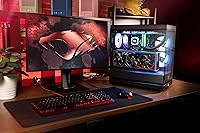
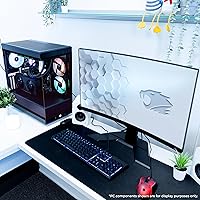
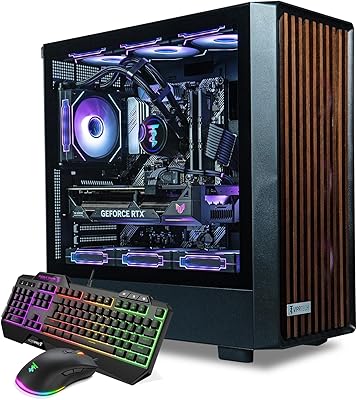
Early buyers of this iBUYPOWER tower point to out-of-box performance as the standout win — boot it up, install your games, and it just works at a level most mid-range builds can't touch. The tempered glass case draws consistent praise for aesthetics, though some users flag that airflow under heavy GPU load pushes temperatures higher than expected, suggesting the cooling may favor looks over sustained thermal headroom. The bundled keyboard and mouse are functional but clearly starter-tier; most buyers treat them as temporary. Upgradeability gets mixed marks: internals are accessible, but PSU headroom and case layout may constrain future expansions. Overall sentiment leans positive among buyers who prioritized convenience over raw cost-per-performance.

Pros

  • RTX 5070 Ti with DLSS 4 support drives 4K gaming at framerates mid-range prebuilts cannot reach.
  • Clean Windows 11 install with zero bloatware means you are gaming within minutes of unboxing.
  • 32GB of DDR5 in dual-channel keeps both gaming and creative applications running without memory bottlenecks.
  • 2TB NVMe storage fits a large game library without forcing constant uninstall management.
  • The Y40 Pro ships as a warranty-backed, tested system — no troubleshooting a failed first build.
  • Ryzen 9 7900X handles streaming and rendering alongside gaming without the CPU becoming a hard limit.
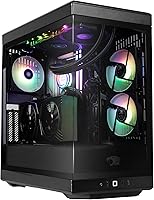
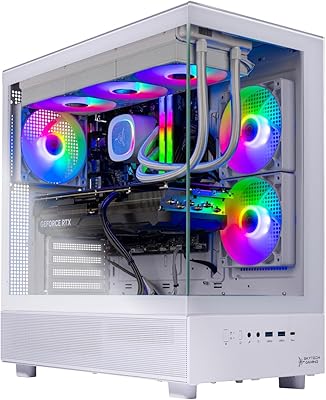
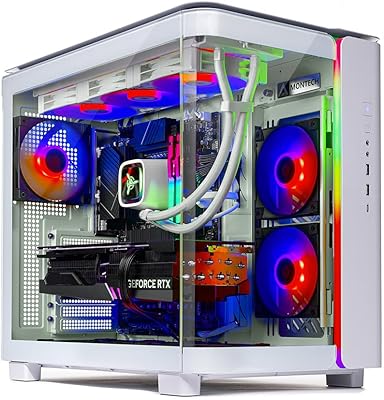
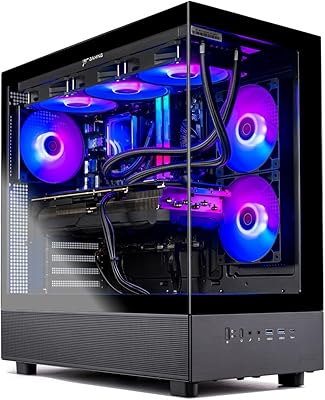
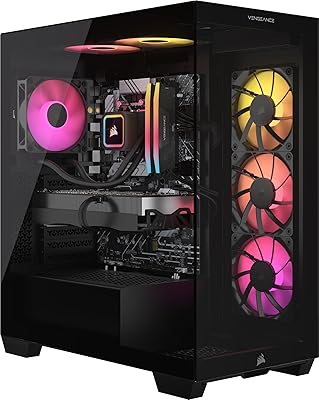
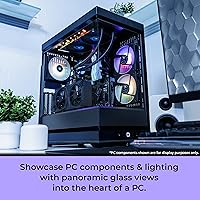
  • Tempered glass case looks genuinely premium on a desk, not like a generic budget tower.
  • Eleven USB ports plus gigabit Ethernet and built-in Wi-Fi cover most desk setups without needing a hub.
  • Internals are accessible enough for RAM and storage upgrades without specialized tools or expertise.

Cons

  • Wi-Fi tops out at 802.11AC — a noticeable spec shortfall for a flagship system launching in 2025.
  • Case airflow under sustained GPU load runs hotter than the premium price point would suggest.
  • PSU specifications are not clearly disclosed, creating uncertainty for buyers planning future GPU upgrades.
  • Bundled keyboard and mouse are entry-level placeholders most buyers replace within weeks.
  • Blackwell driver maturity is still developing — some titles exhibit occasional instability with early RTX 5070 Ti support.
  • XMP memory settings are not always pre-enabled, leaving some buyers running RAM below its rated speed by default.
  • Self-builders will likely get better cooling and power supply quality for the same spend.
  • The NVMe drive brand and controller tier are undisclosed, and real-world speeds may fall short of top-tier options.

Ratings

The iBUYPOWER Y40 Pro Gaming PC (Ryzen 9 7900X, RTX 5070 Ti, 32GB DDR5, 2TB) scores below are generated by AI after analyzing verified buyer reviews from multiple global sources, with spam, bot-driven, and incentivized feedback actively filtered out. This RTX 5070 Ti prebuilt sits at a premium price point, so we held it to a higher standard — and the results reflect both where it genuinely delivers and where real owners have run into friction.
Gaming Performance
93%
Buyers running demanding titles at 4K — from Cyberpunk 2077 to Alan Wake 2 — report frame rates that mid-range prebuilts simply cannot match. The RTX 5070 Ti with DLSS 4 and Multi Frame Generation gives the Y40 Pro a measurable edge that owners notice immediately during actual play sessions.
A small number of users report occasional microstutter in titles with early Blackwell driver support, a reminder that this is still relatively new silicon. Driver maturity will improve over time, but buyers expecting perfection on day one with every title may hit occasional rough edges.
CPU Workload Handling
88%
The 12-core Ryzen 9 7900X handles streaming, rendering, and gaming simultaneously without throttling — something content creators who run OBS alongside resource-heavy games genuinely appreciate. Video editors report fast export times that feel more workstation-like than typical gaming desktop fare.
For pure gaming workloads, the 7900X is capable but not a generational leap over the previous gen — buyers purely chasing gaming frames rather than mixed workloads may feel the CPU investment is partially wasted. A few users also note the CPU runs warm under sustained all-core loads in the Y40 case.
Thermal Management
67%
33%
Under light to moderate gaming, temperatures stay in a comfortable range and the system runs quieter than many RGB-heavy tower builds. For casual sessions or productivity work, the cooling setup is more than adequate and does not intrude audibly.
Under sustained 4K gaming or combined CPU-GPU stress, several users flag higher-than-expected temperatures, suggesting the case airflow prioritizes aesthetics over serious thermal headroom. This is a recurring complaint among owners who push the RTX 5070 Ti hard for extended periods — worth monitoring if you run marathon sessions.
Build Quality & Case Design
84%
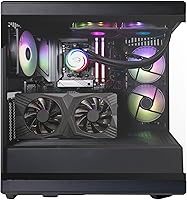
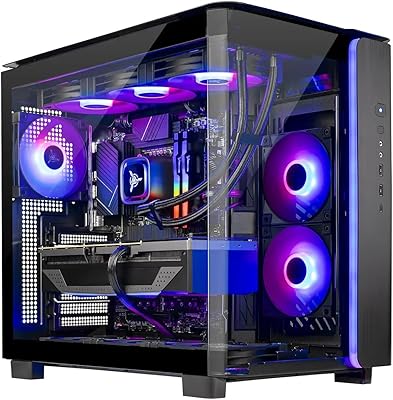
The tempered glass panel and 16-color RGB lighting make a strong first impression, and the overall chassis feels solid rather than budget-hollow. Buyers frequently mention the case as a genuine standout for a prebuilt at this tier, with a premium look that holds up in person.
The internal cable management gets mixed reviews — the exterior looks polished but opening the side panel reveals a less refined interior. Some users also note the case feet offer minimal elevation, which slightly limits bottom airflow on carpet surfaces.
RAM & Memory Performance
86%
Thirty-two gigabytes of DDR5 at 5200MHz in a true dual-channel configuration means memory is never the bottleneck in any current game or creative application. Users doing large Premiere Pro or DaVinci Resolve projects specifically call out how rarely the system feels memory-constrained.
The RAM runs at its rated 5200MHz out of the box, but some users report that enabling XMP requires a manual BIOS adjustment that iBUYPOWER does not always pre-configure. For non-technical buyers, this small step can go unnoticed, leaving performance slightly below what the spec sheet promises.
Storage Speed & Capacity
89%
Two terabytes of NVMe storage handles a large game library without the juggling act that smaller SSDs force. Boot times are fast, game load screens are noticeably shorter compared to SATA SSDs, and buyers upgrading from HDD-based systems report the difference feeling dramatic.
iBUYPOWER does not prominently disclose the exact NVMe brand or controller tier, and some buyers have noted the included drive is not always a top-tier option despite the premium system price. It performs well enough for everyday use but may not hit the peak sequential speeds enthusiasts expect.
Out-of-Box Setup Experience
91%
Buyers consistently highlight how genuinely ready-to-use this system is — no bloatware, a clean Windows 11 install, and a single power cable away from gaming. For anyone who has wrestled with a first PC build or a cluttered OEM install, this clean setup experience carries real practical value.
The initial setup wizard still requires the standard Windows 11 account configuration, which a handful of less technical buyers found confusing. Documentation included in the box is minimal, so users who want to understand BIOS settings or upgrade paths are mostly on their own.
Included Peripherals
58%
42%
The bundled keyboard and mouse mean buyers can get to gaming immediately without an extra accessory purchase on day one. For anyone using this as a transitional setup while they decide on peripherals, the inclusions serve a practical short-term purpose.
Most buyers quickly replace both peripherals, describing them as functional but clearly entry-level — the mouse in particular draws criticism for its light, hollow feel. They are a convenience inclusion rather than a genuine value-add, and buyers should budget for replacements fairly soon.
Connectivity & Port Selection
82%
18%
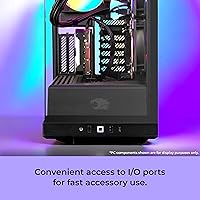
Eleven USB ports total — a mix of USB 2.0 and USB 3.0/3.1 — covers most desk setups without needing a hub. Gigabit Ethernet and built-in 802.11AC Wi-Fi give buyers flexible networking options right out of the box, which is more than many competitors include at this price tier.
The Wi-Fi standard tops out at 802.11AC rather than the newer Wi-Fi 6 or 6E, which feels like a missed opportunity on a flagship-tier system launching in 2025. Users in dense wireless environments or those with Wi-Fi 6 routers will notice the ceiling, and it does feel like a spec corner cut.
Upgradeability
71%
29%
The internals are genuinely accessible — removing the tempered glass panel is straightforward, and adding more RAM or swapping in additional storage is well within reach for intermediate users. Buyers planning to expand RAM to 64GB down the line report the process is uncomplicated.
PSU headroom details are not prominently disclosed, creating uncertainty for buyers considering future GPU upgrades. Several users also note the case layout makes GPU removal more involved than expected, which matters if you ever plan to swap the RTX 5070 Ti for a future card.
Noise Levels
74%
26%
During everyday tasks and light gaming sessions, the Y40 Pro is genuinely quiet — the fans do not intrude at all at moderate loads, which buyers using this in a bedroom or shared living space appreciate. The system manages low workloads efficiently without spinning fans unnecessarily.
Under full GPU load, fan noise climbs noticeably, and a few users describe it as louder than expected for a tower of this size. It is not disruptive at typical listening volumes with headphones on, but open-ear or low-volume gaming sessions will register the fan ramp-up clearly.
Software & Driver Experience
69%
31%
The clean Windows 11 install with no third-party bloatware is a real positive — buyers who have dealt with OEM machines loaded with trial software appreciate starting fresh. NVIDIA app integration works as expected for driver updates and performance monitoring.
As a Blackwell-architecture GPU, the RTX 5070 Ti is still in the earlier stages of driver optimization for some titles as of early 2025. A small but vocal group of buyers report needing to roll back or selectively update drivers to avoid performance anomalies in specific games.
Value for Money
72%
28%
For buyers who factor in the time cost of sourcing components, assembling, troubleshooting, and managing a warranty across individual parts, the Y40 Pro represents a reasonable all-in cost. The RTX 5070 Ti alone commands a significant market premium, so the system price is not as inflated as it first appears.
Self-builders who are comfortable with the process will almost certainly get better component quality — particularly in PSU and cooling — for the same or lower spend. The prebuilt premium is real, and buyers who prioritize maximum hardware quality per dollar will feel that gap acutely.

Suitable for:

The iBUYPOWER Y40 Pro Gaming PC (Ryzen 9 7900X, RTX 5070 Ti, 32GB DDR5, 2TB) is a strong fit for enthusiast gamers who want to play demanding titles at 1440p or 4K without spending weeks sourcing components and assembling a custom build. If your game library skews toward visually intensive open-world or AAA titles and you want a system that handles them at high settings without constant compromise, the RTX 5070 Ti delivers that without much argument. Content creators who split their time between gaming and serious workloads — video editing, 3D rendering, or live streaming — will find the Ryzen 9 7900X genuinely useful rather than just a spec box tick. This system also makes real sense for buyers upgrading from an older mid-range desktop who want a single, significant leap rather than incremental part swaps. And for anyone who finds PC building genuinely stressful or time-consuming, the clean Windows install, warranty coverage, and ready-to-run setup remove a lot of friction that self-builders tend to underestimate.
Not suitable for:

The iBUYPOWER Y40 Pro Gaming PC (Ryzen 9 7900X, RTX 5070 Ti, 32GB DDR5, 2TB) is not the right call for buyers who are primarily cost-focused or comfortable building their own system, since a self-builder with the same budget can typically get better component quality — especially in PSU and cooling — without paying the prebuilt assembly premium. If you already own a capable GPU from a recent generation and are simply looking for an incremental upgrade path, buying an entirely new system at this price tier is hard to justify. The Wi-Fi topping out at 802.11AC rather than Wi-Fi 6 or 6E is a genuine shortcoming for a 2025 flagship, so buyers in bandwidth-heavy households or with modern routers may find that frustrating. Buyers who run extended, sustained workloads — marathon gaming sessions, overnight renders — should be aware that thermal management under maximum load has been a recurring concern among real owners, and the case airflow may not keep up the way a purpose-built workstation cooler would. Finally, anyone expecting the bundled peripherals to be a long-term solution will likely be disappointed; they are functional placeholders, not quality accessories.
Specifications

  • Processor: AMD Ryzen 9 7900X 12-core, 24-thread CPU with a 4.7GHz base clock and up to 5.6GHz boost, built on the Zen 4 architecture.
  • Graphics Card: NVIDIA GeForce RTX 5070 Ti with 16GB GDDR7 memory, featuring Blackwell architecture with support for DLSS 4 and Multi Frame Generation.
  • System RAM: 32GB DDR5 running at 5200MHz in a dual-channel configuration across two 16GB modules.
  • Storage: 2TB NVMe SSD providing fast sequential read and write speeds for quick boot times and rapid game load screens.
  • Operating System: Windows 11 Home is pre-installed with no third-party bloatware, offering a clean out-of-box software environment.
  • Display Output: Supports resolutions up to 3840x2160 (4K UHD) via the RTX 5070 Ti GPU outputs.
  • Wireless: 802.11AC Wi-Fi is built into the motherboard, providing wireless connectivity without requiring a separate adapter.
  • Ethernet: A single RJ-45 port supports 10/100/1000 Mbps (Gigabit) wired network connections.
  • USB Ports: Eleven USB ports total: 4x USB 2.0 and 7x USB 3.0/3.1, covering both front and rear panel access.
  • Audio: Onboard audio is included via the motherboard, with no discrete sound card present in this configuration.
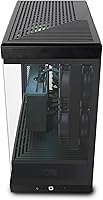
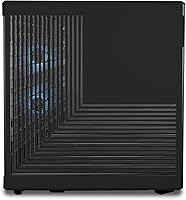
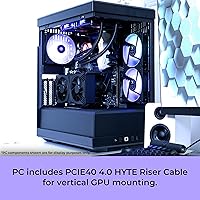
  • Case Design: Mid-tower chassis features a tempered glass side panel and 16-color RGB lighting across the case interior.
  • Dimensions: The tower measures 17.28 x 9.44 x 18.58 inches (L x W x H), requiring moderate desk or floor footprint clearance.
  • Weight: The fully built system weighs approximately 36 pounds, typical for a mid-tower with full-size GPU and cooling hardware.
  • Included Accessories: An iBUYPOWER gaming keyboard and RGB gaming mouse are included in the box for immediate use.
  • RGB Lighting: The case supports 16-color RGB lighting with software-controllable zones for personalized lighting configurations.
  • Processor Brand: AMD is the processor manufacturer, with the Ryzen 9 7900X representing the high-end segment of the AM5 platform.
  • GPU Chipset: NVIDIA supplies the GPU chipset, with the RTX 5070 Ti positioned in the upper tier of the Blackwell consumer lineup.
  • Form Factor: Standard desktop tower form factor designed for stationary desk placement, not compatible with rack mounting or compact enclosures.

Related Reviews

Skytech Gaming King 95 Desktop PC, Ryzen 7 9800X3D, NVIDIA RTX 5070 Ti, 32GB DDR5, 2TB SSD
88%
94%
Gaming Performance
88%
Build Quality
90%
Cooling Efficiency
92%
Storage Speed
85%
Ease of Setup
More
Skytech Gaming Azure 3 Gaming PC, AMD Ryzen 7 9700X, NVIDIA RTX 5060, 32GB DDR5, 2TB SSD
87%
94%
Performance
91%
Gaming Experience
92%
Value for Money
86%
Thermal Management
88%
Setup and Installation
More
Skytech Gaming King 95 Ryzen 7 7700X RTX 5070 Ti 2TB 32GB
89%
95%
Gaming Performance
93%
CPU Efficiency
94%
GPU Performance
92%
Memory and Storage Speed
88%
Thermal Management
More
ViprTech Overlord 2.0 Liquid-Cooled Gaming PC - AMD Ryzen 7 5700X, RTX 5070, 32GB RAM, 2TB SSD
88%
94%
Performance
89%
Cooling Efficiency
88%
Build Quality
92%
Graphics & Gaming Experience
95%
Setup & Installation
More
Skytech Gaming Azure 3 Desktop PC, Ryzen 7 7700X, NVIDIA RTX 5070 12GB, 32GB DDR5 RAM, 1TB SSD
86%
94%
Gaming Performance
88%
Build Quality
91%
Cooling Efficiency
85%
Value for Money
89%
Ease of Setup
More
Corsair Vengeance a7500 Gaming PC – AMD Ryzen 5 9600X, NVIDIA GeForce RTX 4060 Ti, 32GB DDR5, 1TB SSD
86%
91%
Gaming Performance
88%
Overall Build Quality
87%
Ease of Setup
89%
Thermal Management
83%
Aesthetics / RGB Lighting
More
Skytech Azure 3 Gaming PC (Ryzen 7 7800X3D, RTX 5060 Ti, 1TB SSD, 32GB RAM)
89%
98%
CPU Performance
94%
Thermal Management
97%
1080p Gaming Capability
91%
Build Aesthetics & Quality
93%
System Responsiveness
More
Skytech Gaming Siege Gaming PC – Intel Core i7 13700F, NVIDIA RTX 4060 Ti, 32GB DDR5, 1TB SSD
87%
94%
Performance in Gaming
92%
Graphics Quality
91%
Processing Speed
88%
Cooling Efficiency
89%
Build Quality
More
Skytech Gaming Azure 3 Gaming PC, AMD Ryzen 5 7600, NVIDIA RTX 5060, 32GB DDR5 RAM, 1TB SSD
85%
91%
Gaming Performance
87%
Build Quality
95%
Ease of Setup
85%
Thermal Management
89%
Multitasking Performance
More
Empowered PC Panorama Gaming Desktop i9-14900KF, RTX 5070, 32GB RAM, 2TB SSD
87%
94%
Gaming Performance
92%
Value for Money
90%
Content Creation Performance
88%
Build Quality
85%
Cooling and Thermals
More
GMKtec Nucbox K11 (Ryzen 9 8945HS, 32GB, 2TB)
89%
94%
CPU Performance
96%
Expansion & Upgradability
92%
Connectivity & Ports
87%
Thermal Management
89%
Build Quality
More

FAQ

The RTX 5070 Ti is genuinely capable at 4K — this is not a situation where the spec sounds better than it performs. In demanding titles like Cyberpunk 2077 or Hogwarts Legacy, the GPU delivers high framerates at 4K with settings turned up, especially when DLSS 4 and Frame Generation are enabled. That said, ray tracing at native 4K without upscaling will still push any GPU, so expect to lean on DLSS Quality mode for the smoothest results.

Yes, the internals are accessible without any unusual tools. Upgrading to 64GB of DDR5 down the line is straightforward as long as you use compatible DDR5 sticks, and adding a second NVMe drive is equally uncomplicated if your motherboard has an open M.2 slot. The main thing to check before buying additional storage is which M.2 slots are available on the specific motherboard iBUYPOWER used, since that detail is not always front-and-center in the product listing.

Wi-Fi is built right into the motherboard, so there is nothing extra to buy or install. It uses the 802.11AC standard, which covers most home and office router setups without issue. If you have a Wi-Fi 6 or Wi-Fi 6E router and want to take full advantage of those speeds, the built-in adapter will not reach those ceilings — but for everyday gaming and streaming, 802.11AC handles it fine.

At moderate settings or during everyday tasks, the system runs quietly enough that it does not become a distraction. When the RTX 5070 Ti is pushed hard — think extended 4K gaming sessions or GPU-intensive rendering — the fans do ramp up noticeably. It is not unusually loud for a high-end gaming tower, but if you game with open-ear headphones or in a quiet room, you will hear the fan noise during peak load.

It handles both genuinely well. The Ryzen 9 7900X has 12 cores, which means running OBS for streaming while gaming does not visibly tank your frame rates the way it would on a 6-core CPU. For video editing, export times in Premiere Pro or DaVinci Resolve benefit from both the CPU core count and NVIDIA Studio GPU acceleration. Content creators who also game will feel right at home with this setup.

The iBUYPOWER Y40 Pro Gaming PC (Ryzen 9 7900X, RTX 5070 Ti, 32GB DDR5, 2TB) includes a gaming keyboard and RGB mouse, which are functional enough to get you started immediately. Honestly though, most buyers end up replacing them fairly quickly — the mouse in particular tends to feel light and plasticky compared to even mid-range standalone peripherals. Treat them as a temporary convenience rather than long-term gear.

This is worth checking when you first boot up. iBUYPOWER does not always ship with XMP enabled by default, which means the RAM may initially run at a lower default JEDEC speed rather than its rated 5200MHz. It is a simple one-time BIOS toggle to enable XMP, but it requires you to restart, enter BIOS, and flip the setting — something less technical buyers might not think to do.

The tower measures roughly 17.3 inches long, 9.4 inches wide, and 18.6 inches tall, so it has a moderate footprint. It will fit under most standard desks with clearance to spare, but measure your available space before assuming — especially if you have a smaller desk or limited floor space. The tempered glass side panel also needs a few inches of breathing room on the left side for proper airflow.

One of the genuine positives about this system is that iBUYPOWER ships it with a clean Windows 11 Home install and no third-party bloatware. You get the standard Windows setup experience and that is it — no trial antivirus subscriptions, no OEM utilities cluttering your tray, nothing to uninstall before you get started. It is a small thing, but it makes the first-boot experience noticeably more pleasant.

iBUYPOWER typically covers their prebuilt systems with a limited warranty covering parts and labor, with technical support available for the duration of the coverage period — check the current warranty terms directly with iBUYPOWER as specifics can vary by region and component. The practical advantage of buying a prebuilt over a self-build is that you have one contact point for warranty claims rather than chasing individual part manufacturers. If a component fails within the coverage window, the responsibility is on iBUYPOWER to sort it, which significantly reduces the support burden on the buyer.