Overview

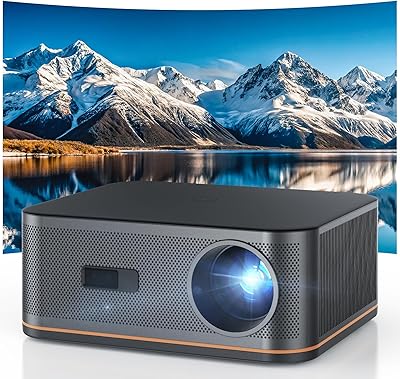
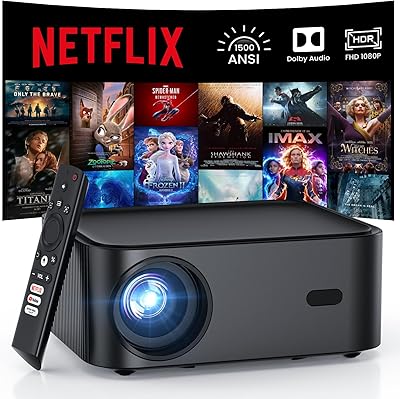
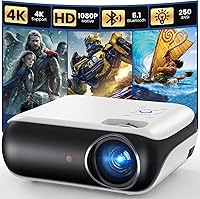
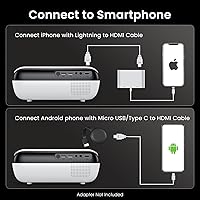
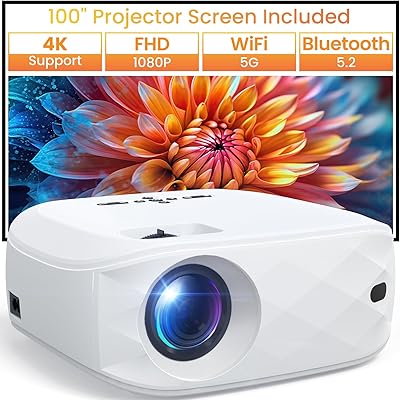
The HAPPRUN H1 is a compact, budget-priced native 1080p projector that has quietly climbed to near the top of the Video Projectors category since its 2022 launch — and the ranking makes more sense once you understand what it actually delivers. At 4.5 pounds with a clean white finish, this mini projector is easy to move between rooms or pack up for a backyard screening. It handles a solid range of inputs and streaming sticks right out of the box. One important heads-up before buying: connecting a smartphone requires a separate HDMI adapter that does not come included, which catches a lot of buyers off guard.

Features & Benefits

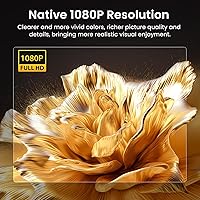
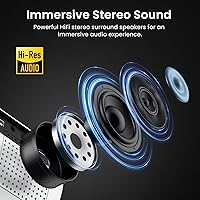
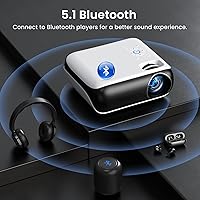
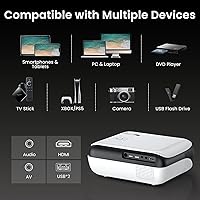
What sets the H1 apart at its price is that it uses a native 1080p panel rather than upscaling lower-resolution content — the difference in sharpness is noticeable, especially on text and fine detail. Bluetooth 5.1 lets you pair a wireless speaker or slip on headphones for late-night watching without disturbing anyone. The built-in stereo speakers hold their own in a bedroom or small patio, though do not expect them to fill a large outdoor space. HDMI, USB, and AV ports mean you can plug in a Fire Stick, connect a PS5, or run a laptop without hunting for adapters. Streaming stick setup is particularly painless.

Best For

This portable projector is a natural fit for bedroom movie nights, backyard gatherings, or camping trips where you want a big screen without hauling bulky equipment. Gamers on a budget will appreciate connecting a PS5 via HDMI and getting a large projected image for a fraction of what a big TV costs. If you already own a Fire Stick or Chromecast, setup takes minutes. It is also a solid pick for first-time projector buyers — the learning curve is shallow and the inputs cover most common use cases. Just keep in mind it performs best in dim or dark conditions, not bright living rooms.

User Feedback

Buyers consistently praise the image quality for the price and note how straightforward the initial setup is, particularly when paired with a streaming stick. Bluetooth audio flexibility earns positive mentions too. On the flip side, the most common frustrations involve brightness — this mini projector struggles when there is ambient light, and some users feel that limitation was not made clear upfront. The built-in speakers satisfy casual viewers but will not impress anyone expecting room-filling sound. A handful of long-term owners mention occasional fan noise, though it does not appear widespread. Home-theater enthusiasts tend to find it underpowered; casual users generally come away satisfied.

Pros

  • Native 1080p resolution produces noticeably sharper images than most budget competitors in its class.
  • Bluetooth 5.1 lets you connect wireless headphones for private late-night viewing without waking anyone up.
  • Fire Stick and Chromecast integration works reliably — no configuration headaches for most users.
  • The H1 handles HDMI, USB, and AV inputs, covering everything from consoles to legacy devices in one unit.
  • At 4.5 pounds, it is easy to move between rooms or pack into a bag for outdoor use.
  • Built-in stereo speakers are sufficient for bedroom viewing without needing external audio gear.
  • First-time projector buyers consistently report a smooth, frustration-free setup experience.
  • Strong value proposition for buyers who already own a compatible streaming stick.
  • Performs impressively well in dark or low-light environments where its brightness is genuinely adequate.

Cons

  • A required HDMI adapter for smartphone mirroring is not included in the box — an easy-to-miss extra cost.
  • Image quality degrades significantly in any room with ambient light, limiting practical use to evening hours.
  • Only one HDMI port means switching between multiple devices requires a separate HDMI switch.
  • Fan noise becomes audible during extended sessions, which can be distracting during quiet movie scenes.
  • No auto-keystone correction means manual readjustment is needed every time the unit is repositioned.
  • Input lag makes the projector a poor choice for competitive or fast-reaction gaming.
  • Long-term durability reports are mixed, with some users noting casing wear after heavy transport use.
  • iOS users must purchase an official Apple Lightning adapter — third-party alternatives frequently fail.
  • No built-in smart OS means the projector is essentially unusable for streaming without an external dongle.

Ratings

The HAPPRUN H1 has been evaluated by our AI system after processing thousands of verified buyer reviews from global marketplaces, with spam, incentivized, and bot-generated feedback actively filtered out. The scores below reflect a balanced synthesis of real-world enthusiasm and genuine frustrations — from casual bedroom users to more demanding home-theater hopefuls. Both the strengths that earned this portable projector its best-seller status and the pain points that temper expectations are transparently represented.

Image Clarity
83%
For a native 1080p unit at this price tier, the sharpness surprises a lot of first-time buyers. Text is legible, movie detail holds up well in dark rooms, and the step up from upscaled competitors is visible to most users without any side-by-side comparison needed.
Fine detail softens noticeably toward the edges of larger projection sizes. Color accuracy, while pleasing, leans warm and oversaturated compared to calibrated displays, which can bother viewers who are particular about film-accurate reproduction.
Brightness Performance
61%
39%
In a blacked-out bedroom or a backyard after sunset, the image looks genuinely punchy and watchable. Many users report satisfying results for late-night movie sessions without needing to fully blackout a room if ambient light is kept low.
This portable projector struggles the moment any meaningful light enters the room — daytime use or even a lamp-lit living room washes out the image significantly. It is one of the most frequently cited disappointments, particularly from buyers who expected daytime versatility.
Value for Money
91%
At its price point, getting a native 1080p panel with Bluetooth 5.1 and a full input array is genuinely hard to beat. Most buyers feel they received more than expected for what they spent, especially when paired with a streaming stick they already owned.
The value calculation shifts if you factor in the cost of adapters you will need to buy separately. iPhone users in particular end up spending extra on an official Lightning-to-HDMI adapter, which dents the otherwise strong value proposition.
Setup & Ease of Use
88%
Plug in a Fire Stick, run through the brief on-screen setup, and you are watching content within minutes. The interface is intuitive enough that buyers who have never owned a projector describe getting up and running without consulting a manual.
Smartphone mirroring is the one area where setup gets frustrating. The requirement for a specific wired adapter — and the lack of one in the box — creates friction that many buyers only discover after unboxing, leading to delayed first use.
Built-in Audio Quality
67%
33%
For a bedroom or small living room, the built-in stereo speakers do a respectable job. Dialogue is clear, volume reaches a comfortable level for one or two viewers, and casual content like streaming shows sounds perfectly fine without any external audio gear.
Do not plan on using the built-in speakers for outdoor gatherings of more than a couple of people — they simply do not have the output for open-air use. Bass is thin, and at maximum volume there is a slight harshness that becomes tiring over long sessions.
Bluetooth Connectivity
84%
Bluetooth 5.1 pairing is fast and stable across a range of speakers and headphones. Users appreciate the ability to connect wireless headphones for late-night viewing, and the connection holds steady without the dropouts that plague cheaper Bluetooth implementations.
There is no multi-device memory, so the projector does not automatically reconnect to a previously paired device after powering off. A few users also note minor audio lag with certain Bluetooth speakers, which can be distracting during dialogue-heavy content.
Portability & Form Factor
79%
21%
At 4.5 pounds with a footprint that fits in a mid-size backpack, this mini projector moves around easily. Users bring it between rooms, take it camping, and set it up on shelves or tables without needing a dedicated mounting solution.
It is not pocketable or truly ultraportable — more carry-in-a-bag than slip-in-a-pocket. The power cable is fixed length, which can limit placement options in rooms where outlets are not conveniently located near your ideal projection surface.
Build Quality & Durability
71%
29%
The plastic chassis feels solid enough for regular home use and occasional travel. The white finish resists minor scuffs reasonably well, and the port placements feel thoughtfully arranged rather than crammed together.
Long-term durability reports from buyers who have used the unit heavily over 12-plus months are mixed. Some note the plastic casing develops minor creaking, and the lens cover shows wear faster than expected with frequent transport.
Streaming Device Compatibility
93%
Fire TV Stick and Chromecast integration works exactly as advertised — plug in, power up, done. The HDMI port handles both streaming sticks and game consoles without any fiddling, and the experience is as reliable as connecting these devices to a television.
The projector does not have a built-in app store or smart OS, so a streaming stick is essentially mandatory for comfortable use. That is a reasonable tradeoff at this price, but buyers expecting standalone smart features will be caught off guard.
Gaming Performance
68%
32%
For casual gaming on a PS5 or similar console, the large projection size is genuinely fun and adds an immersive quality that a mid-size TV cannot match at a comparable budget. Sports and adventure games in particular benefit from the scale.
Input lag has not been officially specified, and competitive or reflex-based gamers notice the delay. Fast-paced shooters and rhythm games feel slightly off, making this a better fit for slower-paced single-player experiences than for serious gaming sessions.
Fan Noise
72%
28%
Under normal operating conditions — streaming a movie in a quiet room — the fan is present but unobtrusive. Most users adapt to the background hum quickly and stop noticing it after the first few minutes of content.
During extended sessions or when the unit runs warm, the fan audibly ramps up. A small but consistent segment of buyers flags this in quiet scenes or during pauses in content, which can break immersion in an otherwise calm viewing environment.
Keystone & Focus Adjustment
74%
26%
Manual focus is straightforward and holds well once set. Vertical keystone correction handles the most common off-angle placement scenarios — like sitting on a low table aimed at a wall — without requiring precise positioning to get a usable image.
There is no auto-keystone, so any time you reposition the unit you need to readjust manually. Horizontal keystone correction is absent, which means placement flexibility is more limited than buyers used to modern smart projectors might expect.
Input & Port Variety
86%
HDMI, USB, and AV ports cover a broad range of source devices without needing a hub or splitter for most setups. The ability to switch between a Fire Stick, a console, and a USB drive without unplugging everything is a practical day-to-day convenience.
There is only one HDMI port, so users running multiple HDMI devices simultaneously will need a switch. The AV port is useful for legacy devices but feels like a niche inclusion that took up real estate another HDMI slot could have occupied.
Smartphone Mirroring
53%
47%
Once the correct adapter is sourced, wired mirroring from both iOS and Android works reliably with minimal latency. Android users with MHL-compatible phones report a stable connection that handles video content without stuttering.
The adapter is not included and must be purchased separately — a source of genuine frustration. iOS users must use an official Apple Lightning adapter (third-party ones often fail), adding unexpected cost and an extra item to keep track of during travel.

Suitable for:

The HAPPRUN H1 is a strong match for anyone who wants a noticeable upgrade from a small TV screen without committing to an expensive home theater setup. Bedroom users get the most out of it — dim the lights, point it at a wall or a basic screen, and a movie night feels genuinely cinematic at a fraction of the usual cost. It is equally well-suited for backyard gatherings after dark, camping trips, or dorm rooms where space and budget are both limited. If you already own a Fire Stick or Chromecast, the setup experience is about as painless as it gets — plug it in and you are watching within minutes. Casual gamers who want to experience PS5 titles on a large projected image on a tight budget will also find it delivers satisfying results for slower-paced, single-player games. First-time projector buyers in particular tend to appreciate that the learning curve is shallow and the input options cover most common use cases without requiring technical know-how.

Not suitable for:

Buyers expecting to use this portable projector in a normally lit living room or during daylight hours are likely to be disappointed — brightness is the single biggest real-world limitation of this unit, and no amount of setting adjustments fully compensates for ambient light. The HAPPRUN H1 is also a poor fit for anyone who wants to mirror their smartphone wirelessly out of the box, since wired HDMI adapters — sold separately — are required for both iOS and Android devices that lack Chromecast support. Home-theater enthusiasts who care about color accuracy, contrast performance, or input lag for competitive gaming will find the compromises at this price tier genuinely frustrating rather than acceptable. If you need a projector that doubles as a standalone smart device with its own app store, this unit cannot deliver that — a streaming stick is effectively mandatory, adding to the real-world cost. Anyone planning to rely solely on the built-in speakers for outdoor events with more than a couple of people will also find the volume and bass output fall well short of the task.

Specifications

  • Display Resolution: The projector uses a native 1920×1080 panel, meaning every pixel is physically present rather than upscaled from a lower resolution source.
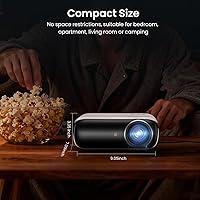
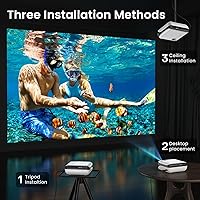
  • Dimensions: The unit measures 9.3 × 8.1 × 3.5 inches, making it compact enough to sit on a nightstand, shelf, or small outdoor table.
  • Weight: At 4.5 pounds, it is light enough to carry in a backpack or move between rooms without any particular effort.
  • Bluetooth Version: Bluetooth 5.1 is built in, enabling stable wireless pairing with external speakers, soundbars, or headphones.
  • Built-in Audio: The projector includes dual Hi-Fi stereo speakers designed to deliver clear dialogue and adequate volume for small indoor spaces.
  • Video Inputs: Connectivity includes one HDMI port, one USB port, and one AV port, supporting a range of source devices from streaming sticks to legacy players.
  • Wi-Fi: Wi-Fi is supported, though the projector relies on connected streaming devices such as Fire TV Stick or Chromecast rather than a built-in smart OS.
  • Streaming Compatibility: The unit is compatible with Fire TV Stick, Chromecast, Roku Stick, and similar HDMI-connected streaming dongles, none of which are included.
  • Smartphone Support: Smartphone mirroring requires a separately purchased HDMI adapter — a Lightning to HDMI adapter for iOS or a compatible MHL cable for Android devices.
  • iOS Adapter Requirement: Apple iPhone and iPad users must use an official Apple-certified Lightning to HDMI adapter, as third-party alternatives are frequently unreliable with this unit.
  • Android Mirroring: Android users can mirror via a Micro USB or Type-C to HDMI cable if their device supports MHL, or wirelessly through a Chromecast dongle.
  • Color: The projector ships in a white finish as the sole available color option.
  • Model Number: The official model designation is H1, manufactured under the HAPPRUN brand.
  • Market Position: As of its listing data, this projector holds a top-two ranking in the Video Projectors category on Amazon, indicating strong sustained sales volume.
  • Release Date: The H1 was first made available for purchase in May 2022 and has remained in active production since.
  • Console Compatibility: The HDMI port supports direct connection to gaming consoles including the PS5, Xbox Series X, and Nintendo Switch via standard HDMI cable.
  • Keystone Correction: Manual vertical keystone correction is available to adjust image geometry when the projector cannot be placed perfectly level with the projection surface.
  • Projection Use Cases: The unit is designed for indoor use in bedrooms and living rooms as well as outdoor use in low-ambient-light environments such as backyards or campsites.

Related Reviews
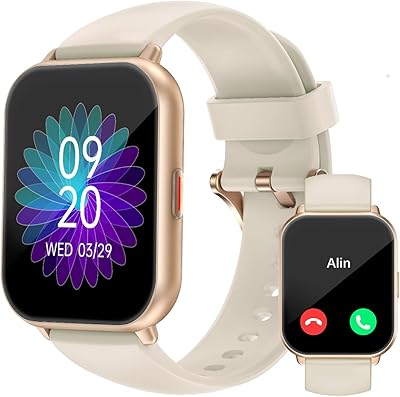
RUIMEN H1 Smartwatch
85%
89%
Value for Money
91%
Battery Life
85%
Usability/Setup
86%
Display Quality
88%
Waterproof Durability
More
HAPPRUN F5 Projector
82%
91%
Value for Money
88%
Display Quality
87%
Wireless Streaming Performance
89%
Ease of Setup
84%
Portability
More
HAPPRUN JQ820 4K Projector
85%
88%
Image Quality
91%
Ease of Setup
85%
Brightness
89%
Portability
78%
Sound Quality
More
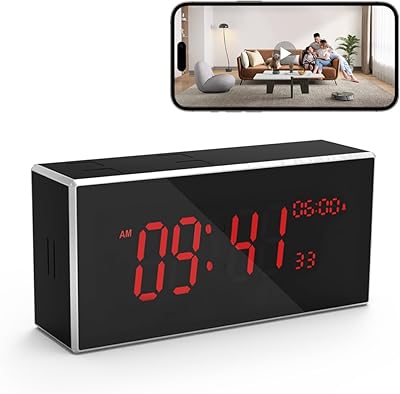
kelucimy H1 Indoor Security Camera
85%
91%
Value for Money
88%
Ease of Setup
93%
Video Quality
84%
Motion Detection Accuracy
86%
Night Vision Performance
More
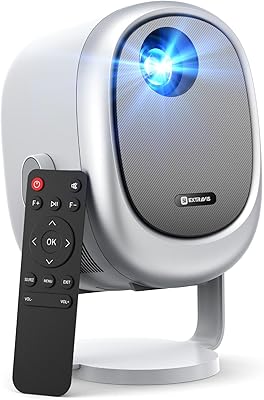
EXTRAVIS H1 Mini Portable Projector
81%
92%
Portability & Size
78%
Brightness & Image Quality
89%
Ease of Setup
76%
Connectivity & Compatibility
85%
Zoom & Focus Functionality
More
EKSA H1 Noise Cancelling Bluetooth Headset
86%
89%
Noise Cancellation Performance
91%
Comfort for Extended Use
87%
Battery Life
93%
Range & Connectivity
72%
Microphone Quality
More
Bigeyes H1 3D Video Display Glasses
82%
88%
3D Viewing Experience
84%
Comfort for Extended Use
79%
Device Compatibility
85%
Ease of Setup
87%
Display Quality
More
INFURTURE H1
INFURTURE H1
72%
88%
Value for Money
91%
Battery Life
61%
Active Noise Cancellation
67%
Sound Quality
83%
Comfort & Fit
More
HAPPRUN H11 1500ANSI Full HD Smart Projector
86%
91%
Display Quality
88%
Portability
85%
Ease of Setup
89%
Streaming App Experience
75%
WiFi Performance
More
MECHEN H1 Pro MP3 Player with Bluetooth and WiFi, 16GB
84%
87%
Value for Money
90%
Battery Life
84%
Streaming Performance
86%
Audio Quality
88%
Storage Expansion
More

FAQ

If you plan to use a Fire Stick or Chromecast, you are almost ready out of the box — just note that those streaming dongles are not included. If you want to connect a smartphone directly, you will also need to purchase a compatible HDMI adapter separately, which is easy to overlook before buying.

Not quite — you will need an official Apple Lightning to HDMI adapter, which is sold separately. Make sure you get a genuine Apple-certified one, because third-party versions tend to be unreliable with this mini projector and may not mirror video at all.

Honestly, daytime outdoor use is where this portable projector falls short. Bright sunlight or even strong shade will wash out the image considerably. It is best reserved for after-sunset use, where the image quality is genuinely impressive for the price.

For casual, slower-paced games on a PS5 or similar console, it works well and the large image size adds a fun sense of scale. That said, competitive gamers or anyone playing fast reflex-based titles will likely notice input lag that makes precise timing frustrating.

They are adequate for a bedroom or small living room with a few people, but they will struggle to fill an outdoor space. If you are planning a backyard screening for more than two or three people, connecting a Bluetooth speaker via the Bluetooth 5.1 output is a much better option.

Yes, but how you connect depends on your specific Android device. If your phone supports MHL, a Micro USB or Type-C to HDMI cable will work. If it does not, your best option is to use a Chromecast dongle plugged into the HDMI port for wireless mirroring.

A plain white or light-colored wall works reasonably well, especially in a darkened room. A dedicated projector screen will give you better contrast and sharper edges, but plenty of users get perfectly satisfying results without one for casual home use.

Under normal conditions the fan hum is present but fades into the background quickly. During quieter scenes or after extended use when the unit warms up, the fan can become more audible. It is not loud enough to be a dealbreaker for most users, but it is worth knowing about if you are sensitive to background noise.

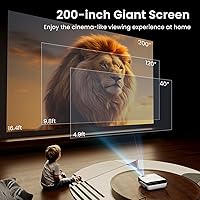
The exact throw ratio is not officially published, but typical usage places the projector between 5 and 15 feet from the surface for practical screen sizes ranging from around 60 to 150 inches. Larger images at greater distances will appear dimmer, so staying on the closer end helps maintain image brightness.

HAPPRUN typically offers a limited warranty on their projectors, and buyers generally report responsive customer service for defect-related issues. It is worth registering the product after purchase and keeping your proof of purchase, as warranty claims tend to go more smoothly with that documentation in hand.