Overview

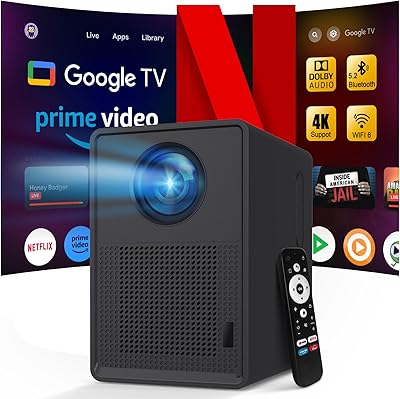
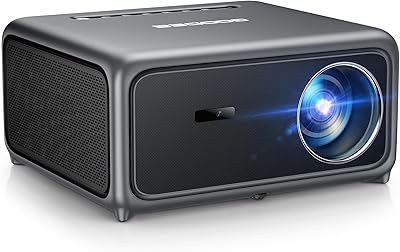
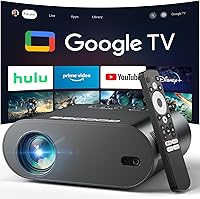
The GooDee GD500PLUS 4K Google TV Smart Projector sits in an interesting spot in the mid-range projector market — it runs officially licensed Google TV, which puts it a step ahead of the flood of generic Android-based projectors crowding this price bracket. That matters more than it might sound; real Google TV means a proper app ecosystem, not a stripped-down workaround. Native resolution is 1080p Full HD, so while the box says 4K, that refers to input support only — the projector upscales, it does not output native 4K. Manage that expectation going in, and this smart projector is a capable, genuinely convenient all-in-one option rather than a misleading one.
Features & Benefits

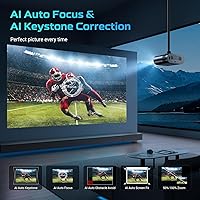
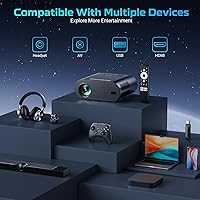
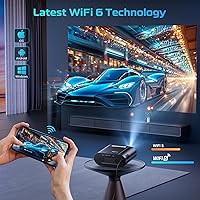
Connectivity is one of the stronger suits here. Wi-Fi 6 dual-band keeps streaming noticeably stable compared to older 802.11ac projectors at similar prices, and Bluetooth 5.2 makes pairing a soundbar or headphones quick and reliable. The auto focus and auto keystone correction — driven by gyroscope sensors — works well enough for casual setups, though complex angles or uneven surfaces can occasionally need a manual nudge. Built-in dual 15W speakers with Dolby Audio are decent for a small room, but anyone serious about sound will want to pair external speakers. The voice control remote handles basic commands reliably without being remarkable.

Best For

The GD500PLUS makes the most sense for renters or apartment dwellers who want a big-screen experience without drilling a single wall mount. It also works well for backyard movie nights — portability is real at 4.2 pounds, and having streaming apps built in means no juggling extra devices in the dark. Families who just want to press play on a Friday night will appreciate the straightforward Google TV interface. Budget-conscious buyers upgrading from a no-name entry-level projector will notice the difference. Gamers should look elsewhere, though — input lag at this price tier is not competitive for fast-paced titles.

User Feedback

With 39 ratings and a 3.8 out of 5 average, the GD500PLUS is too new — launched May 2025 — to draw firm long-term conclusions. Early buyers consistently praise easy out-of-box setup and the polished Google TV experience. The auto-correction convenience also gets regular positive mentions. On the critical side, brightness in well-lit rooms draws fair complaints, and some buyers feel the 4K marketing overstates what the projector actually delivers at native output. A handful of reviewers raise questions about customer support responsiveness. Nothing alarming yet, but with limited data still coming in, durability and after-sale support remain genuinely open questions worth watching.

Pros

  • Officially licensed Google TV means real app support — no sideloading, no workarounds, no missing platforms.
  • Wi-Fi 6 keeps streaming noticeably stable even on busy home networks.
  • Auto keystone and auto focus get you watching in minutes, not half an hour of manual tweaking.
  • Bluetooth 5.2 pairs quickly with speakers and headphones, including reliable late-night headphone use.
  • Built-in dual 15W Dolby Audio speakers are genuinely adequate for small-room viewing.
  • At 4.2 pounds, moving it between rooms or setting it up outside requires no effort at all.
  • The Google TV interface is immediately familiar to anyone who has used a Chromecast or Android TV device.
  • Voice control handles everyday commands — launching apps, searching titles, adjusting volume — without hesitation.
  • Color reproduction in a dark room is rich and well-saturated, especially for animated content and nature films.
  • Out-of-box setup takes roughly 10 to 15 minutes for most users, including account sign-in and Wi-Fi configuration.

Cons

  • Native resolution is 1080p only — the 4K labeling refers to input support, not actual output sharpness.
  • Brightness drops off fast in any room with ambient light; dusk or full darkness is a practical requirement outdoors.
  • The remote has no backlight, making late-night navigation in a dark room more annoying than it should be.
  • Customer support responsiveness has drawn early criticism — a real concern for a brand with limited track record.
  • Long-term durability is genuinely unknown; the GD500PLUS launched in May 2025 with only 39 reviews so far.
  • Auto keystone correction occasionally needs a manual follow-up correction on angled or uneven surfaces.
  • The rubber feet grip poorly on smooth surfaces, and the stand offers very limited vertical angle adjustment.
  • No carrying case is included, which undermines the portability story for anyone planning regular outdoor use.
  • Initial setup requires a smartphone for Google account verification — less tech-savvy users may find this a stumbling block.
  • Bass from the built-in speakers is thin; action films and music content expose the audio limits quickly.

Ratings

The GooDee GD500PLUS 4K Google TV Smart Projector has been scored below using AI analysis of verified global buyer reviews, with spam, bot-generated, and incentivized submissions actively filtered out. Scores reflect the honest balance of what real users praised and where they ran into friction — nothing is smoothed over to make the product look better than it is.
Smart Platform & App Ecosystem
88%
Buyers consistently highlight the officially licensed Google TV experience as the standout advantage over similarly priced rivals. Having YouTube, Prime Video, and Hulu ready to go without plugging in a Chromecast or Fire Stick is a genuine quality-of-life improvement that users notice from day one.
A small number of reviewers report occasional app update delays compared to dedicated streaming devices, and a few niche apps available on mobile Google TV builds are missing here. It is still a projector-first device, so the software responsiveness does not quite match a standalone streaming puck.
Picture Quality
71%
29%
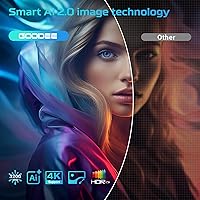
In a darkened room, colors look rich and the contrast holds up well for casual movie watching. The 95% color gamut claim has some real-world backing — animated content and nature documentaries in particular look vibrant and well-saturated at typical living-room viewing distances.
The 4K marketing is misleading for buyers who do not read the fine print — native output is 1080p Full HD, with 4K content simply upscaled. Sharpness falls noticeably short of what a true 4K display delivers, and this gap is most obvious on large projected images above 100 inches.
Brightness & Ambient Light Performance
58%
42%
In a fully darkened bedroom or basement, the image looks acceptably bright and watchable for evening movie sessions. Users who set it up in controlled lighting conditions generally report a satisfying picture without needing to do much manual adjustment.
Brightness is a recurring complaint the moment any ambient light enters the room. Afternoon viewing near a window, or even a lamp left on in the corner, washes out the image noticeably. For outdoor use, dusk or later is essentially a requirement — this is not a projector that competes in daylight conditions.
Auto Focus & Keystone Correction
79%
21%
For everyday setups on a flat wall or pull-down screen, the gyroscope-based auto correction works quickly and reduces the fiddling that plagues cheaper projectors. Most users report being ready to watch within a couple of minutes of placing the unit, which is a real convenience advantage.
On uneven surfaces, angled placements, or unconventional throw distances, the auto system sometimes lands on a result that still needs a manual tweak to look right. It is a helpful starting point rather than a fully hands-off solution, and users who move the projector frequently may find themselves correcting more often than expected.
Built-in Audio
66%
34%
The dual 15W speakers with Dolby Audio are among the better built-in audio setups at this price point. For a bedroom or small living room, the volume and clarity are sufficient for dialogue-heavy content without sounding thin or tinny.
Bass response is limited, and during action-heavy scenes or music content, the speakers start to feel underpowered. Anyone planning to use this as a primary home theater setup will almost certainly want to pair it with a Bluetooth soundbar or external speakers for a fuller experience.
Wi-Fi & Streaming Stability
83%
Wi-Fi 6 support gives this projector a meaningful edge over competing models still running on older wireless standards. Users on crowded home networks report noticeably fewer buffering interruptions during 1080p streaming sessions compared to prior projectors they owned.
Performance is still dependent on router placement and network congestion. A handful of users in larger homes or with older routers report occasional drop-outs, and the projector does not support a wired Ethernet connection as a fallback — something more demanding streamers may miss.
Bluetooth Connectivity
81%
19%
Bluetooth 5.2 pairs quickly with most modern speakers and headphones, and the two-way audio support — using your phone as a speaker, or the projector as an audio source — works reliably in practice. Late-night headphone use via Bluetooth is a feature several buyers specifically called out as useful.
A few users experienced minor audio sync drift during extended Bluetooth sessions, which is a known limitation of wireless audio on projectors generally. Reconnection after standby is occasionally slower than expected with certain third-party speaker brands.
Voice Control
62%
38%
Basic commands — opening apps, adjusting volume, searching for content — respond quickly enough for everyday use. For users who dislike navigating small remote buttons, holding the voice key and speaking a show title is genuinely faster than browsing manually.
More nuanced commands and regional accents trip up the assistant more than competitors like Roku or Amazon devices. It handles the fundamentals but lacks the conversational depth that buyers accustomed to Google Assistant on phones or smart speakers might expect.
Setup & Ease of Use
86%
Out-of-box experience is one of the most praised aspects across early reviews. The guided Google TV setup is familiar to anyone who has used a Chromecast or Android TV device, and most buyers report being fully up and running within 10 to 15 minutes of unboxing.
The initial Wi-Fi and Google account setup requires a smartphone for verification, which caught a few less tech-savvy buyers off guard. There is no printed quick-start guide included in the box — setup relies entirely on the on-screen prompts.
Portability
74%
26%
At 4.2 pounds, the GD500PLUS is light enough to move between rooms or take to a backyard setup without any real effort. The compact footprint means it fits in a bag or on a small shelf without dominating the space.
There is no carrying case included, and the power cable is not retractable, which makes true travel use a bit awkward. It is portable in the move-around-the-house sense, but it is not engineered for frequent outdoor transport the way purpose-built camping projectors are.
Build Quality & Design
69%
31%
The physical construction feels solid enough for a home-use device. The matte finish resists fingerprints, and the lens housing shows no obvious weak points during normal handling. Several users commented that it looks and feels more expensive than its price suggests.
The plastics, while acceptable, do not convey premium durability. The rubber feet provide minimal grip on smooth surfaces, and the stand offers limited vertical angle adjustment. Over repeated repositioning, the feel is functional but not refined.
Remote Control
67%
33%
The remote includes dedicated shortcut buttons for major streaming platforms, which saves time compared to navigating through menus. The voice button placement is intuitive, and the overall button layout is logical for Google TV navigation.
The remote feels lightweight and plasticky in hand, and a few users reported that it requires precise aim at the projector receiver — off-angle presses are sometimes unregistered. There is no backlight, which makes late-night use in a dark room unnecessarily frustrating.
Value for Money
77%
23%
Combining a real Google TV license, Wi-Fi 6, auto keystone, and dual speakers into a single unit at this price tier is genuinely competitive. Buyers upgrading from a bare-bones entry-level projector will feel they have received a meaningful step up across nearly every dimension.
The misleading 4K labeling does real damage to perceived value once buyers realize the native output is 1080p. Compared to similarly priced options like the XGIMI MoGo 2 Pro or Dangbei Atom, the GD500PLUS trades blows but does not clearly win on every front — it depends heavily on how much the Google TV ecosystem matters to the individual buyer.
Long-Term Reliability
55%
45%
No widespread early-failure reports have surfaced among the current review pool, and the initial build impression from buyers has been broadly stable. The lamp and optical components appear to perform consistently within the first weeks of use.
With only 39 reviews and a launch date of May 2025, there is simply not enough data to make any confident statement about long-term durability. A handful of buyers have flagged slow or unsatisfying customer support interactions, which adds a degree of risk for those who prioritize after-sale service.

Suitable for:

The GooDee GD500PLUS 4K Google TV Smart Projector is a strong fit for renters, apartment dwellers, and anyone who wants a large-screen experience without committing to a wall-mounted TV. If your typical setup is a darkened living room, bedroom, or backyard after sunset, this projector delivers genuinely enjoyable picture quality without requiring much technical effort. Families who just want to press play on a Friday night will appreciate that Google TV makes the whole experience feel as intuitive as any modern streaming device — no separate stick, no second remote, no fiddling. It also works well for cord-cutters who already live inside the Google ecosystem and want their apps, voice assistant, and streaming habits to carry over naturally. Budget-conscious buyers upgrading from a no-frills entry-level projector will notice a meaningful jump in both software quality and connectivity without spending significantly more.

Not suitable for:

The GooDee GD500PLUS 4K Google TV Smart Projector is not the right choice for buyers who need reliable performance in rooms with natural light or ambient lighting — brightness limitations will frustrate anyone expecting daytime or well-lit viewing. Despite the 4K branding, the native output is 1080p Full HD; buyers expecting true 4K sharpness comparable to a 4K TV or laser projector will be disappointed, and that gap becomes obvious on large projected images. Dedicated home theater enthusiasts who prioritize peak picture accuracy, low input lag, or high lumen output should look at purpose-built options like the XGIMI Horizon Pro or BenQ HT2060, which are built with those priorities in mind. Gamers chasing low-latency competitive play will also want to avoid this category of projector entirely, as input lag at this price tier is not suited to fast-paced titles. Finally, buyers who value strong after-sale support should note that the GD500PLUS is a very new product with limited review history, and early feedback on customer service responsiveness has been inconsistent.
Specifications

  • Native Resolution: The projector outputs at a native 1920 x 1080 (Full HD) resolution; 4K content is accepted as input but displayed via upscaling, not true 4K output.
  • Contrast Ratio: A stated 20,000:1 contrast ratio provides strong differentiation between dark and bright image areas, particularly noticeable in dimly lit rooms.
  • Color Gamut: The optical system covers 95% of the sRGB color gamut, delivering broad, saturated color reproduction for movies and streaming content.
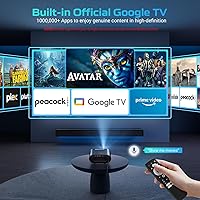
  • Operating System: Runs officially licensed Google TV, providing access to a verified app ecosystem including YouTube, Prime Video, Hulu, and tens of thousands of additional supported applications.
  • Wi-Fi: Equipped with dual-band Wi-Fi 6 (802.11ax) for faster, lower-latency wireless streaming compared to older 802.11ac projector standards.
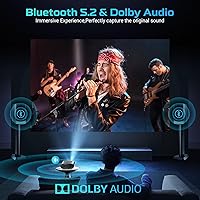
  • Bluetooth: Bluetooth 5.2 supports two-way audio connections, allowing pairing with external speakers, headphones, or using a smartphone as an audio output device.
  • Built-in Audio: Dual 15W speakers with Dolby Audio certification deliver stereo sound suitable for small to medium rooms without requiring an external audio system.
  • Auto Correction: Gyroscope-based auto focus and auto keystone correction automatically detect and adjust image geometry within seconds of placement.
  • Aspect Ratio: Supports both 4:3 and 16:9 aspect ratios, accommodating a range of content formats and projection surface configurations.
  • Zoom Range: Optical and digital zoom is adjustable between 50% and 100%, offering flexibility for different room sizes and throw distances.
  • Dimensions: The unit measures 20.8 x 13 x 10.6 inches, making it a mid-sized desktop projector rather than a compact pico-style device.
  • Weight: The GD500PLUS weighs 4.2 pounds, light enough to move between rooms or carry to an outdoor setup without difficulty.
  • Voice Control: The included remote features a dedicated voice control button linked to a built-in AI assistant for hands-free app launching, search, and basic device commands.
  • Model Number: The official model identifier is GD500PLUS, manufactured and sold under the GooDee brand.
  • Availability: The product became available on Amazon in May 2025, making it a recently launched entry with a still-developing review history.
  • Power Source: The projector operates via a standard AC power adapter and does not include an internal battery, requiring a nearby power outlet for use.
  • Input Support: Accepts 4K UHD signal input through its HDMI port, which is upscaled for display at the native 1080p output resolution.
  • Lens Technology: GooDee describes the optical assembly as using high-transmittance glass lenses designed to minimize edge blur and maintain consistent clarity across the projected image.

Related Reviews

QIAOLET Google TV 4K Smart Projector
76%
91%
Streaming Platform Integration
72%
Image Brightness & Clarity
67%
Native Resolution Accuracy
74%
Built-in Audio Quality
88%
Smart OS & App Experience
More
GooDee 4K Smart Projector AC571
86%
91%
Image Quality
88%
Brightness & Clarity
93%
Ease of Setup
89%
Connectivity & Streaming Support
74%
Sound Quality
More
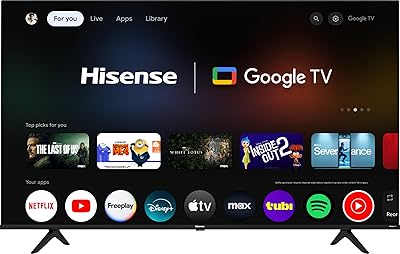
Hisense 55A6H 55-Inch 4K UHD Smart Google TV
84%
94%
Display Quality
88%
Smart Features (Google TV & Alexa)
90%
Gaming Performance
85%
Sports Mode Optimization
92%
Value for Money
More
TCL 50S446 50″ 4K UHD HDR Smart Google TV
86%
92%
Value for Money
89%
Picture Quality
86%
Smart Features & Integration
93%
Ease of Setup
75%
Sound Quality
More
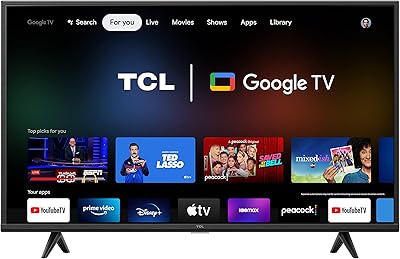
TCL 43S446 43-inch 4K UHD HDR Smart Google TV
85%
91%
Display Quality
88%
Ease of Setup
85%
Voice Control Functionality
92%
Streaming Performance
89%
HDR Performance
More
TCL 98-inch QM7K Mini LED QLED TV
80%
88%
Picture Quality
79%
Contrast & Black Levels
92%
Brightness & HDR Performance
91%
Gaming Performance
84%
Anti-Reflective Performance
More
Roku Select Series 55-Inch 4K Smart TV
79%
93%
Smart TV Interface
91%
Setup Experience
74%
Picture Quality
88%
Remote Control
86%
Value for Money
More
VOPLLS G3 Google TV Smart Projector
79%
88%
Smart Platform Experience
74%
Image Brightness
91%
Auto-Correction & Setup
86%
Portability & Design
69%
Audio Quality
More
Salange HY300PRO+ Smart 4K Projector
82%
86%
Image Quality
91%
Ease of Use
58%
Brightness in Well-Lit Environments
94%
Portability
85%
WiFi and Bluetooth Performance
More
NRKDUBQ Netflix 4K Smart Projector
86%
88%
Value for Money
91%
Ease of Setup
85%
Image Quality
89%
Portability
93%
AI Focus & Keystone Correction
More

FAQ

It is important to be clear on this: the GooDee GD500PLUS 4K Google TV Smart Projector has a native display resolution of 1080p Full HD. The 4K in the name refers to its ability to accept a 4K input signal, which it then upscales to fit the 1080p panel. The image will look good, but it is not the same as a true 4K projector outputting at 3840 x 2160.
Yes — because it runs officially licensed Google TV rather than a generic Android OS, Netflix is fully supported and available directly from the app store without any workarounds. This is one of the key practical advantages over cheaper projectors that run unlicensed Android builds where Netflix is often blocked or restricted.

For straightforward setups — projector on a flat table aimed at a flat wall — it works quickly and reliably, typically correcting the image within a few seconds of powering on. If you are projecting at a steep angle or from an uneven surface, the auto result may need a small manual follow-up adjustment, but it handles the majority of everyday placements without any fiddling.

Not really. Like most projectors in this price range, the GD500PLUS struggles significantly in any environment with ambient light. Outdoors, you will want to wait until dusk at the earliest for a watchable image. It performs well after dark, but if you are hoping for daytime garden screenings, this projector is not built for that.

No — that is one of the main selling points here. The built-in Google TV platform gives you direct access to streaming apps without any additional hardware. You can simply connect to your Wi-Fi, sign into your Google account, and start streaming from day one.

Yes, and this is a feature several buyers specifically called out as useful. Bluetooth 5.2 pairs reliably with most modern wireless headphones, and the connection stays stable for extended sessions. It is a convenient option when you do not want to disturb others in the house.

The dual 15W speakers with Dolby Audio are genuinely decent for a small or medium-sized room — dialogue is clear and volume is sufficient for casual viewing. That said, the bass is limited, and for an action-heavy movie or music content, the audio will feel thin. If sound quality matters to you, pairing a Bluetooth speaker or soundbar will make a noticeable difference.

Most users find it straightforward. The Google TV setup wizard walks you through Wi-Fi connection and account sign-in step by step, and the whole process typically takes 10 to 15 minutes. One thing to be aware of: you will need a smartphone nearby to verify your Google account during the initial setup, which a small number of users found unexpected.

For casual or single-player gaming where split-second reactions are not critical, it can work as a secondary screen. However, input lag at this price tier is not competitive for fast-paced or competitive gaming. If gaming performance is a priority, you would want to look at a projector specifically designed with a low-latency game mode.

This is genuinely hard to answer with confidence right now. The projector only launched in May 2025 and has a limited number of reviews, so there is not yet enough real-world data to assess long-term durability. Early buyers have not reported widespread failures, but some have flagged that customer support responsiveness has been inconsistent. It is worth checking GooDee's current warranty terms directly before purchasing, as after-sale support is one area where this brand is still building its reputation.