Overview

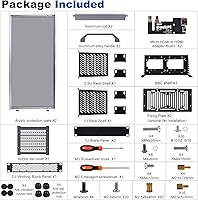
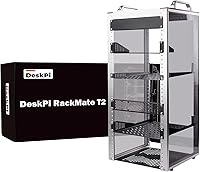
The GeeekPi DeskPi RackMate T2 12U Server Rack is the mid-tier option in GeeekPi's RackMate lineup, stepping up from the 4U T0 and 8U T1 for those who need more breathing room without committing to anything massive. This mini rack is built around a 10-inch form factor — narrower than the 19-inch standard you'd find in a data center, and that's the whole idea. An aluminum alloy frame paired with translucent acrylic side panels gives it a clean, semi-industrial aesthetic that looks intentional on a desk or shelf. At roughly 23 inches tall, it carves out real usable space without becoming a room-defining piece of furniture. It's a focused tool for small-scale setups, not a data center substitute.
Features & Benefits

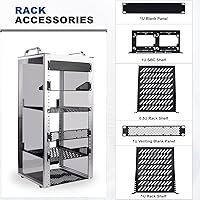
At just over 15 pounds, the RackMate T2 is easy to reposition without help. The aluminum and acrylic construction keeps things rigid enough for real gear while staying manageable in weight. The open-frame design makes cable runs intuitive — no threading through tight cutouts or wrestling with a door just to swap a drive. Worth highlighting: the 10-inch form factor has a growing accessory ecosystem, with purpose-built patch panels, PDUs, and 1U shelves from GeeekPi and others fitting right in. The translucent side panels serve a dual purpose too — they let you visually check on your stack at a glance and work nicely as a backdrop for ambient RGB lighting if aesthetics matter to you.

Best For

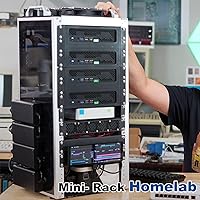
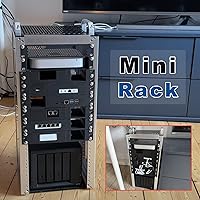
This 10-inch server cabinet hits a sweet spot for a fairly specific audience. Homelab builders running a Raspberry Pi cluster, a self-hosted Home Assistant instance, or a compact NAS will find 12U to be a comfortable and practical amount of space. Remote workers or small teams wanting to consolidate a switch, patch panel, and mini PC into something tidy — without dedicating a full rack to it — will appreciate the compact footprint. That said, if you're working with standard 19-inch equipment or need locking doors for physical security, this isn't the right fit. It's built for accessible, organized homelab use, not production server rooms or anything requiring enclosed protection.

User Feedback

Buyers frequently call out the build quality and aesthetics as highlights, noting the aluminum frame feels solid and the overall look earns compliments from anyone who notices it on a desk. The main recurring complaint centers on included mounting hardware — some users find the rack nuts limited in quantity or fiddly to install, which can slow down initial setup. A few buyers also flag mild flex or wobble when the rack is heavily loaded. Assembly instructions are described as serviceable but not exactly thorough, so expect some trial and error if you're new to racking equipment. On balance, buyers who understand the 10-inch niche going in tend to walk away satisfied.

Pros

  • Aluminum alloy frame feels genuinely solid and punches above its weight class for a compact homelab rack.
  • Translucent acrylic side panels let you monitor your equipment at a glance without opening anything up.
  • Open-frame design makes cable routing and hardware swaps fast and frustration-free.
  • 12U of usable space fits a practical homelab stack — switch, patch panel, SBC cluster, and more.
  • The 10-inch server cabinet footprint is small enough to sit comfortably on a standard desk without dominating it.
  • Excellent natural airflow keeps components cooler compared to enclosed alternatives of similar size.
  • GeeekPi's own 10-inch accessories integrate cleanly, making it easy to expand the setup over time.
  • At just over 15 pounds unloaded, repositioning during setup is a one-person job.
  • The aesthetic is clean enough that it looks intentional in a home office rather than like a server closet overflow.

Cons

  • Included rack nuts are insufficient for a fully loaded build, requiring a separate hardware purchase.
  • Assembly instructions lack detail — first-time rack builders will likely need to supplement with online guides.
  • Frame shows noticeable flex when loaded heavily beyond 8 to 9U of dense equipment.
  • No dust protection from above or through the front and rear openings — a real issue in less controlled environments.
  • Acrylic side panels scratch easily during assembly if you are not deliberate about handling them.
  • No integrated handles or wheels make moving a fully cabled, loaded rack awkward and a two-person task.
  • The 10-inch ecosystem, while growing, still has fewer accessory options than the mainstream 19-inch market.
  • Formal after-sales support and warranty resolution can be slow, particularly for buyers outside the US.

Ratings

The GeeekPi DeskPi RackMate T2 12U Server Rack scores here reflect AI-driven analysis of verified global buyer reviews, with spam, incentivized posts, and bot activity actively filtered out before scoring. This mini rack draws a technically literate crowd — homelab builders, self-hosters, and small office users — whose feedback tends to be detailed and candid. Both the genuine strengths and the real-world friction points are represented transparently across every category below.
Build Quality
83%
The aluminum alloy frame holds up well in day-to-day homelab use, and most buyers are pleasantly surprised by how solid it feels for the price tier. The combination of metal rails and acrylic panels avoids the cheap plastic feel common in competing mini racks at similar price points.
A handful of users report that the acrylic side panels are prone to light surface scratches during assembly if you're not careful. The panels feel sturdy enough once installed, but they're not as robust as full-metal enclosures, which matters if you're moving the rack around regularly.
Value for Money
78%
22%
For buyers already committed to the 10-inch ecosystem, this cabinet delivers a well-rounded package without requiring a significant outlay. The included hardware, open-frame construction, and GeeekPi's accessory compatibility make it feel like a practical investment for a homelab that's still growing.
If you're just starting out and also need to purchase 10-inch compatible gear separately, the total cost of entry adds up faster than expected. A few buyers feel the included mounting hardware quantity doesn't fully justify the price compared to some overseas competitors.
Ease of Assembly
71%
29%
Most users get the rack up and running within an hour, and the aluminum components fit together cleanly without excessive force or improvisation. Experienced homelab builders in particular report a straightforward build with no major surprises.
The included instructions are thin — serviceable if you have prior rack-building experience, but frustrating for first-timers. Several buyers mention spending extra time figuring out the correct sequence for panel installation, and a few wished for clearer labeled diagrams.
Included Hardware & Accessories
62%
38%
The basic mounting hardware is functional and covers a starter setup. Users who pair this rack with dedicated GeeekPi accessories report that the ecosystem works cohesively, with rack nuts and rails lining up as expected.
Rack nuts in particular come up repeatedly as a pain point — buyers frequently note there aren't enough included for a fully loaded 12U build, requiring a separate purchase. Some also report inconsistent threading on a small number of cage nuts, which slows down equipment installation.
Stability & Rigidity
74%
26%
Lightly to moderately loaded, the RackMate T2 sits firmly on a desk without wobble or creaking. The aluminum frame keeps the structure reasonably stiff, and users running a few 1U switches alongside a patch panel report no issues during normal use.
Load it up past 8U or 9U with heavier gear and some buyers notice flex at the top of the frame. It's not dangerous, but it's noticeable — a few users added rear cable anchors or wall-mounted the unit to address this at higher load levels.
Cable Management
81%
19%
The open-frame design is genuinely useful here — there are no enclosed walls to fight, so routing cables front-to-back or side-to-side is intuitive. Homelab users running multiple patch cables and power lines consistently call this one of the rack's practical highlights.
Without built-in cable management accessories like D-rings or velcro strips, a heavily cabled build can look messy quickly. You'll likely need to purchase add-on management panels separately, which is a minor but real extra cost to factor in.
Airflow & Thermal Management
88%
Open-frame racks have a clear thermal advantage, and this one is no exception. Users running Raspberry Pi clusters or mini servers report that components stay noticeably cooler compared to their previous enclosed cabinets, even without dedicated rack fans.
The same openness that helps with airflow means dust accumulates on equipment faster than it would in an enclosed cabinet. Users in dustier environments or households with pets mention needing to clean inside the rack more frequently than they expected.
Aesthetics & Design
87%
The translucent acrylic side panels give this rack a clean, modern look that stands out on a desk — several buyers mention it doubles as a conversation piece in a home office. The semi-industrial aesthetic pairs well with ambient lighting, and RGB setups behind the panels look genuinely sharp.
The look is polarizing for some buyers who prefer a more subdued or fully enclosed appearance. A few users also note that fingerprints and smudges show up visibly on the acrylic panels, requiring regular wiping to maintain the clean look.
10-inch Ecosystem Compatibility
79%
21%
GeeekPi's own 10-inch accessories — patch panels, 1U shelves, and blanking plates — slot in cleanly, and the growing third-party 10-inch market means buyers have real options beyond the brand's own lineup. Self-hosters building around network gear designed for this form factor find compatibility largely hassle-free.
If you already own standard 19-inch gear, compatibility drops to near zero without adapters or workarounds. The 10-inch niche is growing but still limited, so buyers coming from a 19-inch background need to budget for replacing or adapting existing equipment.
Footprint & Space Efficiency
86%
Sitting at roughly 11 inches wide and just over 10 inches deep, this cabinet fits comfortably on most home office desks or shelving units without displacing much else. For anyone who has dealt with a full-size rack eating up floor space, the size reduction is immediately noticeable and appreciated.
The 23-inch height, while compact by rack standards, is taller than some buyers anticipate based on product photos. A few users working with low shelving or under-desk placement found they needed to rearrange their setup to accommodate the actual vertical footprint.
Dust & Environmental Protection
47%
53%
The acrylic side panels do offer a small degree of protection against lateral dust intrusion compared to a completely bare open frame. For environments with reasonably controlled air quality, the coverage is adequate for light-duty protection.
There's no top cover, no door, and no sealed base — dust and debris settle directly onto equipment from above and through the front and rear openings. Buyers in workshops, garages, or high-traffic areas consistently flag this as a real limitation that enclosed alternatives handle far better.
Portability & Repositioning
76%
24%
At just over 15 pounds unloaded, this mini rack is easy enough to move around during initial setup or a desk reorganization. The compact footprint makes one-person repositioning practical in most home environments.
Once loaded with gear and cables, the weight increases substantially and moving the whole assembly becomes a two-person job. There are no integrated handles or wheels, which is a minor but notable omission for a product sized for home use.
Documentation & Setup Guidance
58%
42%
The physical assembly of the frame itself is intuitive enough that experienced builders rarely need to consult the instructions at all. Component parts are generally well-labeled, and the overall design logic is apparent after a few minutes of handling the parts.
For buyers new to rack setups, the documentation falls short. Instructions lack step-by-step clarity for panel installation and hardware torque guidance, and there is no digital manual or video linked in the packaging — something competitors at this price point have started to include.
Brand & After-Sales Support
67%
33%
GeeekPi has an established reputation in the Raspberry Pi and homelab community, and buyers generally report that the brand is responsive to questions through Amazon messaging and community forums. Replacement hardware requests are usually handled without pushback.
Formal after-sales support infrastructure is thin — warranty claims and replacement part sourcing can take longer than expected, particularly for international buyers. Users outside the US and EU report more friction getting replacement components shipped promptly.

Suitable for:

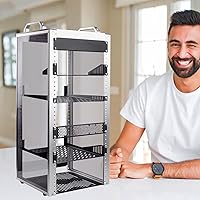
The GeeekPi DeskPi RackMate T2 12U Server Rack is purpose-built for a specific type of buyer — one who knows what a rack unit is and has a clear plan for filling it. Homelab enthusiasts assembling a Raspberry Pi cluster, running a self-hosted Home Assistant instance, or consolidating a NAS alongside a network switch will find 12U hits a genuinely useful capacity sweet spot. Remote workers who want their home office network gear organized neatly without dedicating floor space to a full-size rack will appreciate how well this fits on a desk or shelf. If you are already invested in the 10-inch accessory ecosystem — or willing to build your setup around it — the compatibility with GeeekPi's own panels and third-party 10-inch gear makes it a cohesive foundation. Makers and tinkerers who like to see and access their gear without unscrewing panels will also feel right at home with the open-frame layout.
Not suitable for:

The GeeekPi DeskPi RackMate T2 12U Server Rack is a hard pass for anyone running standard 19-inch rack equipment — the form factors are simply incompatible, and adapters introduce more hassle than they are worth. If your environment demands physical security, like a shared office, a semi-public space, or anywhere equipment needs to be locked away, the open design offers no protection whatsoever. Dusty environments such as workshops, garages, or pet-heavy households will expose equipment to contamination far faster than an enclosed cabinet would. Buyers expecting a heavily loaded rack to stay perfectly rigid should also temper their expectations — this mini rack handles moderate loads well, but it was not engineered for dense, heavy server deployments. If you need room to grow into a true production setup, the sibling T0 and T1 models are actually smaller, so you would be better served looking at a full-size rack rather than expecting this form factor to scale indefinitely.
Specifications

  • Brand: Manufactured by GeeekPi under the DeskPi RackMate product line.
  • Model Number: The unit is identified by model number DP-0048.
  • Form Factor: 10-inch wide open-frame rack, designed for purpose-built 10-inch rack equipment rather than standard 19-inch gear.
  • Rack Height: 12U of usable rack space, equivalent to approximately 21 inches of vertical mounting height.
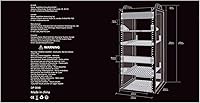
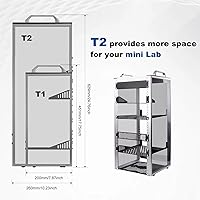
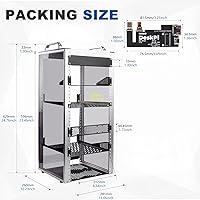
  • Dimensions: Overall assembled dimensions measure 11.02″ wide by 10.23″ deep by 23.22″ tall.
  • Item Weight: The unloaded rack weighs 15.31 pounds, making single-person repositioning practical before equipment is installed.
  • Frame Material: Structural frame is constructed from aluminum alloy for a balance of rigidity and lightweight handling.
  • Side Panels: Both side panels are made from translucent acrylic, providing light dust resistance and full visual access to installed equipment.
  • Design Type: Open-frame construction with no front door, rear door, or top cover, prioritizing airflow and hands-on accessibility.
  • Compatible Devices: Designed to accommodate 10-inch rack-mount servers, network switches, patch panels, SBC clusters, and audio or video equipment.
  • Product Line: Sits as the largest model in the current DeskPi RackMate T-series, above the 4U T0 and 8U T1 siblings.
  • Rack Unit Size: One rack unit equals 1.75 inches of vertical space, consistent with the industry-standard EIA rack unit definition.
  • Depth Clearance: Internal usable depth measures 10.23 inches, suitable for shallow network and SBC equipment common in the 10-inch ecosystem.
  • Panel Aesthetics: Translucent side panels support ambient RGB lighting installations for users who want a decorative or showcase-style homelab setup.
  • Release Date: The product was first made available for purchase in January 2025.
  • Best Sellers Rank: Ranked number 47 in the Computer Racks and Cabinets category on Amazon at the time of review compilation.
  • Security Features: No locking mechanism, keyed access, or enclosed security features are included, as the design is purely open-frame.
  • Dust Protection: Partial lateral dust resistance is provided by the acrylic side panels, but the top, front, and rear remain fully open.

Related Reviews
GeeekPi 8U Server Cabinet DeskPi RackMate T1
87%
88%
Build Quality
92%
Ease of Setup
86%
Cooling Efficiency
93%
Space-Saving Design
87%
Compatibility with Equipment
More
StarTech.com 12U Open Frame Server Rack & 8 Outlet Rack Mount PDU
86%
92%
Build Quality
89%
Ease of Assembly
88%
Power Distribution
90%
Surge Protection
84%
Adjustable Depth
More
NavePoint 12U Wall Mount Server Rack (600mm)
79%
86%
Build Quality
78%
Ease of Assembly
74%
Ventilation & Thermal Performance
69%
Depth & Equipment Compatibility
83%
Security & Door Design
More
RIVECO 12U Server Rack Open Frame with Casters
85%
89%
Build Quality
93%
Ease of Assembly
85%
Weight Capacity
88%
Mobility with Casters
82%
Durability of Finish
More
StarTech 12U Wall-Mount Server Rack Cabinet
86%
91%
Build Quality
88%
Ease of Installation
80%
Cooling Efficiency
95%
Space-Saving Design
85%
Security Features
More
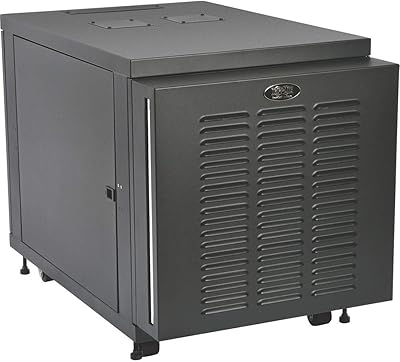
Tripp Lite SR12UBFFD 12U Rack Enclosure Server Cabinet
84%
94%
Build Quality & Durability
76%
Ease of Setup & Installation
88%
Cooling Performance
91%
Dust Protection & Filter Effectiveness
68%
Weight & Portability
More
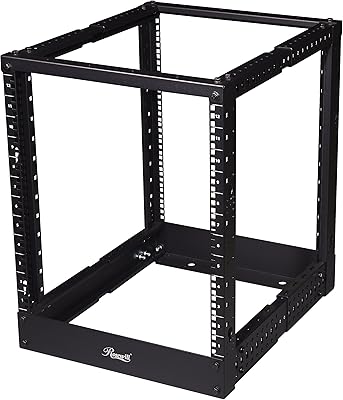
Rosewill RSR-4P12U001 12U Open Frame Server Rack
67%
83%
Depth Adjustability
44%
Assembly Experience
57%
Structural Stability
71%
Value for Money
53%
Cable Management
More
ECHOGEAR 12U Network Rack
86%
89%
Build Quality
91%
Ease of Installation
88%
Cooling Efficiency
84%
Security Features
85%
Weight Capacity
More
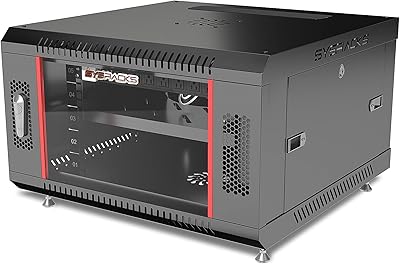
Sysracks SRW 6.600B 6U Wall Mount Server Rack
72%
83%
Build Quality
61%
Assembly Experience
86%
Value for Money
67%
Cooling Performance
58%
Fan Noise Level
More
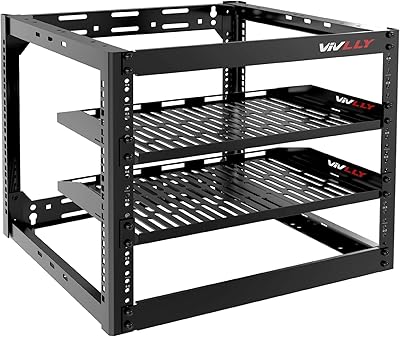
Vivlly 10U Open Frame Server Rack
71%
74%
Build Quality
86%
Value for Money
83%
Ease of Assembly
89%
Airflow & Cooling
91%
Load Capacity (Floor Standing)
More

FAQ

No — this is a 10-inch form factor rack, which means only equipment built to the 10-inch rack standard will mount properly. Standard 19-inch gear will not fit, and there are no adapter plates included. If you already own 19-inch equipment, you will need a different cabinet entirely.

The footprint is about 11 inches wide and just over 10 inches deep, which is roughly the size of a large hardcover book laid flat. The height is where it commands attention — at just over 23 inches tall, it works best on a desk with clear vertical clearance or on an open shelf. It is compact, but it is not small enough to tuck away unnoticed.

The frame assembly itself is fairly intuitive if you have any prior experience with rack systems. The challenge most buyers run into is the instruction documentation, which is thin and lacks step-by-step clarity for the panel installation. Budget an extra 30 minutes if this is your first rack build, and consider looking up community build guides online before you start.

Almost certainly yes, if you plan to fill all 12U. The included rack nuts cover a basic starter configuration, but multiple buyers report running short before their setup is fully populated. Picking up a supplemental pack of M6 cage nuts and screws before you start will save you a trip mid-build.

The T0 is a 4U unit, the T1 gives you 8U, and this one steps up to 12U — so the right choice really comes down to how much gear you plan to rack. If you are starting with just a switch and a small SBC cluster, the T1 might be enough. If you are building a more complete homelab stack with a patch panel, PDU, and multiple compute nodes, the extra headroom in this model is worth it.

Under moderate loads it is solid and does not wobble during normal use. Load it closer to capacity with heavier gear and some buyers notice slight flex at the top of the frame. It is not a structural concern under reasonable homelab loads, but if you are planning to max it out with dense, heavy equipment, consider anchoring it to a wall or adding a rear support bracket.

Yes — the translucent acrylic side panels were clearly designed with this in mind. Most users run a strip of addressable LEDs along the inside of the frame rails or behind the panels, and the effect looks genuinely sharp. There is no built-in lighting controller included, so you will need to source and wire your own LED strip, but the physical setup is straightforward.

That depends on your environment. In a typical clean home office, dust accumulation on equipment is manageable with occasional cleaning — no worse than a shelf-mounted device. In dustier spaces like basements, workshops, or rooms with pets, the fully open top and front will let debris settle on your gear faster than an enclosed cabinet would. If dust is a real concern, this design is not ideal.

The 10-inch ecosystem has grown a lot — you can find purpose-built patch panels, 1U and 2U shelves, mini PDUs, keystone panels, and SBC mounting trays all designed for this width. GeeekPi makes a range of compatible accessories, and brands like Intellinet and various Aliexpress vendors also supply 10-inch gear. Raspberry Pi clusters, mini PCs, small managed switches, and home automation hardware like Home Assistant Yellow all fit comfortably.

It ships unassembled and requires full build-out from individual components. The parts are well-packaged and arrive without damage in most reported cases, but plan for a proper assembly session rather than an out-of-the-box install. Most buyers with some technical background complete the build in under an hour.