Overview

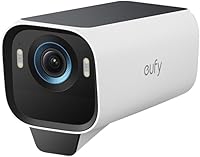
If you've ever wanted to extend your home's camera coverage without handing over a monthly fee to a cloud provider, the eufy Security eufyCam S3 Pro Solar Camera is worth a close look. Be clear on one thing up front: this is strictly an add-on camera, requiring an existing HomeBase 3 hub to operate. There's no standalone mode. That aside, the eufyCam S3 Pro makes a compelling case with its solar-powered design, 4K image quality, and no-subscription local storage — all in one outdoor unit. At its price, it sits firmly in premium territory, going up against names like Arlo Pro and Reolink Duo.

Features & Benefits

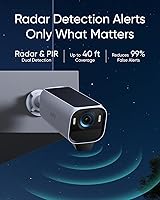
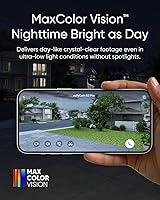
The standout here is night vision done without a blinding spotlight. This outdoor solar camera uses a fast, wide-aperture lens and smart image processing to deliver full-color low-light footage where you can genuinely read a license plate or identify a jacket color in the dark. The dual radar-and-PIR detection is where this cam earns its keep — wind, passing headlights, and rustling trees rarely trigger a false alert. AI recognition learns your household's regular patterns over time, distinguishing a familiar face from a stranger. On the storage side, footage is kept locally on HomeBase 3 with no forced cloud plan, and the solar panel handles daytime charging with a second panel option for shadier mounting spots.

Best For

This solar add-on cam makes the most sense for a specific type of buyer. If you already own a HomeBase 3 and want to cover a side gate, driveway, or backyard without running power cables, this is a natural fit. It's also a strong match for anyone who has grown tired of false motion alerts from simpler cameras — the dual detection system is a genuine step up. Homeowners in consistently sunny climates will get the most out of the solar charging; in overcast regions or shaded spots, expect to lean on the backup battery more. Anyone on the eufy ecosystem seeking privacy-first local storage without monthly fees will find this a satisfying expansion.

User Feedback

Among verified buyers, the recurring praise centers on how well the eufyCam S3 Pro holds up in real-world conditions — sharp footage, solar reliability in sunny climates, and a painless setup for those already in the eufy ecosystem. That said, the HomeBase 3 requirement catches a fair number of buyers off guard; it's a meaningful upfront cost for anyone starting fresh. A handful of users in cloudier regions report the battery draining faster than expected through winter. Face recognition accuracy gets mixed reviews — it performs well for a small household of regulars but can struggle in busier settings. HomeKit users should know they're limited to 1080P resolution, which is a notable trade-off. The 15fps frame rate goes largely unnoticed in normal playback but can show during fast motion events.

Pros

  • MaxColor Night Vision with an F1.0 aperture captures color detail in near-darkness, not just washed-out gray.
  • No subscription fees ever — all footage stays on your local HomeBase 3 storage.
  • Radar and PIR combined dramatically cut down on false alerts from passing cars or rustling trees.
  • SolarPlus 2.0 supports both a built-in and an optional external panel for better charging flexibility.
  • AI recognition learns to distinguish faces, vehicles, and pets specific to your property over time.
  • IP67 weatherproofing holds up reliably in rain, humidity, and temperature swings.
  • The 135-degree field of view covers a wide area from a single mounting point.
  • Local storage via HomeBase 3 scales up to 16TB, so you are unlikely to ever run out of space.
  • Setup for existing eufy HomeBase 3 owners is straightforward and takes only a few minutes.
  • No cables to run means you can mount the S3 Pro in spots that a wired camera simply cannot reach.

Cons

  • Requires a eufy HomeBase 3 hub to operate — it is completely non-functional without one.
  • HomeKit users are limited to 1080p playback, making the 4K hardware feel underused in Apple setups.
  • Solar charging can struggle in shaded locations or during short winter days at higher latitudes.
  • The 15fps frame rate is lower than some competing cameras, which can make fast motion look slightly choppy.
  • At its price point, buying multiple units to cover a large property adds up quickly.
  • The eufy app has drawn mixed reviews, with some users reporting occasional connectivity hiccups.
  • Digital zoom at 8x loses image quality at longer distances despite the high base resolution.
  • Buyers who do not read the listing carefully are frequently caught off guard by the hub dependency.
  • Wi-Fi range can be a limiting factor in larger properties where the hub sits far from the camera.
  • At just 15 frames per second, capturing fast-moving vehicles in full detail is not always reliable.

Ratings

The eufy eufyCam S3 Pro Solar Security Camera earns a strong overall standing across its 771 verified global ratings, with our AI-driven scoring system actively filtering out incentivized and bot-generated reviews to reflect genuine buyer sentiment. The scores below capture both what this solar add-on camera genuinely excels at and where real-world frustrations consistently surface — nothing is glossed over.
Night Vision Quality
93%
The F1.0 aperture consistently impresses buyers who previously relied on infrared cameras. Reviewers describe being able to identify clothing colors, faces, and license plates in complete darkness at distances that would produce nothing but noise on a standard security camera. For front door or driveway monitoring, this is a meaningful real-world upgrade.
A small number of users in extremely low-light environments — think unlit rural driveways with no ambient light whatsoever — report that color accuracy diminishes at the far edges of the frame. The 32.8-foot effective range is also a ceiling, not a guarantee, and subject distance matters.
Motion Detection Accuracy
91%
Buyers on busy suburban streets frequently cite the radar and PIR combination as a genuine relief after years of alert fatigue from competing cameras. The system reliably ignores passing traffic, blowing tree branches, and neighborhood cats while still catching actual human movement approaching the property. Most users report setting it and largely forgetting about nuisance alerts.
A handful of reviewers note that in very dense detection zones — say, a narrow alley with a wall close to the camera — radar can occasionally misfire. The initial calibration period while the AI learns your property's normal activity also means the first week or two can feel slightly noisier than expected.
Solar Charging Reliability
74%
26%
Homeowners in sun-reliable climates — the American Southwest, southern Europe, and similar regions — report that the battery stays topped up for months without any manual intervention. The option to add a second external panel gives buyers in cloudier areas a practical workaround that meaningfully improves charging consistency.
Users in the Pacific Northwest, northern UK, or any heavily shaded mounting position report a noticeably different experience, sometimes needing to manually recharge the battery during winter months. The solar promise works well in ideal conditions but requires honest assessment of your specific installation environment before committing.
Video Clarity & Detail
88%
At 4K, the level of detail captured in daylight footage is genuinely useful for security purposes — license plate numbers, facial features, and package labels are all legible at realistic distances. The H.265 encoding keeps file sizes manageable without visibly sacrificing quality during standard playback.
The 15fps frame rate is the one technical spec that occasionally disappoints buyers used to smoother 30fps footage — fast-moving subjects like cyclists or speeding cars can appear slightly choppy on playback. Apple HomeKit users face the additional frustration of being capped at 1080p through that ecosystem regardless of what the hardware is capable of.
AI Recognition & Learning
83%
The self-learning face and object recognition becomes noticeably smarter over a few weeks of use, correctly tagging regular visitors, the family dog, and familiar vehicles while still flagging unknowns. For households with predictable routines, this translates into alerts that feel curated rather than constant.
During the initial learning phase, the AI over-tags familiar faces and objects as unknown, which can produce a temporary spike in notifications. Some users also report that vehicle recognition occasionally mislabels large delivery vans versus passenger cars, though this tends to self-correct over time.
Local Storage & Privacy
92%
The no-subscription local storage model is one of the most consistently praised aspects across all reviewer segments. Knowing that footage stays on hardware inside your own home — with the option to scale up to 16TB — resonates strongly with privacy-conscious buyers who have grown wary of cloud camera ecosystems.
The local storage advantage is entirely dependent on the HomeBase 3 remaining powered and functional. If the hub goes offline, recording stops — a single point of failure that cloud-based systems technically avoid. Buyers should factor in an uninterruptible power supply for the hub if uptime is critical.
Ecosystem Compatibility
67%
33%
Alexa and Google Assistant integration works reliably for voice-triggered live views and basic status checks. Users who run mixed smart home setups report that the eufy app handles the heavy lifting well, and the camera slots into existing automations without significant configuration effort.
The HomeKit 1080p cap is a recurring complaint that surfaces specifically among Apple ecosystem users who paid a premium expecting full 4K everywhere. Broader compatibility with third-party platforms beyond the major three is also limited, which frustrates users who run Home Assistant or other open ecosystems.
App Experience
71%
29%
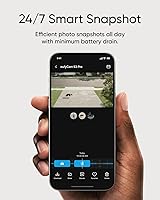
The eufy Security app handles camera management, alert customization, and clip review competently for the majority of users. Notification settings are granular enough to let you tune exactly which detection categories trigger an alert, which most buyers appreciate once they spend time in the settings.
A consistent minority of reviewers flag occasional connectivity drops between the app and the camera, particularly after app updates. Live view loading times can feel sluggish on slower home networks, and a few users report that firmware updates have temporarily disrupted detection sensitivity until re-calibrated.
Build Quality & Weatherproofing
87%
The IP67 rating holds up well in real-world conditions — buyers in rainy climates, coastal areas with salt air, and regions with harsh winter freezes generally report no hardware failures attributable to weather. The housing feels solid and purposeful rather than plasticky, which matters for a camera expected to stay mounted outdoors for years.
At 2.09 pounds the camera is moderately heavy, and a few reviewers note that mounting it on older wood siding requires more care to ensure the bracket seats securely. The mounting hardware included is functional but not exceptional, and some buyers opt for aftermarket solutions on harder surfaces.
Installation & Setup
79%
21%
For existing HomeBase 3 owners, pairing and mounting the S3 Pro is a genuinely straightforward process that most people complete in under 30 minutes. The included positioning stickers let you trial the camera's field of view before committing to drilling, which experienced DIYers appreciate.
First-time eufy buyers who did not realize they needed a HomeBase 3 hub face a frustrating discovery mid-setup. Wi-Fi range can also become a limiting factor on larger properties where the hub is centrally located but the intended camera mounting point is far from the router.
Value for Money
77%
23%
When evaluated as part of a broader eufy HomeBase 3 ecosystem, the value calculation is compelling — you are getting 4K, solar, local storage, and advanced AI detection with no ongoing fees, which over two or three years undercuts many subscription-based competitors significantly.
As a standalone purchase price for a camera that cannot function without an additional hub, the entry cost feels steep to first-time buyers. Scaling to cover multiple zones amplifies this significantly, and the total system cost can surprise shoppers who benchmark against simpler standalone cameras.
Field of View Coverage
84%
The 135-degree wide angle is wide enough to cover an entire driveway or backyard from a single corner mount, which reduces the number of cameras needed for full property coverage. Buyers use this effectively to monitor areas that would require two cameras from a narrower-lens competitor.
Wide-angle lenses introduce some barrel distortion at the frame edges, which can make objects near the corners of the view appear slightly warped. At maximum digital zoom on the edges of the frame, this distortion compounds and image quality drops noticeably.
Battery Performance
76%
24%
The 44.3Wh battery provides a meaningful buffer during overcast stretches, and most users in moderate climates find it rarely dips below 50% charge even through several consecutive cloudy days. For motion-triggered recording rather than continuous, the consumption is well-managed.
Buyers who enable continuous recording modes drain the battery faster than solar can compensate, even in good conditions. In winter months at northern latitudes, balancing battery consumption against recording sensitivity becomes a more active management task than most users initially expect.
Alert Customization
82%
18%
The ability to define specific detection zones — rather than triggering on anything that moves in the entire frame — is a feature that users with complex property layouts, such as homes near sidewalks or shared parking areas, find genuinely useful. Coupling zone control with AI category filtering makes notifications much more relevant.
Accessing the deeper customization layers within the eufy app takes some navigation, and new users can miss these settings entirely and assume the camera's default alert behavior is the only option. Better onboarding around zone setup during initial configuration would meaningfully improve the out-of-box experience.

Suitable for:

The eufy eufyCam S3 Pro Solar Security Camera is purpose-built for homeowners who are already running a eufy HomeBase 3 hub and want to extend coverage to spots that would be a pain to wire — a detached garage, a side fence, a backyard shed. If you live somewhere with decent sun exposure and hate the idea of paying a monthly fee just to review your own footage, this solar add-on camera fits that need well. Privacy-focused buyers who want recordings stored locally rather than uploaded to a company server will appreciate the local-only storage model backed by HomeBase 3. It also shines on properties with a lot of activity — a busy street, a shared driveway — where smarter motion filtering genuinely reduces how often your phone buzzes for nothing. Anyone who has dealt with alert fatigue from a basic PIR-only camera will notice the difference the radar layer makes in day-to-day use.
Not suitable for:

The eufy eufyCam S3 Pro Solar Security Camera is a hard pass for anyone who does not already own a eufy HomeBase 3, since the camera cannot function at all without one — it is not a standalone device. Apartment renters or buyers looking for a single-camera starter system should look elsewhere entirely. If your intended mounting location sits in deep shade for most of the day, or if you live at a high latitude where winter daylight is scarce, solar reliability becomes genuinely unpredictable and you may find yourself monitoring battery levels more than you expected. Apple HomeKit users should also think carefully: while the S3 Pro is HomeKit-compatible, video playback through that ecosystem is capped at 1080p, which undercuts the main appeal of paying a premium for 4K hardware. And if you want truly continuous 24/7 recording without worrying about battery cycles, a wired camera is a more dependable long-term choice.

Specifications

  • Resolution: The camera captures video at 4K resolution using an 8MP CMOS sensor for highly detailed footage.
  • Night Vision: MaxColor Night Vision uses an F1.0 aperture lens to produce color footage in near-darkness without requiring a spotlight.
  • Field of View: A 135-degree wide-angle lens covers broad outdoor areas from a single fixed mounting point.
  • Motion Detection: A dual system combining radar and passive infrared (PIR) sensors identifies human movement while reducing false alerts by up to 99%.
  • AI Recognition: On-device AI can distinguish between faces, humans, vehicles, and pets, and refines its accuracy over time through self-learning.
  • Solar System: SolarPlus 2.0 includes a built-in solar panel and supports an optional external panel for expanded energy coverage in varied environments.
  • Battery: A built-in 44.3Wh lithium-ion rechargeable battery is included and is continuously topped up by the solar charging system.
  • Local Storage: All footage is stored locally through a connected eufy HomeBase 3, which supports expansion up to 16TB — no cloud subscription required.
  • Weatherproofing: An IP67 rating means the camera is fully dust-tight and can withstand temporary submersion in water up to 1 meter.
  • Night Vision Range: The camera can detect and capture usable footage of subjects up to approximately 32.8 feet away in low-light conditions.
  • Video Encoding: Footage is encoded in H.265 format, which delivers efficient compression and preserves quality while reducing storage consumption.
  • Digital Zoom: Up to 8x digital zoom is available through the app, though image quality degrades noticeably at maximum zoom distances.
  • Frame Rate: Video is recorded at 15 frames per second, which is adequate for most surveillance scenarios but lower than some competing cameras.
  • Dimensions: The camera body measures 5.6 x 2.69 x 3.21 inches and weighs 2.09 pounds including its mounting hardware.
  • Compatibility: The S3 Pro works with Amazon Alexa, Google Assistant, and Apple HomeKit, though HomeKit limits video playback resolution to 1080p.
  • Required Hub: Operation requires a eufy HomeBase 3 hub; the camera cannot record, store, or transmit footage independently without one.
  • Connectivity: The camera connects wirelessly via Wi-Fi and communicates with the eufy HomeBase 3 hub over the local network.
  • Video Format: Recorded clips are saved in MP4 format, making them straightforward to review and share across most devices and platforms.

Related Reviews

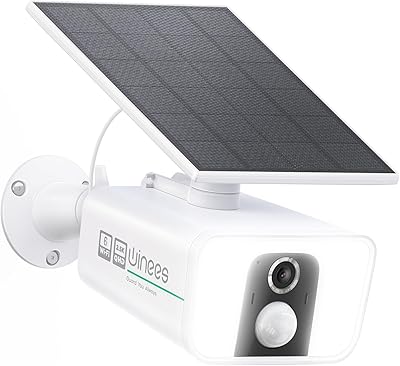
Winees L2 Pro Solar Security Camera
85%
88%
Video Quality
91%
Solar Charging Performance
85%
Night Vision
70%
Ease of Setup
89%
Motion Detection Accuracy
More
eufy eufyCam 2C Pro 4-Cam Security System
78%
88%
Image Quality
76%
Battery Life
84%
AI Human Detection
86%
Value for Money
63%
App Experience
More
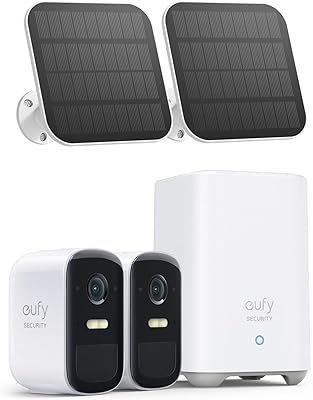
eufy eufyCam 2C Solar Outdoor Camera Kit
80%
88%
Value for Money
74%
Solar Performance
92%
Setup & Installation
89%
HomeKit Integration
61%
Night Vision Quality
More
Reolink Argus 3 Pro Solar Security Camera
77%
88%
Image Quality
83%
Color Night Vision
66%
Solar Charging
71%
Battery Life
74%
AI Motion Detection
More
eufy Security S330 4G LTE Solar Camera
76%
88%
Cellular Connectivity Reliability
67%
Solar Charging Performance
91%
4K Image Quality (Daytime)
74%
Night Vision & Low-Light Clarity
86%
Pan & Tilt Coverage
More
Reolink Argus 4 Pro Solar Security Camera
81%
93%
Image Quality
88%
Night Vision
74%
Solar Performance
86%
AI Motion Detection
91%
Wide-Angle Coverage
More
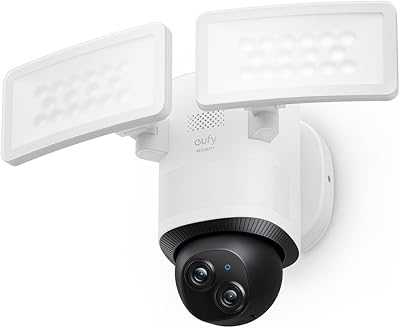
eufy Security E340 Floodlight Camera
78%
88%
Image Clarity & Resolution
91%
Night Vision & Floodlight Performance
84%
360° PTZ Coverage
79%
AI Detection Accuracy
58%
Installation Experience
More
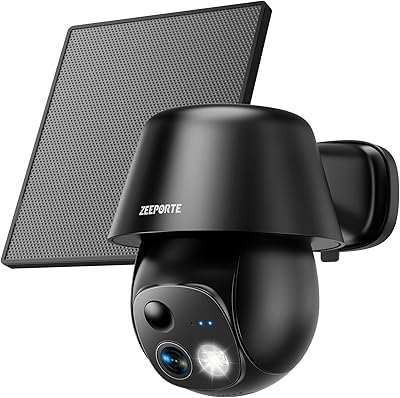
ZEEPORTE Snap 30T Solar Pan-Tilt Security Camera
74%
83%
Image Clarity
79%
Night Vision
61%
Solar Charging Reliability
88%
Pan and Tilt Coverage
67%
App Experience
More
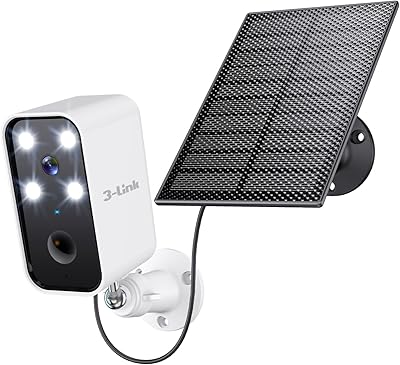
3-Link Battery Camera TB1 S Solar Security Camera
84%
91%
Setup & Installation
89%
Motion Detection Reliability
88%
Solar Charging Efficiency
83%
Night Vision Performance
85%
Weather Resistance
More
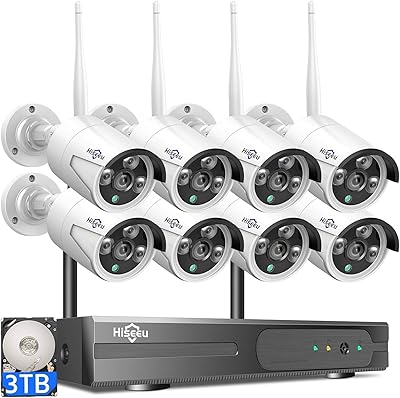
Hiseeu WK-8HB615-CT 8-Camera 5MP NVR Security System
76%
78%
Image Quality
83%
Night Vision
91%
Local Storage Value
71%
AI Human Detection
58%
Ease of Installation
More

FAQ

Yes — the eufy eufyCam S3 Pro Solar Security Camera requires a eufy HomeBase 3 hub to function. It cannot record or store footage on its own. If you already own HomeBase 3, you are good to go; if not, factor in that additional cost before purchasing.

In locations with regular sunlight exposure, most users find the solar panel keeps the battery comfortably topped up without any manual intervention. That said, if the camera is mounted in a heavily shaded spot or you live at a high latitude with very short winter days, the battery will drain faster than the panel can replenish it. Adding the optional external panel helps in marginal conditions, but deep shade is genuinely a challenge for any solar-powered camera.

This is one of the S3 Pro's stronger points. The F1.0 aperture lens pulls in significantly more light than standard security cameras, allowing it to produce color night footage without needing to flip on a spotlight. Think recognizable clothing colors and skin tones at night, rather than the murky gray you get from traditional infrared cameras.

Almost certainly, yes. The combination of radar and PIR detection is specifically designed to filter out environmental noise — blowing leaves, passing cars on a nearby road, small animals — and only alert you when a human is actually present in a zone you care about. Most users who switch from single-PIR cameras report a dramatic drop in nuisance alerts.

There is one meaningful catch worth knowing upfront: when you access footage through the HomeKit ecosystem, the resolution is limited to 1080p, not the full 4K the camera captures. If you are a heavy HomeKit user who expects the full resolution experience through Apple Home, this may frustrate you. Accessing footage through the eufy app directly gives you the full 4K playback.

All footage is stored locally on your eufy HomeBase 3, with no mandatory cloud upload. The hub can be expanded with local drives up to 16TB, so you are unlikely to run out of space. eufy does offer optional cloud storage, but it is never required — your recordings stay on hardware in your home by default.

Yes, the AI recognition is trained to distinguish between pets, humans, vehicles, and faces. Over time it also learns patterns specific to your property, so it gets better at filtering expected activity. You can configure alerts to only trigger for specific detection categories, which helps keep notifications relevant.

Installation is pretty approachable for a DIY project. The camera mounts with screws using the included hardware, and since it is fully wireless and solar-powered there is no wiring to deal with beyond pairing it to your HomeBase 3 through the eufy app. Most people with basic tools and a drill can get it mounted and running in under 30 minutes.

Since the camera communicates with HomeBase 3 over your local network rather than relying on a cloud server, footage continues to be recorded and stored locally as long as the HomeBase 3 hub itself remains powered. If HomeBase 3 loses power along with your internet, recording will pause until power is restored.

The IP67 rating is a recognized international standard, not marketing language. It means the camera has been tested to be fully dust-tight and capable of withstanding brief submersion in water. Rain, humidity, snow, and temperature swings are well within its design range. Users in coastal and northern climates generally report no weather-related issues over extended periods.

Where to Buy