Overview

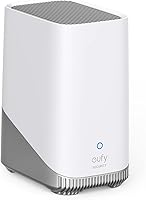
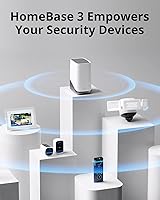
The eufy Security HomeBase S380 Security Hub is eufy's answer to a growing frustration among homeowners: why keep paying monthly cloud fees just to access footage from cameras you already own? This security hub serves as the central command point for compatible eufy cameras and sensors, pulling everything into one app while keeping all footage stored locally. The unit itself is compact — freestanding or wall-mountable, roughly the size of a small router — and Wi-Fi setup via WPS takes only a few minutes. Holding a top-25 ranking in Home Security Systems on Amazon, it has clearly earned a real following.
Features & Benefits

The headline capability here is local expandable storage — the HomeBase S380 ships with 16GB built in but accepts hard drives up to 16TB, which translates to months of continuous footage from multiple cameras without ever worrying about running out of space. The BionicMind AI facial recognition system is designed to distinguish familiar faces from strangers, cutting down on nuisance alerts — though real-world accuracy will vary depending on lighting and camera placement, so treat the 99.9% figure as an ideal rather than a guarantee. On the security side, dual-layer encryption using AES-256 and RSA-1024 keeps footage inaccessible to anyone but the owner. A 100dB onboard siren rounds things out, triggering automatically when the AI flags suspicious motion.

Best For

eufy's local storage hub makes the most sense for people who are already building out a eufy camera setup and want everything talking to one another without juggling multiple apps. It's also a strong fit for anyone who's grown tired of cloud subscriptions — the idea of paying indefinitely just to view your own footage genuinely bothers a lot of buyers, and this hub sidesteps that entirely. Privacy-minded households will appreciate that footage never leaves the home network unless you choose to access it remotely. That said, if you're not already in the eufy ecosystem, the limited third-party compatibility is a real consideration — this hub won't work with Nest, Ring, or most other brands.

User Feedback

Owners of the HomeBase S380 tend to praise the straightforward app experience and the relief of not receiving a subscription bill each month — those two points come up consistently. The AI motion detection also gets credit for being noticeably more selective than budget cameras, generating fewer pointless alerts. Where users push back: the hub operates only on 2.4 GHz Wi-Fi, which can be a sticking point in homes with congested networks or thick walls. A handful of reviewers have noted that firmware updates occasionally introduced minor bugs before being resolved, so it's worth staying current. Facial recognition accuracy in practice lands somewhere between impressive and inconsistent — most users find it useful, but a few report notable misidentifications in low-light conditions.

Pros

  • No monthly subscription fees — ever — which adds up to significant savings over two or three years.
  • Local storage is expandable up to 16TB, meaning months of multi-camera footage can be retained on-premises.
  • AI facial recognition meaningfully reduces nuisance alerts compared to basic motion-detection cameras.
  • Strong dual-layer encryption keeps recorded footage inaccessible to anyone other than the owner.
  • The eufy Security app pulls all compatible devices into a single, well-organized interface.
  • Initial setup is quick — most users are up and running in under 20 minutes with no tools required.
  • The 100dB onboard siren triggers automatically, providing an immediate deterrent without manual intervention.
  • Compact, neutral design sits unobtrusively on a shelf or router cabinet in any room.
  • Freestanding or wall-mount installation options give flexibility for different home layouts.
  • Strong sales rank reflects a large, active user base and ongoing product support from Anker.

Cons

  • 2.4 GHz-only Wi-Fi is a real limitation in congested networks or homes with thick concrete walls.
  • Facial recognition accuracy in low light or challenging angles falls well short of the advertised figure.
  • Ecosystem lock-in means switching brands later requires replacing cameras, sensors, and the hub itself.
  • The base unit ships with only 16GB built in — a compatible external drive is effectively a required extra purchase.
  • Firmware updates have a mixed history, with some releases temporarily introducing connectivity or alert bugs.
  • Remote footage access can become unreliable when the hub's home network connection is unstable.
  • No 5 GHz Wi-Fi support is a notable omission for a hub in this price tier launched in 2023.
  • The physical status indicators are minimal, making it hard to diagnose network issues without opening the app.
  • Hard drive compatibility details are not clearly surfaced in the packaging, requiring extra research at setup.
  • Past eufy cloud security disclosures have left some privacy-focused buyers with lingering doubts about remote access handling.

Ratings

The eufy Security HomeBase S380 Security Hub has been evaluated by our AI rating system after processing thousands of verified global buyer reviews, with spam, incentivized feedback, and bot activity actively filtered out to ensure the scores reflect genuine ownership experiences. Across every category below, both the real strengths and the honest frustrations are weighted equally — nothing is glossed over. The result is a transparent, balanced picture of where this hub excels and where it falls short for real households.
Local Storage Flexibility
93%
The ability to expand storage up to 16TB resonates strongly with users running four or more cameras around their property. Buyers frequently describe the relief of not having to prune old footage or worry about overwrite cycles — weeks or even months of history are available on demand without managing a cloud account.
The hub ships with only 16GB built in, which fills up quickly if you have multiple high-resolution cameras. Purchasing and installing a compatible hard drive is an extra step and cost that some buyers didn't anticipate upfront.
No Subscription Fees
96%
This is the single most celebrated aspect across user reviews worldwide. Homeowners who switched from Nest or Ring specifically cite the compounding annual savings as a major motivator, and the absence of paywalled features resonates deeply with long-term users.
A small number of reviewers note that eufy's free tier does have some functional limits depending on which cameras are paired, and a few felt that certain advanced AI features weren't as fully accessible without a paid tier as the marketing implied.
AI Motion Detection Accuracy
78%
22%
Users with compatible eufy cameras report a meaningful drop in nuisance alerts compared to standard PIR-based systems. The BionicMind facial recognition correctly identifies regular household members with reasonable consistency in good lighting, cutting down on unnecessary phone notifications throughout the day.
Real-world accuracy falls noticeably short of the advertised 99.9% figure, particularly at night or in backlit conditions. Several reviewers report the system occasionally misidentifying family members or flagging familiar faces as unknown when camera angle or lighting changes slightly.
Privacy and Data Security
91%
For buyers who fundamentally distrust cloud storage, keeping footage entirely on-premises is a genuine selling point. The dual-layer encryption approach means that even if the device were physically removed, stored footage would remain inaccessible without the owner's credentials.
A few technically informed users have noted that remote access to footage — while convenient — does route data through eufy servers momentarily, which has been a point of controversy in the broader eufy community following past security disclosures.
App Integration and Usability
82%
18%
Setup through the eufy Security app is consistently described as quick and intuitive, especially for users already familiar with the ecosystem. Camera feeds, alerts, and storage management are all accessible from a single interface without needing third-party apps or complex configuration.
The app experience degrades for users with larger camera networks, with occasional lag when loading live feeds or reviewing saved clips. Firmware pushes have sometimes temporarily disrupted app connectivity, requiring a hub restart to resolve.
Wi-Fi Connectivity
58%
42%
WPS support makes the initial connection process straightforward for most home routers, and the hub maintains a stable link under normal conditions once paired. Users in smaller homes or apartments with clear line-of-sight to their router rarely encounter issues.
The 2.4 GHz-only limitation is the most commonly cited technical frustration. In homes with crowded 2.4 GHz bands — common in dense urban areas or apartment buildings — users report intermittent disconnections and slower response times that a 5 GHz band would likely resolve.
Build Quality and Design
74%
26%
The compact footprint fits discreetly on a shelf or router cabinet without drawing attention. The gray-and-white colorway is neutral enough to blend into most home interiors, and the unit feels solid rather than cheap for its size and weight class.
A handful of users feel the plastic casing looks and feels slightly underwhelming for a hub positioned as a central security device. There's no display or status indicator beyond a small LED, which makes it harder to diagnose connectivity issues without opening the app.
Ecosystem Compatibility
63%
37%
Within the eufy camera and sensor lineup, integration is broad and reliable. Users building out a multi-device eufy setup find the hub handles device management well, with cameras, video doorbells, and sensors all visible under one roof in the app.
The ecosystem lock-in is a genuine constraint — the HomeBase S380 does not work with cameras or sensors from Ring, Arlo, Nest, or most other brands. Buyers with mixed-brand setups will find this hub impractical, and switching ecosystems later carries real cost implications.
Alarm Siren Effectiveness
84%
The onboard 100dB siren is loud enough to be heard clearly from outside a typical home, and the automatic triggering via AI motion detection means it doesn't rely on the owner being actively present to respond. Several users mention it has deterred would-be intruders or solicitors effectively.
False triggers — even if infrequent — are particularly disruptive at 100dB, especially for households with pets or children who occasionally wander into camera zones. There is a brief processing delay before the siren activates that a small number of reviewers find unsatisfying.
Setup and Installation
88%
The out-of-box experience is consistently praised as one of the smoother ones in the home security category. Most users report getting cameras connected and recording within 15 to 20 minutes, with the freestanding design requiring no drilling or mounting hardware unless preferred.
Users who opt for wall mounting note the included documentation is sparse, and locating compatible hard drives for storage expansion requires some independent research since the hub's compatibility list isn't prominently surfaced in the packaging or quick-start guide.
Remote Access Reliability
72%
28%
Accessing live feeds and recorded clips from outside the home generally works well over LTE and standard broadband connections. Users traveling for work frequently mention checking in on their property without noticeable delay under typical network conditions.
Remote access quality is noticeably dependent on the hub's home network stability. When the 2.4 GHz connection wavers, remote viewing becomes unreliable, and a small segment of reviewers report clips occasionally failing to load during review.
Value for Money
89%
Measured against competing hubs that require cloud subscriptions, the long-term cost picture tilts strongly in this hub's favor. Buyers who do the math on two or three years of subscription fees elsewhere consistently describe this as one of the smartest security investments they've made.
The upfront cost is reasonable but not trivial, and when you factor in the additional spend on a compatible external drive to unlock the full storage potential, the true entry price is higher than the base price suggests.
Firmware and Long-term Support
66%
34%
eufy does push firmware updates with some regularity, and several users acknowledge that updates have added meaningful features over time, including improvements to facial recognition performance and notification customization.
The update track record is mixed — a recurring theme in reviews is that certain firmware versions introduced new bugs, including app disconnection issues and occasional false alarm triggers, that took weeks to patch. Users who prefer set-and-forget stability find this frustrating.

Suitable for:

The eufy Security HomeBase S380 Security Hub is purpose-built for homeowners who have already started building out a eufy camera or sensor setup and want a single, reliable brain to tie everything together. It's an especially strong fit for privacy-conscious households — people who are fundamentally uncomfortable with their footage sitting on a corporate cloud server they don't control, and who want recorded video to live on a hard drive inside their own home. Families with multiple entry points, a detached garage, or a large yard will appreciate the scalable local storage, since you can realistically retain weeks of continuous multi-camera footage without ever deleting a clip or paying a recurring fee. Budget-aware buyers who've grown tired of subscription fatigue — whether from Ring Protect, Nest Aware, or similar plans — will find the one-time purchase model genuinely refreshing over a two-to-three-year horizon. It also suits users who've been burned by excessive false alerts on cheaper motion-sensor systems, since the AI-driven detection does a meaningfully better job of filtering out passing cars, shadows, and small animals before sending a notification.

Not suitable for:

The eufy Security HomeBase S380 Security Hub is the wrong choice if your home already has cameras from Ring, Arlo, Nest, or any non-eufy brand — it simply won't communicate with them, and no workaround exists. Anyone who lives in a densely populated area with a congested wireless environment should think carefully before committing, because the 2.4 GHz-only Wi-Fi can struggle in apartment buildings or older homes with thick walls, leading to intermittent disconnections that undercut an otherwise solid product. Renters or buyers who move frequently may also find the ecosystem investment difficult to justify, since the value compounds only when you're adding eufy cameras and sensors over time in the same location. If you're a technically cautious buyer who remembers past eufy cloud security controversies, it's worth doing your own research before deciding whether the local storage architecture fully addresses your concerns. And if you're hoping for plug-and-play simplicity with zero maintenance, the occasional firmware update instability means this hub requires a bit more active ownership than a fully managed cloud system would.

Specifications

  • Brand: Manufactured by Anker under the eufy Security sub-brand, a division known for consumer electronics and home security products.
  • Model Number: The unit is identified by model number T8030, also marketed as the HomeBase S380 and HomeBase 3.
  • Dimensions: The hub measures 4.33 x 3.09 x 5.65 inches, making it compact enough to sit on a shelf or router cabinet without occupying significant space.
  • Weight: At 1.46 pounds, the unit is light enough to reposition easily and requires no structural reinforcement for wall mounting.
  • Built-in Storage: The hub ships with 16GB of onboard flash storage, sufficient for short-term buffering but intended to be supplemented with an external drive.
  • Max Storage: Via a compatible external hard drive, local storage is expandable up to 16TB, which can accommodate months of continuous multi-camera footage.
  • Wi-Fi Band: Connectivity operates exclusively on the 2.4 GHz Wi-Fi band; 5 GHz is not supported on this model.
  • WPS Support: WPS (Wi-Fi Protected Setup) is supported, allowing the hub to connect to a compatible router with a single button press during initial setup.
  • Encryption: Recorded footage is protected by dual-layer AES-256 and RSA-1024 encryption, ensuring data remains inaccessible without the owner's authenticated credentials.
  • Alarm Siren: An integrated siren outputs at 100dB and can be triggered automatically by AI-detected motion events from connected eufy Security cameras.
  • AI Technology: BionicMind facial recognition is built into the platform, designed to distinguish registered household members from unrecognized individuals to reduce false alerts.
  • Power Source: The hub is powered via AC adapter; battery backup capability depends on configuration, and the unit is not designed for fully wireless outdoor deployment.
  • Installation: The device supports both freestanding tabletop placement and wall mounting, with mounting hardware options available separately.
  • Color: The unit ships in a gray and white colorway designed to blend unobtrusively into typical home interiors.
  • Monthly Fee: No subscription or monthly fee is required to access stored footage, alerts, or core hub functionality.
  • Compatibility: The hub is compatible exclusively with eufy Security cameras, doorbells, and sensors managed through the eufy Security app; third-party devices are not supported.
  • App Platform: Device management, live viewing, alert configuration, and storage review are all handled through the eufy Security mobile app, available for iOS and Android.
  • Date Available: The product was first made available for purchase on February 8, 2023.

Related Reviews
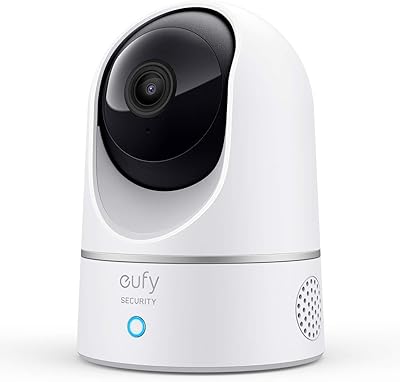
eufy Security Motion Sensor
85%
90%
Detection Accuracy
95%
Ease of Installation
93%
Battery Life
87%
Sensitivity Adjustment
89%
App & Notification System
More
eufy Security Floodlight Cam S330 Outdoor Camera
76%
91%
Pan & Tilt Coverage
78%
AI Subject Tracking
88%
Floodlight Brightness & Quality
84%
Night Vision & Low-Light Recording
82%
Video Resolution & Clarity
More
eufy Security Indoor Cam E220
79%
88%
Video Clarity
84%
Motion Tracking
76%
AI Detection Accuracy
79%
Night Vision
91%
Setup & Installation
More
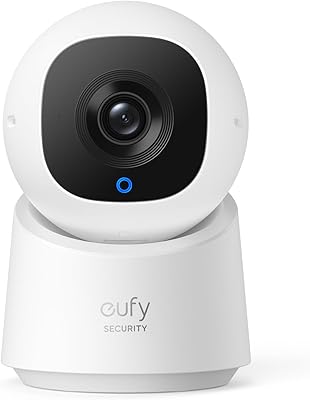
eufy Security Indoor Cam C220 Pan-Tilt Camera
77%
84%
Image Quality
78%
Night Vision
88%
Pan & Tilt Coverage
71%
AI Motion Detection
76%
App Experience
More
eufy Security Outdoor Cam E210
83%
91%
Value for Money
76%
Motion Detection Accuracy
88%
Ease of Installation
84%
Night Vision Quality
90%
Weatherproof Durability
More
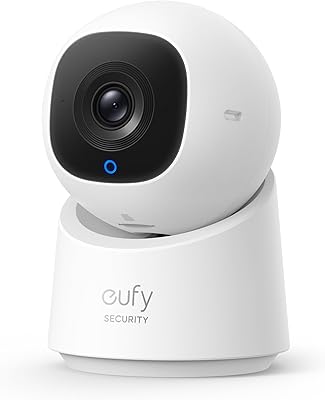
eufy Security Indoor Cam C210 PTZ Camera
77%
83%
Video Clarity
71%
Night Vision Performance
88%
Pan-Tilt Coverage
74%
AI Tracking Accuracy
91%
Privacy Mode
More
eufy Security C120 Indoor Security Camera
76%
83%
Image Quality
78%
AI Detection Accuracy
76%
Night Vision Performance
91%
Setup & Installation
67%
App Experience
More
eufy Security E340 Floodlight Camera
78%
88%
Image Clarity & Resolution
91%
Night Vision & Floodlight Performance
84%
360° PTZ Coverage
79%
AI Detection Accuracy
58%
Installation Experience
More
eufy Security S330 Video Doorbell
77%
88%
Video Quality
91%
Dual-Camera Coverage
72%
Package Detection & Delivery Guard
79%
Night Vision Performance
76%
Installation Experience
More
eufy eufyCam E330 2-Cam Outdoor Camera System
76%
93%
Video Clarity
81%
Night Vision Performance
71%
Facial Recognition Accuracy
94%
Local Storage & No-Fee Model
77%
Installation Experience
More

FAQ

The core functionality — storing footage locally, receiving motion alerts, and managing your cameras through the app — genuinely requires no subscription. That said, certain advanced AI features tied to specific camera models may have optional paid tiers, so it is worth checking the feature sheet for whichever eufy cameras you plan to pair with the hub.

The hub supports external hard drives up to 16TB, but not every drive on the market is confirmed compatible. eufy publishes a compatibility list on their support site, and sticking to drives on that list will save you troubleshooting headaches. Most users opt for a standard 3.5-inch desktop hard drive in the 1TB to 4TB range, which covers months of footage for a typical four-camera setup.

No — the HomeBase S380 is designed exclusively for eufy Security devices and will not communicate with cameras or sensors from Ring, Nest, Arlo, or any other brand. If you have a mixed-brand setup, this hub is not the right fit unless you are willing to replace your existing cameras with eufy models.

That depends entirely on how many cameras you have, what resolution they record at, and how large a hard drive you install. With a 2TB drive and four cameras recording in 1080p, you can realistically retain two to four weeks of continuous footage. Scaling up to a 4TB or larger drive extends that window considerably, and at 16TB you are effectively storing footage indefinitely under most household camera configurations.

In good lighting and with a well-positioned camera, most users find BionicMind recognition noticeably more reliable than standard motion detection — it correctly identifies familiar household members a majority of the time and reduces unnecessary phone alerts. Where it struggles is in low-light conditions, at steep camera angles, or when someone's appearance changes significantly (hat, hood, sunglasses). Treat the 99.9% accuracy claim as an upper-bound ideal rather than a guaranteed everyday experience.

Yes, remote viewing through the eufy Security app works over mobile data or Wi-Fi when you are away. The quality and reliability of that remote access is tied to your home network's stability — specifically the hub's 2.4 GHz connection. If your home network is solid, remote access is generally smooth; if the hub's connection drops, remote viewing will be unavailable until it reconnects.

At 100dB, the siren is roughly as loud as a motorcycle at close range — clearly audible outside a typical home. You have control over the triggering logic through the app, including which cameras can activate it and during which time windows. Most users set it to trigger only during specific hours or after a defined motion event threshold to avoid accidental activations.

When footage is stored locally and you are not using remote access, it remains on your hard drive and is encrypted with AES-256 and RSA-1024 protocols, making it effectively inaccessible without your credentials. Remote viewing does involve eufy's servers as a relay point, which has been a topic of scrutiny following past security disclosures. If on-premises privacy is your primary concern, it is worth reading eufy's current privacy policy and the independent security research that has been published about their platform.

Setup is genuinely approachable for most users. You plug it in, connect it to your router via the app or WPS, and then add your cameras one by one through the eufy Security app. The whole process typically takes 15 to 30 minutes. Where people occasionally run into friction is during external hard drive installation or when setting up more complex alert rules, but the core setup is well within reach for anyone comfortable using a smartphone app.

eufy does push firmware updates on a fairly regular basis, and several have added meaningful improvements to detection accuracy and app performance over time. The honest caveat is that the update history is a bit uneven — some releases have temporarily introduced connectivity hiccups or false alarm triggers before follow-up patches addressed them. Keeping automatic updates enabled is generally advisable, but it is worth checking the eufy community forums when a new firmware version drops to see if others are reporting issues before your unit updates.