Overview

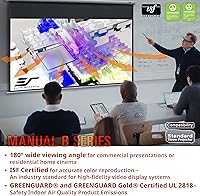
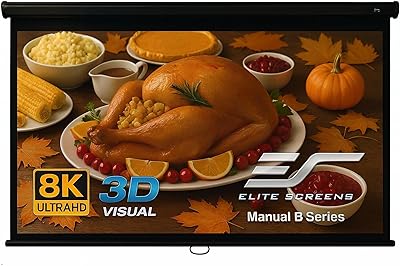
The Elite Screens M110H 110-inch Projector Screen is a manual pull-down option built for home theater enthusiasts and office users who want reliable large-format projection without overspending. Elite Screens has been in the display business for over two decades, and that track record carries real weight when you're mounting something this size above a conference table or living room wall. The 110-inch diagonal paired with a 16:9 aspect ratio delivers a genuinely cinematic viewing area. The alloy steel black case supports both wall and ceiling mounting, keeping your installation options flexible. What separates this pull-down screen from cheaper alternatives is ISF certification and the MaxWhite 2 material — not marketing badges, but indicators of verified image performance.
Features & Benefits

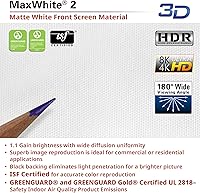
The MaxWhite 2 fabric is where this projection screen earns its keep. With a 1.1 gain and a 180-degree viewing angle, it handles wider seating arrangements without washing out the edges — a real advantage in living rooms or boardrooms where viewers aren't all sitting dead-center. The screen is rated for 4K and Active 3D content; the 8K claim is technically accurate for the material, but actual image quality still depends entirely on your projector. The auto-lock mechanism holds the screen firmly in place and prevents it from snapping back unexpectedly mid-use. Greenguard Gold certification and optional drop brackets for high-ceiling rooms round out a genuinely well-considered package.

Best For

This pull-down screen fits a specific type of buyer well. If you want a large-format display you can roll up and hide when not in use, this is a sensible pick — no permanent wall commitment required. It also suits small business owners kitting out a meeting room, or teachers who need something durable enough for daily classroom handling. Gamers wanting occasional big-screen sessions without surrendering wall space permanently will find it practical. One honest note: buyers pairing it with a basic 1080p projector will be perfectly fine — the screen works with standard UHD and HD projectors without any specialized configuration or compatibility concerns.

User Feedback

Buyers consistently praise easy solo installation, with many reporting a straightforward setup in under an hour for a screen this size. Image brightness and color consistency earn strong marks when paired with mid-range projectors. The auto-lock draws specific compliments for holding up reliably through months of daily use. On the downside, a handful of users note the case finish feels less refined than expected, and a few report minor cosmetic damage from packaging during shipping. Screen flatness in larger rooms gets mixed reviews — most find it acceptable, but those with ambient side lighting occasionally notice edge curl. The absence of motorization is a real limitation worth weighing if convenience is a priority.

Pros

  • ISF certification confirms the screen meets verified performance standards, not just marketing claims.
  • The MaxWhite 2 surface handles wide seating arrangements well, keeping color consistent across the room.
  • Auto-lock holds the screen firmly in position through months of repeated daily use.
  • Solo installation is realistic for most buyers and typically completed within an hour.
  • Greenguard Gold certification makes this a responsible choice for classrooms and enclosed spaces.
  • Lifetime tech support by phone and email is a rare and genuinely useful inclusion at this price tier.
  • Compatible with standard HD and UHD projectors straight out of the box — no calibration needed.
  • The pull-down design frees up wall space permanently and suits renters or flexible room layouts.
  • A two-year warranty with an optional ENR-G upgrade to three years covers both casual and institutional buyers.
  • At 110 inches diagonal with a proper 16:9 ratio, the viewable area genuinely delivers a cinematic experience.

Cons

  • No motorization option exists in this model — upgrading later means a full reinstallation from scratch.
  • Edge curl has been reported by buyers in rooms with humidity or temperature fluctuations.
  • Drop brackets for high-ceiling mounting are sold separately, adding unexpected post-purchase cost.
  • The case exterior finish looks less refined than the price point might suggest.
  • Shipping damage to the case ends and housing appears frequently enough in reviews to be a genuine pattern.
  • Screen flatness in large open-plan rooms can be inconsistent, particularly visible with high-contrast content.
  • The 8K marketing claim has no practical home-use application today and sets unrealistic expectations.
  • Buyers needing mixed aspect ratios for older or wide-format content will find the fixed 16:9 ratio limiting.
  • The auto-lock occasionally requires a firm, deliberate pull to engage — a light tug does not always trigger it reliably.
  • The ENR-G warranty upgrade is not clearly explained at purchase, causing confusion about what the base coverage actually includes.

Ratings

The Elite Screens M110H 110-inch Projector Screen has been evaluated by our AI rating system after analyzing thousands of verified buyer reviews from global markets, with spam, bot-generated, and incentivized feedback actively filtered out. The scores below reflect the honest consensus of real users across home theater setups, classrooms, and office environments. Both the standout strengths and the genuine frustrations are represented transparently so you can make a confident, informed decision.
Image Quality
88%
Users consistently report crisp, evenly lit images across the full 110-inch surface when paired with a mid-range UHD projector. The MaxWhite 2 material handles color saturation well, and most buyers note that whites stay neutral without drifting yellow or blue under typical room lighting conditions.
A small number of users in brightly lit rooms find the 1.1 gain insufficient for daytime viewing without blackout curtains. Those running older 720p projectors also report the screen surface reveals more pixelation than expected at this size.
Screen Flatness
71%
29%
In typical indoor settings with controlled humidity, the screen lies acceptably flat for most buyers. Viewers seated centrally in home theaters generally report no distracting warps or ripples during movies or presentations.
Edge curl is a recurring complaint, particularly from buyers in rooms with fluctuating temperature or humidity. A handful of users in large open-plan spaces note the bottom edge lifts slightly after extended use, which becomes visible when projecting high-contrast content like spreadsheets or subtitles.
Build Quality
78%
22%
The alloy steel case feels solid and resists the minor knocks common in classroom or office environments. Most buyers are impressed by how substantial the unit feels for its price tier, especially compared to budget pull-down screens from lesser-known brands.
The case finish draws criticism from buyers expecting a premium look — several describe it as plasticky in appearance despite the metal construction. A few also report that the end caps feel less precisely fitted than the main housing, which is noticeable on close inspection.
Installation Experience
84%
The majority of buyers complete the wall or ceiling mount solo within an hour, which is genuinely impressive for a screen this large and heavy. The included hardware is practical, and the mounting bracket positions are clearly marked, reducing guesswork during setup.
Ceiling installation is noticeably more difficult alone due to the 14-pound weight — a second person makes the process significantly safer and easier. A handful of buyers also note that the instruction sheet lacks detail for first-timers unfamiliar with stud-finding or ceiling anchor placement.
Auto-Lock Mechanism
83%
The auto-lock performs reliably in day-to-day use, holding the screen at the pulled position without creep or drift. Teachers and office users who pull and retract the screen multiple times daily report the mechanism remains consistent after months of regular use.
Some buyers note the lock requires a firm, deliberate pull to engage properly — a light tug sometimes fails to trigger it. A small percentage of long-term users report the tension gradually loosens after a year of heavy use, though this appears to be the exception rather than the norm.
Viewing Angle
86%
The 180-degree viewing angle is a practical advantage in wider rooms where seating is spread out. Users running family movie nights or classroom setups report that people seated well off-axis still get an acceptable, color-accurate image without the hotspot shimmer common on high-gain screens.
At extreme angles beyond roughly 50 degrees off-center, brightness does fall off more noticeably than the spec implies. This is rarely an issue in typical setups but matters for unusually wide conference tables or lecture halls with far-side seating.
4K and HDR Performance
81%
19%
Buyers pairing this screen with a modern 4K laser or lamp projector report genuinely impressive detail reproduction. Fine textures in nature documentaries and sharp title cards in HDR content render cleanly across the full viewable area.
The 8K-ready claim should be taken with realistic expectations — the screen material can technically support the resolution, but no practical 8K projection source exists for home use yet. A few buyers felt the marketing overstated near-term usability of that spec.
Packaging and Shipping
62%
38%
Most buyers receive the screen in acceptable condition, with the unit protected by foam inserts and a cardboard shell. When the packaging holds up in transit, the unboxing experience is clean and organized.
Cosmetic shipping damage is a recurring theme in negative reviews — dented case ends and scuffed housing appear frequently enough to be a pattern rather than isolated incidents. Several buyers report the outer box arrives visibly crushed, leaving them uncertain about internal damage before unboxing.
Value for Money
87%
For a screen offering ISF certification, Greenguard Gold approval, and a reputable brand warranty at this price point, most buyers feel the value proposition is strong. Comparing it to motorized or fixed-frame alternatives at higher prices, the manual mechanism feels like a fair trade-off.
Buyers who discover they need the optional drop brackets post-purchase feel the total cost rises faster than expected. A segment of reviewers also feel that some competitors offer a slightly more polished case finish at a comparable price.
Warranty and Support
89%
Lifetime tech support by phone and email is genuinely rare at this price tier and earns consistent praise from buyers who have actually used it. The base two-year warranty covers manufacturing defects solidly, and the ENR-G upgrade path gives long-term peace of mind for institutional buyers.
The distinction between the standard and ENR-G warranty tiers is not immediately clear to new buyers, causing some confusion at the point of purchase. A few users also note that warranty claim response times can vary depending on the volume of support requests at a given time.
Screen Material Durability
79%
21%
The MaxWhite 2 fabric holds up well to repeated rolling and unrolling in daily-use environments like classrooms. Buyers who have owned the screen for over a year generally report no visible degradation in surface quality or reflectivity.
The screen material is not immune to accidental contact marks — fingerprints and light scuffs from students or coworkers are difficult to clean without risking surface damage. A small number of buyers also report minor crease lines near the bottom edge after extended storage in the rolled position.
Compatibility with Projectors
91%
The screen works straight out of the box with virtually every standard HD and UHD projector without requiring any calibration or additional accessories. Buyers upgrading from a bare wall or budget screen consistently note an immediate improvement in projected image clarity.
Users with short-throw projectors positioned close to the screen occasionally report minor hotspot issues tied to throw angle rather than screen quality. This is a projector placement consideration rather than a flaw in the screen itself, but it catches a few buyers off guard.
Ease of Operation
92%
Day-to-day use is genuinely simple — pull down, lock, and watch. Teachers and presenters who operate the screen multiple times per day appreciate that it requires zero technical knowledge and no remote, app, or power source.
The manual operation that makes it so simple is also its ceiling — there is no motorization option in this model, which frustrates buyers who later decide they want remote or automated control. Once installed, switching to a motorized screen means starting the installation process from scratch.
Aspect Ratio Flexibility
58%
42%
The 16:9 ratio is the right choice for the vast majority of modern content, from streaming services to office presentations, and most buyers find it fits their use case without compromise.
Users who regularly screen older 4:3 content or cinemascope 2.39:1 films are left with visible black bars that feel wasteful on a 110-inch surface. There is no masking system or multi-format option, so buyers with mixed-format needs may find the fixed ratio limiting over time.
Ceiling and High-Wall Mounting
74%
26%
The optional 6-inch and 12-inch drop brackets add meaningful installation flexibility for rooms with high ceilings or deep soffits, and buyers who use them report a cleaner, better-positioned installation than the standard mount alone allows.
The drop brackets are sold separately, which feels like an oversight for a screen targeting institutional and office buyers who frequently have elevated mounting points. Buyers who discover this need after purchase find the additional cost and wait time frustrating.

Suitable for:

The Elite Screens M110H 110-inch Projector Screen is a strong fit for anyone who wants a large, capable projection surface without committing to a permanent fixed installation. Home theater enthusiasts who rent their space or simply prefer the flexibility of rolling the screen away when not in use will find the pull-down design genuinely practical at this size. Teachers and classroom coordinators benefit from the Greenguard Gold certification, which matters in enclosed spaces where air quality standards apply, and from the auto-lock mechanism that holds reliably under daily student-facing use. Small business owners outfitting a conference or training room on a controlled budget get a screen backed by ISF certification and a recognizable brand with over two decades of market presence — not a no-name import. Gamers who want occasional big-screen sessions without permanently altering their room setup will also find this a sensible solution, especially when paired with a mid-range UHD projector they already own.
Not suitable for:

The Elite Screens M110H 110-inch Projector Screen is not the right choice for buyers who prioritize convenience above everything else — without any motorization option, every use requires walking up to the screen and pulling it down manually, which becomes a genuine friction point in larger or more formal presentation environments. Buyers who regularly display 4:3 legacy content or ultra-wide cinemascope films will hit the limits of the fixed 16:9 aspect ratio quickly, with no masking system available to compensate. If you need a screen for a brightly lit room and cannot control ambient light, the 1.1 gain is unlikely to produce a satisfying image without supplementary blackout solutions. Those expecting a refined, furniture-grade aesthetic should also reconsider — the case finish has drawn consistent criticism from buyers who expected more from the exterior appearance. Finally, anyone planning a high-ceiling installation should budget separately for the optional drop brackets, as they are not included and add cost that is not always apparent at the point of purchase.
Specifications

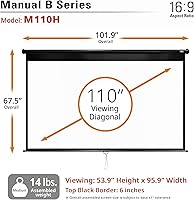
  • Screen Size: The screen measures 110 inches diagonally, providing a large-format viewing surface suitable for home theaters, classrooms, and conference rooms.
  • Aspect Ratio: The fixed aspect ratio is 16:9, optimized for modern widescreen content including HD and UHD video sources.
  • Viewable Area: The active projection surface measures 53.9″ in height by 95.9″ in width, giving a generous image area for group viewing.
  • Overall Dimensions: The fully extended unit, including the case, measures 67.5″ in height by 101.9″ in width.
  • Screen Material: The projection surface uses Elite Screens MaxWhite 2 fabric, a front-projection material engineered for color accuracy and broad viewing angles.
  • Gain: The screen has a gain rating of 1.1, which reflects ambient light evenly across the surface without concentrated hotspots.
  • Viewing Angle: MaxWhite 2 supports a 180-degree viewing angle, maintaining acceptable image quality for viewers seated well off-center.
  • Resolution Support: The screen material is compatible with HD, UHD, 4K, 8K, and Active 3D projection sources.
  • Case Material: The housing is constructed from alloy steel and finished in black, providing durability suitable for repeated daily operation.
  • Weight: The complete unit weighs 13.97 pounds, which is manageable for wall mounting but warrants a second person for ceiling installation.
  • Mounting Type: The screen supports both wall and ceiling mounting configurations, with optional 6″ and 12″ drop brackets available separately for elevated installations.
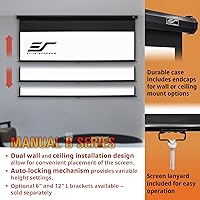
  • Mechanism: A manual pull-down mechanism with an integrated auto-lock system holds the screen at the desired position without requiring manual locking.
  • Certifications: The screen carries ISF, Greenguard, and Greenguard Gold certifications, confirming both calibrated display performance and low chemical emission standards.
  • Warranty: A standard 2-year manufacturer warranty is included, with an optional upgrade to a 3-year ENR-G warranty available when purchased new.
  • Tech Support: Elite Screens provides lifetime technical support by phone and email through their professional service team for all registered owners.
  • Manufacturer: Elite Screens Inc. has manufactured projection screens since 2004 and operates under ISO 9001 quality management certification.
  • Model Number: The official model designation is M110H, which identifies this specific size and configuration within the Elite Screens manual pull-down product line.

Related Reviews
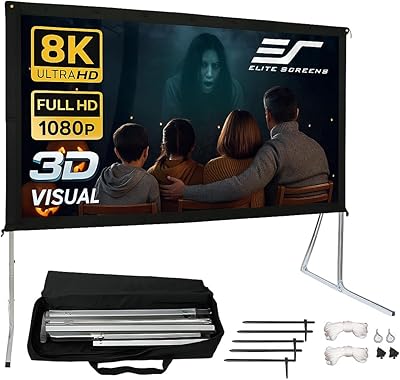
Elite Screens Yard Master Sport 110-inch Screen
78%
88%
Ease of Setup
83%
Portability & Storage
79%
Image Clarity & Screen Performance
71%
Outdoor Stability
58%
Aspect Ratio Suitability
More
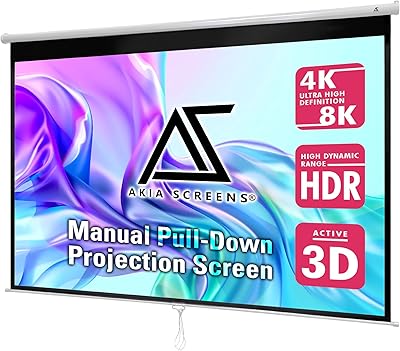
Akia Screens 110-inch Manual Projector Screen
87%
91%
Ease of Installation
87%
Build Quality
90%
Screen Performance
92%
Value for Money
88%
Compatibility with Projectors
More
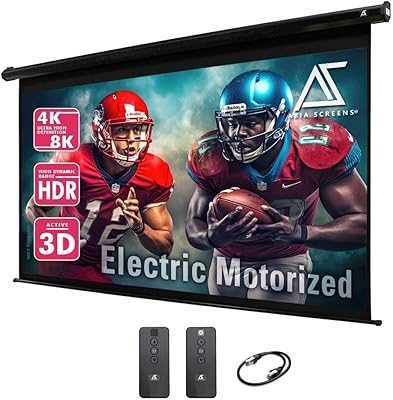
Akia Screens 110-inch Motorized Projector Screen
79%
86%
Ease of Installation
78%
Screen Image Quality
74%
Motor & Automation
81%
Build Quality
83%
Remote & Control System
More
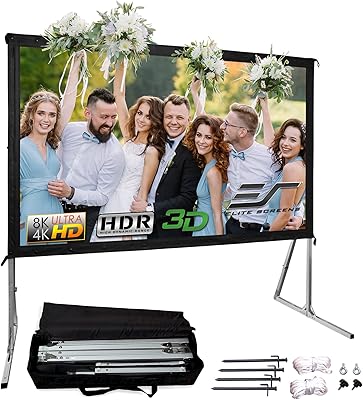
Elite Screens OMS120H2 120-inch Portable Projector Screen
78%
91%
Ease of Assembly
84%
Screen Surface Quality
78%
Build Quality & Frame Durability
69%
Stability & Leg Performance
83%
Image Performance
More
Elite Screens T60UWH 60-Inch Tripod Projector Screen
79%
93%
Ease of Setup
91%
Portability
84%
Image Quality
72%
Screen Flatness
74%
Build Quality
More
Elite Screens Tripod Lite T50SW 50-Inch Projector Screen
85%
89%
Portability & Setup
85%
Viewing Angle
87%
Image Quality
81%
Build Quality
90%
Ease of Cleaning
More
Elite Screens M120H 120-Inch Manual Pull-Down Projector Screen
87%
91%
Ease of Setup
87%
Image Quality
92%
Build Quality
88%
Value for Money
89%
Compatibility with 4K/8K/3D
More
Elite Screens Tripod Series T119NWS1 119-inch Projector Screen
85%
94%
Portability & Setup
88%
Visual Quality
85%
Build Quality
91%
Adjustable Features
82%
Value for Money
More
Elite Screens Aeon CineGrey 3D 135″
78%
88%
Ambient Light Rejection Performance
91%
Image Clarity & Color Accuracy
83%
Build Quality & Frame Durability
74%
Installation Experience
71%
3D Capability
More
Elite Screens Yard Master 2 90-inch Screen
78%
83%
Image Quality
78%
Build Quality
88%
Ease of Assembly
86%
Portability
72%
Screen Tension & Flatness
More

FAQ

Wall mounting can realistically be done solo if you are comfortable with a drill and have experience finding wall studs — most buyers report completing it within an hour alone. For ceiling mounting, a second person makes the process significantly safer given the weight and the awkward overhead positioning, so we would genuinely recommend having help for that configuration.

When you pull the screen down to your desired position, the internal mechanism clicks into place and holds it there without any additional locking step. The key is to use a firm, deliberate downward pull — a gentle tug sometimes does not engage the lock fully. To retract, you give the screen a short pull downward to release the tension, and it rolls back up on its own.

The MaxWhite 2 material is technically capable of supporting 8K resolution, but in practical terms, consumer 8K projectors are not yet a mainstream reality. If you are buying this screen today, you are most likely using a 4K UHD projector, which this screen handles very well. Think of the 8K compatibility as future-proofing rather than an immediate usable feature.

It performs best in a controlled-light environment. The 1.1 gain is on the neutral side, which means it does not artificially boost brightness the way a higher-gain screen would. In a room with significant ambient light from windows, you will likely need blackout curtains or shades to get a satisfying image — this is not a screen designed for bright conference rooms with no light control.

The 6-inch and 12-inch drop brackets are sold separately and are not included with the standard purchase. If you are planning a high-ceiling or soffit installation, factor in the additional cost and order them at the same time to avoid delaying your setup.

The standard 2-year warranty covers manufacturing defects and comes included automatically when you purchase new. The ENR-G upgrade extends that coverage to 3 years and may include additional protection terms — you would need to register and purchase that upgrade through Elite Screens directly. Both tiers come with lifetime tech support by phone and email regardless of which warranty level you have.

Use a soft, dry microfiber cloth for routine dust removal and work gently from top to bottom. Avoid any spray cleaners, wet cloths, or abrasive materials directly on the MaxWhite 2 fabric, as the surface coating can be damaged. For stubborn marks, a lightly dampened cloth with plain water and minimal pressure is the safest approach — always let it air dry fully before rolling the screen back up.

The screen itself is compatible with short-throw projectors, but throw angle matters. If your projector is positioned very close to the screen, you may notice some hotspot effect depending on the specific projector model and its lens characteristics. This is more a projector placement consideration than a screen limitation, but it is worth checking your projector manufacturer guidance on recommended screen gain for short-throw use.

Yes, the standard mounting hardware for wall or ceiling installation is included in the box. What is not included are the optional drop brackets, which need to be ordered separately if your mounting point requires the screen to hang lower than the standard position.

In most indoor environments with stable humidity and temperature, the screen lies acceptably flat for everyday use. Some buyers in rooms with humidity fluctuations report minor edge curl, particularly along the bottom. Allowing the screen to hang extended for a short period after unrolling generally helps it settle flat before you start projecting.