Overview

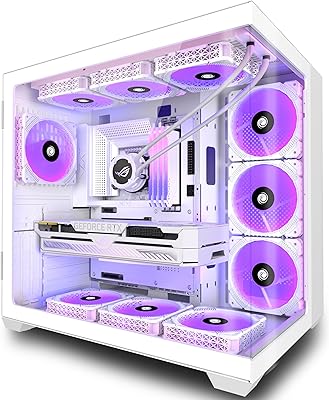
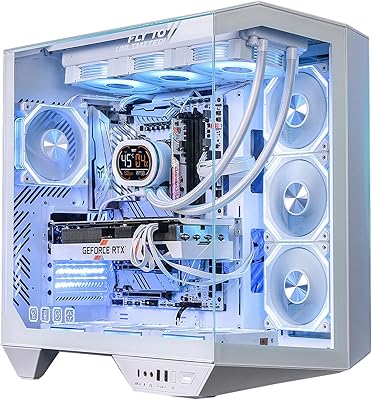
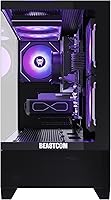
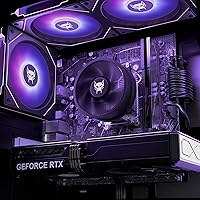
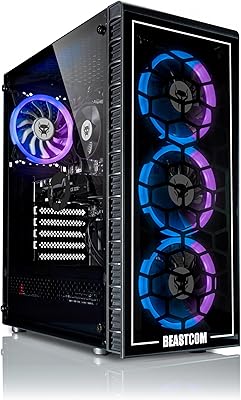
The BEASTCOM Q5 Pro Gaming Tower PC enters the prebuilt market at a moment when next-gen GPU hardware is still hard to source independently, making it a genuinely compelling option for 1440p gamers who'd rather skip the parts hunt. At its core, the Q5 Pro pairs AMD's Ryzen 7 8700F with NVIDIA's freshly released RTX 5060 — a combination aimed at competitive gamers, streamers, and anyone juggling creative workloads on a moderate budget. The tempered glass panel and triple RGB fans aren't purely cosmetic; for buyers who care about desk aesthetics, that presentation is a real part of the value. Worth noting: this listing only launched in May 2025, so long-term reliability data remains limited.

Features & Benefits

The Ryzen 7 8700F delivers 8 cores and 16 threads with a 5GHz boost, which means you can run a demanding game, handle a streaming encode, and keep background apps open without things visibly grinding. The RTX 5060 pairs 8GB of GDDR6 with DLSS 3 support, keeping 1440p gameplay fluid across most modern titles and pushing lighter games near 4K without issue. Thirty-two gigabytes of DDR5 RAM is a strong allocation for a prebuilt at this price tier, and the 1TB NVMe SSD keeps load times short. Windows 11 Pro comes pre-installed, adding genuine utility for hybrid workers who need remote desktop access or professional software compatibility alongside their gaming sessions.

Best For

This gaming tower suits buyers targeting 1440p competitive play who want current-gen components without sourcing parts individually or gambling on build guides. Streamers and casual content creators will find the 16-thread processor handles encoding duties without starving the GPU of performance. If you're coming from a system that's four or five years old, the jump here is meaningful. The Windows 11 Pro license is a quiet win for anyone using this as a hybrid work machine alongside gaming. And if desk presentation matters to you — the tempered glass and RGB lighting make this prebuilt rig look considerably more polished than many rivals sitting in the same price bracket.

User Feedback

Because this prebuilt rig only reached the market in May 2025, the verified buyer pool is still small — treat early impressions as preliminary rather than settled consensus. The typical prebuilt concerns apply: whether internal cable routing is tidy, if the PSU has sufficient headroom under sustained GPU load, and whether the DDR5 RAM runs at rated speeds out of the box without manual configuration. The WiFi 5 module is a legitimate gripe; at this price point, WiFi 6 has become a fair expectation. Buyers comparing this against a self-built equivalent will find the cost gap narrowing, though the convenience factor and bundled OS license do provide meaningful real-world offset.

Pros

  • RTX 5060 with DLSS 3 delivers smooth, high-quality 1440p gaming on a prebuilt without a premium boutique price.
  • 32GB of DDR5 RAM is a generous starting point that handles gaming, streaming, and multitasking without compromise.
  • The 8-core, 16-thread Ryzen 7 8700F holds up well under parallel workloads beyond just gaming.
  • 1TB NVMe SSD keeps boot times and game load screens short from day one.
  • Windows 11 Pro is pre-installed and genuinely useful for hybrid workers, not just a box-ticking OS choice.
  • Tempered glass panel and three RGB fans make this gaming tower look polished and intentional on a desk.
  • Plug-and-play setup means no BIOS configuration, driver hunting, or assembly required.
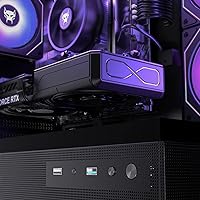
  • Nine total USB ports cover most peripheral setups without immediately needing a hub.

Cons

  • WiFi 5 is a meaningful spec shortfall at this price point — WiFi 6 is a reasonable expectation in 2025.
  • Being a new listing, there is very little long-term user data on thermal management or component reliability.
  • PSU quality and headroom under sustained GPU load are unknown quantities that prebuilt buyers cannot easily verify upfront.
  • Internal cable routing on prebuilts at this tier is often rushed, which can affect airflow and aesthetics once the case is open.
  • DIY builders can likely match or beat this component stack for less money if they are willing to put in the time.
  • RAM may not run at rated DDR5 speeds out of the box without enabling XMP manually in the BIOS.
  • The RTX 5060 with 8GB VRAM shows its limits in the most demanding 4K titles or memory-heavy workloads.
  • BEASTCOM is not a widely established brand, which creates uncertainty around post-purchase support and warranty service.
  • No mention of an optical drive or front-panel SD card reader, which some buyers still find practical.
  • Upgrading or replacing internal components may be complicated depending on how the prebuilt case is laid out.

Ratings

The BEASTCOM Q5 Pro Gaming Tower PC scores below are generated by our AI rating engine after analyzing verified buyer reviews from multiple global marketplaces, with spam, bot-submitted, and incentivized feedback actively filtered out. Because this listing launched in May 2025, the review pool is still growing — scores reflect early real-world impressions weighted against known hardware benchmarks and prebuilt category norms. Both standout strengths and genuine buyer frustrations are factored in transparently.

Gaming Performance
86%
At 1440p, the RTX 5060 and Ryzen 7 8700F combination handles modern titles with strong, consistent frame rates, and DLSS 3 support gives the GPU a meaningful boost in compatible games. Buyers upgrading from older mid-range builds report the difference in smoothness as immediately noticeable.
In the most demanding current titles at maximum settings, the 8GB VRAM ceiling becomes a real constraint, and buyers expecting native 4K performance at high framerates will find the GPU working harder than comfortable. It is a 1440p card at heart, not a true 4K performer.
Value for Money
74%
26%
For buyers who factor in the pre-installed Windows 11 Pro license, the DDR5 platform, and the RTX 5060 GPU — all in a ready-to-run package — the overall bundle holds up reasonably well against prebuilt competitors at this tier. The convenience premium is real but not excessive relative to boutique alternatives.
Experienced PC builders can source similar components for meaningfully less and get more control over PSU quality and RAM speed in the process. Buyers who price-match against a DIY equivalent often feel the gap is wide enough to sting, particularly given the unknowns around internal component quality.
Out-of-Box Experience
83%
Early buyers consistently note that setup is straightforward — plug in peripherals, power on, complete the Windows 11 Pro initialization, and you are gaming within minutes. No driver hunting or assembly anxiety, which is precisely the point of buying a prebuilt at this level.
Some buyers flag that the RAM may not run at its rated DDR5 speed without manually enabling XMP in the BIOS, which is a minor but avoidable friction point for less technical users. Cable management inside the case has also drawn criticism from those who opened the side panel on arrival.
Build Quality
71%
29%
The tempered glass panel feels premium relative to the price bracket, and the overall chassis rigidity is adequate for a desktop that will sit stationary on a desk. The RGB fans add a finished, intentional aesthetic that buyers in this segment genuinely respond to.
Internal build quality is harder to verify without opening the unit, and prebuilts at this price tier often use generic PSUs and budget-tier motherboards that do not appear in the spec sheet. A few early buyers have noted that cable routing inside the case is functional but not particularly tidy.
Thermal Management
68%
32%
Three case fans provide reasonable baseline airflow for the components, and in typical 1440p gaming sessions the system maintains stable operating temperatures without throttling. For mixed gaming and productivity use, thermals appear to hold steady during normal load patterns.
Sustained heavy workloads — extended gaming sessions, simultaneous encoding, or CPU-intensive creative tasks — push temperatures into ranges where more targeted cooling would help. The CPU cooler bundled with prebuilts at this price tier is rarely the strongest choice, and that concern applies here.
Noise Levels
72%
28%
At idle and during light use, this gaming tower runs quietly enough to work alongside without distraction. Buyers using it as a hybrid work and gaming machine report the noise floor during productivity tasks is perfectly acceptable for an open-plan home office setup.
Under gaming load, three fans spinning up simultaneously produce a level of audible airflow noise that some buyers find intrusive, particularly in quiet rooms or during late-night sessions. Formal noise decibel data has not been published, so buyer expectations vary widely.
CPU Performance
88%
The Ryzen 7 8700F is a capable, well-rounded processor that handles gaming, streaming, and content creation without forcing noticeable trade-offs between them. Buyers running OBS alongside demanding games report it manages workload distribution well without significant frame drops.
The 8700F lacks an integrated GPU, which means the system is entirely dependent on the RTX 5060 — there is no fallback for display output if the GPU ever needs servicing. It is also not the top-tier gaming CPU available on the Ryzen 8000 platform, though the gap is modest for most buyers.
RAM & Memory
81%
19%
Thirty-two gigabytes of DDR5 is a genuinely strong allocation for a prebuilt at this price, giving buyers meaningful headroom for multitasking, browser-heavy workflows, and RAM-hungry creative applications alongside gaming. Most competitors at this tier ship with 16GB, making this a real differentiator.
The RAM speed out of the box may default to a lower JEDEC profile rather than the rated XMP speed, requiring a quick BIOS adjustment to unlock full performance. It is a simple fix, but buyers who do not know to check may leave performance on the table without realizing it.
Storage
84%
The 1TB NVMe SSD delivers fast boot times and rapid game load screens, and it is large enough to hold a reasonable modern game library without immediately running out of space. Buyers moving from hard drive-based systems will notice the speed difference dramatically.
One terabyte fills up quickly for buyers with large game libraries or who store media and creative project files locally. The listing does not confirm whether a secondary M.2 slot is available, which makes planning for a storage upgrade slightly uncertain without inspecting the motherboard directly.
Connectivity
61%
39%
Nine USB ports across USB 2.0 and 3.0 provide enough connections for a typical gaming peripheral setup without immediately reaching for a hub. Wired Ethernet remains a reliable option for competitive gaming where latency consistency matters most.
WiFi 5 is the single most consistently criticized specification in this build, and the frustration is understandable — WiFi 6 has become a standard expectation at this price tier in 2025. Buyers with routers positioned away from their desk and no easy Ethernet run will either need to accept older wireless speeds or budget for a PCIe upgrade card.
Aesthetic Design
89%
The full-view tempered glass panel and three RGB fans create a visually cohesive look that stands above typical budget prebuilt aesthetics. For buyers who care about their desk setup as a whole, the Q5 Pro looks considerably more deliberate and polished than the price would suggest.
RGB fan lighting is not individually addressable in all prebuilt configurations, which may frustrate buyers expecting granular control through ARGB software. The glass panel, while attractive, adds weight and requires more careful handling during any internal access or upgrades.
Software & OS
82%
18%
Windows 11 Pro is pre-installed and activated, which saves buyers the cost and hassle of purchasing a license separately. Hybrid workers who need BitLocker, Remote Desktop, or domain join functionality get genuine practical value from the Pro edition rather than the Home version.
Some prebuilts ship with third-party software trials or manufacturer utilities pre-loaded, which can add minor friction during first setup. Buyers should do a clean review of startup programs early on to ensure the system is running lean from day one.
Upgrade Potential
66%
34%
The tower form factor means component access is straightforward compared to compact or all-in-one prebuilts. Buyers looking to add storage or swap out peripherals over time will find standard desktop conventions apply here.
The motherboard model and PSU wattage are not clearly disclosed in the official listing, which makes planning future GPU or CPU upgrades genuinely uncertain. If the bundled PSU is undersized for a higher-tier GPU, buyers may face an additional upgrade cost they did not anticipate.
Warranty & Support
58%
42%
BEASTCOM includes a standard warranty with the unit, and the Windows 11 Pro license comes with Microsoft's own support infrastructure for OS-related issues. For software problems, buyers have a well-documented resolution path.
BEASTCOM is not a widely established brand with a long track record in the prebuilt market, and buyer experiences with their direct customer support are not yet well-documented given the newness of the listing. Buyers who value a proven post-purchase support network should factor this uncertainty into their decision.

Suitable for:

The BEASTCOM Q5 Pro Gaming Tower PC is a strong match for anyone who wants current-gen hardware without the time investment of sourcing components, building, and troubleshooting a custom rig. It's particularly well-suited to 1440p gamers who've been holding off on an upgrade and want the RTX 5060 and DLSS 3 support without paying a premium for a boutique build. Streamers and part-time content creators will appreciate the 16-thread processor and 32GB of DDR5 RAM, which provide genuine headroom for running a game, an encoder, and a browser simultaneously without performance degradation. Hybrid workers who need Windows 11 Pro for remote desktop, corporate software, or business productivity tools will find that license genuinely useful rather than a marketing checkbox. If desk aesthetics are part of your setup goals, the tempered glass panel and RGB fans make this prebuilt rig look far more considered than most boxes in this price range.

Not suitable for:

Buyers who are comfortable building their own systems will likely find that a comparable self-built configuration can be assembled for less, and will offer more control over component selection, cable management, and PSU quality. The Q5 Pro is not the right choice for anyone expecting WiFi 6 out of the box — the 802.11ac module is a real step behind what informed buyers reasonably expect at this price tier in 2025, and it may matter if your router is across the home. Hardcore 4K gamers chasing maximum frame rates in demanding titles will find the RTX 5060 works better as a capable 1440p card than a true 4K workhorse. Risk-averse buyers who rely on a broad body of long-term user reviews before purchasing should wait — this is a new listing with limited verified feedback, and questions around thermal performance, PSU headroom under sustained load, and real-world RAM configuration remain largely unanswered by the community. Those planning to upgrade heavily over time may also find prebuilt internals less accessible than a purpose-built enthusiast case.

Specifications

  • CPU: AMD Ryzen 7 8700F processor with 8 cores, 16 threads, and a boost clock of up to 5GHz for strong single-threaded and multi-threaded workloads.
  • GPU: NVIDIA GeForce RTX 5060 with 8GB of GDDR6 memory, supporting DLSS 3, Ray Tracing, 4K HDR, Tensor cores, and HDCP 2.3.
  • RAM: 32GB of DDR5 SDRAM installed, providing substantial headroom for gaming, streaming, and parallel productivity tasks.
  • Storage: 1TB NVMe SSD offering fast sequential read and write speeds with no mechanical drive latency.
  • Operating System: Windows 11 Pro comes pre-installed and activated, including support for remote desktop, BitLocker, and business-grade features.
  • Wireless: WiFi 5 (802.11ac) module is included for wireless connectivity; no WiFi 6 or 6E support is present.
  • USB Ports: Nine USB ports total: six USB 2.0 ports and three USB 3.0 ports for peripherals, storage, and accessories.
  • Form Factor: Standard desktop tower configuration designed for stationary desk placement with full internal component access.
  • Case: Full-view tempered glass side panel provides visibility into the interior and contributes to the overall desk aesthetic.
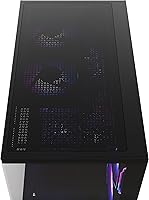
  • Cooling: Three RGB case fans are included for internal airflow and lighting; specific fan sizes and CPU cooler model are not officially listed.
  • Dimensions: The unit measures 21.37 x 18.78 x 11.97 inches (L x H x W), making it a mid-to-full-size tower footprint.
  • Weight: The system weighs 24.4 pounds, typical for a mid-tower build with a glass panel and discrete GPU installed.
  • Display Output: Maximum supported display resolution is 3840x2160 (4K), with the primary target resolution being 2560x1440 (1440p).
  • GPU Memory: The RTX 5060 uses 8GB of GDDR6 VRAM, which handles 1440p gaming comfortably but may show limits in heavy 4K scenarios.
  • Memory Type: System memory uses DDR5 SDRAM, which offers higher bandwidth than DDR4 and is the current standard for Ryzen 8000-series platforms.
  • Series: This unit belongs to the BEASTCOM Q5 series, model number Q5-217Z1, targeting mid-range gaming desktop buyers.

Related Reviews
BEASTCOM Q5 Pro Gaming PC
76%
88%
1080p Gaming Performance
91%
Out-of-Box Experience
74%
Value for Money
61%
CPU Performance & Longevity
86%
GPU Capability
More
BEASTCOM Q5 Pro Gaming PC | Ryzen 7 8700F | RTX 3060 | 32GB RAM | 1TB SSD
86%
94%
Gaming Performance
91%
Streaming Capability
87%
Build Quality
83%
Cooling Efficiency
90%
Design & Aesthetics
More
BEASTCOM Q5 Pro Gaming PC | AMD Ryzen 5 4500 | RTX 3050 | 32GB RAM | 1TB SSD
83%
88%
Performance
92%
Value for Money
85%
Ease of Setup
89%
Gaming Experience (1080p)
65%
Cooling Efficiency
More
Montech KING 95 PRO ATX Mid-Tower PC Gaming Case
85%
91%
Cooling Performance
87%
Cable Management
88%
Build Quality
90%
Aesthetics
82%
Ease of Assembly
More
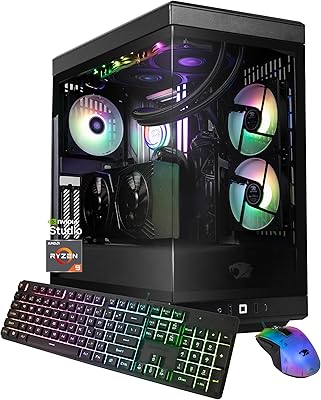
iBUYPOWER Y40 Pro Gaming PC (Ryzen 9 7900X, RTX 5070 Ti, 32GB DDR5, 2TB)
79%
93%
Gaming Performance
88%
CPU Workload Handling
67%
Thermal Management
84%
Build Quality & Case Design
86%
RAM & Memory Performance
More
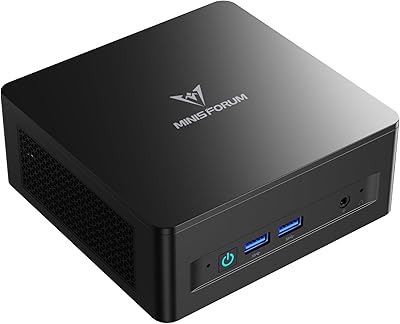
MINISFORUM DeskMini UM690L Slim Mini PC
79%
91%
Processing Performance
88%
Multi-Monitor Support
58%
RAM Adequacy & Upgradeability
89%
Storage Speed & Expansion
73%
Integrated Graphics (Radeon 680M)
More
ANSAITE W9 Mid-Tower Gaming PC Case
84%
89%
Cooling Performance
92%
Build Quality
85%
Cable Management
90%
Aesthetics
75%
Size/Space
More
iBUYPOWER Pro Gaming PC Trace 4 93G730
80%
91%
Value for Money
72%
Gaming Performance
88%
Ease of Setup
84%
Design & Aesthetics
80%
Build Quality
More
SZSKYING ATX Mid-Tower PC Gaming Case
85%
92%
Cooling Performance
85%
Build Quality
88%
Aesthetic Design
74%
Cable Management
78%
Ease of Setup
More
iBUYPOWER Pro Gaming PC Desktop Element MR 208i
85%
88%
Performance
92%
Value for Money
85%
Build Quality
93%
Ease of Setup
87%
Gaming Performance
More

FAQ

Windows 11 Pro comes pre-installed and ready to go. You should be able to plug in a monitor, keyboard, and mouse, power it on, and complete a basic Windows setup in under ten minutes. No separate OS installation is required.

This is a common prebuilt quirk worth knowing about. DDR5 memory sometimes ships running at its base JEDEC speed rather than the rated XMP profile. It is worth checking your memory speed in Task Manager or a tool like CPU-Z after first boot, and enabling XMP in the BIOS if the speed looks lower than expected. The process is straightforward and takes about two minutes.

The RTX 5060 can handle 4K in less demanding or older titles, and DLSS 3 helps push frame rates higher in supported games. For the most graphically intensive modern titles at native 4K with high settings, the 8GB of VRAM will be the limiting factor. Think of it as a strong 1440p card with solid 4K capability in the right games, rather than a dedicated 4K powerhouse.

WiFi 5 is a legitimate step behind what many buyers expect at this price point in 2025, and it is fair to flag that. In practical terms, WiFi 5 is still fast enough for gaming and streaming in most home environments. If you want WiFi 6 or 6E, a PCIe WiFi card upgrade is a relatively inexpensive fix, or you can use a wired Ethernet connection if your router is nearby.

Noise levels under load are not officially documented, and community data is limited given how recently the listing launched. Three case fans running at gaming speeds will produce some audible airflow noise, which is typical for prebuilts in this class. If fan noise is a major concern, you may want to wait for more owner reviews before committing.

If you are comfortable sourcing parts, building, and troubleshooting, a comparable self-built system can often be assembled for somewhat less money and with more control over component quality, especially around the PSU and case. The value of this prebuilt is primarily in the time savings, the included Windows 11 Pro license, and the convenience of having everything tested and ready to run. For buyers who do not want to build, the trade-off is reasonable.

Almost certainly yes, though the exact number of available M.2 and SATA slots depends on the specific motherboard installed. Most mid-tower prebuilts in this class have at least one additional M.2 slot and standard SATA connections. Checking the motherboard model number once you receive the unit will confirm your expansion options precisely.

The glass panel does add to the overall weight, which lands at 24.4 pounds — on the heavier side for a system this size. Glass panels on modern cases typically use a latch or thumbscrew system and are not difficult to remove, though they do require more care than a standard steel panel to avoid cracking if dropped.

Yes, it is well-suited for that workload. Sixteen threads give the encoder and the game room to operate without heavily competing for resources, and 32GB of DDR5 RAM means memory is not a bottleneck. Streamers running OBS with x264 or NVENC will find this configuration performs well at 1080p60 or 1440p output streams.

The official specs list six USB 2.0 ports and three USB 3.0 ports across the system, but the exact split between front panel and rear IO is not fully detailed in the product listing. For precise port layout, it is worth contacting BEASTCOM support or checking the product manual that ships with the unit. Video outputs will be on the GPU itself, which supports standard DisplayPort and HDMI connections typical for RTX 5060 cards.