Overview

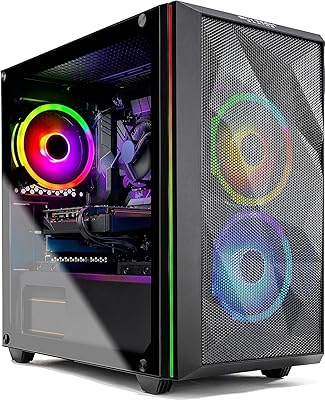
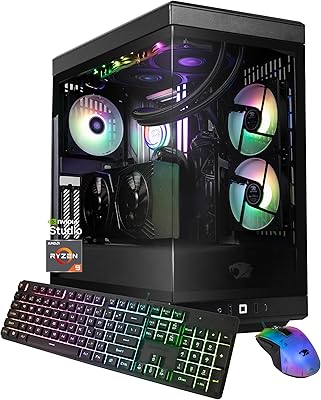
The BEASTCOM Q3 Gaming Desktop PC arrived in early 2024 as a no-frills entry point for first-time buyers who want a real tower without overextending their budget. Built on AMD's Ryzen 5 platform with integrated Vega 11 graphics, this entry-level desktop isn't trying to compete with mid-range rigs — and it doesn't need to. It's a practical starter machine with a genuine SSD, a real Windows 11 Pro license, and enough CPU muscle for everyday use. Add a 30-day replacement policy and a 1-year all-in warranty, and cautious first-time buyers at least have a reasonable safety net backing the purchase.

Features & Benefits

The AMD Ryzen 5 processor clocks at 3.9GHz across 8 threads, handling everyday multitasking, browser-heavy workflows, and lighter games without obvious strain. Sixteen gigabytes of DDR4 RAM means you won't hit an immediate memory wall — a common frustration with cheaper builds that ship with 8GB. The 1TB SSD keeps boot times short and holds a decent starter library. Where honesty matters most: the integrated Vega 11 graphics manage older titles and indie games reasonably well, but anything demanding released in the last few years will run poorly or not at all at acceptable settings. RGB lighting gives it a gaming aesthetic that punches above its price tier visually.

Best For

This budget gaming tower suits someone stepping up from a console or an aging laptop who wants PC gaming without a steep upfront cost. Students will find it genuinely useful as a dual-purpose machine — coursework during the day, casual gaming in the evening. Households looking for a shared desktop with some personality will also find it hits the mark. But competitive FPS players and anyone targeting modern AAA titles should stop here and reconsider. No discrete GPU is a hard ceiling on gaming potential, and being straight about that upfront saves real disappointment. This is a machine for light gaming, not a platform for serious performance ambitions.

User Feedback

Buyers consistently highlight hassle-free setup as a genuine strong point — plug in, power on, and you're in Windows within a few minutes. Value satisfaction runs reasonably high among users sticking to lighter workloads and older game libraries. The complaints cluster predictably around graphics performance: several users note that newer titles struggle to hit playable framerates, which is expected but still catches some buyers off guard. Build quality feedback is mostly positive, with few mentions of excessive noise or thermal concerns during normal use. Warranty experiences are sparsely documented in reviews, but there's no pattern of widespread support complaints — which counts for something at this price level.

Pros

  • Ships with Windows 11 Pro pre-installed — a genuine bonus rarely offered at this price tier.
  • The Ryzen 5 processor handles multitasking and everyday workloads without stuttering or slowdowns.
  • Sixteen gigabytes of DDR4 RAM means you won't need an immediate upgrade after purchase.
  • A 1TB SSD keeps load times short and provides real storage room for a starter game library.
  • Setup is genuinely simple — unbox, connect, power on, and you are ready to go.
  • The 30-day full replacement policy adds meaningful peace of mind for cautious buyers.
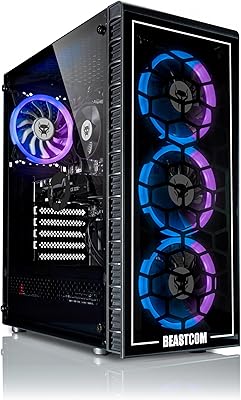
  • RGB lighting and tower styling give this budget gaming tower a look that fits a gaming desk.
  • Built-in Wi-Fi support means no Ethernet cable requirement for basic wireless connectivity.
  • The 1-year all-in warranty offers broader coverage than many bare-bones competitors at similar price points.
  • Older and indie titles run at acceptable settings, giving casual gamers a real library to explore.

Cons

  • No discrete GPU means modern AAA titles are effectively off the table at any playable setting.
  • Memory speed at 800MHz is notably conservative and may create bottlenecks in GPU-intensive tasks.
  • Integrated graphics share system RAM, quietly reducing the effective memory available to the OS and applications.
  • No mention of upgrade documentation or GPU expansion support makes future hardware improvements uncertain.
  • 802.11ac Wi-Fi is a previous-generation standard and may underperform on congested or distance-challenged networks.
  • The Vega 11 cannot drive a 4K display at gaming framerates despite the listed 4K HDMI output spec.
  • Build quality feedback from users is thin, making long-term durability harder to assess with confidence.
  • No dedicated cooling or thermal performance data is published, leaving heat management somewhat opaque.
  • Buyers expecting esports-level performance in even low-demand competitive titles may still face frustrating framerates.

Ratings

The BEASTCOM Q3 Gaming Desktop PC has been scored by our AI system after processing verified buyer reviews from multiple global markets, with spam, bot activity, and incentivized feedback actively filtered out before analysis. The scores below reflect the honest distribution of real user experiences — strengths are credited where earned, and genuine pain points are not softened or buried. Buyers considering this entry-level desktop will find the ratings particularly useful for calibrating expectations before committing to a purchase.

Value for Money
74%
26%
Most buyers who purchased this tower with realistic expectations came away feeling the price-to-hardware ratio was fair for a ready-to-run system. The inclusion of 16GB RAM, a 1TB SSD, and Windows 11 Pro at this price tier is genuinely competitive compared to similarly spec'd alternatives in the budget segment.
Users who hoped to run modern gaming titles without additional investment felt the value proposition collapsed quickly once they encountered the integrated GPU ceiling. The lack of a discrete graphics card makes the gaming-focused branding feel overstated relative to what the hardware actually delivers.
Gaming Performance
46%
54%
Casual titles, older games from the mid-2010s, and less demanding indie games run at acceptable framerates, making this a workable entry point for players with modest gaming libraries or those migrating from even older hardware.
The Vega 11 integrated graphics hit a hard wall with anything released in the last two to three years at medium or higher settings. Users targeting popular titles like Call of Duty, Cyberpunk, or even mid-tier releases frequently reported unplayable performance, which is the single most common complaint across reviews.
Ease of Setup
88%
Unboxing-to-desktop time is consistently praised across buyer reviews, with most users reporting a smooth first-boot experience requiring no technical knowledge. Windows 11 Pro comes pre-configured, and the plug-and-play nature of the tower genuinely suits first-time PC buyers.
A small number of buyers reported minor hiccups with initial driver installations or Wi-Fi configuration, though these appear to be edge cases rather than systemic issues. No printed quick-start guide is universally praised, so less tech-savvy users occasionally needed online support.
CPU Performance
79%
21%
The Ryzen 5 at 3.9GHz handles everyday multitasking, web browsing, document work, and light productivity software without any noticeable slowdowns. Students and office users in particular find the processor responsive enough to run multiple applications simultaneously without frustration.
Under sustained CPU-plus-GPU combined loads, the processor's performance advantage diminishes since the integrated graphics pull resources from the same shared memory pool. Users running demanding background processes alongside even light games noticed occasional responsiveness dips.
RAM Adequacy
81%
19%
Shipping with 16GB DDR4 is a meaningful differentiator in this price bracket, and buyers repeatedly note they did not feel the need to upgrade RAM immediately after purchase. For schoolwork, office applications, and casual gaming, the headroom feels appropriate.
The memory speed at 800MHz is on the conservative side and directly affects integrated GPU performance since Vega 11 relies entirely on system RAM bandwidth. Users who researched this limitation post-purchase expressed frustration that faster memory could have meaningfully improved gaming outcomes.
Storage Performance
83%
The 1TB SATA SSD delivers a noticeably snappy boot and load experience that buyers coming from older HDD-based systems find immediately impressive. Game installation and file transfer speeds meet expectations for everyday use without feeling like a bottleneck.
SATA SSD speeds are a step below NVMe alternatives, and more experienced buyers noted this limitation when transferring large files or loading open-world games with significant asset streaming. For most casual users it is a non-issue, but it is worth flagging for context.
Build Quality
67%
33%
The physical chassis is generally described as solid enough for desktop use, and the RGB lighting implementation looks noticeably better in person than budget alternatives reviewed at similar price points. Users placing it on a desk find it presentable and appropriately gaming-oriented in appearance.
Some buyers noted the case panels felt lightweight and the internal cable management appeared rushed on inspection. Long-term durability feedback is limited given the product's relatively recent market entry, so sustained quality over multi-year use remains an open question.
Thermal Management
71%
29%
Under typical daily workloads — browsing, video streaming, and light gaming — the system runs quietly and without any reported thermal throttling complaints from the majority of users. Thermals appear well-managed for the intended casual use scenarios.
Extended gaming sessions or sustained CPU-heavy tasks push fan speeds higher, with a minority of users noting audible increases in noise under load. No detailed thermal specification data is published by BEASTCOM, which leaves buyers without clear benchmarks to assess worst-case performance.
Warranty & Support
69%
31%
The combination of a 30-day full replacement window and a 1-year all-in warranty provides a meaningful safety net that genuinely differentiates this tower from gray-market or no-name budget competitors. First-time buyers in particular appreciate having a documented support structure behind the purchase.
Actual warranty claim experiences are sparsely documented in user reviews, making it difficult to assess how smoothly the process works in practice. A handful of users reported slow response times from customer support, though this is not a widespread pattern from available data.
Wi-Fi Connectivity
66%
34%
The built-in 802.11ac adapter removes the need for a separate network card purchase and performs adequately on standard home networks for browsing, streaming, and casual online gaming at close to mid-range router distances.
Wi-Fi 5 is a previous-generation standard, and users with congested networks or longer distances from their router noticed inconsistent speeds and occasional latency spikes during online gaming. Buyers in larger homes or apartments would benefit from a wired connection or a Wi-Fi 6 router pairing.
Software & OS
84%
Windows 11 Pro is a meaningful inclusion at this price tier, giving users access to features like BitLocker, Remote Desktop, and sandbox mode that Home edition omits entirely. Buyers who use this as a dual-purpose work and personal machine find the Pro license particularly useful.
A small number of users reported pre-installed bloatware slowing the initial setup experience, which is a common complaint across OEM Windows builds regardless of price tier. A clean Windows install resolves this, but it adds a step that less experienced users may not feel comfortable performing.
Aesthetics & Design
76%
24%
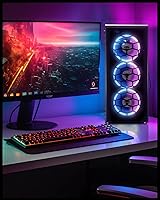
The RGB tower design earns consistent praise from buyers who want a gaming-looking machine without paying premium chassis prices. The visual presentation on a gaming desk is described as punching above its price point, and the multi-color lighting customization adds personality.
RGB implementation details — such as software control compatibility or the number of addressable zones — are not clearly documented, leaving buyers uncertain about customization depth. The chassis design is functional but not particularly original, mirroring generic budget gaming tower aesthetics closely.
Upgrade Potential
43%
57%
The tower form factor inherently suggests more upgrade accessibility than mini-PCs or all-in-one systems, and the AMD platform does allow for RAM upgrades as a realistic near-term improvement. Buyers interested in adding more storage at a later date will find that a straightforward option.
BEASTCOM provides no official documentation on PCIe slot availability, power supply wattage, or GPU upgrade compatibility — which makes the most impactful upgrade (adding a discrete graphics card) a risky unknown. Buyers who purchase with future GPU upgrades in mind are making an assumption the product literature does not support.

Suitable for:

The BEASTCOM Q3 Gaming Desktop PC makes the most sense for buyers who are just getting started with PC gaming and don't want to spend a fortune finding out if desktop gaming is right for them. Students are a natural fit — this entry-level desktop handles coursework, video calls, and light gaming without requiring any technical setup knowledge. First-time PC owners stepping up from console or integrated laptop graphics will find the performance jump noticeable and the plug-in-and-play experience refreshingly straightforward. Office users who want occasional casual gaming on the side — think older strategy titles, indie games, or low-demand esports titles — will get real mileage here without needing a second dedicated machine. Households shopping for a shared family desktop that looks the part without breaking the budget will also find this budget gaming tower checks enough boxes to justify the investment.

Not suitable for:

The BEASTCOM Q3 Gaming Desktop PC is a hard pass for anyone serious about modern gaming performance. The integrated Vega 11 graphics simply cannot run recent AAA releases at playable framerates — no amount of settings tweaking will change that fundamental hardware ceiling. Competitive gamers who depend on high refresh rates and consistent frametimes in titles like Warzone, Cyberpunk 2077, or Elden Ring should look elsewhere immediately. Content creators, video editors, and streamers will also find this entry-level desktop underpowered for rendering, encoding, or running creative software alongside other applications. Anyone planning to treat this as a long-term gaming platform should know that without a discrete GPU slot upgrade path being clearly documented, future-proofing is limited. If your gaming ambitions go beyond casual and indie titles, the money is better spent on a system with a dedicated graphics card from the outset.

Specifications

  • CPU: The system runs on an AMD Ryzen 5 processor clocked at 3.9GHz with 4 cores and 8 threads, providing solid multi-threaded performance for everyday computing and light gaming workloads.
  • Graphics: Graphics are handled by the integrated AMD Radeon Vega 11, which shares system memory and is capable of running older titles and indie games at modest settings, but cannot run demanding modern AAA titles.
  • RAM: The desktop ships with 16GB of DDR4 SDRAM running at 800MHz, offering sufficient headroom for general multitasking and casual gaming without requiring an immediate memory upgrade.
  • Storage: A 1TB SATA SSD serves as the primary drive, delivering noticeably faster boot times and application loading compared to traditional spinning hard drives at this price tier.
  • Operating System: Windows 11 Pro comes pre-installed, providing access to professional-grade OS features including BitLocker encryption, Remote Desktop, and advanced Group Policy settings out of the box.
  • Display Output: The system supports a maximum display resolution of 3840 x 2160 pixels via HDMI, though achieving gaming framerates at 4K is not realistic given the integrated graphics hardware.
  • Wireless: Built-in 802.11ac (Wi-Fi 5) wireless connectivity is included, enabling cable-free internet access without requiring a separate network adapter.
  • Form Factor: The BEASTCOM Q3 uses a desktop tower form factor, offering more accessible internal expansion potential compared to compact or all-in-one designs, though upgrade documentation is not formally published.
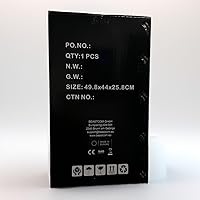
  • Dimensions: The packaged unit measures 21.5 x 18.4 x 11.9 inches and weighs approximately 22.7 pounds, making it a mid-size tower suitable for standard desk or floor placement.
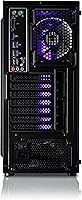
  • Lighting: RGB lighting is integrated into the chassis, offering multi-color visual customization that gives the tower a gaming-oriented appearance consistent with the product's positioning.
  • Chipset: The system is built on an AMD chipset, ensuring native compatibility with the Ryzen 5 processor and the integrated Radeon Vega 11 graphics architecture.
  • Warranty: BEASTCOM covers this unit with a 30-day full replacement guarantee and a 1-year all-in warranty that covers hardware defects and performance failures beyond the initial replacement window.
  • GPU Memory: The integrated Vega 11 GPU draws from shared system RAM and is allocated up to 2048MB of video memory, reducing the effective RAM available to the operating system under graphically active conditions.
  • CPU Brand: The processor is manufactured by AMD, the same company responsible for the integrated graphics, ensuring a unified platform with no cross-vendor compatibility concerns.
  • Wi-Fi Standard: The wireless adapter supports the 802.11ac standard, also known as Wi-Fi 5, which offers adequate speeds for streaming, browsing, and online gaming on uncongested home networks.

Related Reviews
Empowered PC Panorama Gaming Desktop (RTX 5080, i9-14900KF, 96GB DDR5, 4TB)
83%
94%
Gaming Performance
91%
Out-of-Box Experience
67%
Value for Money
72%
Thermal Management
88%
Build & Component Quality
More
Skytech Gaming Azure Gaming PC Desktop
83%
89%
Value for Money
85%
Gaming Performance
92%
Setup and Ease of Use
84%
Build Quality
80%
Cooling and Thermals
More
Skytech Gaming Shadow Gaming PC Desktop – Intel Core i7 13700F, NVIDIA RTX 4060, 1TB SSD, 16GB RAM
88%
94%
Performance
91%
Graphics Quality
89%
Storage Speed
87%
Multitasking Ability
85%
Build Quality
More
Skytech Nebula GTX 1650 Gaming Desktop PC
76%
72%
Gaming Performance
74%
Value for Money
91%
Out-of-Box Readiness
78%
Build Quality
76%
Thermal Management
More
BEASTCOM Q5 Pro Gaming PC
76%
88%
1080p Gaming Performance
91%
Out-of-Box Experience
74%
Value for Money
61%
CPU Performance & Longevity
86%
GPU Capability
More
YAWYORE MX570 Gaming PC Desktop
87%
92%
Performance
89%
Value for Money
95%
Cooling and Noise Reduction
90%
Gaming Experience
87%
Build Quality
More
Skytech Gaming Chronos Mini Gaming Desktop PC
72%
73%
Gaming Performance
91%
Out-of-Box Setup
69%
Value for Money
48%
Storage Adequacy
57%
RAM Performance
More
iBUYPOWER Y40 Pro Gaming PC (Ryzen 9 7900X, RTX 5070 Ti, 32GB DDR5, 2TB)
79%
93%
Gaming Performance
88%
CPU Workload Handling
67%
Thermal Management
84%
Build Quality & Case Design
86%
RAM & Memory Performance
More
SAAV X1 Prebuilt Gaming PC Desktop
86%
92%
Value for Money
96%
Ease of Setup
84%
Gaming Performance
80%
Build Quality
82%
Graphics Performance
More
iBUYPOWER Slate5MR 243i Gaming Desktop PC
79%
88%
1080p Gaming Performance
71%
Value for Money
93%
Setup Experience
82%
Build & Interior Quality
79%
CPU Performance
More

FAQ

Minecraft runs well on integrated graphics and should be a good experience here. Fortnite is more demanding — you can get it running, but expect lower settings and modest framerates rather than a smooth competitive experience. For older or less demanding titles, this budget gaming tower holds its own reasonably well.

Based on the product listing, no keyboard or mouse is included in the box. You will need to supply your own peripherals, which is standard practice for desktop tower sales at this price point.

The tower form factor does suggest internal expansion space, but BEASTCOM has not formally published upgrade documentation or confirmed available PCIe slot specifications. If GPU upgradeability is important to you, it would be worth contacting BEASTCOM directly before purchasing to confirm compatibility.

User feedback does not flag excessive fan noise as a common complaint, which suggests thermal management is adequate for typical workloads. That said, no formal decibel ratings are published, so heavy sustained loads may push fan speeds higher than casual use.

The unit has an HDMI output listed, but only a single port is mentioned in the specifications. Running dual monitors would likely require an additional adapter or a discrete GPU, neither of which is included or officially supported out of the box.

BEASTCOM describes it as a 1-year all-in warranty, which typically covers hardware defects and components that fail under normal use conditions. The first 30 days also include a full unit replacement option if the PC does not function as expected. For specific coverage terms, it is worth reviewing the warranty card included in the box or contacting BEASTCOM support directly.

Yes, 16GB is a reasonable baseline for gaming today and should remain adequate for the types of titles this machine can realistically handle. The integrated GPU sharing system memory is worth keeping in mind — it effectively reduces available RAM slightly during graphically active sessions.

Most buyers report a quick and painless first-boot experience. Windows 11 Pro comes pre-installed, so you are typically looking at a standard first-run setup wizard rather than a full OS installation. Realistically, you should be at the desktop within 15 to 20 minutes of first power-on.

The built-in 802.11ac Wi-Fi is capable enough for casual online gaming on a standard home network, provided you have decent router coverage and low network congestion. For the most stable latency in competitive gaming, a wired Ethernet connection is always preferable if your router is nearby.

Light editing tasks — trimming clips, basic photo work, casual use of tools like DaVinci Resolve on smaller projects — are within reach. However, this entry-level desktop is not designed for heavy rendering or production-level creative workflows, and the absence of a discrete GPU will create noticeable bottlenecks in GPU-accelerated editing software.