
Overview

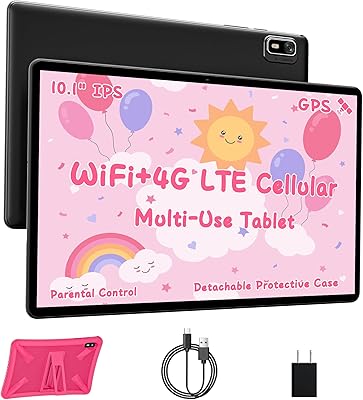
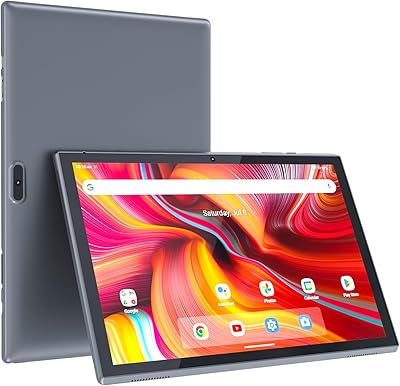
The AOCWEI X500 10-inch Android Tablet is a budget-oriented device that makes the most sense as a first tablet or a low-stakes household spare — not a replacement for anything mid-range or above. It runs Android 13 on a Unisoc octa-core chip with 8GB of physical RAM, and the metal body feels more substantial than you'd expect at this price. The included drop-proof EVA case sweetens the deal considerably. AOCWEI isn't a household name, and that matters: long-term software support is an open question. But if you're after casual everyday use without a significant financial commitment, this Android tablet is worth a serious look.

Features & Benefits

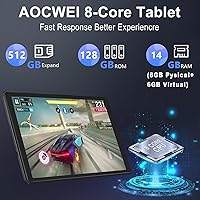
The 10.1-inch IPS screen gets the job done for Netflix and YouTube, but at 1280x800, it sits below true HD — text can look soft compared to newer panels. Colors are reasonably punchy for casual use, though outdoor brightness is limited. Worth knowing on the RAM front: the advertised 14GB includes 6GB of software-extended virtual memory, so real-world multitasking headroom is based on the 8GB physical figure. Battery life is a genuine strength, with the large cell comfortably covering a full day of light use. Dual-band Wi-Fi, Bluetooth 5.0, and GPS are all present — connectivity you would not always expect at this tier. A TF card slot handles storage expansion cleanly.

Best For

This budget 10-inch tablet hits a sweet spot for a few specific types of buyers. Parents will appreciate the built-in parental controls — Kids Space, Iwawa, and Google Family Link are all preinstalled, so setup is less of a headache. Older adults or first-time Android users benefit from the large screen and straightforward interface. Students and travelers looking for a lightweight backup device for note-taking or streaming will find it fits that role well. It is also a reasonable pick for light reading or casual gaming where frame-rate demands are low. If you need a spare or guest tablet without spending much, the X500 tablet delivers fair value.

User Feedback

Buyers tend to be split along predictable lines. Those who go in with realistic expectations — casual browsing, kid entertainment, video calls — come away reasonably satisfied, especially praising the included protective case and battery endurance. On the flip side, performance complaints surface when heavier apps are involved: the Unisoc chip can stutter noticeably during multitasking, and the display brightness draws criticism for outdoor or bright-room use. A handful of users flag pre-installed bloatware and uncertainty about future Android updates, which is a fair concern with lesser-known brands. Google Play compatibility appears solid for most, though edge cases exist. Overall, satisfied buyers knew what they were buying.

Pros

  • Includes a drop-proof EVA case right out of the box — a rare and genuinely useful bonus at this price.
  • The large battery handles a full day of light use without needing a midday charge.
  • Parental control apps come preinstalled, making supervised setup quick and straightforward.
  • Dual-band Wi-Fi and Bluetooth 5.0 connectivity are stronger specs than most rivals at this tier offer.
  • A TF card slot allows significant storage expansion, which offsets the base capacity nicely.
  • The metal body gives the X500 tablet a sturdier, more premium feel than typical plastic budget devices.
  • Android 13 ships with a reasonably clean interface and solid Google Play Store compatibility.
  • USB Type-C charging and a 3.5mm headphone jack keep accessory costs down and options open.
  • GPS support is a pleasant surprise for occasional navigation or location-based app use.
  • The 10.1-inch screen size is genuinely comfortable for video calls and casual reading sessions.

Cons

  • The Unisoc chip struggles noticeably when switching between multiple apps or running heavier games.
  • Display brightness is underwhelming in direct sunlight or brightly lit rooms.
  • The advertised 14GB RAM figure is misleading — only 8GB is physical; the rest is software-extended virtual memory.
  • Screen resolution sits below true HD, so text and fine detail look noticeably soft at normal viewing distances.
  • Long-term Android update support from AOCWEI is uncertain, which affects the device's useful lifespan.
  • Some buyers report pre-installed bloatware that adds clutter and takes up storage from the start.
  • The 8-hour battery estimate assumes light, mixed use — sustained video streaming will drain it faster.
  • Camera quality from both front and rear lenses is basic at best, limiting usefulness beyond casual video calls.
  • Brand obscurity means customer service and warranty support experiences can be inconsistent.
  • The EVA case, while included, has received mixed feedback on its long-term durability and hinge stiffness.

Ratings

Our AI rating engine analyzed thousands of verified global purchases of the AOCWEI X500 10-inch Android Tablet, actively filtering out incentivized, duplicate, and bot-generated submissions to surface what real buyers actually experienced. The scores below reflect both the genuine strengths that keep users satisfied and the recurring frustrations that came up across multiple markets. Nothing has been softened — the numbers tell the honest story.

Value for Money
83%
For buyers who go in with clear expectations, the overall package lands well above what the price tag might suggest. The bundled drop-proof case, metal chassis, and decent storage capacity make the X500 tablet feel like a considered purchase rather than a throwaway device. Parents and students especially praised the out-of-the-box readiness.
Value perception drops sharply for anyone who encounters performance lag or app instability early on, since trust in a lesser-known brand is harder to rebuild. A small but vocal group felt the virtual RAM marketing overpromised real-world responsiveness, leaving them feeling slightly misled about what they paid for.
Performance
58%
42%
For lightweight tasks like web browsing, watching YouTube, reading e-books, or video calling, the Unisoc octa-core chip handles things without obvious complaint. Users running basic productivity apps or kids' educational software reported a smooth enough day-to-day experience that met their modest expectations.
App switching under even moderate multitasking loads triggers noticeable hesitation, and heavier Android games expose the processor's ceiling quickly. Several users noted that the tablet slowed down meaningfully after a few months of use as app sizes grew, suggesting limited headroom for the chip over a longer ownership period.
Display Quality
61%
39%
The IPS panel delivers consistent color accuracy across viewing angles, which makes it genuinely comfortable for watching videos on a shared surface or propped on a desk. For indoor casual use — streaming a show in bed or reading an article on the couch — most buyers found the screen perfectly acceptable.
At 1280x800, the resolution falls short of full HD, and text sharpness suffers noticeably when reading smaller fonts or viewing detailed images. Outdoor and bright-room use is where this screen struggles most, with limited brightness making content hard to see clearly in direct light.
Battery Life
76%
24%
The large battery cell is one of the most consistently praised aspects of this budget 10-inch tablet, with many users comfortably getting through a full day of light mixed use on a single charge. Travelers and students found it reliable enough to leave the charger behind for a day trip or a full school day.
Continuous video streaming at higher brightness settings drains the battery considerably faster than the rated estimate suggests, with some users reporting closer to five to six hours under those conditions. Charging speed is not particularly fast, so running it down fully means a longer wait before it is ready to go again.
Build Quality
74%
26%
The metal body gives this Android tablet a noticeably more solid feel in hand than competitors at a similar price that rely entirely on plastic. Users regularly commented that it felt more expensive than expected, and the slim 7mm profile adds to that impression of a well-assembled device.
While the chassis itself holds up well, some buyers noted that buttons and ports feel slightly less refined up close, with minor wobble on the volume rocker reported by a handful of users. The overall build confidence drops when the device is used without the included case, which exposes some of the assembly tolerances more clearly.
Included Case
71%
29%
Having a functional, rotating stand case included at no extra cost is a meaningful bonus that most users genuinely appreciated. The EVA material handles everyday bumps and drops capably, and the 360-degree hinge makes it easy to switch between typing, viewing, and sharing angles without buying a separate accessory.
Long-term durability of the case is a common concern, with the hinge on the rotating stand reported to loosen over several months of daily use. A portion of buyers felt the case fit was slightly imprecise, with corners not always sitting flush, which undermines confidence in its protective ability during real drops.
Parental Controls
82%
18%
Parents consistently rated this as one of the most practical aspects of the X500 tablet, with Kids Space, Iwawa, and Google Family Link all preinstalled and ready to configure without technical expertise. The ability to set screen time limits, restrict app downloads, and monitor location from a parent device was seen as a real differentiator versus similarly priced rivals.
A few parents noted that the Iwawa interface feels slightly dated and less polished than Google's own Family Link, leading most to rely predominantly on the Google ecosystem tools instead. There is also no hardware-level content filter, meaning determined older children can sometimes find workarounds through the standard Android settings.
Connectivity
78%
22%
Dual-band Wi-Fi with 5GHz support and Bluetooth 5.0 perform reliably in everyday home and office environments, with users noting stable streaming and quick wireless pairing with headphones and keyboards. The inclusion of GPS for a tablet at this price tier was called out as a genuine surprise by multiple buyers who found it useful for travel and navigation apps.
Wi-Fi range toward the edge of home networks showed some inconsistency in user reports, with occasional signal drops in larger homes or thick-walled apartments. There is no cellular or SIM card option, so connectivity is entirely Wi-Fi dependent — a limitation for users who had hoped for mobile data flexibility.
Camera Quality
52%
48%
The front-facing 5MP camera handles video calls on Zoom, Google Meet, and WhatsApp at an acceptable quality level for casual family communication. Most users with modest expectations — video chats with grandparents, a quick scan of a document — found it workable without complaint.
The rear 8MP camera underdelivers in any scenario beyond well-lit, static conditions, with noticeable noise, slow shutter response, and washed-out colors in even moderate indoor lighting. Users who expected to use this tablet for photography or scanning physical documents in varied lighting conditions were consistently disappointed.
Software & Bloatware
63%
37%
Android 13 runs with a relatively clean core experience, and Google Play Store compatibility is solid for the vast majority of mainstream apps. Users who took a few minutes to disable unwanted pre-installed apps found the resulting interface tidy and responsive enough for everyday tasks.
Out of the box, several pre-installed third-party apps add clutter and consume storage before the user even starts personalizing the device. Longer-term, the lack of a clear Android update roadmap from AOCWEI means users are likely to remain on Android 13 indefinitely, which becomes a security concern over a two- to three-year ownership period.
Storage Flexibility
81%
19%
The TF card expansion slot is a practical and well-appreciated feature that lets users offload media, photos, and downloaded content without hitting the internal storage ceiling. For families loading the tablet with kids' videos and apps, the ability to add affordable extra storage is a meaningful long-term advantage.
The base 128GB fills up faster than expected once large app updates, offline video downloads, and system files accumulate, making the expansion slot more of a necessity than a luxury for active users. The expansion card itself is not included, which is a minor but real additional cost to factor into the total purchase.
Setup & Ease of Use
79%
21%
First-time Android users and older adults praised how straightforward the initial setup process was, with standard Google account integration and a clean home screen that did not feel overwhelming. The large 10-inch screen makes navigating menus, reading text, and tapping targets noticeably more comfortable than smaller budget tablets.
A small number of less tech-savvy users found the pre-installed app variety confusing at first, particularly distinguishing between the multiple overlapping parental control options. Customer support from AOCWEI was noted as difficult to reach or slow to respond when setup issues arose, which is a real concern for buyers who are not comfortable troubleshooting independently.
Portability
72%
28%
At under two pounds and with a relatively slim profile, this Android tablet is comfortable to carry in a bag for commuting, travel, or moving between rooms at home. Students and light travelers appreciated that it did not add significant weight to an already loaded backpack.
With the included case attached, the overall footprint and thickness increase enough to make it feel bulkier than a bare-chassis weight suggests. Users comparing it against current slim tablets in higher price brackets noted that the 0.9-inch depth feels noticeably chunky, particularly when held one-handed for extended reading sessions.

Suitable for:

The AOCWEI X500 10-inch Android Tablet is a practical pick for anyone who needs a functional, low-commitment device for everyday casual tasks — not a powerhouse. Parents managing screen time for younger children will find real value here: the parental control apps are preinstalled and ready to go, so there is no complex setup between the box and handing it to a kid. Older adults or first-time Android users also fit well, since the large 10-inch screen and straightforward Android 13 interface keep things accessible without a steep learning curve. Students and frequent travelers who already have a primary device will appreciate this as a lightweight backup for streaming, note-taking, or video calls on the go. Anyone shopping for a guest tablet, a bedside media player, or a spare device that can take a bump without causing regret will find this budget 10-inch tablet genuinely fit for purpose.

Not suitable for:

The AOCWEI X500 10-inch Android Tablet is not the right choice for buyers who expect consistent, responsive performance from demanding apps or mobile games. The Unisoc processor is a budget-class chip, and while it handles basic tasks acceptably, it will stutter under heavier workloads or aggressive multitasking — that is simply the reality of this hardware tier. The 1280x800 display, while decent indoors, falls short of true HD sharpness, which matters if you plan to use this as a primary entertainment screen or read fine text for long periods. Anyone who relies on long-term software support or frequent OS updates should also look elsewhere: AOCWEI is a relatively obscure brand with an uncertain update track record, which is a genuine concern over a two- to three-year ownership window. Creative professionals, productivity-focused users, or anyone replacing a mid-range tablet will likely walk away disappointed.

Specifications

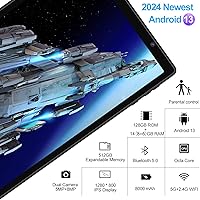
  • Screen Size: The tablet features a 10.1-inch IPS display with a 1280x800 pixel resolution, which is adequate for indoor video streaming and reading but falls short of true HD sharpness.
  • Processor: Powered by a Unisoc octa-core chip running at 2.0GHz, suited for everyday tasks like browsing, media playback, and light app use.
  • RAM: The device includes 8GB of physical RAM plus 6GB of software-extended virtual memory, totaling 14GB as advertised, though real multitasking headroom is based on the physical 8GB.
  • Storage: Internal storage is 128GB, with a TF card slot supporting expansion up to 1TB via a separately purchased microSD-compatible card.
  • Operating System: Ships with Android 13 out of the box, including access to the Google Play Store and GMS certification for standard app compatibility.
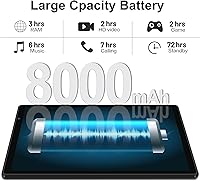
  • Battery: A 8000mAh lithium polymer battery provides an estimated 8 hours of mixed use, with actual endurance varying based on screen brightness and app activity.
  • Front Camera: A 5-megapixel front-facing camera handles video calls and basic selfies at acceptable quality for casual use.
  • Rear Camera: The rear camera is an 8-megapixel unit, suitable for scanning documents or taking casual snapshots, though not intended for serious photography.
  • Connectivity: Supports dual-band Wi-Fi (2.4GHz and 5GHz) on the 802.11ax standard, Bluetooth 5.0, and built-in GPS for location-based apps.
  • Ports: Equipped with a USB Type-C charging and data port alongside a 3.5mm headphone jack, keeping compatibility with a wide range of standard accessories.
  • Body Material: The chassis is constructed from metal at approximately 7mm thickness, giving the device a more durable and premium feel compared to typical all-plastic budget tablets.
  • Dimensions: The tablet measures 10.5 x 6.8 x 0.9 inches and weighs 1.76 pounds, making it portable enough for bag carry without being unusually heavy for its size.
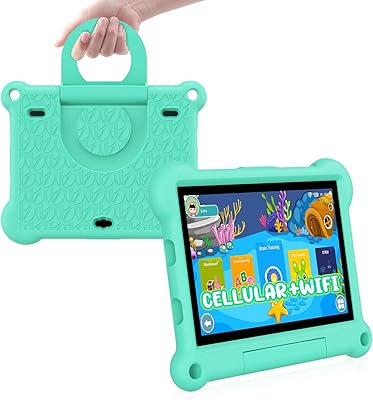
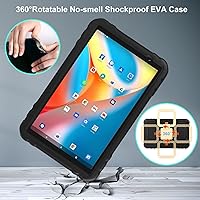
  • Included Case: Comes bundled with a 360-degree rotatable EVA drop-proof case that doubles as a foldable stand, offering protection against drops, scratches, and dust.
  • Parental Controls: Kids Space, Iwawa, and Google Family Link apps are preinstalled, allowing parents to manage app access, screen time limits, and location monitoring without extra setup.
  • Display Tech: The IPS panel type provides consistent color and viewing angles across the screen, which is a meaningful advantage over cheaper TN-based alternatives at this price tier.

Related Reviews
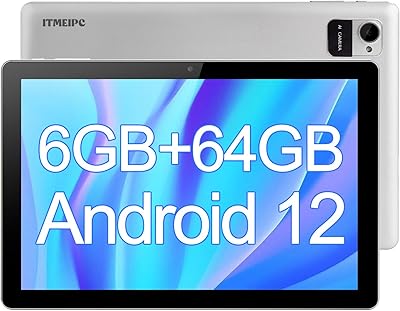
ITMEIPC T-10 10.1-inch Android Tablet
69%
83%
Value for Money
67%
Display Quality
62%
Performance
71%
Battery Life
58%
Build Quality
More
VOLENTEX M10 10-Inch Android Tablet
63%
83%
Value for Money
79%
Battery Life
47%
Processing Performance
61%
Display Quality
76%
WiFi Connectivity
More
FEONAL K118 10.1-inch Android Tablet
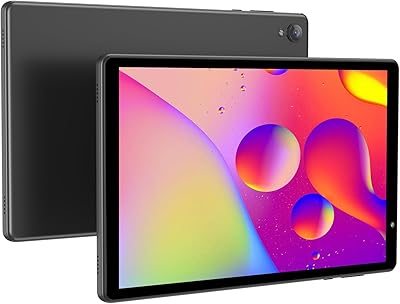
68%
83%
Display Quality
67%
Performance & Speed
78%
Battery Life
44%
Camera Quality
81%
Value for Money
More
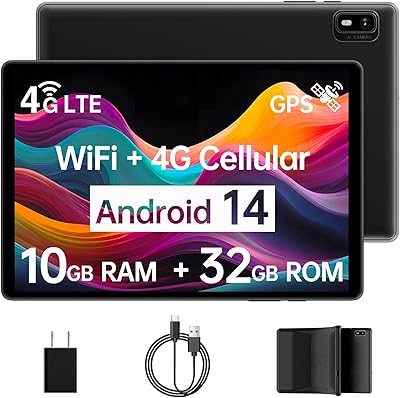
Topsand Android 14 Tablet 10-inch 10GB+32GB
84%
82%
Performance
88%
Build Quality & Durability
85%
Battery Life
70%
Display Quality
91%
Storage Capacity & Expandability
More
ZZB ZB10 10-Inch 32GB Android Tablet
67%
78%
Value for Money
81%
Battery Life
67%
Display Quality
53%
Performance
61%
Build Quality
More
HAOVM G12PK14 10-inch Android 14 Tablet, 32GB
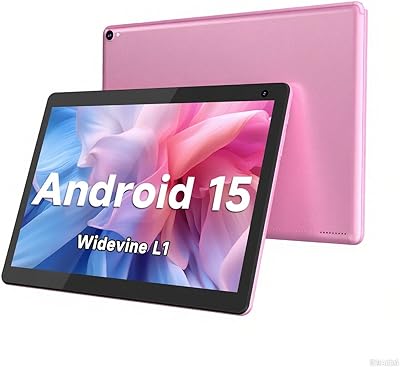
83%
91%
Value for Money
85%
Display Quality
88%
Battery Life
80%
Performance Speed
65%
Storage Capacity
More
COOPERS CP10S 10-inch Android Tablet 32GB
72%
88%
Value for Money
76%
Display Quality
61%
Performance & Speed
72%
Battery Life
54%
RAM & Multitasking
More
aiprotablet C20e 10-inch Android Tablet
68%
83%
Value for Money
78%
Software Experience
71%
Battery Life
62%
Display Quality
59%
Performance & Speed
More
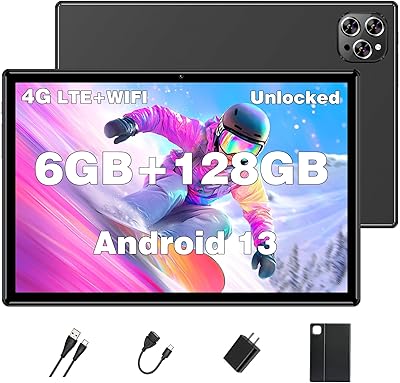
ADREAMER KidsPad10 Pro 10-inch Kids Tablet
73%
88%
Value for Money
84%
Cellular Connectivity
72%
Battery Life
77%
Parental Controls
81%
Build & Durability
More
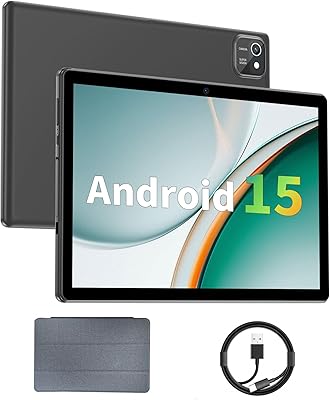
XINHENGTAI M10 Android 13 Tablet, 128GB, 10.1-inch
83%
92%
Value for Money
88%
Performance
91%
Battery Life
84%
Camera Quality
72%
Display Quality
More

FAQ

It is a bit of both. The AOCWEI X500 10-inch Android Tablet has 8GB of genuine physical RAM, which is what actually runs your apps. The remaining 6GB is virtual memory — software that borrows space from the internal storage to simulate extra RAM. It can help slightly in low-demand situations, but it is slower than real RAM and should not be the deciding factor in your purchase.

Yes, reasonably so. The X500 tablet ships with Google Family Link, Kids Space, and Iwawa already installed, so you can lock down app access, set daily screen time limits, and monitor activity without needing any technical know-how. It is one of the more family-ready setups you will find at this price.

Indoors, the display is perfectly watchable for YouTube, Netflix, or casual browsing. The IPS panel keeps colors reasonably accurate from different angles. That said, the resolution is below full HD, so text and fine detail are not razor-sharp — you will notice this most if you are reading small fonts or watching high-resolution content closely. Outdoors or in bright light, the brightness does not quite keep up.

Light games like puzzle apps, card games, or simple arcade titles run fine. If you are thinking about graphically demanding titles or anything that needs fast processing, you will hit the ceiling of the Unisoc chip fairly quickly. Expect some stuttering or longer load times with heavier games — it is just the nature of budget-tier hardware.

The 8-hour estimate holds up reasonably well for mixed light use — browsing, some video, and a bit of reading. If you are streaming video continuously with the brightness up, expect closer to 5 to 6 hours. For casual daily use it should get through a full day without a charge, which is a genuine strength of this tablet.

The EVA case offers solid basic protection against drops and scratches, and the 360-degree rotating stand is genuinely useful for propping the tablet up at different angles. Some users have noted the hinge can feel a little stiff or loose over time, but for day-to-day protection and occasional drops it does its job — and the fact that it is included at no extra cost is a real bonus.

Yes, the TF card slot supports cards up to 1TB, so you have a lot of room to grow without ever feeling cramped. Just keep in mind the card is sold separately. For most users — especially kids or media viewers — the base 128GB is enough to start, but the expansion option is a nice safety net.

Any standard Bluetooth keyboard should pair without issue via Bluetooth 5.0. There is no dedicated stylus support or active digitizer built in, so a pressure-sensitive stylus for drawing or note-taking would not work as intended. A basic capacitive stylus for tapping and writing would function, but do not expect Apple Pencil-level precision.

That is genuinely uncertain. AOCWEI is not a major brand with a publicly documented update schedule, and budget Android tablets from smaller manufacturers often receive limited or no OS updates after launch. If long-term software support is important to you, this is a real risk worth considering. For most casual users it will not matter much day-to-day, but it is worth knowing upfront.

There are a few pre-installed apps beyond the standard Android and Google suite, including the kids-focused apps which are actually useful if you have children. Some buyers report a small amount of additional pre-loaded software that they would rather not have. Most of it can be disabled if not uninstalled entirely through the standard Android app settings, so it is manageable rather than excessive.