Overview

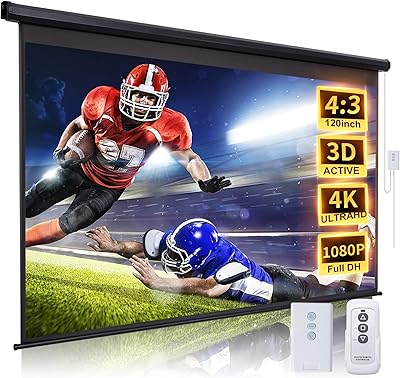
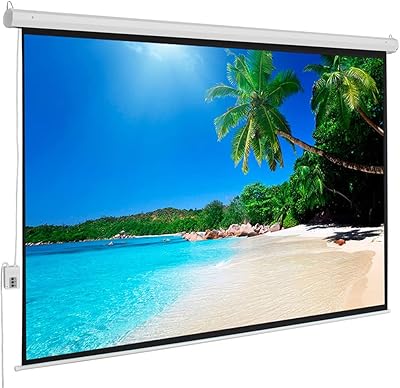
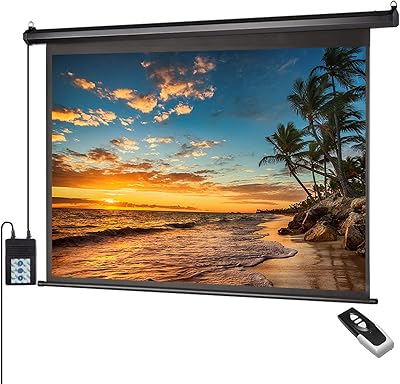
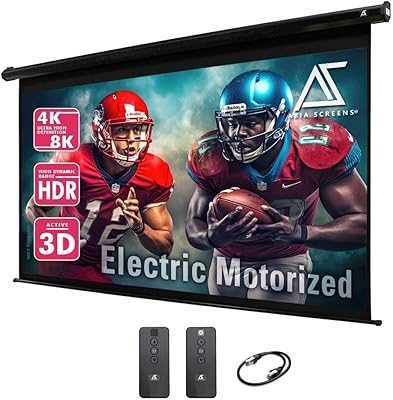
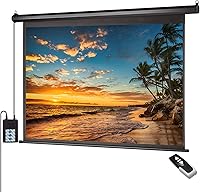
The ZUEDA 120-inch 4:3 Motorized Projector Screen lands squarely in the budget-to-mid-range bracket, and it is built for anyone who wants electric convenience without spending premium money. Instead of pulling a screen down by hand, you get a drop-down mechanism that lowers and raises itself, controlled either through a wall-mounted switch or the included RF remote. The metal housing was clearly designed with flexibility in mind, since it accommodates both wall and ceiling installation depending on your room layout. For home offices, casual home theaters, or small business setups, this projector screen offers a practical middle ground between cheap pull-down screens and pricier motorized models from higher-end brands.
Features & Benefits

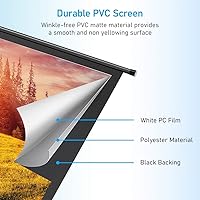
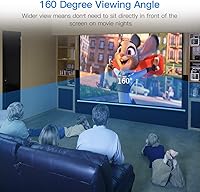
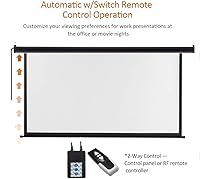
Picture quality is the first thing most people notice about this projector screen, thanks to a 1.1 gain PVC matte white surface that stays smooth and resists the yellow tint cheaper materials develop after a year or two of use. The 160-degree viewing angle means people seated off to the side still get a clear, evenly lit image, which matters in classrooms or living rooms with wide seating. Raising and lowering happens through either the wall switch or the RF remote, so you are not stuck choosing one control method. The frame works with LED, LCD, and DLP projectors, and the 4:3 ratio fits presentation slides and older video formats better than widescreen content.

Best For

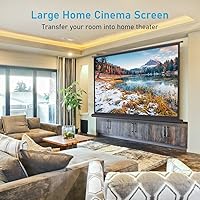
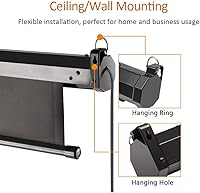
This motorized screen makes the most sense in home theater rooms where a bulky fixed-frame screen would not look right, since it retracts out of sight when not in use. It is also a solid pick for offices and classrooms running slideshows or projector-based lessons day after day. Beyond regular use, it shows up well in one-off events like wedding receptions, church gatherings, or backyard movie nights where you need something temporary but still polished. Anyone shopping on a tighter budget but unwilling to give up motorized convenience will find this a reasonable middle option. Rooms with awkward ceiling heights or limited wall space benefit too, since the mounting setup adapts to either surface.

User Feedback

Feedback on this home theater screen tends to circle around a few recurring themes. Most people comment positively on how smoothly the remote and motor sync up during raise and lower cycles, which feels reassuring for a product at this price point. Installation talk varies though, with ceiling mounts drawing more complaints about difficulty than straightforward wall mounts. Image clarity gets praised for text-heavy presentations, but a handful of users note that movie playback looks slightly less crisp by comparison. Long-term durability of the motor is the question mark that comes up most in extended-use discussions, since nobody can fully judge that from a few weeks of ownership. Operating noise is moderate, noticeable in quiet rooms but not disruptive in busier shared spaces.

Pros

  • Motorized drop-down operation means no manual pulling or uneven positioning every time you set up.
  • Works with either the wall switch or the RF remote, giving you flexible control options.
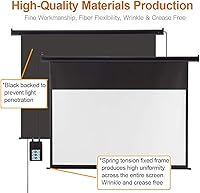
  • 1.1 gain matte white surface resists wrinkles and yellowing better than cheaper alternatives.
  • 160-degree viewing angle keeps the image clear even from seats off to the side.
  • Metal casing supports both wall and ceiling mounting, adapting to different room layouts.
  • Broad compatibility with LED, LCD, and DLP projectors covers most common setups.
  • Priced well below premium motorized screens while still offering electric convenience.
  • Suits a wide range of uses, from home theaters to classrooms to outdoor events.

Cons

  • Ceiling mount installation can be more involved than buyers expect, based on common feedback.
  • 4:3 aspect ratio is not ideal for modern widescreen movies or streaming content.
  • Motor noise during raise and lower cycles may be noticeable in very quiet rooms.
  • Long-term durability of the motor mechanism is hard to judge from short-term ownership.
  • Remote and switch syncing has occasionally been flagged as inconsistent by some owners.
  • Image clarity reportedly favors text-heavy presentations slightly more than fast-motion video playback.
  • Build quality sits at a budget-to-mid-range level, not premium home theater grade.
  • Setup may require an extra pair of hands, especially for ceiling installations in tight spaces.

Ratings

These scores for the ZUEDA 120-inch 4:3 Motorized Projector Screen come from an AI-driven analysis of verified buyer reviews collected from real purchasers around the world, with spam, bot activity, and incentivized feedback filtered out before any scoring takes place. The categories below reflect both the strengths people consistently praise and the pain points that show up often enough to matter, so you can weigh trade-offs honestly before buying. Nothing here is rounded up to look better than the actual feedback supports.

Build Quality
84%
The solid metal housing feels noticeably sturdier than the flimsy plastic frames found on cheaper pull-down screens, and it holds its shape well once mounted on a classroom or living room wall. Owners setting this up in shared spaces consistently mention how stable it feels during daily raise and lower cycles.
A few buyers note the casing picks up minor dings if handled roughly during installation, especially when maneuvering it into a ceiling mount alone. It is solid for the price tier, but it does not feel like a heavy-duty commercial-grade unit built for constant industrial use.
Image Quality
78%
22%
The 1.1 gain matte white surface renders presentation slides and standard-definition content with clean, even brightness, which office workers and teachers running daily slideshows appreciate. Colors look natural rather than washed out, even under moderate ambient room lighting.
Movie nights expose the screen's limits a bit more, since fast-motion video and HD streaming content can look slightly less sharp compared to dedicated cinema-grade screens. Buyers expecting true home theater image quality on widescreen content may feel mildly underwhelmed.
Motorized Operation & Remote Reliability
81%
19%
Most users report that the RF remote and wall switch sync up smoothly during everyday raise and lower cycles, making it convenient for quick presentation setups or movie nights without fumbling with a manual pull cord. Having two control methods adds real flexibility for shared spaces.
A smaller number of owners mention occasional lag or inconsistent response from the remote, particularly after months of regular use. It is not a dealbreaker for most, but it is worth testing the remote thoroughly during the return window.
Installation & Mounting Ease
69%
31%
Wall mounting tends to go smoothly for most DIYers, with the dual-purpose housing making it straightforward to position in offices, classrooms, or living rooms without specialized tools. Clear screw points on the metal casing help speed up a one-person wall install.
Ceiling mounting is where complaints cluster, since aligning and securing the housing overhead often requires a second person and more patience than buyers initially expect. Several reviewers mention it taking longer than anticipated, especially on uneven or finished ceilings.
Viewing Angle & Color Accuracy
86%
The 160-degree viewing angle genuinely helps in wider rooms, letting people seated off to the side in classrooms or living rooms still see a clear, evenly lit picture. This wide coverage is frequently cited as a standout feature for group settings.
Color accuracy is solid for general use but is not calibrated for color-critical work like video editing or professional photo review. Buyers needing precise color reproduction will want a more specialized screen and projector pairing.
Noise Level
71%
29%
The motor operates at a moderate volume that blends into normal background noise in classrooms, offices, and living rooms with some ambient sound. Most users say it is not disruptive during typical daily use.
In completely silent rooms, like a dedicated late-night home theater, the motor hum becomes noticeable during raise and lower cycles. Noise-sensitive buyers setting up in quiet spaces may want to test it before committing fully.
Value for Money
88%
Given the budget-to-mid-range price point, getting motorized operation, dual mounting options, and a wrinkle-resistant surface feels like a reasonable trade-off compared to pricier name-brand alternatives. Buyers frequently mention it delivers more functionality than its price tag suggests.
It does not include premium extras like ambient light rejection coating or app-based smart controls found on higher-end motorized screens. Shoppers wanting cutting-edge features will need to look toward pricier options.
Durability & Long-Term Reliability
73%
27%
Early feedback suggests the metal housing and motor mechanism hold up well through regular use in classrooms and offices running daily presentations. The PVC surface in particular gets praised for resisting the wrinkling and yellowing that plague cheaper fabric screens.
Since the motor mechanism is the moving part most prone to wear, some buyers express uncertainty about how it will perform after several years of frequent cycling. Long-term reliability data is still limited compared to more established premium brands.
Versatility of Use Cases
83%
This screen genuinely fits a wide range of scenarios, from daily office presentations and classroom lessons to occasional weddings, church events, and backyard movie nights. The motorized retraction makes it easy to bring out only when needed.
Buyers wanting a screen exclusively optimized for one specific use, like a permanent dedicated cinema room, may find the general-purpose design slightly compromises peak performance for that single scenario. It is a generalist, not a specialist.
Screen Material Quality
82%
18%
The PVC matte white surface stays smooth and flat after repeated raise and lower cycles, which buyers compare favorably against cheaper fabric screens that develop creases over time. Resistance to yellowing also held up well in feedback from longer-term owners.
The matte finish, while practical, does not deliver the deep contrast or ambient light rejection that pricier specialty screen materials offer. In brighter rooms, image punch can look a bit flatter than on premium alternatives.
Projector Compatibility
89%
Working with LED, LCD, and DLP projectors covers the vast majority of setups people already own, so buyers rarely run into compatibility headaches when pairing this screen with existing equipment. It is an easy match for most home and office projectors.
Buyers using newer ultra-short-throw projectors should double-check throw distance and image alignment carefully, since the flat matte surface is not specifically optimized for those specialized projection angles. It is not a limitation unique to this screen, but worth verifying.
Remote & Switch Convenience
79%
21%
Having both a wall switch and an RF remote gives users flexibility depending on the room setup, which is especially handy in classrooms where the switch stays fixed near the door. Reviewers like not being tied to a single control method.
The remote's range and responsiveness can vary depending on room layout and obstructions, leading a portion of buyers to rely on the wall switch as their primary method instead. It works, but it is not flawless in every setup.
Aspect Ratio Suitability
64%
36%
For presentations, spreadsheets, and older standard-definition content, the 4:3 ratio actually fits the source material better than a widescreen format would, avoiding awkward black bars on the sides. Office and classroom users find this genuinely practical.
Movie and streaming fans will run into black bars above and below widescreen content, which is a noticeable downside for anyone planning primarily cinema-style movie nights. This is the category where buyer expectations most often clash with the actual product design.
Overall Customer Satisfaction
77%
23%
Taken together, buyers generally feel they got solid functionality for a reasonable price, particularly appreciating the motorized convenience and flexible mounting options across home, office, and event use cases. Repeat mentions of practicality outweigh complaints in most reviews.
A consistent minority of buyers wish for quieter operation, easier ceiling installation, and more confidence around long-term motor durability. These recurring concerns keep satisfaction solid but short of universally outstanding.

Suitable for:

The ZUEDA 120-inch 4:3 Motorized Projector Screen makes the most sense for home theater owners who want the convenience of an electric drop-down screen without paying for a premium brand name. It also suits small offices and classrooms that run projector-based presentations regularly, since the wide viewing angle keeps slides readable from off-center seats. Anyone hosting occasional events like weddings, church gatherings, or backyard movie nights will appreciate having a screen that sets up quickly and disappears into the ceiling or wall when not needed. Buyers working with awkward room layouts, where either wall space or ceiling height is limited, benefit from the dual mounting option. Overall, this is a sensible pick for budget-conscious shoppers who still want motorized operation rather than a manual pull-down screen.
Not suitable for:

Buyers chasing a true widescreen cinema experience should think twice, since the 4:3 aspect ratio is better suited to presentations and older video content than modern movies or streaming. Anyone uneasy about DIY installation might also struggle, particularly with the ceiling mount, which some owners describe as more involved than a simple wall hang. People who need dead silence during operation, like a dedicated screening room with no ambient noise tolerance, may find the motor sound mildly distracting. The ZUEDA 120-inch 4:3 Motorized Projector Screen is not the right choice for anyone expecting premium-tier build quality or long-term durability guarantees at this price point. Finally, those wanting a screen that maximizes width for a wraparound viewing experience will likely find better options among widescreen-format alternatives.
Specifications

  • Brand: This screen is manufactured by ZUEDA, a brand focused on mid-range home and office projection equipment.
  • Screen Size: The diagonal screen measurement is 120 inches.
  • Aspect Ratio: The screen is built in a 4:3 aspect ratio rather than widescreen 16:9.
  • Viewable Area: The usable projection area measures approximately 95.5″ wide by 71.5″ high.
  • Screen Material: The projection surface is made of PVC matte white material designed to resist wrinkles and yellowing.
  • Screen Gain: The screen has a gain rating of 1.1 for balanced brightness without excessive hot-spotting.
  • Viewing Angle: The matte surface supports a 160-degree viewing angle for wide seating arrangements.
  • Mounting Type: The unit can be installed using either wall mount or ceiling mount hardware.
  • Operation Mode: The screen raises and lowers via a built-in wall switch or the included RF remote control.
  • Casing Material: The housing is constructed from solid metal for mounting stability.
  • Item Weight: The complete unit weighs 23.9 pounds.
  • Remote Battery: The RF remote runs on 1 AAA battery, which is included in the box.
  • Projector Compatibility: The screen is compatible with LED, LCD, and DLP projector types.
  • Product Dimensions: The overall product dimensions are 95.3″ x 0.01″ x 71.5″.
  • Price Tier: The screen falls into a budget-to-mid-range pricing category for motorized models.
  • Date Available: This model was first listed for sale in December 2020.

Related Reviews

FRAYSCENT 120-Inch Motorized Projector Screen
77%
88%
Motor Performance
83%
Ease of Installation
71%
Fabric Flatness
76%
Image Clarity
67%
Remote Control
More
AMZOSS 100-inch Motorized Projector Screen
76%
88%
Value for Money
82%
Motor Performance
74%
Screen Surface Quality
83%
Ease of Installation
86%
Remote Control Usability
More
Elite Screens Spectrum 2 120-inch Projector Screen
78%
88%
Image Quality
83%
Build Quality
86%
Ease of Installation
81%
Motor Performance
87%
Screen Material
More
MIGO 120-inch Motorized Projector Screen
85%
91%
Value for Money
85%
Setup & Installation
88%
Image Quality
89%
Motorized Operation
90%
Viewing Angle
More
ZUEDA 100″ Motorized Projector Screen
78%
83%
Image Quality
88%
Motor & Mechanism
71%
Remote Control
81%
Screen Material Durability
67%
Build Quality & Casing
More
Akia Screens 110-inch Motorized Projector Screen
79%
86%
Ease of Installation
78%
Screen Image Quality
74%
Motor & Automation
81%
Build Quality
83%
Remote & Control System
More
Elite Screens OMS120H2 120-inch Portable Projector Screen
78%
91%
Ease of Assembly
84%
Screen Surface Quality
78%
Build Quality & Frame Durability
69%
Stability & Leg Performance
83%
Image Performance
More
Akia Screens 125-inch Motorized Projector Screen
81%
88%
Ease of Installation
79%
Screen Material Quality
86%
Motor & Retraction Performance
71%
Remote & Control System
83%
12V Trigger Integration
More
Elite Screens M120H 120-Inch Manual Pull-Down Projector Screen
87%
91%
Ease of Setup
87%
Image Quality
92%
Build Quality
88%
Value for Money
89%
Compatibility with 4K/8K/3D
More
Elite Screens Yard Master 2 120″ Screen
73%
74%
Image Quality
83%
Build Quality
71%
Ease of Setup
82%
Portability
79%
Value for Money
More

FAQ

The ZUEDA 120-inch 4:3 Motorized Projector Screen is generally manageable for a confident DIYer, since the metal housing is built for both wall and ceiling mounting. Wall installation tends to be the simpler of the two, while ceiling mounting often takes a bit more time and an extra set of hands. If you are not comfortable with a drill and finding solid anchor points, it would not hurt to have someone experienced help out.
Either one works on its own, so you are not locked into a single method. The wall switch is handy for a fixed, permanent setup, while the remote is nice if you want to control the screen from your seat. Most owners end up using whichever is closer at the moment.

It should, as long as your projector is an LED, LCD, or DLP model, which covers the large majority of consumer and office projectors on the market. It is still worth double-checking your specific projector's throw distance and lens specs against the 95.5-inch by 71.5-inch viewable area before mounting.

It can, honestly. This screen is shaped more for presentations, older video content, and certain classroom or office material than for modern widescreen films. If you play a 16:9 movie, expect black bars above and below the image rather than a full-width picture.

There is some audible motor sound during operation, which is typical for screens in this price range. It is not jarring, but in a very quiet room you will notice it. In a classroom or living room with normal background noise, it tends to blend in.

One AAA battery is included with the remote, so it should work right out of the box. If it ever needs replacing down the line, AAA batteries are easy to find anywhere.

Yes, a soft, dry or slightly damp microfiber cloth is usually enough to wipe down the matte surface. Avoid harsh chemical cleaners or anything abrasive, since that can affect the screen's finish over time. Gentle, occasional cleaning is really all this type of surface needs.

The metal casing is built with that kind of repeated use in mind, and the motorized mechanism is designed to handle frequent raise and lower cycles. That said, like any motorized component, how well it holds up long-term is something that becomes clearer only after extended use, so treating it reasonably gently will help it last.

It really comes down to your room layout. Wall mounting is usually quicker and gives you a bit more flexibility in positioning, while ceiling mounting makes sense if your wall space is limited or you want the screen to drop from above a seating area. Either option works structurally, since the housing is designed for both.

Start by measuring your available wall or ceiling space against the screen's viewable area of about 95.5 inches wide by 71.5 inches high, then add a little extra clearance for the housing itself. It also helps to check your projector's throw distance so the image lines up properly once everything is mounted.