Overview

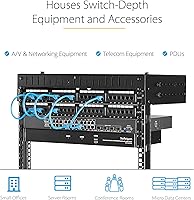
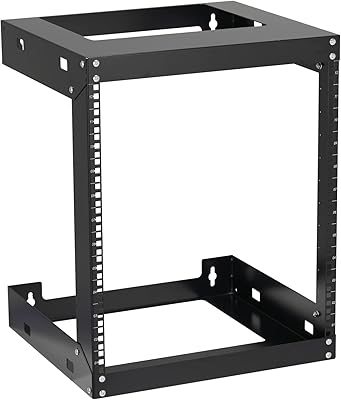
The StarTech RK15WALLOA 15U Wall Mount Rack fills a practical gap in the market: a sturdy, open-frame wall solution for small offices, IT closets, and home lab setups where floor space simply isn't available. StarTech is a brand that network installers and IT pros genuinely trust for rack hardware, and this 15U open-frame rack sits comfortably in the mid-range tier — not bargain-bin, not enterprise-premium. It ships flat-packed in ISTA-6 certified packaging, which keeps damage in transit rare but does mean you'll need to budget 30 to 60 minutes for assembly. One thing to be upfront about: the open-frame design means there's no door, no lock, and no dust protection. If your install environment needs any of those things, this isn't the rack.
Features & Benefits

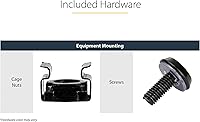
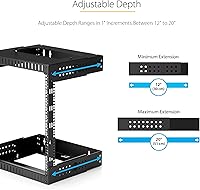
The depth adjustment is one of the most useful things about this wall mount rack. The rails slide between 12 and 20 inches, which means you can fit a shallow 1U patch panel right alongside a managed switch that runs a bit deeper — all within the same rack. The frame is built from SPCC cold-rolled steel and handles up to 200 lbs, which is more than enough for a fully loaded 15U install. Because the design is open on all sides, airflow is unrestricted, which matters a lot when you've got a handful of switches and a UPS crammed into a utility closet. The rack is EIA/ECA-310 compliant, so any standard 19-inch rack equipment drops right in. Hardware comes included: M6 cage nuts, screws, and washers. Five-year warranty rounds it out.

Best For

This 15U open-frame rack makes a lot of sense for small offices and branch locations that need permanent wall-mounted networking infrastructure but can't justify the footprint of a floor cabinet. Home lab users love it for exactly the same reason — stick it in a garage or utility room, load it with a switch, patch panel, and a small NAS, and you've got a proper setup without sacrificing floor space. AV installers working on light commercial or residential jobs will find the adjustable rails handy for mixing signal processors and managed switches at varying depths. That said, if your servers push past 20 inches in depth or you need a lockable enclosure for any reason, this open-frame format isn't the right tool — look at enclosed cabinets instead.

User Feedback

With over 420 ratings averaging 4.7 stars, the StarTech wall rack has a strong approval track record. Buyers consistently highlight build quality — the frame feels solid and doesn't flex under load — and the instructions are clear enough that most people complete assembly without much trouble. The stud-alignment challenge comes up more than once though: if your wall stud spacing doesn't line up neatly with the mounting pattern, you'll need to get creative with backing plates or blocking. Dust accumulation is another honest reality that open-frame critics mention. Long-term owners generally report the rack stays stable and firm over time, with no creeping looseness. The rail depth adjustment draws occasional complaints about the process being fiddly during initial install, but once set, it holds.

Pros

  • Adjustable depth rails spanning 12 to 20 inches accommodate a wide mix of shallow patch panels and mid-depth switches without issue.
  • SPCC cold-rolled steel frame feels genuinely solid in practice and handles up to 200 lbs without flexing under sustained load.
  • Open-frame construction allows unrestricted airflow on all sides, helping keep heat-sensitive gear cooler in tight utility spaces.
  • Ships in ISTA-6 certified flat-pack packaging, making transit damage rare and delivery consistently hassle-free.
  • EIA/ECA-310 compliant rails mean virtually any standard 19-inch rack equipment installs without compatibility headaches or adapter shopping.
  • M6 cage nuts, screws, and plastic washers come included — no separate hardware run needed before you can start mounting gear.
  • Five-year warranty backed by 24/5 multilingual tech support gives long-term deployment confidence well beyond the initial install.
  • Assembly instructions are consistently praised across the user base as clear, complete, and practical even for first-time rack builders.
  • Once mounted, the StarTech wall rack stays firmly in place with no reported loosening or creep over extended use.
  • Broad buyer approval at nearly 4.7 stars across over 420 ratings reflects a product that genuinely delivers on its core promises.

Cons

  • Wall stud spacing frequently conflicts with the rack's mounting pattern, requiring backing plates or custom blocking to install correctly.
  • Open-frame design offers zero dust protection, shortening gear lifespan in workshops, dusty garages, or poorly ventilated utility rooms.
  • Solo wall-mounting is physically awkward and risky without a second person — this is not a comfortable one-person job.
  • Depth rail adjustment is reported as fiddly during initial setup, requiring patience and careful alignment before locking into position.
  • No locking mechanism whatsoever means any person with room access has unrestricted physical contact with all mounted equipment.
  • At 15U, usable space fills up faster than expected once a UPS, patch panel, and two or three switches are racked.
  • Cable management relies entirely on aftermarket add-ons — there are no built-in channels, guides, or routing hooks included.
  • Flat-pack assembly adds meaningful time to the deployment process, which can be a real drawback in time-sensitive installation scenarios.
  • Fan and equipment noise carries freely through the open frame, which can be noticeable in quieter office or residential environments.
  • Buyers outside North America may face stud spacing mismatches with local wall construction standards, complicating the mounting process.

Ratings

The scores below reflect an AI-driven analysis of verified buyer feedback for the StarTech RK15WALLOA 15U Wall Mount Rack, drawn from over 420 real-world reviews and processed to actively filter out spam, bot-generated, and incentivized submissions. Each category is scored independently based on what genuine users consistently praised and flagged in practice — not what the product listing claims. Both the clear strengths and the friction points that only surface after install are represented honestly here.

Build Quality
91%
The SPCC cold-rolled steel frame is consistently described as noticeably rigid — users loading the rack with switches, patch panels, and a UPS report zero flex or wobble under sustained weight. The overall construction feels several tiers above what the price suggests, and the black finish holds up reliably to typical utility room conditions over extended use.
A recurring minority of buyers noted minor sharp edges on the cut steel rails straight out of the box, which can catch hands during the depth adjustment process. The mounting plates, while solid, feel marginally thinner than the vertical rails and inspire slightly less confidence under close inspection.
Installation Experience
74%
26%
When wall studs align conveniently with the mounting pattern, buyers report a surprisingly smooth install — the instruction booklet is praised for being visual and step-by-step, and the included hardware kit means no separate store run is needed. IT techs deploying in telecom closets often get the rack up and loaded in under two hours start to finish.
When stud spacing does not cooperate — common with 24-inch spacing in newer construction — installation complexity jumps significantly, requiring backing boards or custom blocking solutions. Solo installation at the wall-mounting stage is consistently flagged as physically awkward and risky, a concern that surfaces repeatedly across the long-term review base.
Adjustable Depth
86%
The 12-to-20-inch rail range covers an impressive spread of equipment — buyers mixing shallow patch panels with deeper managed switches in the same rack report it handling both without compromise. For mixed AV and IT installs, this flexibility is one of the most frequently cited reasons buyers chose this wall mount rack over fixed-depth competitors.
The adjustment mechanism draws criticism for being fiddly during initial setup, particularly when trying to lock both rails to exactly the same depth simultaneously without slippage. Reconfiguring depth after equipment is already mounted also requires clearing the rack first, which is genuinely disruptive in any live environment.
Weight Capacity
88%
A 200 lb rating is genuinely generous for a wall-mounted rack in this size class, and users loading it with switches, a UPS, patch panels, and a NAS report the frame holding steady without stress on the mounting hardware. The cold-rolled steel construction visibly backs up the capacity claim rather than feeling like an inflated spec-sheet figure.
The capacity rating only holds when the rack is correctly anchored into solid structural framing — improperly secured installs risk serious wall damage under sustained heavy load. Buyers outside North America should verify independently that their local wall construction meets the structural requirements before loading anywhere near rated capacity.
Airflow & Cooling
89%
The fully open-frame construction delivers unrestricted airflow on all four sides — buyers deploying switches and patch panels in small, poorly ventilated server closets consistently flag this as a genuine operational advantage over enclosed alternatives. Equipment temperatures in cramped utility spaces run measurably cooler, which translates directly to longer hardware lifespans for heat-sensitive networking gear.
The open design does nothing to direct or optimize airflow, so warm exhaust from one piece of gear can recirculate freely into adjacent equipment in certain rack configurations. Buyers mixing high-heat and heat-sensitive devices may still need supplemental airflow management even with the passive open-frame advantage working in their favor.
Included Hardware
82%
18%
Getting M6 cage nuts, screws, and plastic washers pre-included is more practical than it sounds — a technician can arrive at a remote branch location and immediately begin mounting equipment without a separate hardware sourcing detour. Cage nut quality is reported as solid, with none of the thread-stripping issues that frequently appear with off-brand hardware kits.
The included hardware covers equipment mounting only — buyers still need to source their own wall-fastening hardware based on their specific wall type, a detail easy to overlook until standing in front of a bare wall at install time. The cage nut quantity is adequate but not generous, and dense 15U builds may require ordering additional units.
Value for Money
83%
For a mid-range open-frame rack from a brand with genuine IT professional credentials, the price-to-build-quality ratio lands firmly in the buyer's favor. The five-year warranty, included hardware kit, and 24/5 technical support add tangible long-term value that budget-tier alternatives rarely match, making the total cost of ownership competitive even against cheaper options.
Buyers on tighter budgets will find cheaper open-frame wall racks on the market that handle basic networking deployments adequately. The value equation also softens when factoring in accessory costs — cable management panels, backing boards, and supplemental cage nuts — that the base rack does not include but many real installs require.
Equipment Compatibility
93%
EIA/ECA-310 compliance is not just a checkbox here — network switches, patch panels, fiber panels, KVM units, and PDUs from virtually every major brand mount cleanly without adapters or modifications. Buyers sourcing aftermarket accessories also report that third-party rail kits, blanking panels, and cable managers fit the rack without any fitment surprises.
The 20-inch maximum mounting depth is the one hard compatibility boundary — enterprise servers and storage arrays running 24 to 30 inches deep simply will not fit regardless of brand or configuration. Buyers need to physically measure their deepest planned equipment before ordering rather than assuming all rack-mount gear falls within the adjustable range.
Assembly Instructions
84%
The included instruction booklet draws consistent praise for being clearly illustrated and practical without assuming any prior rack installation experience. First-time builders specifically call out the step-by-step visual layout as the primary reason their install went smoothly — meaningful praise given how quickly poor documentation derails a solo setup.
The instructions cover rack frame assembly clearly but offer limited guidance for the wall-mounting phase, particularly around handling stud spacing mismatches or selecting appropriate fasteners for different wall materials. Buyers navigating non-standard wall situations routinely report turning to external resources to fill in those gaps.
Long-term Stability
87%
Long-term owners — including buyers running this 15U open-frame rack loaded for two or more years — consistently report no loosening of the wall mount or structural degradation under sustained equipment weight. The cold-rolled steel frame resists warping even when populated near rated capacity, which is a meaningful reassurance for permanent IT closet deployments.
Long-term stability is entirely dependent on the quality of the original wall anchoring — racks mounted incorrectly tend to develop gradual movement as load cycles accumulate. There is also no convenient way to re-torque the wall mount hardware without first clearing the rack of all equipment, making periodic maintenance checks time-consuming.
Cable Management
53%
47%
The open-frame structure leaves all four sides fully accessible, giving installers the freedom to route aftermarket cable management accessories of their choice directly to the frame rails. Buyers using zip ties, hook-and-loop fasteners, and third-party horizontal managers report achieving reasonably clean cable runs without significant difficulty or modification.
There is nothing built into this rack for cable management — no horizontal panels, no vertical channels, and no routing guides are included or integrated anywhere in the frame design. Buyers expecting a tidy, structured install out of the box will find the additional accessory cost and planning effort a notable source of frustration.
Security Features
12%
88%
In genuinely controlled environments — a private home lab, a dedicated locked IT closet, or a restricted server room with badge access — the absence of built-in security features causes no practical concern whatsoever. Full side accessibility in those contexts actually speeds up equipment swaps, cable management work, and general rack maintenance considerably.
This rack has no door, no lock, no side panels, and no enclosure of any kind — it provides zero physical security against unauthorized access or equipment tampering. Any environment where rack security is a compliance requirement, an insurance mandate, or a basic concern in a shared or semi-public space needs an enclosed lockable cabinet instead.
Dust Protection
9%
91%
Dust settling on mounted equipment is immediately visible and straightforward to address with compressed air — there is no accumulation hidden behind sealed panels or inside a closed compartment. In clean, climate-controlled server rooms, many long-term buyers report dust never becoming a meaningful operational concern over years of continuous deployment.
The open-frame design provides zero dust protection — in garages, workshops, or any environment with airborne particulate, dust accumulates freely across every surface of every mounted device. Regular compressed-air cleaning shifts from a precautionary measure to a routine maintenance obligation, adding ongoing overhead that an enclosed cabinet would largely eliminate.
Warranty & Support
85%
A five-year warranty from a brand with an established support infrastructure is a genuine differentiator at this price tier — most competing open-frame racks carry shorter or less clearly stated terms. The 24/5 multilingual technical support is specifically cited by buyers in non-English-speaking markets as a meaningful reason for choosing the StarTech wall rack over regional alternatives.
Some buyers note that reaching live support during peak periods involves a noticeable hold time, which can be frustrating mid-installation when a quick answer matters. The warranty covers manufacturing defects rather than installation damage, meaning buyers who anchor the rack incorrectly and damage a mounting plate are unlikely to find coverage when it counts.
Shipping & Packaging
79%
21%
The ISTA-6 certified flat-pack packaging performs reliably — arrival damage is a rare complaint across the review base, and the compact shipping footprint makes logistics easier for IT teams sending units to remote or hard-to-reach branch locations. Multiple buyers call out the packaging quality as noticeably above expectations for this product category.
Flat-pack shipping requires assembly before the rack is usable, adding meaningful setup time compared to pre-assembled alternatives — a real consideration for time-pressured single-engineer deployments. The compact box size also leads some buyers to underestimate the assembled rack's actual wall footprint until the unit is fully put together on site.

Suitable for:

The StarTech RK15WALLOA 15U Wall Mount Rack is a natural fit for anyone who needs structured, permanent rack space without giving up square footage on the floor. Small offices and branch locations are a prime audience — think server closets, telecom rooms, or any utility space where a floor-standing cabinet simply doesn't make sense. Home lab builders will appreciate the flexibility too; you can wall-mount this in a garage, basement, or utility room and run a complete setup — switch, patch panel, NAS, and a small UPS — without it eating into your workspace. AV integrators working residential or light commercial installs will find the adjustable depth rails genuinely useful when mixing shallow signal processors with deeper managed switches. IT teams deploying remote or branch networking infrastructure on a practical budget also get real value here, especially given the included M6 hardware kit and a five-year warranty that backs the investment over the long haul.
Not suitable for:

The StarTech RK15WALLOA 15U Wall Mount Rack is not the right answer if your environment demands physical security. There's no door, no lock, and no side panels — anyone with room access can touch what's inside, which rules this out for shared spaces, colocation environments, or anywhere compliance demands a lockable enclosure. If you're planning to mount rack servers deeper than 20 inches, you'll hit a hard limit with the adjustable rail system; it simply doesn't stretch further. The open-frame build also offers no dust protection, so workshops, warehouses, or unconditioned garages will accelerate wear on any gear mounted inside. And if you're a solo installer without a second pair of hands, the wall-mounting stage can be a real challenge — particularly when stud spacing doesn't align conveniently with the rack's mounting pattern, a pain point that comes up repeatedly in real user feedback.
Specifications

  • Brand: StarTech.com is a well-established manufacturer of networking and connectivity hardware widely used by IT professionals globally.
  • Model Number: The model identifier for this unit is RK15WALLOA, distinguishing it from other sizes in StarTech's open-frame wall mount rack series.
  • Rack Size: This rack provides 15U of usable vertical mounting space, accommodating standard rack-mount devices or equivalent mixed-height equipment configurations.
  • Rail Width: The rack rails are 19 inches wide and conform to the EIA/ECA-310 standard, ensuring broad compatibility with rack-mount equipment from virtually any manufacturer.
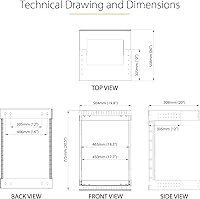
  • Adjustable Depth: The two vertical mounting rails adjust continuously between 12 and 20 inches (30.5 to 50.8 cm) in depth to fit equipment of varying chassis lengths.
  • Weight Capacity: The rack is rated to support a total equipment load of up to 200 lb (90 kg), providing ample headroom for fully populated 15U deployments.
  • Frame Material: The frame and vertical rails are constructed from SPCC cold-rolled alloy steel, delivering a rigid, warp-resistant structure suited to continuous heavy loads.
  • Color: The rack is finished in black, consistent with standard IT and AV equipment aesthetics across professional installation environments.
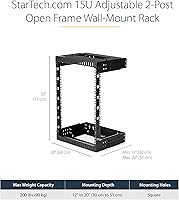
  • Dimensions: The assembled rack measures 20.1″ deep by 19.8″ wide by 30.4″ tall, establishing the minimum wall clearance and floor projection required at the install site.
  • Product Weight: The unloaded rack frame weighs 33.4 lb, reflecting the substantial cold-rolled steel construction and all included mounting hardware.
  • Shipping Method: The unit arrives flat-packed in ISTA-6 certified packaging, a validated shipping standard specifically designed to reduce the likelihood of transit damage.
  • Included Hardware: Each unit ships with a complete hardware kit containing M6 cage nuts, M6 screws, and plastic washers to support immediate equipment mounting upon assembly.
  • Mounting Type: This is a 2-post, open-frame wall mount rack design with no side panels, front door, rear enclosure, or lockable security features.
  • Warranty: The rack is backed by a 5-year manufacturer warranty and includes access to 24/5 multilingual technical support at no additional cost to the buyer.
  • Compliance: The rack meets EIA/ECA-310 compliance requirements, satisfying the widely recognized industry standard for 19-inch rack dimensions, mounting hole patterns, and structural specifications.

Related Reviews
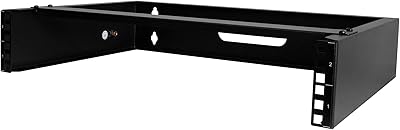
StarTech 2U Wall Mount Network Rack - 14 in Deep (RACK-2U-14-BRACKET)
88%
94%
Ease of Installation
89%
Build Quality
92%
Space Efficiency
85%
Weight Capacity
91%
Sturdiness
More
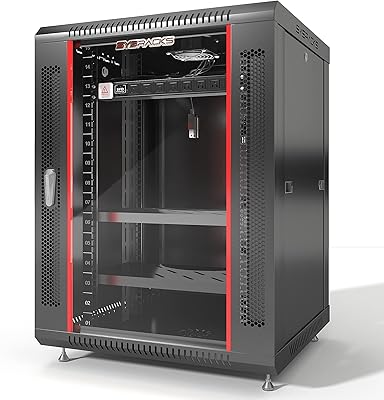
Sysracks SRW 15.600B 15U Wall Mount Server Cabinet
73%
83%
Build Quality
88%
Value for Money
61%
Assembly Experience
74%
Usable Interior Depth
58%
Cooling Performance
More
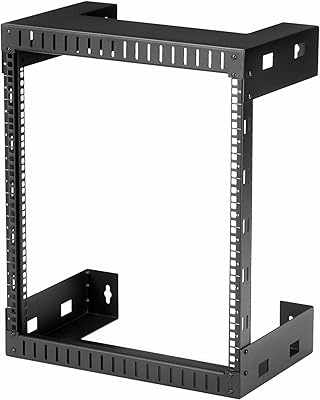
StarTech RK12WALLO 12U Wall-Mount Network Rack
78%
88%
Build Quality
61%
Mounting Depth
83%
Ease of Assembly
92%
Hardware Completeness
86%
Value for Money
More
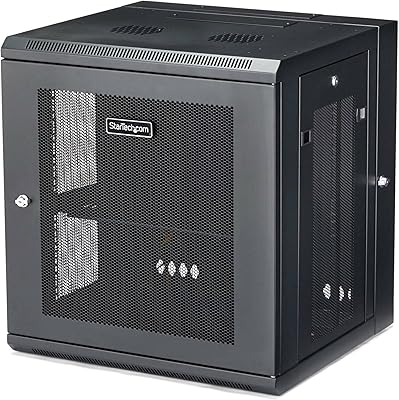
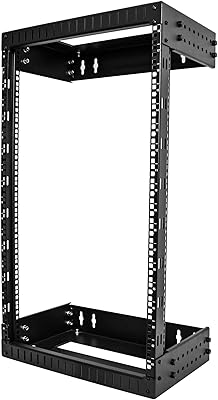
StarTech 12U Wall-Mount Server Rack Cabinet
86%
91%
Build Quality
88%
Ease of Installation
80%
Cooling Efficiency
95%
Space-Saving Design
85%
Security Features
More
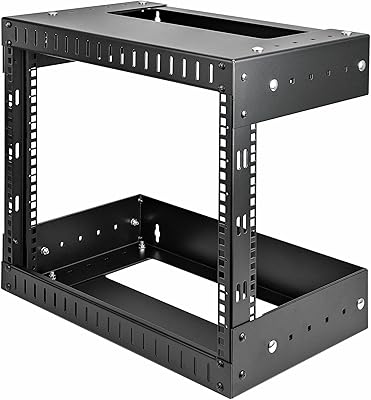
StarTech 18U 19″ Wall Mount Network Rack
86%
90%
Build Quality
85%
Ease of Installation
93%
Weight Capacity
88%
Adjustable Depth
87%
Airflow & Ventilation
More
StarTech 8U Open Frame Wall Mount Rack
79%
91%
Build Quality
74%
Ease of Installation
88%
Hardware Kit Completeness
82%
Depth Adjustability
89%
Airflow & Thermal Management
More
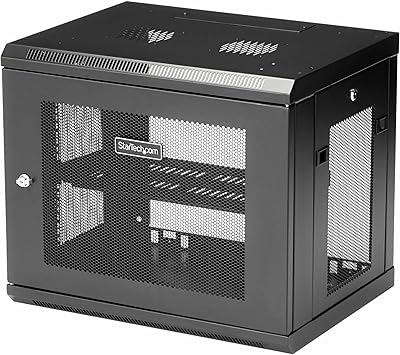
StarTech 9U Wall-Mount Server Rack Cabinet
84%
94%
Build Quality & Durability
91%
Ease of Installation
88%
Space Efficiency
87%
Security Features
75%
Cooling Capabilities
More
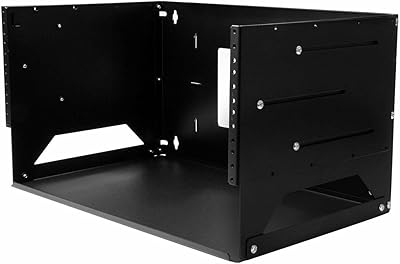
StarTech 2-Post 4U Wall-Mount Server Rack with Built-In Shelf
85%
91%
Ease of Installation
88%
Build Quality
85%
Stability and Durability
84%
Adjustable Depth
93%
Space Efficiency
More
StarTech.com 12U Open Frame Server Rack & 8 Outlet Rack Mount PDU
86%
92%
Build Quality
89%
Ease of Assembly
88%
Power Distribution
90%
Surge Protection
84%
Adjustable Depth
More
Tecmojo 8U Wall Mount Network Rack
79%
88%
Value for Money
91%
Ease of Installation
74%
Build Quality
61%
Mounting Depth Adequacy
72%
Cable Management
More

FAQ

You can technically do it solo, but the wall-mounting stage is genuinely awkward. The unloaded frame weighs about 33 lbs, which is manageable to lift, but holding it level against a wall while marking and drilling at the same time is uncomfortable and potentially unsafe at any height. Assembling the rack frame itself before it goes up is perfectly manageable alone — it is the actual wall-mounting step where a second pair of hands makes a real difference in both safety and accuracy.

The adjustable rails max out at 20 inches (50.8 cm) of usable mounting depth, which covers the overwhelming majority of switches, patch panels, 1U appliances, and AV gear you would typically wall-mount. If you have rack-mount servers or storage arrays that run deeper than 20 inches, this wall mount rack is not the right fit — those need a deeper floor-standing enclosure with more clearance.

For mounting gear inside the rack, yes — it includes M6 cage nuts, M6 screws, and plastic washers right out of the box. What it does not include is the wall-mounting hardware itself, such as lag bolts or anchors, since those depend on your specific wall construction and stud configuration. You will need to source those separately based on your install environment before you can hang the rack.

Yes, almost certainly. The rails are EIA/ECA-310 compliant and sized for standard 19-inch rack equipment, which is the universal specification used by virtually every major networking, server, and AV hardware brand. If your gear was designed for any standard rack, it will mount here without adapters or modifications.

It can, and this is one of the more frequently reported installation challenges with this 15U open-frame rack. If the stud spacing does not align neatly with the rack's mounting pattern, the most reliable fix is to install a horizontal backing board — typically a 2x6 or 2x8 piece of lumber — lag-bolted across two or more studs, then mount the rack to that board. It adds a step, but it results in a very solid installation and is a standard approach used by professional network installers when stud spacing is not cooperative.

Yes, most 1U or 2U rack-mount UPS units will fit fine provided they do not exceed 20 inches in depth. Keep the UPS weight in mind when calculating your total load against the 200 lb capacity — battery backup units tend to be among the heaviest items you would install. Positioning the UPS toward the bottom of the rack is good practice, as lower weight placement improves wall-load distribution and overall long-term stability.

It depends entirely on your environment. In a climate-controlled server closet or office utility room, dust accumulation is rarely a meaningful concern. But in a garage, workshop, or any space with significant airborne particulate, dust will settle on your equipment over time with nothing to stop it. If that describes your install location, plan for more frequent compressed-air cleanings of your mounted gear than you would need with an enclosed cabinet.

Assembling the rack frame typically takes between 30 and 60 minutes, and the included instructions are consistently described by buyers as clear and practical — even for people who have never built a rack before. For the wall installation, you will need a stud finder, a level, a drill, and the appropriate fasteners for your wall type. Budget extra time if you are working alone or if your stud spacing situation requires a backing board.

Not in any officially supported way — this is a purpose-built open-frame design, and there are no manufacturer-supplied enclosure conversion accessories for it. If there is any realistic chance you will need physical security, dust containment, or a lockable enclosure down the line, it is worth considering a fully enclosed rack cabinet from the start rather than trying to retrofit something later.

Very well, provided the initial installation is done correctly into solid structural framing. Long-term owners consistently report that the rack stays firmly in position with no loosening or wall movement, even when running close to full capacity over extended periods. The quality of your wall anchoring is the single biggest variable — get that right at installation and this rack should hold solid for years without any follow-up adjustments.

Where to Buy