Overview

The Pluackg 16-Outlet Surge Protector Tower Strip enters a crowded market with a clear pitch: fit a serious number of ports into a vertical design that won't dominate your desk or nightstand. Pluackg is a newer brand — on the scene since late 2024 — so there's no long legacy behind the name, but the specs and buyer feedback speak for themselves. At a mid-range price, you get a capable everyday charging hub for phones, tablets, lamps, and office gear. Just don't expect it to handle high-draw appliances or heavy workshop equipment. It's a practical daily charger, and that's exactly what it sets out to be.
Features & Benefits

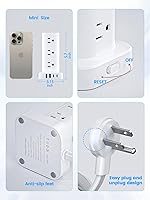
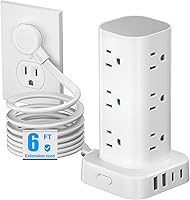
The design starts with a flat plug advantage that's easy to underestimate. At just 0.31 inches thick and angled at 45 degrees, it sits flush against the wall and doesn't block the neighboring outlet — something standard bulky plugs routinely do. From there, the tower gives you 12 AC outlets and 4 USB ports (two USB-A and two USB-C), enough to handle a full desk setup without an adapter pile. The USB ports share a combined 3.4A output, which works well for phones and earbuds but won't fast-charge a laptop. 1800J surge protection covers typical consumer electronics, and the master on/off switch is a genuinely useful daily convenience.

Best For

This charging tower really earns its place in outlet-scarce spaces like dorm rooms and home offices. If you're a student trying to run a laptop, monitor, phone, lamp, and a few other gadgets from a single wall outlet, the port count alone justifies it. Bedside use is another natural fit — families with multiple overnight chargers per person will appreciate having everything consolidated in one organized unit. Renters and frequent movers will find the lightweight build and 6-foot cord easy to reposition. If you already own a dedicated USB charging block you love, the Pluackg tower strip still adds meaningful AC expansion without taking up much space.

User Feedback

Buyers have responded positively overall, with this power tower sitting at a 4.7-star average across more than 750 reviews — not a small sample. The feedback consistently praises the stable non-slip base, the flat plug that frees up wall space, and how well the tower handles a full complement of AC plugs without feeling cramped. Where some users push back is on USB charging speed — the shared 3.4A pool across four ports can feel slow when charging multiple devices at once, and it's genuinely not suited for USB-C laptop charging. A few reviewers also note the 6-foot cord covers most setups but can fall short in larger rooms. Long-term durability feedback looks solid so far, though the brand is still relatively young.

Pros

  • Twelve AC outlets on a vertical tower frees up meaningful desk space compared to a traditional flat power strip.
  • The ultra-thin flat plug sits flush against the wall and does not block the adjacent outlet — a genuine daily convenience.
  • Four USB ports including two USB-C means fewer wall adapters cluttering the setup.
  • Smart charging auto-detection delivers the right current to phones and tablets without manual adjustment.
  • The non-slip rubber base keeps this power tower stable even when cords are tugged or rearranged.
  • A master on/off switch lets you cut power to all connected devices at once, which is useful for energy saving overnight.
  • At just over 15 ounces, it is light enough to pack for travel or relocate between rooms without hassle.
  • Buyer ratings across hundreds of verified purchases consistently reflect solid build quality and day-to-day reliability.
  • The 6-foot cord length hits a practical middle ground for most desk and bedside configurations.

Cons

  • The 3.4A shared USB output is underwhelming when three or four devices are charging at the same time.
  • USB-C port cannot deliver enough wattage to meaningfully charge most modern laptops.
  • Pluackg is a young brand with limited long-term reliability data available for confident comparison.
  • The 6-foot cord can fall short in larger rooms or layouts where the outlet is farther from the work area.
  • 1800J surge protection is adequate for small electronics but should not be relied upon for sensitive or high-value equipment.
  • No individual outlet switches, so you cannot cut power to a single device without using the master switch.
  • White finish shows scuff marks and dust more visibly than darker alternatives over extended use.
  • No cable management features, so cord organization around the tower base is entirely up to the user.

Ratings

Our AI rating system analyzed verified global buyer reviews for the Pluackg 16-Outlet Surge Protector Tower Strip, actively filtering out incentivized, bot-generated, and unverified feedback to surface what real users actually experience day to day. Scores reflect both the genuine strengths that keep buyers satisfied and the friction points that show up repeatedly across dorm rooms, home offices, and bedside setups worldwide. Nothing has been smoothed over — where users hit limitations, those concerns are reflected directly in the numbers.

Port Count & Layout
93%
Buyers consistently point to the 16-port total as the single biggest reason they chose this power tower over a standard strip. The vertical stacking of 12 AC outlets means adapters and plugs sit side by side without crowding each other, which desk and dorm users find genuinely practical in tight quarters.
A small number of users with larger wall adapters note that even the vertical layout can occasionally cause wide transformer bricks to intrude slightly on the adjacent slot. It is a less common issue, but worth noting for anyone running several bulky AC adapters at once.
Flat Plug Design
91%
The ultra-thin flat plug earns consistent praise from buyers who tuck this charging tower behind nightstands, sofas, or under desks. The 45-degree angle is a thoughtful touch that lets the plug sit flush while still leaving room for the outlet below it — something that genuinely differentiates it from standard plugs.
A few buyers working with outlet strips mounted at unusual angles or recessed wall plates found the flat orientation slightly awkward to seat fully. It is a minor edge case, but the flat design does assume a standard flush-mounted wall outlet to work as intended.
USB Charging Performance
67%
33%
For single-device USB charging — a phone on the nightstand or earbuds on a desk — the smart auto-detection works reliably and users report satisfactory speeds for everyday top-ups. The inclusion of two USB-C ports alongside two USB-A ports covers most modern device combinations without needing an extra adapter.
The 3.4A shared across all four ports is where this power tower shows its limits most clearly. Users charging three or four devices simultaneously notice noticeably slower top-up times, and anyone expecting USB-C laptop charging will be let down — the wattage simply is not there for power-hungry machines.
Surge Protection
74%
26%
The 1800J rating is appropriate for the everyday electronics this unit is designed to protect — monitors, laptops, phone chargers, and small desk appliances. Buyers report confidence in the overload cutoff working as described, with the master switch providing a secondary layer of control that users appreciate.
Power users protecting high-value audio equipment, NAS drives, or sensitive workstation components may find 1800J on the lower end for their needs. The unit is also not rated for high-draw appliances, and buyers who have tried running space heaters or similar loads have tripped the protection repeatedly.
Build Quality
82%
18%
For a relatively new brand, buyers have been pleasantly surprised by how solid the housing feels out of the box. The materials have a clean, non-flimsy finish, and the tower holds its shape well even when multiple heavier cords are plugged in and pulling downward.
Long-term durability data is still limited given the brand launched in late 2024, so multi-year reliability is largely unverified. A handful of buyers noted that the white finish scuffs more easily than expected with regular desk use, showing wear around the outlet openings over time.
Stability & Base
86%
The four rubber feet at the base consistently earn positive mentions from buyers who keep this power tower on smooth wood or glass desks. It holds its position reliably under normal use, and the vertical center of gravity is well-balanced enough that casual cord adjustments do not cause tipping.
On very smooth surfaces like polished marble or glass tables, a few buyers report that the rubber feet lose grip when multiple stiff cords are pulling laterally from the sides. Routing cords downward rather than outward solves it, but it is something to keep in mind for certain desk setups.
Cord Length
76%
24%
Six feet satisfies the majority of buyers setting this up on a standard desk or beside a bed where the outlet is within reasonable reach. It provides enough slack to route cords neatly without leaving an excessive coil on the floor, which users in tidy home office setups appreciate.
Buyers in larger rooms or those dealing with outlet placement behind heavy furniture have flagged the 6-foot length as restrictive. It comes up often enough in feedback that shoppers with longer reach requirements should factor it in seriously before purchasing.
Value for Money
88%
At its mid-range price point, buyers feel this charging tower genuinely delivers on its core promise of consolidating a large number of ports into a compact, safe, and reasonably well-built unit. For dorm students and home office workers comparing it against paying separately for a power strip and a USB hub, the math clearly works in its favor.
Buyers who push the USB side of the unit harder — expecting fast charging for multiple devices — may feel the value proposition weakens. If USB performance is a priority, spending incrementally more on a unit with dedicated per-port power delivery provides a noticeably better experience.
Ease of Setup
94%
Buyers across all technical comfort levels report it is simply plug-and-use with no configuration needed. The smart USB auto-detection removes any guesswork about port compatibility, and the intuitive master switch is easy to locate and operate even in a dim bedroom setup.
There is genuinely very little to criticize here — the only friction some buyers mention is figuring out the best cord routing to keep the desk tidy, which is a user preference issue rather than a product flaw. First-time tower strip users occasionally need a moment to orient the plug correctly.
Space Efficiency
89%
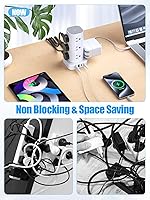
The vertical tower design is consistently praised by buyers who compare it favorably to the sprawling footprint of a traditional flat power strip. For a cramped dorm desk or a nightstand with limited surface area, consolidating 16 ports into a small upright cylinder is a meaningful practical advantage.
The tower does add vertical height, which can be a consideration for very low shelves or under-desk mounted setups where clearance is limited. A couple of buyers using cable management trays noted the height made positioning slightly awkward in their specific configurations.
Compatibility
83%
The unit handles the full range of standard North American consumer devices without compatibility issues — laptops, monitors, smart home accessories, USB hubs, and phone chargers all coexist without conflict. The auto-detection on USB ports correctly identifies most devices buyers have tested.
Compatibility is strictly limited to 110V North American power infrastructure, making it unusable abroad without a step-down transformer. International students or frequent travelers who would want to use the same unit overseas should account for this limitation explicitly.
Safety Features
79%
21%
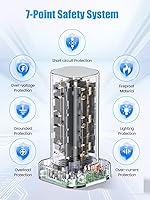
Buyers appreciate the layered safety approach — surge protection, overload cutoff, short-circuit protection, and a master switch all working together to give a reasonable level of confidence for protecting everyday electronics. The automatic disconnect behavior when overloaded functions as described in real-world tests.
The unit lacks an indicator light that confirms active surge protection status, which some buyers note would add peace of mind. More experienced buyers also point out the absence of an ETL or UL certification mark, which would provide independent verification of the safety claims.
Aesthetics
77%
23%
The clean white housing blends naturally into home office and bedroom environments, and buyers setting it up on white desks or beside white-walled outlets find it nearly invisible. The minimal branding keeps it looking tidy rather than like a tech accessory screaming for attention.
White shows scuffs and dust accumulation more readily than darker alternatives, and buyers who have had the unit on a busy desk for a few months mention it needs regular wiping to stay looking clean. The single color option also limits flexibility for buyers with darker desk setups.

Suitable for:

The Pluackg 16-Outlet Surge Protector Tower Strip is a strong fit for anyone dealing with a real outlet shortage in a compact space. College students are the obvious sweet spot — a single dorm wall outlet can realistically power a laptop, monitor, desk lamp, phone, and a few accessories all at once without a tangle of adapters. Home office workers who run a mix of AC-powered gear and USB-charged devices on one desk will also find the port variety genuinely useful day to day. Renters and frequent movers benefit from the lightweight build and the flat plug design, which slides behind furniture without forcing a gap in the wall. It also works well as a bedside charging station for households where two or three people need their phones, earbuds, and tablets topped up overnight.

Not suitable for:

Anyone expecting USB charging power comparable to a dedicated fast-charging brick will likely be disappointed — the Pluackg 16-Outlet Surge Protector Tower Strip distributes just 3.4A across all four USB ports combined, which means slower charges when multiple devices are connected simultaneously and no real support for USB-C laptop charging. The 1800J surge rating covers everyday consumer electronics well enough, but it is not appropriate for high-draw appliances like space heaters, air conditioners, or power tools. Users in larger rooms may find the 6-foot cord limits placement flexibility, particularly if the nearest outlet is across the room from their desk. Those who prioritize a brand with a long reliability track record may also want to wait for more long-term ownership data, since Pluackg has only been on the market since late 2024. Power users running audio equipment, NAS drives, or other gear sensitive to power quality should look at higher-spec surge protectors with tighter joule ratings and better clamping specs.
Specifications

  • Total Ports: The unit provides 16 total ports: 12 AC outlets and 4 USB ports (2 USB-A and 2 USB-C).
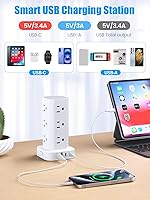
  • USB Output: The 4 USB ports share a combined output of 5V/3.4A, with each USB-A port maxing out at 3.1A and the USB-C port at 3.4A.
  • Surge Protection: Surge protection is rated at 1800 joules, covering overload, short-circuit, and over-current scenarios for standard consumer electronics.
  • Cord Length: The attached power cord measures 6 feet, providing enough reach for most desk, bedside, and dorm room configurations.
  • Plug Type: The plug is an ultra-thin flat design at 0.31 inches thick, angled at 45 degrees for flush wall placement.
  • Voltage Rating: This unit is rated for 110V and is intended for North American household outlets only.
  • Dimensions: Packaged dimensions measure 6.22 x 4.45 x 2.99 inches, reflecting the tower's compact vertical footprint.
  • Weight: The unit weighs 15.1 ounces, making it light enough to reposition or pack without difficulty.
  • Base Design: Four rubber non-slip feet are built into the base to keep the tower stable on desks and nightstands.
  • Power Switch: A master on/off switch controls power to all outlets simultaneously, allowing easy disconnection without unplugging the unit.
  • Smart Charging: The USB ports use auto-detection technology to identify connected devices and deliver the appropriate charging current automatically.
  • Form Factor: The vertical tower layout consolidates all ports into a compact upright unit that minimizes horizontal desk footprint.
  • Safety Features: Built-in protections include overload protection, short-circuit protection, and over-current protection to help safeguard connected devices.
  • Color Option: The unit is available in white, designed to blend with typical home office and dorm room decor.
  • Market Rank: The product holds a Best Sellers Rank of approximately #105 in the Power Strips category on Amazon as of early 2025.
  • Release Date: This model was first made available in September 2024, making it a relatively recent addition to the power strip market.
  • Manufacturer: The unit is manufactured and sold under the Pluackg brand, a newer entrant in the consumer electronics accessories space.

Related Reviews
UWIWUTEI TS001 Power Strip Tower (16 Outlets, 6FT)
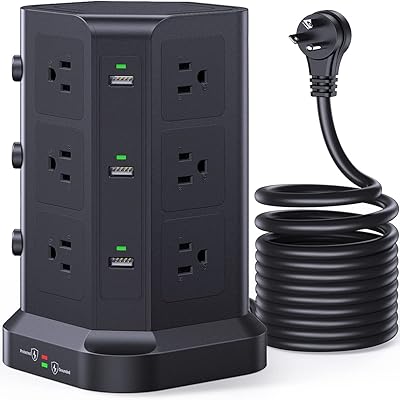
86%
94%
Port Density & Capacity
68%
USB Charging Performance
89%
Build Stability
73%
Cable Flexibility
92%
Outlet Spacing
More
KOOSLA 12-Outlet Surge Protector Power Strip Tower
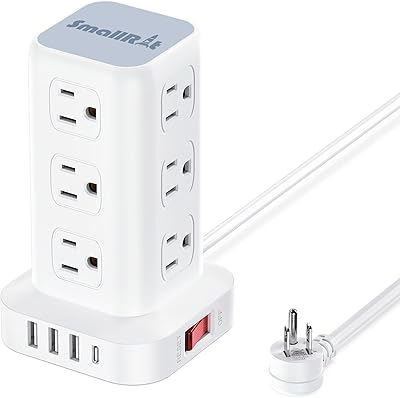
82%
94%
Outlet Capacity
96%
Cord Length
78%
Surge Protection
58%
USB Charging Performance
91%
Independent Switches
More
SMALLRT yun-dong-199 Tower Surge Protector
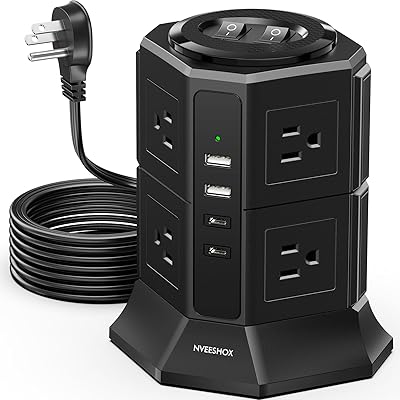
86%
92%
Outlet Spacing & Layout
89%
Space Efficiency
81%
USB Charging Capabilities
94%
Plug & Cord Design
86%
Safety & Surge Protection
More
NVEESHOX Surge Protector Power Strip Tower
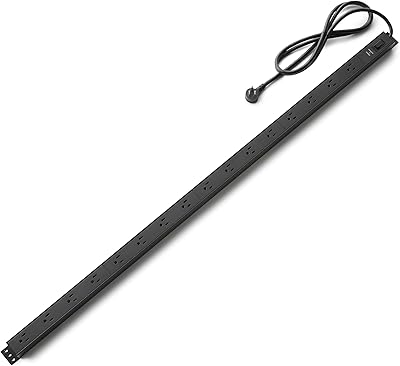
82%
92%
Outlet Layout & Spacing
89%
Flat Plug Design
61%
USB-C Charging Speed
78%
Surge Protection Reliability
83%
Dual-Switch Functionality
More
Amazon Basics Surge Protector Power Strip 16 Outlet 600 Joules 6ft Extension Cord
85%
89%
Surge Protection
94%
Build Quality
92%
Value for Money
88%
Number of Outlets
85%
Ease of Installation
More
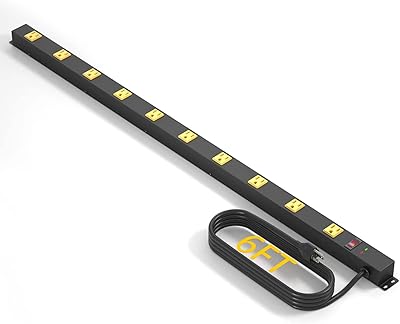
CFMASTER 10-Outlet Industrial Metal Power Strip
75%
93%
Build Quality
91%
Outlet Spacing
74%
Surge Protection
88%
Value for Money
77%
Wall Mounting
More
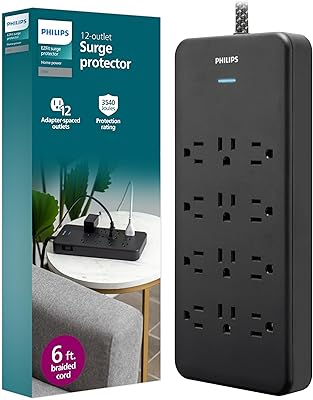
Philips SPP3813B 12-Outlet Surge Protector
84%
88%
Surge Protection
91%
Outlet Layout
86%
Cord Quality
83%
Build Quality
87%
Value for Money
More
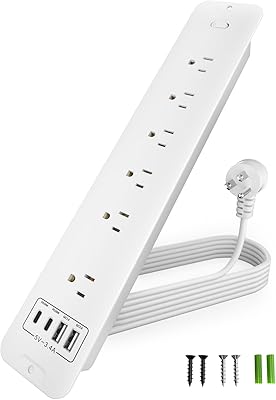
ZESEN 12 Outlet Surge Protector Power Strip
83%
90%
Surge Protection
88%
Build Quality
85%
Outlet Spacing
80%
Ease of Use
78%
Cord Length
More
SUPERDANNY 16.5FT Power Strip Surge Protector with USB
86%
91%
Surge Protection Performance
87%
Build Quality & Durability
84%
Ease of Installation
95%
Cord Length & Flexibility
88%
USB Charging Speed
More
Philips EZFit 8-Outlet Surge Protector Power Strip
82%
93%
Outlet Spacing & Layout
88%
Flat Plug Design
91%
Cord Length & Reach
89%
Cord Quality & Durability
82%
Surge Protection
More

FAQ

Technically you can plug a laptop in, but the USB-C port tops out at 3.4A, which is well below what most modern laptops need for meaningful charging. You might see a very slow trickle charge on a lightweight laptop, but for practical purposes, plug your laptop charger into one of the AC outlets instead.

No, this charging tower is rated for 110V North American outlets only. Using it in regions with 220-240V mains without a proper step-down transformer would be unsafe and could damage the unit or connected devices.

The unit handles up to 1875W at 110V before the overload protection kicks in, which is typical for this class of power strip. Running 12 standard devices like monitors, lamps, phone chargers, and small electronics at once is fine. Where people run into trouble is plugging in high-draw appliances like space heaters or coffee makers — avoid that entirely.

Yes, and it is one of the more practical design choices on this unit. The 0.31-inch thickness means it can slide behind a couch or bed frame with minimal gap needed, and the 45-degree angle means it does not crowd the outlet below it. If you have ever had a chunky plug block two outlets at once, you will notice the difference immediately.

For the majority of desk and bedside setups where the outlet is within reasonable reach, 6 feet covers it comfortably. That said, if your nearest wall outlet is across a room or behind a large piece of furniture, it may fall short. Buyers in larger spaces or studio apartments with oddly placed outlets have noted this as a limitation.

Warranty details are not prominently listed in the product specifications, which is something to note given that Pluackg is a newer brand. It is worth checking the product listing or contacting the manufacturer directly before purchase if warranty coverage is important to your decision.

The four rubber feet at the base do a solid job of keeping it grounded under normal use. Multiple buyers have commented that it stays put even with several cords attached. That said, if a heavy cord pulls sharply to one side, any vertical tower can shift — routing cords downward rather than sideways helps a lot.

The tower layout helps here because outlets are stacked vertically rather than side by side. Wide adapters can still occasionally block an adjacent slot depending on their size, but you have more flexibility than on a traditional flat strip. In practice, most standard laptop bricks and charger adapters fit without blocking the neighboring outlet.

No, the master switch controls all outlets simultaneously — there are no per-outlet individual switches on this unit. If selectively cutting power to specific devices is important to you, you would need to physically unplug those devices rather than using a switch.

The 3.4A shared across four ports is on the modest side compared to units that offer dedicated per-port power delivery. For charging a phone or a pair of earbuds it is perfectly adequate, but if you plan to charge three or four USB devices at full speed simultaneously, charge times will stretch out. It is a convenience-oriented USB setup rather than a performance-focused one.