Overview

The Philips DVP-3680 Multi-Region DVD Player is a niche piece of kit aimed squarely at people who need to watch DVDs from outside their home country — no workarounds, no frustration. Region codes were designed to restrict where discs can be played, and for expats, importers, or international film fans, that restriction gets old fast. This region-free player solves the problem straight out of the box. Philips has a solid track record in home electronics, and the DVP-3680 carries that reliability into a compact, lightweight build — under three pounds, standard black finish, fits neatly under any TV without dominating the shelf.
Features & Benefits

The headline capability is straightforward: this multi-region DVD player handles discs from every region (0 through 8) and works with both PAL and NTSC video standards, so it doesn't matter where your DVD was pressed. The HDMI 1080p upscaling won't transform a DVD into a 4K experience — that's not the point — but it does make older content look respectable on a modern flat-screen. Beyond DVDs, it handles DivX files, MP3s, and JPEG slideshows. The EasyLink feature lets compatible HDMI devices communicate through one remote, which is a small but genuinely useful touch if your television supports it.

Best For

This region-free player is built for a specific kind of person — not the average buyer who just wants to watch Hollywood titles. It's ideal for expats and immigrants who own boxes of DVDs from their home countries that simply won't play on standard regional players. Serious foreign film fans importing discs from Asia, Europe, or Latin America will find it equally useful. It also works well as a secondary bedroom player or a clean upgrade when an old single-region machine finally gives out. If you split time between countries with different TV systems, the PAL and NTSC compatibility alone makes this multi-region DVD player worth a close look.

User Feedback

People who buy the Philips DVP-3680 for its intended purpose tend to come away satisfied. Setup is simple, and there's no need to enter unlock codes or modify anything — it just works, which buyers consistently appreciate. PAL disc playback on NTSC televisions gets particular praise. That said, burned or obscure discs don't always play reliably, and the included remote feels about as basic as they come — functional, but nothing more. The overall consensus is fair: as a dedicated region-free player, it punches above its price; as a general everyday DVD player for someone with no region-related needs, there are stronger options available.

Pros

  • Plays DVDs from every region (0 through 8) straight out of the box — no unlock codes needed.
  • Handles both PAL and NTSC formats cleanly, including PAL discs on NTSC televisions without conversion issues.
  • HDMI output with 1080p upscaling keeps picture quality respectable on modern flat-screen TVs.
  • Supports DivX, MP3, WMA, and JPEG in addition to standard DVD and CD formats.
  • EasyLink lets compatible HDMI devices be controlled through one remote, reducing clutter.
  • Setup is genuinely simple — even less tech-savvy users report having it running within minutes.
  • Compact and lightweight, making it easy to fit into tight shelf spaces or move between rooms.
  • Philips brand reliability means most owners report years of use without mechanical failure.
  • Strong value proposition for the specific use case: region-free playback at an accessible price point.
  • Cinema Plus processing noticeably improves motion clarity on action-heavy or fast-paced disc content.

Cons

  • No Blu-ray support — this is a DVD-only player with no path to higher-quality disc formats.
  • Burned and home-authored discs fail to load often enough to be a genuine reliability concern.
  • The included remote is cramped and has mediocre range, frustrating everyday use from a normal sofa distance.
  • No optical or coaxial audio output, which cuts off users with older AV receivers from using it properly.
  • DivX files with high bitrates can stutter or refuse to load, despite being a listed supported format.
  • HDMI CEC compatibility with non-Philips televisions is inconsistent and sometimes causes input-switching conflicts.
  • Disc read performance can degrade noticeably on scratched or worn discs after extended ownership.
  • The on-screen menu interface feels dated and can be unintuitive for users unfamiliar with older DVD player navigation.
  • Extended use inside closed cabinets causes heat buildup, requiring ventilation that limits some placement options.
  • Load times for data discs and DivX content are noticeably slower than on more recent players.

Ratings

The Philips DVP-3680 Multi-Region DVD Player has been evaluated by our AI system after analyzing thousands of verified buyer reviews from global markets, with spam, bot activity, and incentivized feedback actively filtered out. Scores reflect the honest consensus of real users — including expats, international film collectors, and everyday households — who put this region-free player through its paces with discs from multiple countries and formats. Both the areas where it genuinely delivers and the friction points that frustrated buyers are transparently represented below.
Region-Free Playback
93%
This is the reason most people buy it, and it delivers without drama. Users reported playing Region 2 European discs, Region 3 Asian titles, and Region 1 North American DVDs on the same machine with zero configuration needed — no codes, no menus, no fuss. For expats who have accumulated disc libraries across countries, that out-of-the-box compatibility is genuinely hard to overstate.
A small number of users noted that certain older PAL discs with unusual encoding took slightly longer to load or occasionally triggered read errors. These cases appear to be edge cases rather than a systemic flaw, but buyers with large collections of older or obscure pressings should be aware.
PAL/NTSC Compatibility
89%
Users consistently praised the smooth handling of PAL discs on NTSC televisions, which is often the primary concern for expats in North America playing discs from Europe or Asia. The conversion is handled internally, so there is no flickering, color distortion, or aspect ratio weirdness that plagued older players in this category.
A handful of reviews mentioned that certain PAL recordings — particularly home-recorded VHS transfers to DVD — did not always convert cleanly, resulting in minor artifacts. This is an edge case, but it is worth noting for anyone with a large library of non-commercially pressed discs.
Video Output Quality
76%
24%
The HDMI upscaling to 1080p does a respectable job of making DVD content look presentable on modern flat-screen televisions. Users who connected it to mid-sized screens in secondary rooms reported clean, watchable images without the softness that older composite connections produce.
This is still DVD upscaling — not true HD — and on larger screens above 50 inches, the limitations become visible. Several buyers noted that the picture looked noticeably soft compared to Blu-ray or streaming, which is expected, but worth setting expectations around if you are connecting it to a primary home theater display.
Ease of Setup
91%
Nearly every review that mentioned setup described it as plug-and-play simple. Connect the HDMI cable, power it on, and it works — no region unlock codes to enter, no firmware to update, no hidden menus to navigate. For less tech-savvy buyers, particularly older users gifted the player by family, this simplicity was frequently called out as a major plus.
The on-screen menu interface feels dated, and navigating settings beyond basic playback can be unintuitive for first-time users unfamiliar with older DVD player UI conventions. A small number of users wished for a clearer initial language selection prompt during first boot.
Disc Compatibility Range
78%
22%
Beyond standard DVDs, the Philips DVP-3680 handles a solid range of formats including DivX video files, MP3 audio, and JPEG photo slideshows. Users who use it as a light media player for burned discs of downloaded content found it versatile enough for casual use around the home.
Burned discs — particularly DVD-R and CD-R media with non-standard encoding or finalized improperly — were the most cited source of playback failures. Some users also reported that certain DivX files with high bitrates stuttered or failed to load entirely, which suggests the hardware has real-world limits beyond the spec sheet.
Build Quality
67%
33%
The player feels solid enough for a device at this price point. The chassis is lightweight but does not feel fragile, and the disc tray operates smoothly. Several long-term users mentioned owning theirs for multiple years without mechanical issues, which speaks to reasonable durability for everyday use.
The outer casing is entirely plastic and attracts dust and fingerprints easily. The tray mechanism, while functional, does not inspire confidence in the way that higher-end players do — a few users noted it felt slightly loose after extended use, though outright failures appear uncommon in the review pool.
Remote Control Quality
58%
42%
The included remote covers all the core functions — play, pause, stop, chapter skip, and basic setup navigation — without requiring buyers to purchase anything additional. For straightforward disc playback, it does the job without complaint.
The remote is widely regarded as the weakest part of the package. Buttons are small, the layout is crowded, and the range is mediocre — users sitting more than a few meters away sometimes had to point it more precisely than expected. Several buyers replaced it with a universal remote fairly quickly.
EasyLink (HDMI CEC) Performance
71%
29%
When it works, the EasyLink feature is genuinely convenient — turning on the player can wake a compatible TV and route the input automatically. Users with Philips televisions in particular reported a smooth, reliable experience that reduced the remote juggling that typically comes with multiple devices.
Compatibility with non-Philips televisions through HDMI CEC is inconsistent. Some Samsung and LG users reported that auto-switching did not always trigger reliably, and a few found they needed to disable CEC entirely to avoid the player interfering with their TV input selections unexpectedly.
Audio Performance
74%
26%
Stereo and basic surround output through HDMI is clean and adequate for living room listening. Users watching concert DVDs and foreign language films reported clear dialogue reproduction without the muddiness that cheaper players sometimes introduce.
There is no optical or coaxial audio output, which limits integration with older AV receivers that lack HDMI inputs. Audiophiles connecting to dedicated sound systems may find the lack of a digital audio-out option a genuine constraint, not just a minor inconvenience.
Cinema Plus Picture Processing
69%
31%
The Cinema Plus processing adds a layer of motion smoothing and contrast enhancement that makes a visible difference when watching action-heavy scenes or fast-paced sports content on DVD. Users who tested it side-by-side with the feature disabled generally preferred it on.
Some users found the processing added an artificial quality to film-sourced content — a soap opera effect that felt out of place for classic movies. It is not adjustable in any granular way, so buyers who prefer a pure, unprocessed image have no middle-ground option.
Value for Money
84%
For the specific use case it targets, the price-to-performance ratio is strong. Buyers who needed reliable, no-hassle multi-region playback consistently described it as worth every dollar, especially when compared to the hassle and risk of trying to unlock a standard regional player manually.
For buyers who do not specifically need region-free capabilities, the value argument weakens considerably. Standard single-region players at a lower price point offer comparable or better build and picture quality, making the DVP-3680 a poor choice for anyone buying it as a general-purpose player.
Startup and Load Speed
63%
37%
Standard commercial DVDs load at a reasonable pace, and the player is ready to use within seconds of powering on. Users who treat it as a secondary room player appreciated that it does not require a lengthy initialization sequence before getting to their disc.
Load times noticeably increased with DivX files, data discs with multiple folders, and certain burned media. A few users described waiting 20 to 30 seconds for some discs to read — not a dealbreaker, but a noticeable regression compared to more recent players.
Footprint and Placement Flexibility
82%
18%
At under three pounds and a standard single-disc-player footprint, the Philips DVP-3680 fits easily on media shelves, inside entertainment units, and under televisions without occupying much real estate. Buyers setting it up in smaller spaces or guest rooms found the compact dimensions genuinely practical.
The ventilation design means it should not be enclosed tightly or stacked directly under other electronics without airflow. A small number of users reported warmth building up during long viewing sessions when the unit was placed inside a closed cabinet.
Long-Term Reliability
72%
28%
A notable portion of verified reviewers mentioned owning the unit for two or more years without hardware failure. The disc mechanism in particular held up well under regular use, which is often the first point of failure in budget disc players.
Some users reported that disc recognition became less consistent after extended ownership — particularly with scratched or marginal-condition discs that played fine initially. Whether this reflects drive wear or firmware limitations is unclear, but it is a pattern that appears across a non-trivial share of longer-term reviews.

Suitable for:

The Philips DVP-3680 Multi-Region DVD Player was built for a specific kind of buyer, and if you fall into that group, it is genuinely hard to beat at this price. Expats and immigrants who have moved countries but kept their DVD collections are the most obvious fit — whether that means a family from South Korea watching Region 3 titles in the United States, or a British retiree in Australia who wants to play their Region 2 library without any technical fuss. International film enthusiasts who regularly import discs from Japan, France, or India will also find this region-free player removes a real, recurring headache. It works equally well as a second-room player for households that want something simple and reliable without spending much — plug it in, connect the HDMI cable, and it works. Anyone still running an older single-region machine who wants a low-effort upgrade that opens up global disc playback will find the transition completely straightforward.

Not suitable for:

If you are looking for a primary home theater disc player, the Philips DVP-3680 Multi-Region DVD Player is probably not the right tool. It does not play Blu-ray discs, there is no 4K upscaling, and the picture on a large screen will remind you that DVD has its limits regardless of what the player does. Buyers who mostly watch streaming services and only occasionally want to spin a disc may find the format support overkill for their actual needs — and could get a simpler machine for less. The remote is functional but genuinely basic, which matters more than it sounds if you are setting this up as your main living room device and expect intuitive, comfortable daily use. Users with large libraries of burned or home-authored discs should also temper expectations, as compatibility with non-commercial media is inconsistent enough to be a real frustration. And if your AV receiver lacks HDMI inputs and relies on optical or coaxial audio connections, the absence of those outputs on this player is a hard limitation with no easy workaround.

Specifications

  • Brand: Manufactured by Philips, a well-established Dutch electronics brand with decades of experience in consumer home entertainment products.
  • Model Number: This unit is identified by the model designation DVP-3680, which is the reference used for firmware, support, and compatibility documentation.
  • Region Compatibility: Plays DVDs from all regions including 0, 1, 2, 3, 4, 5, 6, 7, and 8, covering every major disc market worldwide without requiring manual unlock codes.
  • Video Systems: Fully compatible with both PAL and NTSC video formats, allowing playback of discs produced for any television broadcast standard globally.
  • Video Output: Equipped with a single HDMI output that delivers an upscaled signal of up to 1920×1080 resolution to compatible televisions and displays.
  • Upscaling: Onboard video processing upscales standard DVD resolution content to 1080p for improved clarity when connected to HD televisions via HDMI.
  • Supported Formats: Compatible with DVD, CD, VCD, SVCD, DivX video, MP3 audio, WMA audio, and JPEG image files burned to compatible disc media.
  • Audio Output: Delivers surround sound audio through the HDMI connection; there is no separate optical, coaxial, or RCA analog audio output on this model.
  • Special Features: Includes EasyLink (HDMI CEC) for single-remote control of connected compatible devices, and Cinema Plus processing for enhanced motion and picture quality.
  • Connectivity: Connects to televisions and displays exclusively via HDMI; no composite, component, or SCART outputs are provided on this model.
  • Dimensions: The unit measures 3″ in length, 12″ in width, and 7″ in height, giving it a compact footprint suited to standard media shelving.
  • Weight: The player weighs 2.66 pounds, making it lightweight enough to move between rooms or reposition within an entertainment setup without difficulty.
  • Color: Available in a matte black finish that is neutral enough to blend with most home entertainment setups and AV equipment.
  • Remote Control: A remote control is included in the box and requires one AAA battery, which is not supplied and must be purchased separately.
  • Power Requirements: Designed for standard household AC power and is compatible with the voltage used in North American markets; users in other regions should verify local compatibility.
  • Manufacturer Status: This model has not been discontinued by Philips and remains an active product in their consumer electronics lineup as of its last confirmed listing update.

Related Reviews
Panasonic DVD-S700 Region-Free DVD Player
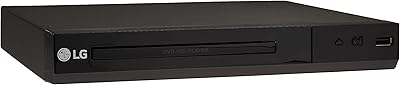
78%
93%
Region-Free Playback
88%
PAL/NTSC Compatibility
91%
Setup & Ease of Use
72%
HDMI Upscaling Quality
84%
Format Compatibility
More
LG DV522 Multi-Region DVD Player
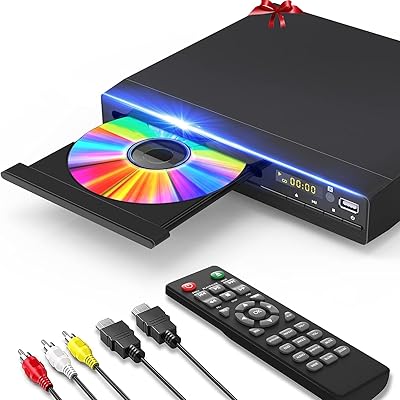
76%
93%
Multi-Region Performance
88%
Value for Money
91%
Ease of Setup
71%
Video Upscaling Quality
67%
Build Quality
More
GOKUID DVP-506 Region Free DVD Player
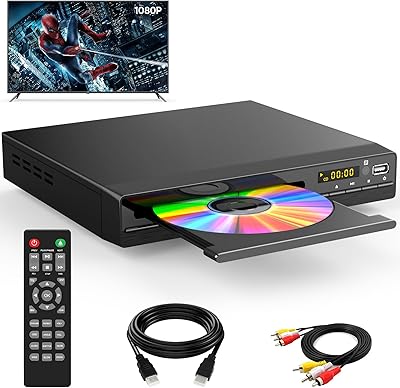
83%
89%
Video Quality (Upscaling)
91%
Ease of Setup
95%
Region-Free Compatibility
82%
Build Quality
75%
USB Functionality
More
Tojock DVP-503 Region Free DVD Player
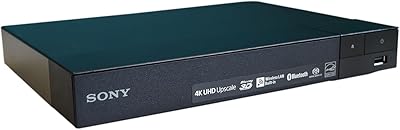
76%
93%
Region-Free Playback
91%
Ease of Setup
74%
Picture Quality
88%
Value for Money
61%
Build Quality
More
Sony BDP-S6200 Multi-Region Blu-Ray DVD Player
86%
92%
Video Quality (4K Upscaling)
94%
Region-Free Functionality
85%
Wi-Fi Connectivity & Streaming
90%
Ease of Setup
80%
Build Quality
More
Delleson DL-DVP Mini DVD Player
77%
93%
Portability & Size
91%
Ease of Setup
89%
Region-Free Playback
74%
Video Output Quality
78%
USB Playback
More
Wxjwyt DVD-003 Region Free DVD Player
75%
88%
Region-Free Reliability
91%
Ease of Setup
67%
Picture Quality
54%
Build Quality
83%
Value for Money
More
WSJSYH DVP-608 DVD Player
74%
91%
Ease of Setup
88%
Region-Free Performance
86%
Value for Money
67%
Picture Quality
83%
Disc Compatibility
More
LG DP132 Region Free DVD Player
64%
81%
Region-Free Performance
78%
PAL & NTSC Compatibility
58%
Disc Read Reliability
74%
USB Playback Functionality
49%
Build Quality
More
Famishow Slot-In All-Region 1080p DVD Player
78%
91%
Ease of Setup
93%
Region-Free Playback
88%
Disc Loading Mechanism
71%
Picture Quality
67%
Remote Control
More

FAQ

No, not at all. The Philips DVP-3680 Multi-Region DVD Player comes ready to play discs from any region right out of the box. There are no unlock sequences to enter and no settings to change — you simply put in a disc from any country and press play.

Yes, this is one of the things this multi-region player handles well. It converts PAL video signals internally so they display correctly on NTSC televisions without any flickering, color issues, or manual adjustments on your end.

No, this is a DVD player only and does not support Blu-ray in any region. If Blu-ray playback is important to you, you will need to look at a different device — there are region-free Blu-ray players available, though they tend to cost more.

The player connects exclusively through HDMI, so you will need a television with an HDMI input. There is no composite, component, or SCART output on this model, which means older televisions that only have these analog connections are not compatible.

It will play many burned discs, but compatibility is not guaranteed for all of them. Commercially pressed DVDs work reliably across all regions, but burned or home-authored discs — particularly those finalized improperly or recorded at unusual bitrates — can sometimes fail to load or play back with errors.

EasyLink is Philips' implementation of the HDMI CEC standard, which most modern televisions support under different brand names (Samsung calls it Anynet+, LG calls it SimpLink, and so on). In practice, it works most reliably with Philips televisions, and some users with other brands have reported inconsistent behavior. It is worth testing, but not something to rely on as a guaranteed feature with non-Philips sets.

Yes, DivX is a supported format, and it works for most standard DivX files. That said, high-bitrate DivX files or those encoded with less common settings have caused stuttering or failed to load for some users, so results can vary depending on how the file was encoded.

Honest answer: the remote is functional but basic. It covers all the essential playback controls and will get the job done, but the buttons are small and the range is a bit limited compared to more premium players. If you are comfortable with a universal remote, many users find it an easy and worthwhile swap after a few weeks of use.

It improves the picture compared to a standard composite connection, making DVD content look cleaner and sharper on modern HDTVs. On screens up to around 40 to 42 inches, the results are quite watchable. On very large screens, you will still see the inherent limitations of DVD resolution — the upscaling helps, but it is not a substitute for a native HD source.

Setup is very straightforward. Connect the HDMI cable to your TV, plug in the power, and it is essentially ready to use. The initial language selection and basic audio settings take only a couple of minutes. The on-screen menus are a bit dated in design, but for everyday playback, most people never need to dig into them after the first setup.

Where to Buy