Overview

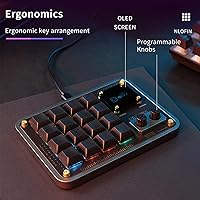
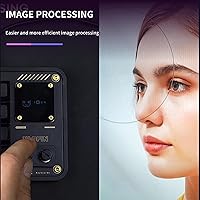
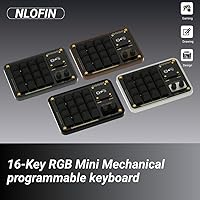
The NLOFIN KB16 Programmable Macro Pad is a compact, desk-ready keypad that packs 16 programmable keys, dual rotary knobs, and a small built-in display into an aluminum body that genuinely feels more expensive than its price suggests. It connects via USB-C and works plug-and-play, so you can drop it onto any desk without hunting for drivers. You can even run multiple units on the same machine without conflicts — useful for complex workstation setups. Configuration runs through Vial or VIA, open-source remapping tools popular in the mechanical keyboard community, giving this macro pad a solid, well-supported software foundation.

Features & Benefits

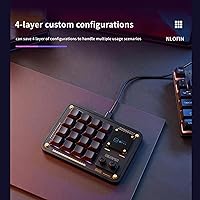
The KB16's real strength lies in how much it multiplies your available shortcuts. Across four switchable layers, those 16 keys effectively become 64 mappable inputs — enough to cover most demanding workflows. The two rotary encoders are the standout feature for media professionals: rotate one for timeline scrubbing in your video editor, press it to toggle playback. Macros and configurations are stored directly on the device's memory chip, so your layout follows you to any computer without re-flashing. Hot-swappable sockets mean you can swap switches for heavier or lighter actuation without a soldering iron. The per-key RGB is a functional touch, not just decoration — it helps distinguish layers at a glance.

Best For

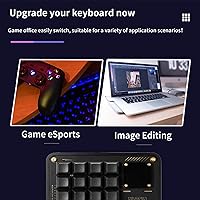
This programmable keypad hits a real sweet spot for creative professionals who live inside Adobe or DaVinci Resolve all day. Video editors will get the most mileage — the knobs are practically built for timeline scrubbing and clip trimming. Graphic designers can assign brush size adjustments, undo history navigation, or tool swaps to dedicated keys without touching a menu. Streamers will appreciate having scene switching and mute controls on a dedicated physical surface. Developers who maintain separate profiles for coding, terminal work, and communication apps will find the four-layer system genuinely useful. It is less compelling for casual users who only need a handful of shortcuts and find Vial setup intimidating.

User Feedback

The honest picture here is a 3.1-star average from 51 ratings — that is below what you would hope for at this price point, and worth taking seriously. Buyers who are satisfied tend to praise the build quality and the feel of the knobs, which do seem to hold up to the aluminum construction promises. The friction surfaces in setup: Vial and VIA are powerful tools, but they carry a real learning curve that trips up buyers expecting a simpler experience. Video-only documentation makes onboarding harder than it should be. The built-in screen draws mixed reactions — handy for layer tracking to some, a novelty to others. Hot-swap consistency also appears uneven based on early buyer reports.

Pros

  • Aluminum construction gives the KB16 a solid, premium feel that holds up on a busy desk.
  • Dual rotary knobs are a standout feature for video editors and anyone doing precision dial-based control.
  • Four switchable layers turn 16 physical keys into up to 64 mappable shortcuts.
  • On-device memory means your custom layout works on any computer without re-configuring.
  • Hot-swappable sockets let you change switch feel without any soldering tools.
  • USB-C connection is clean, modern, and works plug-and-play across laptops and desktops.
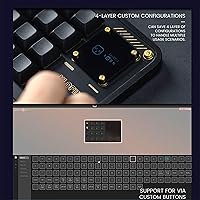
  • Vial and VIA support means deep customization through a well-established open-source ecosystem.
  • Multiple units can run on the same machine simultaneously without interference.
  • Available in five color options, making it easy to match an existing desk setup.
  • Per-key RGB lighting helps distinguish key functions across layers at a quick glance.

Cons

  • A 3.1-star average from 51 ratings is a real red flag that deserves honest consideration before buying.
  • Setup depends entirely on Vial or VIA software, which has a steep learning curve for non-technical users.
  • Onboarding documentation is video-only, with no clear written quick-start guide included.
  • The built-in screen draws mixed reactions in practice — useful to some, underwhelming to others.
  • Hot-swap reliability has been reported as inconsistent by some early buyers.
  • At this price, the software experience does not match the build quality of the hardware.
  • NLOFIN is a relatively unknown brand with limited customer support infrastructure compared to established competitors.
  • No wireless connectivity — USB-C cable tethering is the only option.
  • Buyer reports suggest the screen adds limited real-world utility beyond basic layer indication.

Ratings

Our AI rating system analyzed verified global buyer reviews for the NLOFIN KB16 Programmable Macro Pad, actively filtering out incentivized, bot-generated, and low-quality feedback to surface what real users actually experience day to day. The scores below reflect an honest synthesis of both the genuine strengths and the recurring frustrations that appeared across independent purchase reviews worldwide. Nothing has been smoothed over — where buyers struggled, the scores show it.

Build Quality
78%
22%
The aluminum casing is the most consistently praised aspect of this keypad across buyer feedback. Users working at standing desks or busy creative workstations note that it does not flex, rattle, or feel hollow — it simply sits solid. For a product in this price bracket, that material choice makes a real difference in daily confidence.
Despite the solid casing, some buyers reported that internal components — particularly the hot-swap sockets — felt less refined than the exterior suggested. A premium shell with inconsistent internals creates a noticeable disconnect that affects long-term trust in the overall construction.
Setup Experience
41%
59%
Buyers who already had experience with Vial or VIA — common in the mechanical keyboard hobbyist community — found the configuration process logical and flexible. For that audience, the open-source ecosystem means nearly unlimited remapping possibilities without paying for proprietary software.
For everyone else, the setup process is a real barrier. The keypad ships with no written quick-start guide, and onboarding relies entirely on video tutorials that buyers have to hunt down. Multiple reviewers described the initial experience as frustrating enough to consider returning the unit before they got it working.
Rotary Knob Performance
81%
19%
The dual rotary encoders received some of the strongest individual praise in buyer feedback. Video editors described using one knob for timeline scrubbing and another for zoom in DaVinci Resolve, calling the physical feedback satisfying and responsive. The ability to press each knob as a separate input adds genuine versatility.
A minority of buyers noted that the knob resistance felt slightly inconsistent between the two encoders on their unit, suggesting some unit-to-unit variation in manufacturing tolerances. This is a minor issue for casual use but matters to professionals who depend on precise, repeatable control.
Software & Customization
53%
47%
Vial and VIA are genuinely capable tools — users who invest time in learning them unlock deep macro scripting, layer management, and per-key RGB control that rivals far more expensive programmable peripherals. The on-device memory storage means those configurations travel with the keypad, not the computer.
The problem is that Vial and VIA were built for enthusiasts, not general consumers. The interface assumes prior knowledge, documentation is sparse, and there is no brand-supported software with guided setup. Buyers expecting a polished configuration app were frequently disappointed, and several cited this as the primary reason for their negative review.
Hot-Swap Reliability
58%
42%
The hot-swap concept is genuinely well-executed in principle — no soldering, no tools beyond a switch puller, and the ability to experiment with different switch weights and feels is a meaningful advantage for users who care about customizing their typing experience over time.
Reports from buyers suggest the socket quality is not entirely consistent. Some users swapped switches without issue; others encountered bent pins or sockets that did not hold switches securely after a single swap. For a feature prominently marketed on the product, the reliability should be higher.
Built-in Display
61%
39%
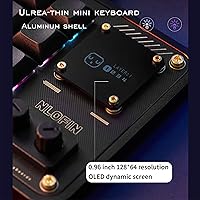
The screen does deliver on its core promise of showing which layer is currently active, which is legitimately useful if you run three or four distinct workflow profiles and lose track during a busy session. Some buyers appreciated having a visual anchor beyond just memorizing key positions.
Expectations based on product imagery tended to be higher than what the screen actually delivers in practice. It is small, not always easy to read at arm's length, and the custom label functionality requires additional firmware configuration that many buyers never reached. Several reviewers described it as a minor bonus rather than a meaningful feature.
Value for Money
54%
46%
On pure hardware terms — aluminum casing, dual knobs, 16 hot-swap keys, a display, and per-key RGB — the component list is competitive for the price. Buyers who successfully configured the keypad and integrated it into a creative workflow generally felt the price was justified by the physical feature set.
The 3.1-star aggregate score is a direct reflection of value perception being undercut by a frustrating software and documentation experience. When setup takes several hours and the instructions are inadequate, the effective cost-to-value ratio drops sharply for a wide portion of buyers who never reach the point of full productivity.
Key Feel & Tactility
72%
28%
Buyers who specified their switch preferences and installed their own switches through the hot-swap system reported a genuinely satisfying typing experience. The keyboard supports standard MX-compatible switches, so the ceiling for switch quality is entirely in the user's hands.
The stock switches that come installed out of the box received underwhelming feedback from buyers who did not plan to swap them. For users who want a great feel immediately without additional purchases, the default experience is serviceable but unremarkable.
RGB Lighting
74%
26%
Per-key RGB lighting is a practical asset on a macro pad — users noted it helps visually distinguish key clusters across layers, especially in dim studio or editing environments. The variety of available lighting effects gives it personality beyond pure function.
RGB configuration is handled through the same Vial interface that trips up new users during initial setup, meaning many buyers never explored the lighting customization at all. Those who did not get past basic key mapping rarely reached the lighting settings, leaving this feature underutilized by a significant portion of owners.
Portability & Desk Fit
83%
At just under eight inches wide, this programmable keypad fits naturally beside a full-size keyboard without demanding much desk real estate. Buyers who travel between a home office and a studio workspace appreciated that the USB-C cable is the only thing to pack — no dongles, no receivers.
At 14.4 ounces, it is not ultralight, and the lack of a carrying case or protective sleeve in the box means it is not ideally suited for frequent transport in a bag. The weight is an asset for desk stability but a mild drawback for genuinely mobile use cases.
Multi-Unit Support
79%
21%
The ability to connect multiple units simultaneously to one machine is a niche but genuinely appreciated feature among power users who run parallel input device setups. Buyers who tested this confirmed that units do not interfere with each other, which is exactly what you want from a stacking workflow tool.
This feature is not meaningfully documented or promoted beyond a brief mention, meaning buyers who could benefit from it often do not know to explore it. It feels like a capable specification that is undersold and underexplained by the brand.
Documentation & Support
33%
67%
The product does come with a reference to setup video tutorials, and those videos — when tracked down successfully — reportedly cover the core configuration steps adequately for motivated buyers willing to invest time in self-directed learning.
Requiring buyers to manually copy and paste a URL to find video instructions is a poor onboarding experience by any modern standard. There is no written manual, no QR code to a support page, and no accessible brand support channel readily evident from buyer feedback. This is one of the most cited pain points across all reviews.
Layer Management
76%
24%
Four switchable layers give professional users a meaningful range of workflow profiles without requiring any companion app to be running. A designer can maintain separate layers for Photoshop, Illustrator, and general system controls, switching between them with a single keypress.
Understanding how layers work, how to configure them, and how to display them meaningfully on the built-in screen requires working through Vial documentation that is not beginner-friendly. Users who do not fully grasp the layer system tend to use just one or two layers and miss the primary value proposition of the keypad.

Suitable for:

The NLOFIN KB16 Programmable Macro Pad is best suited for creative professionals who spend long hours inside applications like Adobe Premiere, DaVinci Resolve, Photoshop, or Illustrator and want physical shortcut access without cluttering their main keyboard. Video editors in particular will find the dual rotary knobs genuinely useful for frame-by-frame scrubbing and timeline navigation — these are tasks where a physical dial beats any keyboard shortcut. Graphic designers who frequently toggle between brush sizes, zoom levels, and tool states will also get real daily value from having dedicated programmable keys within thumb's reach. Streamers who want a small, dedicated surface for scene switching, mute toggling, and clip triggers will find the compact footprint fits neatly beside a main keyboard. Developers or power users who maintain distinct workflow profiles — say, one for coding, one for communication tools, one for terminal work — will appreciate the four-layer system that lets them switch contexts with a single keypress. If you are already comfortable with open-source keyboard configuration tools like Vial or VIA, the setup process will feel familiar and the on-device memory storage is a practical bonus for anyone who works across multiple machines.

Not suitable for:

Buyers who are not technically inclined should approach this macro pad with caution. The configuration experience relies entirely on Vial or VIA — open-source software that, while powerful, has no hand-holding wizard or polished consumer app to guide you through setup. If you have never remapped a keyboard using community software before, the learning curve is real and the available documentation leans heavily on video tutorials rather than written guides, which many buyers find frustrating. The 3.1-star rating across 51 reviews is a meaningful signal that a notable portion of buyers have run into issues — whether with setup, consistency of the hot-swap feature, or unmet expectations around the built-in screen. Anyone expecting a plug-in-and-it-just-works experience similar to a gaming peripheral from a major brand will likely be disappointed. The KB16 is also not a strong fit for users who only need two or three extra shortcuts, since simpler and cheaper one-knob or four-key alternatives exist at a lower price point without the complexity overhead.

Specifications

  • Brand: Manufactured and sold under the NLOFIN brand by Nlofin.
  • Keys: Features 16 fully programmable mechanical keys, each individually remappable via software.
  • Layers: Supports 4 independent configuration layers, allowing users to store and switch between distinct key mapping profiles.
  • Rotary Encoders: Includes 2 dual-action rotary knobs that register left rotation, right rotation, and press as separate programmable inputs.
  • Display: Equipped with a small built-in screen that can show active layer information or custom labels assigned by the user.
  • Switch Type: Uses hot-swappable mechanical switch sockets, allowing switch replacement without soldering equipment.
  • Connection: Connects to a host computer via USB-C, with plug-and-play recognition and support for multiple simultaneous units.
  • Software: Compatible with Vial and VIA, open-source keyboard remapping applications available for Windows and macOS.
  • On-Device Memory: Stores key mappings and macros directly in the keyboard's MCU, so configurations persist without software running on the host.
  • RGB Lighting: Offers per-key customizable RGB lighting with multiple effect options for both visual identification and aesthetics.
  • Casing Material: Constructed from aluminum, providing structural rigidity and a premium tactile finish.
  • Dimensions: Measures 7.87 x 5.67 x 1.97 inches, making it compact enough to sit beside a standard keyboard without crowding a desk.
  • Weight: Weighs 14.4 ounces, giving it enough heft to stay in place during use without being cumbersome to move.
  • Color Options: Available in five finishes: Black, White, Silver, Bronze, and Grey.
  • Compatibility: Designed for use with laptops and desktop computers; no mobile or tablet compatibility is specified.
  • Interface Standard: Uses a USB-C interface for data transmission; no wireless or Bluetooth connectivity is available.
  • Multi-Unit Support: Multiple units can be connected to the same computer simultaneously without software conflicts or interference.
  • Setup Method: Initial configuration and macro programming are handled through Vial or VIA software, with settings saved to the device after flashing.

Related Reviews

Murad Retexturizing Body Pads – 45 Pads
87%
88%
Effectiveness in Reducing Breakouts
91%
Gentle on Sensitive Skin
85%
Skin Texture Improvement
89%
Ease of Use
84%
Long-Term Results
More
ARCONA Raspberry Clarifying Pads - 45 Pads
87%
88%
Effectiveness in Clearing Blemishes
90%
Gentleness on Sensitive Skin
92%
Ease of Use
85%
Exfoliation and Skin Texture Improvement
91%
Packaging and Convenience
More
Lumiwill Glycolic Acid Pads - 50 Pads
88%
94%
Exfoliation Effectiveness
91%
Skin Texture Improvement
88%
Ease of Use
85%
Hydration & Moisture
90%
Suitability for Sensitive Skin
More
numbuzin No.5 Toner Pads 70 Pads
86%
91%
Effectiveness for Dark Spots
88%
Skin Sensitivity Compatibility
85%
Exfoliation & Skin Texture Improvement
83%
Hydration & Skin Moisture
89%
Ease of Use
More
Mediheal Madecassoside Toner Pads - 100 Pads

86%
89%
Skin Hydration
83%
Blemish Reduction
91%
Gentleness for Sensitive Skin
85%
Ease of Use
88%
Ingredient Quality
More
NEEDLY Mild Cleansing Pad 60 Pads
88%
88%
Cleansing Effectiveness
91%
Skin Sensitivity Compatibility
85%
Hydration & Moisture Retention
89%
Texture & Feel of Pads
90%
Ease of Use & Application
More
Biodance Collagen Gel Toner Pads 60 Pads
87%
94%
Hydration Effectiveness
92%
Skin Sensitivity Compatibility
88%
Pore Minimizing
89%
Gentle Exfoliation
93%
Absorption Speed
More
EQQUALBERRY Swimming Pool Toner Pads - 70 Pads
87%
89%
Effectiveness for Exfoliation
91%
Pore-Reducing Results
85%
Gentle on Sensitive Skin
87%
Hydration Benefits
92%
Ease of Use
More
Divine Derriere Ingrown Hair Pads – 50 Pads
85%
88%
Effectiveness in Preventing Razor Bumps
91%
Soothing & Cooling Effect
87%
Skin Sensitivity Relief
85%
Ease of Use
83%
Absorption Speed
More
Sanitas Skincare Therapeutic Cleansing Pads, 50 Pads
86%
88%
Effectiveness in Exfoliation
92%
Convenience of Pre-Soaked Pads
84%
Skin Compatibility (Non-Irritating)
86%
Acne Prevention (Salicylic Acid Performance)
83%
Oil Control & Pore Minimization
More

FAQ

It will be recognized by your computer immediately when plugged in, but the keys will not do anything useful until you program them. To assign shortcuts, macros, or layer switching, you need to download either Vial or VIA — both are free, open-source tools. The process is not complicated once you understand the interface, but it does require some patience if you have never used keyboard remapping software before.

It is manageable, but not plug-and-play simple. You open the Vial app, your keypad is detected automatically, and you click on each key to assign it a function. The challenge is knowing what functions are available and how layers work — concepts that are intuitive for hobbyists but can feel confusing at first for everyone else. Budget about an hour for your first session, and look for community guides online since the official documentation leans on video tutorials rather than written walkthroughs.

Yes. Once you have programmed your keys and saved the layout using Vial or VIA, the configuration is written directly to the memory chip inside the keypad. You do not need Vial installed on the second machine for your shortcuts to work — they are stored on the device itself.

Swapping switches is genuinely tool-free on this pad. You just pull out the existing switch using a switch puller — a small inexpensive tool often included with hot-swap keyboards — and press a new one in. No soldering required. That said, some buyers have reported inconsistent socket quality, so it is worth being gentle the first time to avoid bending pins.

In practice, the screen is most reliably used to display which layer you are currently on, which is helpful if you run multiple profiles. Some firmware setups allow custom text labels per layer. Buyer feedback on its usefulness is genuinely mixed — some find it a handy at-a-glance reference, others consider it a minor novelty. Do not purchase this keypad specifically for the screen; treat it as a bonus feature.

Vial has builds available for Windows, macOS, and Linux, so programming the device should work across all three platforms. Basic plug-and-play key input will function on any OS since the keypad registers as a standard HID device. That said, how smoothly it integrates with Mac-specific shortcuts depends on how you configure it in Vial.

Yes, that is a supported use case. Multiple units can be connected simultaneously and the operating system treats each as a separate input device. There should be no conflict between them, which is handy if you want separate macro pads for different applications running side by side.

The main friction points appear to be the setup experience and documentation. Buyers who expected a more guided, consumer-friendly onboarding process were frustrated by the reliance on community software and video-only instructions. There are also scattered reports about hot-swap socket consistency and questions about whether the screen delivers on its implied utility. The hardware itself — particularly the knobs and casing — tends to get positive mentions even from buyers who struggled with setup.

It can work for gaming — you can map any keystrokes or macros to the keys, including in-game actions. The rotary knobs are also programmable, so you could assign one to volume control and another to a game function. That said, the Vial-based setup and the keypad's overall design philosophy are more geared toward productivity workflows than gaming. Gamers looking for an out-of-the-box macro pad with dedicated gaming software might find other options more convenient.

The aluminum casing adds noticeable weight at 14.4 ounces, which helps it stay put during normal typing and knob-turning. Most feedback on the physical build is positive, with buyers noting it feels more substantial than the price would suggest. Whether the feet or base provide enough grip on slippery desk surfaces is less clearly documented, so a small desk mat under it is a reasonable precaution if your workspace is smooth.