Overview

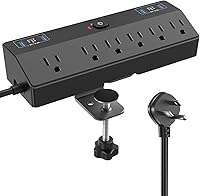
The JXGUCAT Desk Clamp Power Strip 10FT is a practical desk accessory that clamps directly onto your tabletop edge, putting power and charging right where you need it without any drilling or permanent hardware. It packs six AC outlets and six USB ports into a single unit, which is a lot of capability for a compact strip. The 10-foot flat plug cord gives you enough reach to hit a wall outlet from almost any desk position without creating a thick cable mess behind your furniture. For the price, the included 1800-joule surge protection is a genuinely useful addition that helps protect your gear from unexpected voltage spikes.
Features & Benefits

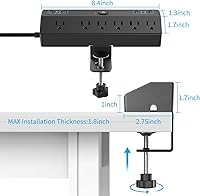
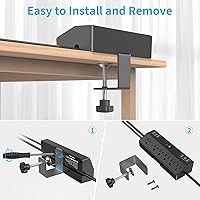
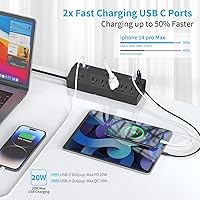
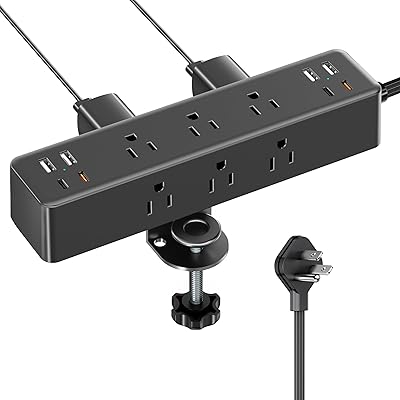
The two USB-C ports each support PD 20W charging, which is enough to fast-charge most modern smartphones and smaller tablets at a reasonable pace. Keep in mind that the total USB output is shared across all six ports, so if you have multiple devices drawing power simultaneously, speeds will be distributed accordingly. The four USB-A ports split into two QC 3.0 slots for faster charging and two standard ports for everything else. Wide-spaced AC outlets are a practical touch — bulky wall adapters and power bricks tend to block adjacent sockets on most strips, so the extra spacing here actually matters. The clamp fits tabletop edges up to about 1.8 inches thick and installs without any tools in under a minute.

Best For

This desk clamp strip is a natural fit for home office workers who are tired of reaching under or behind a desk every time they need an outlet. It works especially well in dorm rooms and apartments where you cannot drill into furniture or walls. The clamp-on design also makes it appealing for anyone who rearranges their setup regularly — removing and repositioning takes seconds. If your desk sits far from a wall outlet, the 10-foot cord closes that gap without requiring an additional extension cable. It is a solid pick for small or compact desks where floor space is limited and keeping cables off the surface is a real priority.

User Feedback

Buyers consistently highlight how quick and painless the installation is, with several noting the clamp holds firmly without shifting during normal use. Cord length gets positive mentions too — most people find the 10-foot reach genuinely adequate for real desk layouts. On the critical side, a few users have noted that USB-C charging speeds can fall short of the advertised maximums when multiple ports are active at once, which is worth keeping in mind. Some buyers with thicker or unusually shaped desk edges have reported a loose or imperfect clamp fit. Build quality is generally described as acceptable for the price range, though not premium — the plastic housing feels functional rather than refined.

Pros

  • Clamps securely to most standard desk edges in under two minutes with zero tools required.
  • Wide-spaced AC outlets let you plug in bulky wall adapters without sacrificing adjacent sockets.
  • The flat plug and long cord keep cable routing tidy against walls and desk legs.
  • USB-C fast charging handles phones and earbuds efficiently when port load is light.
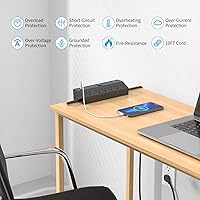
  • Surge protection provides meaningful safety coverage for monitors and other sensitive gear.
  • All-black design blends into most desk setups without drawing visual attention.
  • Tool-free removal makes repositioning or switching desks genuinely quick and painless.
  • The QC 3.0 USB-A ports offer noticeably faster charging for compatible Android devices.
  • Six outlets plus six USB ports from a single mounted unit reduces desktop cord clutter significantly.

Cons

  • USB-C charging speeds fall short of advertised maximums when multiple ports are active simultaneously.
  • No per-port indicator lights make it impossible to confirm which ports are actively fast-charging.
  • The clamp struggles with desk edges thicker than standard flat-pack furniture dimensions.
  • Plastic housing feels noticeably budget-tier and may show wear after repeated repositioning.
  • No surge protection status light means you cannot tell if the protection circuitry has been tripped.
  • Six AC outlets fills up quickly in setups running a monitor, lamp, speakers, and laptop at once.
  • The cord, while flat, is stiff enough to make tight cable management routes mildly awkward.
  • Clamp tightening knob can feel stiff and require more hand force than expected out of the box.

Ratings

The JXGUCAT Desk Clamp Power Strip 10FT has been evaluated by our AI rating system after processing verified buyer reviews from global markets, with spam, bot-generated, and incentivized submissions actively filtered out. The scores below reflect the honest distribution of real user experiences — strengths are credited where earned, and recurring frustrations are represented without softening. Whether this tabletop charging station fits your specific setup will depend heavily on a few key factors this breakdown makes transparent.
Ease of Installation
91%
Buyers consistently describe the setup as taking under two minutes with no tools involved. The clamp mechanism clicks into place intuitively, and most people report zero confusion during the process — even those who are not particularly handy with desk accessories.
A small number of users found the tightening knob underneath the clamp to be stiff out of the box, requiring more hand force than expected. Instructions included in the box are minimal, which occasionally caused confusion about the correct mounting orientation.
Clamp Stability & Fit
78%
22%
For standard desk edges in the 1.0-inch to 1.6-inch range, the clamp holds firmly through normal daily use — typing, moving cables, and plugging in devices without the strip shifting. Buyers with IKEA and similar flat-pack desks found the fit reliable and snug.
Desks at or near the 1.8-inch thickness limit can produce a looser fit that some users describe as slightly wobbly under repeated plug-in and pull-out activity. Very thin or beveled desk edges also create fitment issues that the clamp design does not handle gracefully.
USB-C Charging Speed
71%
29%
When a single USB-C port is in use and the overall load on the strip is light, users report solid fast-charging performance for phones and earbuds. Charging a modern smartphone from near-empty to a meaningful percentage in under an hour is consistently noted as a positive.
The total USB output is shared across all six ports, so speed drops noticeably when multiple devices are connected simultaneously. Several buyers specifically called out that real-world USB-C speeds did not consistently match the advertised maximums during multi-device charging sessions.
Outlet Spacing & Usability
88%
Wide-spaced AC outlets are one of the most praised practical details on this strip. Users running setups with multiple bulky wall adapters — think monitor power bricks and desktop speakers — note that all six outlets remain usable without adapters blocking each other.
At six outlets total, heavy-use setups with many full-size plugs can still run short of capacity. A few buyers noted they wished the strip offered eight outlets given how quickly a monitor, lamp, desktop speaker, and a couple of chargers fills the available slots.
Cord Length & Routing
86%
The 10-foot cord length earns consistent praise from buyers whose desks sit away from wall outlets — a common scenario in older homes and rented apartments with poorly placed sockets. The flat plug profile tucks neatly behind furniture without creating an awkward bend at the wall.
A minority of buyers working in very large rooms or with desks positioned centrally found even 10 feet fell short. The cord itself, while flat, is not particularly flexible, which makes routing around desk legs or cable management channels mildly awkward.
USB-A Port Performance
79%
21%
The two QC 3.0 USB-A ports provide noticeably faster charging for compatible Android phones and older devices than a standard charger would. Buyers who primarily use USB-A cables appreciated having quick-charge and standard slots available on the same unit.
The two non-QC USB-A ports charge slowly by modern standards, which frustrated buyers who expected all four USB-A ports to be equal. The physical port labeling on the strip is small and hard to read in low-light desk environments.
Surge Protection Reliability
83%
The surge protection rating gives buyers genuine confidence when connecting monitors, laptops, and other expensive gear to the strip. Several users specifically mentioned this safety feature as the deciding factor over cheaper strips that lacked any meaningful protection specification.
There is no indicator light to confirm surge protection is actively functioning, which some buyers found unsettling over time. Without a reset button or status LED, it is impossible to know whether a surge event has degraded or tripped the protection circuitry.
Build Quality & Materials
66%
34%
For its price tier, the strip feels acceptably solid in everyday use — the housing does not flex under normal handling and the outlets grip plugs firmly without excessive looseness. Most buyers describe it as feeling adequate and functional rather than flimsy.
The plastic housing has a slightly hollow feel that experienced buyers associate with budget-tier electronics. A few long-term users reported that the clamp mechanism showed minor wear after repeated repositioning, suggesting the materials may not hold up well through frequent moves.
Port & Outlet Count
84%
Twelve connection points in one compact strip covers the realistic needs of most single-desk setups without requiring a second power source. Home office workers charging a phone, tablet, earbuds, and running two or three standard plugs find the combination genuinely practical.
The six-outlet count can feel limiting once you factor in a monitor, a desk lamp, and a laptop charger claiming three slots before USB devices are even considered. Power-user setups with four or more full-size AC devices will likely outgrow this strip quickly.
Cable Management & Aesthetics
72%
28%
Mounting the strip under or at the back edge of a desk removes a significant amount of visual clutter from the work surface. The all-black finish blends into most desk environments without drawing attention, which buyers with minimalist or dark-toned setups particularly appreciated.
The strip does not include any built-in cable clips or tie points to manage the cords running from the mounted unit to your devices. Without additional accessories, the cables hanging from a desk-edge mounted strip can create a new tangle below the work surface.
Value for Money
87%
Compared to similarly priced strips that lack a mounting solution or fast-charging ports, this tabletop charging station punches above its price point. Buyers frequently describe feeling they got more functionality per dollar than they expected going in.
The combination of modest build quality and shared USB output means buyers looking for long-term durability or consistent fast-charging across all ports may end up wanting to spend more on a premium alternative after a year or two of daily use.
Portability & Repositioning
81%
19%
The tool-free clamp design makes repositioning straightforward — buyers who switch between a standing desk and a seated workstation, or who move their setup between rooms, appreciate not needing to unscrew hardware or leave holes behind.
The strip is heavier than it looks at nearly two pounds, and the clamp adds noticeable bulk when transporting it in a bag. It is portable in theory but not really designed for frequent travel between offices or locations.
Compatibility with Desk Types
68%
32%
Works reliably on the most common desk edge profiles found in flat-pack and standard office furniture. Buyers with straightforward rectangular desks and edges in the mid-thickness range report a consistent, problem-free fit.
Curved edges, beveled undersides, and non-standard desk profiles create real fitment problems that the clamp cannot compensate for. Buyers with glass, metal, or unusually shaped desk surfaces should verify compatibility carefully before purchasing.
Indicator Lights & Feedback
58%
42%
A power indicator light confirms the unit is receiving electricity, giving users basic confirmation the strip is live. This is a minimal but useful visual cue when the strip is mounted below the desk surface and out of direct sight.
Beyond the basic power light, there is no per-port charging indicator, no surge protection status light, and no USB negotiation feedback. Buyers accustomed to smarter strips or multi-port chargers found the lack of visual feedback genuinely frustrating in daily use.

Suitable for:

The JXGUCAT Desk Clamp Power Strip 10FT is a strong match for home office workers and students who want to keep their work surface clear without committing to permanent hardware modifications. If your desk sits more than a few feet from the nearest wall outlet, the generous cord length solves that problem without requiring a secondary extension cable. People who juggle multiple USB devices throughout the day — a phone, wireless earbuds, a tablet, and maybe a laptop — will find the combination of USB-C, quick-charge USB-A, and standard USB-A ports covers most real-world charging needs from one location. It is especially practical in rented spaces like dorm rooms or apartments where drilling is off the table and you need a tidy, removable solution. Remote workers who occasionally reconfigure or relocate their workstation will also appreciate how quickly the clamp detaches and repositions without leaving any marks behind.
Not suitable for:

The JXGUCAT Desk Clamp Power Strip 10FT is not a great fit for buyers with non-standard desk edges — if your tabletop is thicker than standard flat-pack furniture, curved, beveled, or made from glass or metal, the clamp may not seat properly and could feel unstable in daily use. Power-hungry setups with four or more full-size AC devices will likely hit the outlet limit faster than expected, particularly once a monitor, desk lamp, and laptop charger are already occupying slots. Buyers who expect each USB-C port to independently deliver maximum fast-charging speeds simultaneously should look elsewhere, as the total USB output is shared across all ports and real-world speeds drop under a heavy multi-device load. If long-term durability is a priority — say, for a professional studio or a setup that runs demanding equipment continuously — the build quality at this price point may not inspire confidence over a multi-year horizon. Finally, anyone who travels frequently and needs a truly portable charging solution will find the weight and bulk of the clamp mechanism more inconvenient than helpful.
Specifications

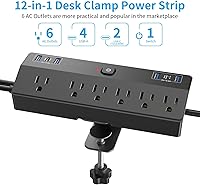
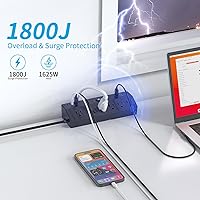
  • AC Outlets: Provides 6 AC outlets with a combined maximum load of 1625W at 13A, suitable for running standard desktop peripherals and appliances simultaneously.
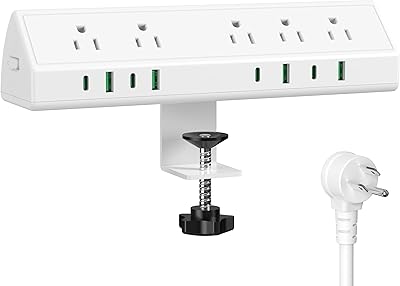
  • USB-C Ports: Includes 2 USB-C ports, each supporting Power Delivery at up to 20W individually, intended for fast charging of smartphones, tablets, and earbuds.
  • USB-A Ports: Features 4 USB-A ports total — 2 with Qualcomm Quick Charge 3.0 support and 2 standard charging ports for devices that do not require rapid charging.
  • Total USB Output: The combined USB charging output across all 6 USB ports is 40W shared, meaning simultaneous multi-device use will distribute available wattage across active ports.
  • Surge Protection: Rated at 1800 joules of surge protection energy absorption to guard connected devices against voltage spikes and power fluctuations.
  • Cord Length: Ships with a 10-foot extension cord featuring a flat plug design that sits flush against wall outlets and routes cleanly along baseboards or desk legs.
  • Input Voltage: Designed for standard North American electrical systems operating at 125V AC input.
  • Clamp Capacity: The integrated desk clamp is designed to fit tabletop edges up to approximately 1.8″ thick without requiring tools, adhesives, or hardware modifications.
  • Installation Method: Tool-free clamp mounting attaches to the desk edge via a hand-tightened knob on the underside of the bracket, requiring no drilling or permanent fixtures.
  • Unit Dimensions: The power strip unit measures approximately 9.41 x 5.39 x 2.99 inches in its packaged form, making it compact enough for most standard desk edge placements.
  • Item Weight: The complete unit weighs 1.87 pounds, which includes the clamp bracket and attached cord assembly.
  • Color & Finish: Available in a matte black finish that blends into most desk environments and does not draw visual attention in professional or home office settings.
  • Port Configuration: The 12 total connection points are arranged with wide spacing between AC outlets to accommodate large wall adapters and power bricks without blocking adjacent sockets.
  • Brand & Origin: Manufactured and sold under the JXGUCAT brand, with this model first made available to consumers in March 2024.
  • Plug Type: The flat plug design reduces the profile of the cord at the wall connection point, making it easier to position furniture close to the outlet without damaging the cable.

Related Reviews
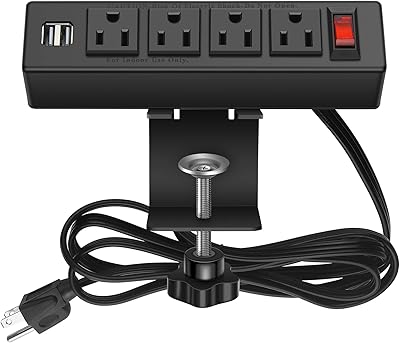
Acozvin Desk Clamp Power Strip 15FT
87%
89%
Charging Performance
88%
Build Quality
91%
Ease of Installation
85%
Surge Protection Effectiveness
94%
Cord Length and Flexibility
More
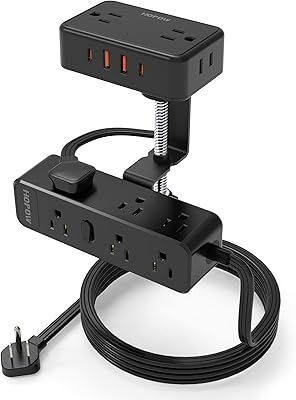
HHSOET Desk Clamp Power Strip with USB Ports
84%
88%
Ease of Installation
91%
Build Quality
65%
Cord Length
72%
USB Charging Performance
89%
Mounting Stability
More
HOPOW QT1360-CU Desk Clamp Power Strip
89%
94%
Build Quality
96%
Outlet and USB Capacity
88%
Clamp Stability
92%
Surge Protection Reliability
90%
Ease of Installation
More
GLCONN Desk Clamp Power Strip with USB C (20W PD)
85%
91%
Fast Charging Performance
87%
Ease of Setup and Installation
83%
Build Quality and Durability
89%
Surge Protection Effectiveness
93%
Space Efficiency
More
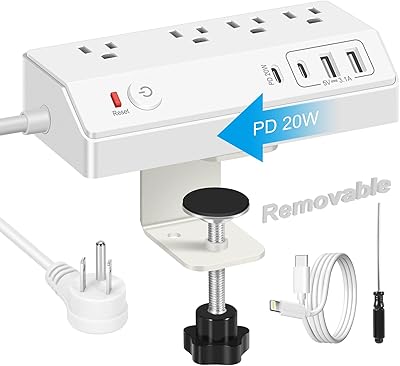
Jgstkcity 45W Desk Clamp Power Strip
87%
91%
Build Quality
87%
USB-C Charging Speed
68%
Installation Versatility
84%
Outlet Layout
92%
Cable Management
More
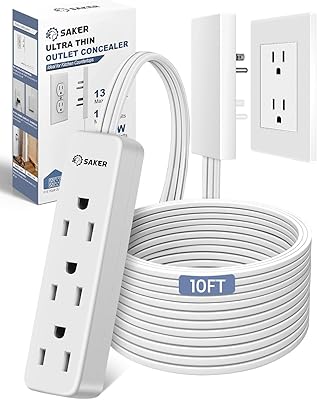
HOPOW Dual Layer Desk Clamp Power Strip with 13 Outlets and 4 USB Ports
88%
89%
Surge Protection
93%
Ease of Installation
88%
USB Charging Speed
85%
Build Quality
91%
Cord Length Flexibility
More
Saker Outlet Concealer Power Strip 10ft
86%
92%
Value for Money
89%
Ease of Installation
91%
Cord Length & Flexibility
86%
Safety Features
84%
Build Quality
More
TROND Prime IV Power Strip 10ft
87%
91%
Surge Protection
94%
Cord Length and Flexibility
88%
Build Quality and Durability
85%
Ease of Use
80%
USB Charging Speed
More
One Beat LED Desk Lamp with Power Strip
86%
91%
Functionality
84%
Build Quality
89%
Lighting Adjustability
88%
Ease of Use
92%
Charging Capability
More
Addtam 10Ft Surge Protector Power Strip AD313C2
86%
89%
Ease of Use
94%
Surge Protection Performance
87%
Value for Money
80%
USB Charging Speed
92%
Cord Length and Flexibility
More

FAQ

The clamp is designed for edges up to about 1.8 inches thick, which covers the vast majority of flat-pack and standard office desks. If your desk is a solid wood slab, a standing desk with a thick frame, or has an unusually deep edge profile, measure it before buying — a snug fit depends on staying within that range.

Not quite. The 20W per USB-C port figure applies when a single port is in use under ideal conditions. The total USB output across all six ports combined is 40W shared, so if both USB-C ports and additional USB-A ports are active simultaneously, available power gets distributed across them. For the fastest single-device USB-C charge, plug in just one device at a time.

For standard rectangular desk edges in the typical thickness range, the clamp holds firmly through normal daily use including plugging and unplugging cables repeatedly. The hand-tightened knob underneath locks it in place without tools. That said, if your desk has a beveled, rounded, or irregularly shaped edge, the grip may be less consistent, so it is worth testing before routing all your cables through it.

This is a tricky one. The clamp is designed for solid, flat-edged surfaces like wood or MDF. Glass edges are typically too smooth and fragile for the clamp to grip safely, and metal desk frames often have profiles that do not match the clamp geometry. If your desk has an unconventional edge material or shape, this mounting solution is likely not the right fit.

For the majority of home office and dorm room setups, yes — 10 feet gives you enough slack to reach a wall outlet from almost any desk position in a standard-sized room. Buyers in very large rooms or with centrally positioned desks occasionally find it falls short, but it handles the typical scenario well without requiring an additional extension cable.

There is a basic power indicator light to confirm the unit is receiving electricity, but there is no dedicated surge protection status light. This means if a surge event were to trip or degrade the protection circuit, you would not receive any visual warning. It is a common limitation at this price tier across many brands, not specific to this unit.

You can charge an iPad without any issue — the PD 20W output is well suited for Apple tablets in particular. For laptops, it depends on the model. Many ultrabooks and lightweight laptops can charge slowly via 20W USB-C in a pinch, but power-hungry laptops that require 45W or more will either charge extremely slowly or not at all. It is not a laptop charger replacement for most users.

Repositioning is one of the stronger aspects of this design — you simply loosen the knob, slide it off, and reclamp wherever you need it. The whole process takes under a minute and leaves no marks on the desk. It is practical for anyone who rearranges their workspace regularly or shares a desk between different users.

Yes, this is one of the more practical design choices on the clamp-mount power strip. The outlets are spread out enough that most standard wall wart adapters and medium-sized power bricks sit without blocking the adjacent socket. Very large or unusually wide adapters may still cause some overlap, but day-to-day use with typical home office equipment works well.

The surge protection and overload circuitry are designed for continuous use, so leaving it plugged in overnight is generally considered safe under normal operating conditions. As with any power strip, avoid overloading it beyond its rated capacity and do not cover it or leave it in an enclosed space with poor airflow. Common-sense precautions apply regardless of the brand or model.