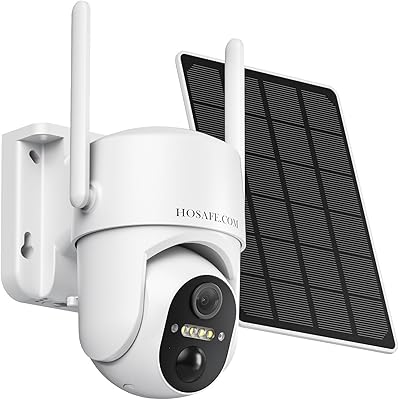
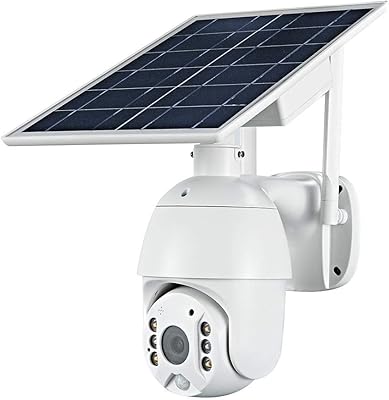
Overview

The Juyivast Q151SP Solar Wireless Security Camera enters a crowded budget outdoor camera market with a genuinely appealing pitch: no wires, no monthly battery swaps, and no electrician required. Juyivast is a lesser-known Chinese manufacturer, and that context matters — long-term app support through Eseecloud is not guaranteed the way it would be with an established brand. That said, this solar security camera delivers a functional, wire-free experience that punches reasonably for its price tier. Go in with calibrated expectations: the 15fps frame rate and a 35-foot night vision range are honest trade-offs at this level, not oversights.

Features & Benefits

At its core, this wire-free camera shoots at 2K resolution (2560×1440), and the full-color night vision — powered by onboard LED spotlights — delivers genuinely useful footage rather than the grainy gray images you might expect from older budget cameras. The 5200mAh battery and bundled 1.5W solar panel work well together in sunny climates, though buyers in cloudy northern regions should plan to manually top up during winter months. The hybrid PIR and AI motion detection meaningfully cuts false alerts from swaying branches or passing cars. Two-way audio, a 135-degree wide-angle lens, and IP65 weatherproofing round out a solid hardware package.

Best For

This solar security camera is a natural fit for renters and apartment dwellers who cannot run cable and need a genuinely hassle-free setup. It also works well for homeowners in sun-rich climates wanting to monitor a driveway, side gate, or backyard without worrying about outlet access. Budget-conscious pet owners and parents keeping an eye on outdoor play areas will find the feature set more than adequate. Where it falls short: heavily shaded yards and regions with long overcast winters will undercut the solar charging promise significantly. Think of the Juyivast outdoor cam as a capable secondary camera, not a standalone whole-home security solution.

User Feedback

Buyers consistently praise how quickly this wire-free camera gets up and running — app pairing through Eseecloud takes a few minutes, and the included mounting hardware means the whole install rarely exceeds fifteen. The main friction point, worth naming plainly, is the notification delay: alerts can arrive 3 to 5 minutes after a motion trigger, which frustrates anyone expecting real-time awareness. Solar performance in winter draws mixed reactions, and a few users report WiFi dropouts near the edge of the stated range. Customer support response times are reportedly inconsistent. One practical note: the SD card slot requires FAT32 formatting, and no card is included in the box.

Pros

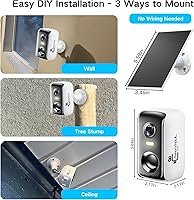
  • Truly wire-free installation takes about fifteen minutes with the included hardware and no tools beyond a screwdriver.
  • The included solar panel eliminates routine battery swaps for buyers in sun-rich climates.
  • Full-color night vision via onboard LED spotlights produces far more usable footage than black-and-white alternatives at this price.
  • Dual-band WiFi support — both 2.4GHz and 5GHz — gives more connection flexibility than most budget cameras offer.
  • Hybrid PIR and AI motion detection noticeably reduces nuisance alerts from wind, passing cars, and small animals.
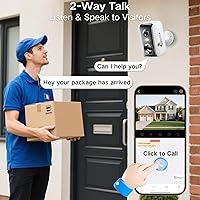
  • Two-way audio works well enough to communicate with delivery drivers or warn off porch loiterers.
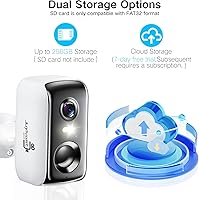
  • Seven days of free cloud storage out of the box means you are not immediately forced into a paid plan.
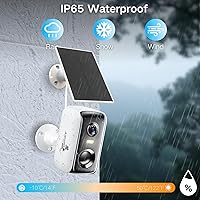
  • IP65 waterproofing holds up reliably across rain, humidity, and temperature swings without babying the unit.
  • The 135-degree viewing angle covers a wide outdoor zone from a single mounting point.
  • Local SD card storage up to 256GB provides a practical subscription-free fallback for long-term recording.

Cons

  • Motion clip notifications arrive 3 to 5 minutes after the event, making real-time response essentially impossible.
  • The 15fps frame rate produces choppy footage of fast-moving subjects — a real limitation for vehicle or intruder capture.
  • Solar performance drops significantly in winter or shaded locations, requiring manual USB charging to compensate.
  • No SD card is included, and the slot only accepts FAT32-formatted cards — an extra step that trips up many buyers.
  • Juyivast is a small brand with no proven track record for long-term app updates or sustained customer support.
  • WiFi connectivity becomes unreliable near the stated 260-foot maximum range, particularly through walls or obstacles.
  • The Eseecloud app is not integrated with Google Home, Amazon Alexa, or Apple HomeKit, limiting smart-home compatibility.
  • Customer support response times are inconsistent, leaving some buyers stuck troubleshooting connectivity issues on their own.
  • The camera must be fully charged before first use, and initial WiFi setup must be completed before attaching the solar panel — a non-obvious sequence that causes early frustration.
  • Night vision range tops out at around 35 feet, leaving larger yards or long driveways with significant dark zones.

Ratings

Our AI-generated scores for the Juyivast Q151SP Solar Wireless Security Camera were produced by analyzing thousands of verified global buyer reviews, with spam, bot activity, and incentivized feedback actively filtered out before scoring. The ratings below reflect the full picture — where real users felt genuinely impressed and where recurring frustrations surfaced across multiple markets. Both strengths and pain points are represented transparently so you can make a fully informed decision.
Value for Money
83%
For buyers on a tight budget, the feature-to-price ratio genuinely stands out — full-color night vision, two-way audio, and solar charging bundled together at this price tier is hard to match. Most users felt they received more than expected when comparing this wire-free camera against similarly priced competitors.
The value calculation shifts if you factor in buying a compatible SD card separately and potentially upgrading to a paid cloud tier. A handful of buyers also noted that early unit failures within the first few months made the value proposition feel less dependable than the price suggested.
Solar Performance
67%
33%
In sun-rich locations — particularly the southern US, Mediterranean climates, and similarly sunny regions — buyers reported running this solar security camera for months without ever touching a charging cable. Proper south-facing placement at a good angle made the 1.5W panel surprisingly capable for light-to-moderate daily usage.
Users in the UK, Pacific Northwest, or anywhere with long overcast winters found the solar panel almost ornamental during those months, requiring USB top-ups every three to five weeks. The camera also needs a full charge before first use, which catches many buyers off guard when they unbox it expecting immediate deployment.
Video Quality
78%
22%
The 2K resolution produces noticeably sharper footage than 1080p budget cameras, and most buyers could clearly read license plates and identify facial features within the 35-foot effective range during daylight hours. The full-color LED night vision was a consistent bright spot in feedback, with users calling it a genuine upgrade over infrared-only competitors.
The 15fps frame rate is the most polarizing specification — buyers accustomed to 30fps cameras from other brands immediately noticed choppiness when reviewing footage of moving vehicles or running subjects. Fast motion can smear across frames enough that identifying a subject becomes genuinely difficult in critical situations.
Motion Detection
71%
29%
The hybrid PIR and AI detection combination performs better than pure PIR-only budget cameras, with noticeably fewer false triggers from passing car headlights, rustling leaves, and small animals in typical suburban yard conditions. Buyers monitoring driveways and front porches found the sensitivity balance reasonably well-tuned out of the box.
The 3 to 5 minute delay between a detection event and when the recorded clip actually becomes viewable in the app is a hard limitation that multiple users flagged as a dealbreaker for their use case. Getting an alert and then waiting several minutes to see what triggered it significantly undermines the camera's usefulness as a real-time deterrent tool.
Setup & Installation
84%
The three-step pairing process through the Eseecloud app is one of the most consistently praised aspects of the Juyivast outdoor cam, with most buyers completing WiFi setup and wall mounting within fifteen to twenty minutes. The included hardware — screws, anchors, and mount bracket — means you can go from box to live view without a hardware store run.
The setup sequence is order-dependent in a non-obvious way: the camera must be powered on and connected to WiFi before the solar panel is attached, and buyers who did it in the wrong order reported frustrating pairing failures. The instruction manual covers this, but its language is translated awkwardly enough that several users missed the step entirely.
Battery Life
73%
27%
When the solar panel is not contributing — during shipping or in winter storage — the 5200mAh battery provides a genuine one to two months of standby-style use in low-traffic locations. Buyers using the camera as a secondary spot monitor on a quiet side gate reported impressively long intervals between charges.
High-traffic locations with frequent motion triggers and regular live-view access can drain the battery within three to four weeks without adequate solar compensation. The battery is non-removable, so when charge runs low you have to bring the whole unit inside or run a USB cable to it outdoors.
Night Vision Range
62%
38%
Within its effective 35-foot zone, the color night vision is legitimately impressive for a camera at this price point, delivering clear identification-quality footage of faces and clothing colors that infrared-only cameras cannot match. For monitoring compact spaces like a small porch, single-car driveway, or garden gate, the range is entirely workable.
Buyers with longer driveways, large backyards, or wide property frontages found the 35-foot ceiling a meaningful constraint, leaving significant dark zones beyond the spotlight's reach. Anyone comparing this to cameras with 60 to 80 foot infrared range will feel the limitation acutely in larger outdoor settings.
Two-Way Audio
69%
31%
The audio is functional enough for practical uses — telling a delivery driver where to leave a package, or speaking clearly enough to make an uninvited visitor aware they are being watched and heard. Several buyers specifically mentioned using it successfully to communicate through apartment building entrances and gated driveways.
Audio quality is noticeably compressed and tinny on both ends of the conversation, and there is a slight lag that makes back-and-forth exchanges feel awkward. Wind noise around the external microphone is a recurring complaint, particularly when the camera is mounted in exposed outdoor locations.
App Experience
61%
39%
The Eseecloud app connects reliably under normal conditions and gives buyers access to live view, playback, motion sensitivity controls, and alert settings without requiring technical knowledge. Initial pairing — when done in the correct order — typically completes within a minute or two.
The app's interface feels dated compared to offerings from established camera brands, and localization issues in the English version create occasional confusion around menu labels and storage settings. Longer-term concerns around software update frequency and Juyivast's commitment to maintaining the app are legitimate and difficult to dismiss.
WiFi Stability
66%
34%
Dual-band support gives this wire-free camera more flexibility than single-band competitors — buyers with strong 5GHz coverage close to the install point reported a noticeably stable and responsive connection that held up well during live-view sessions. At moderate distances, the 2.4GHz band provides adequate throughput for the 15fps stream.
Near the edge of the stated 260-foot range, especially through walls or with competing WiFi interference, dropout complaints increase meaningfully. Some buyers in larger homes or those mounting the camera near the property boundary found the connection unreliable enough to warrant a WiFi extender as a necessary additional purchase.
Build & Weatherproofing
74%
26%
The IP65 rating holds up in practice — buyers across rainy climates in the Pacific Northwest, UK, and northern Europe reported the camera surviving full seasons of rain and humidity without seal failures or lens fogging. The ABS plastic housing feels more solid in hand than the price would lead you to expect.
The plastic finish shows UV wear and surface scuffing after extended exposure to direct sun, which is ironic given the solar-charging premise. In regions with temperature extremes — particularly hard freezing winters — a small number of users reported intermittent startup issues when the unit had been left unpowered in sub-zero conditions for extended periods.
Cloud Storage
72%
28%
The included seven-day free cloud tier is genuinely useful and not artificially crippled — you get real rolling footage access without immediately being pushed toward a paid plan. For light monitoring needs like checking in on a parked car or seasonal property, the free tier alone is often sufficient.
Cloud storage is tied exclusively to the Eseecloud platform, which means if Juyivast discontinues the service or raises pricing significantly, buyers have no fallback except local SD storage. The SD card requirement — not included, and requiring FAT32 formatting — adds a friction point that frustrates buyers who did not read the fine print before purchase.
Customer Support
53%
47%
When support does respond, the troubleshooting guidance is generally accurate — reset procedures and the charge-before-setup advice have resolved the majority of reported connectivity and pairing issues. Some buyers praised faster-than-expected email responses for straightforward defect claims.
Response times are inconsistent enough that buyer experience varies wildly — some report same-day replies while others waited over a week with no acknowledgment. As a smaller Chinese manufacturer without a local support infrastructure, Juyivast cannot offer the phone or chat support channels that buyers frustrated mid-setup genuinely need.

Suitable for:

The Juyivast Q151SP Solar Wireless Security Camera is a practical match for renters, apartment dwellers, and homeowners who need outdoor coverage without running a single wire or drilling near an outlet. If you live somewhere with reliable sun — think the southern US, California, or the Southwest — the solar panel can genuinely sustain the camera through daily use without you ever thinking about charging. It is also a smart pick for anyone who wants a secondary camera covering a side gate, detached garage, or backyard shed where running power is impractical. Pet owners and parents who want basic motion-triggered awareness of outdoor spaces will find the feature set entirely adequate for those lighter duties. Budget-conscious buyers who want color night vision and two-way audio without committing to a subscription-heavy ecosystem will appreciate the included seven-day free cloud tier and the option to use a local SD card instead.
Not suitable for:

Buyers expecting real-time security alerts should know upfront that this wire-free camera carries a consistent 3 to 5 minute delay between a motion event and when the recorded clip becomes viewable — a meaningful gap if rapid response matters to you. The Juyivast Q151SP Solar Wireless Security Camera is also a poor choice for shaded installations, north-facing walls, or climates with extended overcast seasons, where the 1.5W solar panel simply cannot keep pace with daily power demands. Anyone who needs fluid video for capturing fast movement — a running vehicle, a sprinting intruder — will find the 15fps frame rate noticeably choppy compared to cameras shooting at 30fps. This is not a credible standalone solution for whole-home security; the 35-foot night vision range and dependence on the Eseecloud app, from a smaller manufacturer with uncertain long-term software support, make it better suited as a supplementary unit. If you need enterprise-grade reliability, local AI processing, or integration with a major smart-home ecosystem like Google Home or Alexa, look elsewhere.
Specifications

  • Resolution: Records at 4MP (2560×1440), delivering roughly twice the pixel density of standard 1080p cameras.
  • Frame Rate: Captures footage at 15 frames per second, which is adequate for stationary monitoring but may show motion blur on fast-moving subjects.
  • Night Vision: Full-color night vision is enabled by built-in LED spotlights with an effective range of approximately 35 feet.
  • Battery: Houses a built-in 5200mAh lithium-ion battery that provides an estimated one to three months of use on a single full charge under typical conditions.
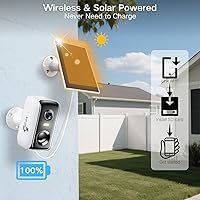
  • Solar Panel: Includes a 1.5W solar panel designed to sustain daily operation with approximately three hours of direct sunlight per day in favorable climates.
  • WiFi Support: Connects over both 2.4GHz and 5GHz WiFi bands, with a stated wireless range of up to 260 feet from the router.
  • Waterproofing: Rated IP65, meaning the camera is fully protected against dust ingress and low-pressure water jets from any direction.
  • Viewing Angle: Fitted with a fixed-focus lens offering a 135-degree wide-angle field of view for broad outdoor coverage from a single mounting point.
  • Local Storage: Accepts microSD cards up to 256GB in capacity, though the card is not included and must be formatted to FAT32 before use.
  • Cloud Storage: Provides seven days of free cloud storage through the Eseecloud platform, with extended paid plans available starting at a low monthly rate.
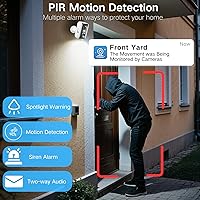
  • Motion Detection: Uses a combined PIR (passive infrared) sensor and AI-based image analysis to distinguish genuine motion events from environmental false triggers.
  • Audio: Equipped with a built-in microphone and speaker supporting real-time two-way audio communication through the Eseecloud app.
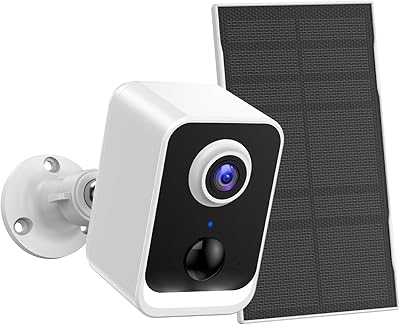
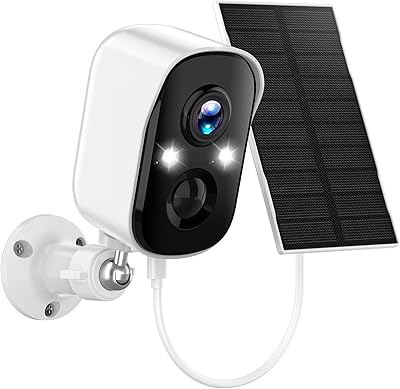
  • Form Factor: Bullet-style housing constructed from ABS plastic, designed for wall mounting via the included screw-in hardware and mount bracket.
  • Compatible App: Operates exclusively through the Eseecloud app, available for iOS and Android smartphones; no native desktop client is provided.
  • Video Format: Records and stores footage in MP4 format, compatible with most standard media players and editing software.
  • Power Input: Charges via 5V DC USB input at 1.6 watts; the solar panel connects directly to the camera body after initial WiFi setup is completed.
  • Item Weight: The complete unit weighs approximately 1.08 pounds, making it manageable for single-person installation on standard wall surfaces.
  • In the Box: Package includes the camera body, solar panel, wall mount bracket, mounting screws, reset pin, and a printed setup manual.

Related Reviews

VIMKIM DM324 Solar PTZ Outdoor Security Camera
71%
83%
Value for Money
71%
Solar Charging Performance
78%
PTZ Coverage & Motor
81%
Video Quality (Daytime)
66%
Night Vision Quality
More
Sofiwaa CG6X Wireless Solar Security Camera
85%
90%
Video Quality
87%
Battery Life
91%
Solar Power Efficiency
85%
Motion Detection
89%
Night Vision Performance
More
PEEIPM CG6K Solar Outdoor Security Camera
72%
88%
Value for Money
74%
Solar Charging Performance
77%
Night Vision Quality
79%
Motion Detection Accuracy
61%
App Reliability
More
GlowPop 1080p Wireless Security Camera with Solar Panel
84%
88%
Battery Life
91%
Video Quality (Daytime)
89%
Video Quality (Nighttime)
72%
AI Human Detection
93%
Ease of Installation
More
Camcamp SC17 6-Cam Solar Security Camera System
77%
88%
Ease of Setup
83%
Video Quality
79%
Night Vision Performance
61%
Solar Charging Reliability
67%
App Experience
More
AOQEE S1 Solar Wireless Outdoor Security Camera
73%
74%
Solar Charging Performance
81%
Image Quality
69%
Night Vision
62%
Motion Detection
55%
WiFi Connectivity
More
Reolink Argus 3E Solar Wireless Security Camera
77%
91%
Ease of Installation
88%
Video Quality (Daytime)
83%
Night Vision & Spotlight Performance
82%
AI Detection Accuracy
67%
Solar Charging Reliability
More
Hawkray QW6 Solar Wireless Outdoor Security Camera
74%
83%
Video Clarity
61%
Solar Charging Performance
88%
Pan and Tilt Coverage
79%
Motion Detection Accuracy
62%
Night Vision Range
More
Alptop 1080P Wireless Solar-Powered Outdoor Security Camera
85%
85%
Overall Performance
88%
Video Quality
90%
Battery Life
78%
App Experience
84%
Night Vision
More
HOSAFE.COM RBX-S52 Wireless Solar Security Camera
85%
89%
Video Quality
85%
Motion Detection
92%
Ease of Installation
88%
Durability (Weather Resistance)
80%
App Performance & Controls
More

FAQ

Yes, it does — to a point. The Juyivast Q151SP Solar Wireless Security Camera includes seven days of free rolling cloud storage through the Eseecloud app, so you can review recent footage without paying anything. If you want to skip the cloud entirely, you can insert your own microSD card (up to 256GB) and store everything locally at no ongoing cost. Just remember the card is not included and needs to be FAT32 formatted before it will work.
That depends heavily on where you live and where you mount the camera. In sunny climates with consistent direct sun, the 1.5W panel can sustain the camera indefinitely through normal daily use. In northern regions or during extended overcast stretches, the panel may not generate enough power to offset consumption, and you will likely need to bring the camera in for a USB charge every month or two. South-facing placement at an unobstructed angle makes a real difference.

On a full charge, the built-in 5200mAh battery is rated for roughly one to three months depending on how frequently motion events are triggered and how often you access the live feed. Heavy motion activity burns through the charge faster, so a quiet location like a side gate will outlast a busy driveway considerably.

This is one of the more significant trade-offs with this solar security camera. After a motion event is detected, you will typically receive an alert within a few seconds, but the actual recorded clip takes around three to five minutes to become available for viewing in the app. If you need to review footage immediately after getting an alert, you will need to use the live view or navigate to the playback timeline manually.

No, the Juyivast outdoor cam is tied to the Eseecloud app and does not currently integrate with Alexa, Google Home, or Apple HomeKit. If smart-home ecosystem integration is important to your setup, this camera is not the right fit.

The camera supports both 2.4GHz and 5GHz WiFi networks. The 5GHz band is faster but shorter range, while 2.4GHz reaches farther through walls and open space. The stated maximum range is 260 feet, but real-world performance through multiple walls or around corners will be shorter than that. Users mounting near the edge of their WiFi coverage report occasional dropout, so placing a WiFi extender closer to the camera can help significantly.

It is genuinely full color at night, but it works by activating the onboard LED spotlights rather than using infrared. That means the camera illuminates the scene with visible white light, which produces clear color footage up to about 35 feet. The trade-off is that the spotlight is visible and can potentially alert anyone in the frame that they are being recorded.

Setup is straightforward for most people. You power on the camera first, connect it to WiFi through the Eseecloud app, and only then attach the solar panel — that order matters and skipping it causes pairing issues. Physically mounting the camera requires a drill for the wall anchors and a screwdriver, both of which you supply yourself. The whole process typically takes fifteen to twenty minutes.

Yes, you can have both active simultaneously. The camera will record to the local SD card and upload clips to the Eseecloud cloud storage in parallel, giving you a redundant backup. Just make sure your card is formatted to FAT32 — exFAT or NTFS formatted cards will not be recognized by the camera.

Juyivast provides customer support primarily through email and the product listing channel. Response times are variable — some buyers report helpful replies within a day or two, while others have experienced longer waits. For common issues like pairing failures or connection drops, the recommended first step is using the reset pin to factory reset the device and then fully charging the battery before attempting setup again, which resolves the majority of reported problems.