Overview

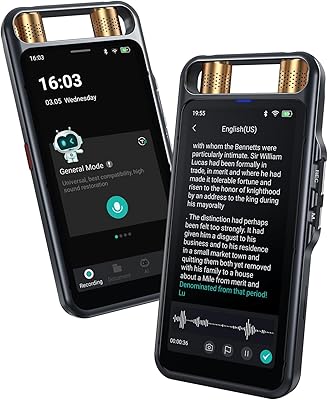
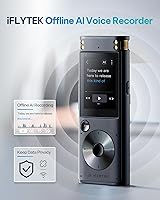
The iFLYTEK SR302 Pro Offline AI Voice Recorder enters a crowded market with a clear, focused pitch: professional-grade transcription that never touches the internet. That distinction matters more than it might seem. For attorneys, journalists, or anyone handling sensitive conversations, the idea of audio being routed through a third-party cloud server is a real liability. iFLYTEK is a major AI technology company in China with decades of speech recognition research behind it — less of a household name in the West, but no newcomer to the field. The device itself is slim enough to slip into a shirt pocket, weighing just 3.53 oz, with a touch screen interface. Worth noting upfront: heavy accents and significant background noise can hurt transcription accuracy.
Features & Benefits

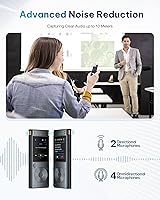
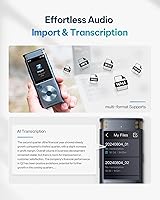
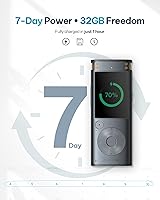
The six-microphone array is where this offline voice recorder pulls ahead of simpler single-mic competitors. In practice, the AI noise cancellation handles moderate background noise well — think a small conference room with HVAC hum — but struggles when the environment becomes genuinely loud. The four recording modes (Intelligent, Conference, Interview, and Speech) let you tailor mic sensitivity to the situation rather than forcing one setting everywhere. Battery life is a standout: 175 hours on a single charge is genuinely unusual at this tier, and USB-C fast charging means you are back up in about an hour. A newer addition, USB audio import, lets you feed existing MP3 or WAV files in for on-device transcription. The Smart Bookmark feature lets you flag key moments mid-recording without stopping.

Best For

This AI transcription device is built for a specific type of buyer, and it is worth being clear about who that is. Legal professionals, compliance officers, and investigative journalists who record privileged or sensitive material are the obvious primary audience — the offline-only architecture is the core selling point for them, not an afterthought. Multilingual business travelers covering meetings in Chinese, Japanese, Korean, or Russian will find genuine value in the five-language transcription. Students studying abroad or using the device for language immersion also benefit from the real-time text output. Where it falls short: users with strong regional accents or those expecting it to cut through trade show noise will likely find the accuracy frustrating. This is not an all-conditions recorder.

User Feedback

Verified buyers tend to highlight two things right away: transcription accuracy in controlled, quiet settings is genuinely impressive, and the one-tap operation makes it accessible even for less tech-savvy users. The touch screen also gets positive mentions for being intuitive. On the other side, complaints about accuracy with non-native English accents appear consistently enough to be taken seriously — this is a real pattern, not an outlier. Some buyers feel the premium price is difficult to justify unless offline privacy is a firm requirement for their work; those for whom it is tend to rate it highly. A handful of users have noted that the PC companion software feels less polished than the hardware, which is worth knowing if desktop workflow matters.

Pros

  • Fully offline transcription means audio never leaves the device — critical for legal, medical, and confidential business use.
  • 175-hour battery life is exceptional and holds up through multi-day conferences without needing a recharge.
  • Five-language transcription covering English, Chinese, Japanese, Korean, and Russian is rare at this form factor.
  • Six-microphone array handles moderate background noise well in small meeting rooms and office environments.
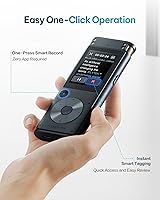
  • One-tap recording makes this AI transcription device genuinely accessible, even for less tech-savvy users.
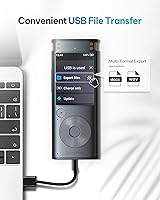
  • USB audio import lets you transcribe existing MP3 and WAV files directly on the device — no PC required.
  • Smart Bookmark function lets you flag key moments mid-session without interrupting or stopping the recording.
  • Slim, pocket-sized build at under 100 grams makes it easy to carry through a full travel itinerary.
  • Four dedicated recording modes allow you to match microphone behavior to the specific environment you are in.
  • Charges fully in roughly one hour via USB-C, so downtime between sessions is minimal.

Cons

  • Transcription accuracy drops meaningfully for speakers with strong regional or non-native English accents.
  • The PC companion software feels outdated, slow, and unreliable — a weak point given the otherwise capable hardware.
  • Mixed-language conversations where speakers switch languages mid-meeting cause noticeable accuracy degradation.
  • No expandable storage means 8GB is your ceiling, which limits long-term archiving without regular file transfers.
  • Noise cancellation struggles in genuinely loud environments like trade shows, crowded public spaces, or outdoor events.
  • Bookmark system cannot be annotated with text labels during recording, making post-session review less efficient.
  • No headphone jack prevents real-time audio monitoring, which some professional users consider a basic requirement.
  • File management on the device itself is rudimentary and becomes cumbersome when handling large numbers of recordings.
  • The manufacturer recommends a specific cable and power adapter for charging — third-party alternatives may cause issues.
  • Brand recognition is limited in Western markets, making warranty support and long-term customer service harder to evaluate.

Ratings

The scores below reflect an AI-driven analysis of verified global buyer reviews for the iFLYTEK SR302 Pro Offline AI Voice Recorder, with spam, bot-generated, and incentivized feedback actively filtered out before scoring. Ratings are calibrated to surface both what genuinely impresses real-world users and where the device falls short of expectations — no score has been softened to protect the brand. Whether you are a legal professional prioritizing data privacy or a frequent traveler managing multilingual meetings, the breakdown below is designed to help you make an informed call.

Offline Transcription Accuracy
74%
26%
In controlled environments — a quiet office, a one-on-one meeting, a university lecture hall — users consistently praise the transcription output as surprisingly reliable for an on-device system. Native or near-native English speakers report strong word accuracy that holds up through moderately paced speech.
Accuracy drops noticeably for users with regional accents, fast speech, or non-standard pronunciation — a pattern confirmed by enough buyers to be a genuine concern rather than an edge case. The device itself carries a warning about this, which is honest, but some buyers feel that limitation is undersold in the marketing.
Noise Cancellation Performance
68%
32%
The six-microphone array handles everyday ambient noise — background HVAC hum, light keyboard clatter, moderate hallway noise — better than most single-mic recorders in this category. Users in small-to-mid-sized conference rooms report clean, usable audio with minimal post-processing needed.
Trade shows, loud restaurants, and crowded public spaces expose the limits of the noise reduction fairly quickly. Several buyers who specifically purchased this for high-noise environments were disappointed, noting that competing voices or ambient crowd noise bleed through and degrade both the recording and the resulting transcription.
Battery Life
93%
A 175-hour battery rating is extraordinary by any standard in this product category, and real-world users back it up. Attendees at multi-day conferences and seminars specifically call out never having to worry about charging mid-event — a genuine operational advantage over most competing devices.
The one consistent note is that the included charging cable is proprietary in the sense that the manufacturer recommends the bundled cable and a specific 5V/2A adapter for best results. Users who used faster or third-party chargers occasionally reported suboptimal charging behavior.
Multilingual Transcription
79%
21%
For users working across Chinese, Japanese, Korean, and Russian alongside English, the five-language offline support is a rare and genuinely useful feature. Business travelers operating in East Asian markets in particular find this combination difficult to replicate in any other pocket-sized device.
The language switching process is not instantaneous, and some users have noted that mixed-language conversations — where speakers alternate between two languages mid-meeting — result in noticeably degraded accuracy. Each language mode works best when the spoken language is consistent throughout the recording.
Data Privacy & Security
96%
For legal teams, journalists, healthcare professionals, and anyone handling privileged conversations, the fully offline architecture is the single most compelling reason to choose this AI transcription device over cheaper cloud-dependent alternatives. There is no upload step, no account required, and no audio ever leaves the device.
The privacy advantage is only meaningful if users trust the firmware itself — and a small but vocal group of buyers, aware of the device's Chinese origin, have expressed concerns about potential data handling at the software level. This is difficult to independently verify and should be evaluated based on individual risk tolerance.
Build Quality & Portability
82%
18%
At 100 grams and roughly the dimensions of a thick pen, the iFLYTEK recorder fits easily into a jacket pocket or bag side compartment. The body feels solid rather than plasticky, and the touch screen is responsive without requiring excessive pressure.
A few users noted that the device feels somewhat delicate compared to ruggedized recorders, and there is no IP rating for dust or water resistance. For field journalists or outdoor use cases, this is worth factoring in before purchase.
Touch Screen & Interface
77%
23%
The touch screen interface is consistently described as intuitive, even by older buyers or those unfamiliar with smart devices. One-tap recording is functional as advertised, and navigating between recording modes takes only a few seconds once you have done it once.
The screen size is small by necessity given the form factor, which means fine-touch interactions — like editing bookmarks or navigating longer file lists — can feel fiddly. Gloved use is effectively impossible, and a few users noted the screen scratches more easily than expected without a protective film.
Recording Modes Flexibility
81%
19%
Having four purpose-built recording modes (Intelligent, Conference, Interview, Speech) means the device is not forcing a single microphone profile onto every situation. Users who switch between one-on-one interviews and large group meetings appreciate being able to optimize the pickup pattern quickly.
Some buyers feel the differences between modes are less dramatic than the marketing suggests, particularly between Intelligent and Conference. A clearer in-box guide or on-screen description of when to use each mode would reduce trial-and-error for new users.
USB Audio Import & Transcription
72%
28%
The ability to feed existing MP3 or WAV files into the device via USB for offline transcription is a genuinely useful addition that expands the use case well beyond live recording. Media professionals and researchers who accumulate audio archives found this feature unexpectedly practical.
The import process is not as fast as some buyers expected, and file organization on the device itself is described as basic at best. Users with large audio libraries found managing multiple imported files somewhat cumbersome compared to desktop transcription software.
Smart Bookmark Function
83%
Being able to drop a marker in real time during a long recording — without pausing or fumbling with menus — is quietly one of the most practical features for professionals. Buyers who use the device in depositions or extended interviews say it cuts post-session review time significantly.
The bookmark system works well for basic flagging but lacks depth. You cannot annotate bookmarks with text tags during recording, which means reviewing a session with dozens of markers still requires some scrubbing rather than jumping directly to a labeled moment.
Companion Software & PC Experience
59%
41%
The desktop software does allow users to manage files, review transcriptions, and export .doc outputs from a larger screen, which some professional users find more comfortable than working on the device directly. Basic file transfer via USB 2.0 is reliable and consistent.
The PC companion software is widely described as the weakest link in the overall package — slow, visually dated, and occasionally unstable on non-Windows systems. Several buyers noted it feels like an afterthought compared to the hardware, and a few reported needing to reinstall it after update failures.
Setup & Ease of Use
88%
Out of the box, the device is operational within minutes. There is no account creation, no app pairing, no cloud setup — you charge it, power it on, and record. Buyers who specifically needed something their less tech-savvy colleagues or older family members could use without hand-holding consistently highlight this.
The included documentation is lean, and navigating less obvious features — like switching transcription languages or adjusting import settings — is not always intuitive without external guidance. A more comprehensive quick-start guide would help new users unlock the full feature set faster.
Value for Money
63%
37%
For users whose primary requirement is offline, private transcription — particularly in legal, journalistic, or enterprise contexts — the premium pricing reflects a real capability gap versus cheaper alternatives that depend on cloud connectivity. Those buyers tend to rate value positively after extended use.
For buyers who do not specifically need offline processing, the cost is hard to justify when cloud-based transcription apps offer comparable or better accuracy at a fraction of the price on a smartphone they already own. The value equation is highly use-case-dependent, and general consumers may feel underserved.
Storage & File Management
66%
34%
8GB of internal storage is adequate for most professional use cases — at standard recording quality, users can store hundreds of hours of audio. The .doc output format for transcriptions is universally compatible and requires no conversion for most business workflows.
There is no expandable storage option, which is a meaningful limitation for heavy users doing multi-day event coverage or building a long-term audio archive. File naming and organizational tools on the device are rudimentary, and bulk file management is better handled by connecting to a PC.

Suitable for:

The iFLYTEK SR302 Pro Offline AI Voice Recorder is purpose-built for professionals who treat audio privacy as a non-negotiable requirement. Attorneys recording client consultations, investigative journalists protecting source conversations, and corporate compliance teams documenting sensitive internal meetings all fit squarely in the intended audience — these are buyers for whom a cloud-dependent alternative is simply not an option, regardless of how accurate or affordable it might be. Multilingual business travelers operating across East Asian and European markets will find the five-language offline transcription genuinely difficult to replicate in any comparable device. Conference attendees and seminar participants who need a recorder that outlasts even the longest multi-day events without hunting for an outlet will also be well served. Students studying abroad or working on language immersion can use the real-time transcription output as a practical learning tool alongside their coursework.
Not suitable for:

Buyers expecting broadcast-quality transcription under all real-world conditions will likely come away frustrated with the iFLYTEK SR302 Pro Offline AI Voice Recorder. The device performs well in controlled, relatively quiet settings, but users with strong regional or non-native English accents have consistently reported accuracy issues significant enough to undermine the core value proposition. Anyone planning to record in loud, chaotic environments — trade show floors, busy restaurants, outdoor events — should approach this with realistic expectations, as the noise cancellation has clear limits in genuinely high-SPL situations. General consumers who do not have a specific offline privacy requirement are unlikely to feel the premium price is justified, given that smartphone-based transcription apps often deliver comparable or superior accuracy for a fraction of the cost. The desktop companion software is noticeably underdeveloped, so buyers who expect a polished PC-side workflow to complement the hardware will find that side of the experience disappointing. There is also no expandable storage and no headphone jack, which rules this out for users who want to monitor recordings in real time or archive large audio libraries on a single device.

Specifications

  • Model: The device is designated as the SR302 Pro, manufactured by iFLYTEK.
  • Dimensions: The recorder measures 0.6″ deep, 1.8″ wide, and 4.6″ tall — compact enough to fit in a shirt or jacket pocket.
  • Weight: At 3.53 oz (100g), it is light enough to carry all day without adding noticeable bulk to a bag or coat.
  • Storage: The device includes 8GB of internal storage with no option for expandable memory cards.
  • Battery Life: Rated up to 175 hours of continuous recording on a full charge under standard conditions.
  • Charging: Charges via USB-C and reaches a full charge in approximately one hour using the included cable and a 5V/2A adapter.
  • Microphones: Features a built-in six-microphone AI array designed for directional pickup and active noise reduction across multiple recording scenarios.
  • Recording Modes: Offers four selectable modes — Intelligent, Conference, Interview, and Speech — each optimizing the microphone array for a specific environment.
  • Transcription Languages: Supports offline voice-to-text transcription in five languages: English, Chinese, Japanese, Korean, and Russian.
  • Connectivity: All transcription processing occurs entirely on-device with no internet connection required at any stage.
  • Audio Import: External audio files in MP3 and WAV formats can be imported via USB for on-device transcription.
  • Output Format: Transcriptions are saved and exported as .doc files, compatible with standard word processing software.
  • Interface: Operated via a built-in touch screen display alongside a dedicated one-tap recording button.
  • Hardware Interface: Connects to computers via USB 2.0 for file transfer and audio import.
  • Headphone Jack: The device does not include a headphone jack, so real-time audio monitoring through headphones is not supported.
  • Bookmark Function: A Smart Bookmark feature allows users to flag moments of interest during an active recording without pausing or interrupting the session.
  • Compatible Devices: Works with laptops, desktop computers, smartphones, and tablets for file management and transfer purposes.
  • Manufacturer: Produced by iFLYTEK, a Chinese AI and speech recognition technology company with an extensive background in voice processing research.

Related Reviews

Amazebra AI Voice Recorder 64GB
86%
91%
Transcription Accuracy
88%
Real-Time Translation
93%
Battery Life
90%
Portability
92%
Data Security
More
Rpbznr AI Voice Recorder 80GB
75%
83%
Transcription Accuracy
78%
Microphone Performance
81%
AI Summary & Notes Generation
74%
Real-Time Translation
71%
Build Quality & Design
More
TTQ Chime Note AI Voice Recorder 64GB
74%
78%
Transcription Accuracy
91%
Battery Life
74%
AI Summary Quality
58%
App Stability & Reliability
82%
Audio Recording Quality
More
AKALULI L816 AI Voice Recorder 64GB
78%
78%
Transcription Accuracy
91%
Battery Life
83%
Build Quality & Design
69%
Call Recording via VCS
66%
Companion App Experience
More
Powerextra AI Voice Recorder 64GB
82%
83%
Transcription Accuracy
94%
Battery Life
81%
Recording Quality
77%
AI Summary & Mind Map Quality
86%
Value for Money
More
Mobvoi TicNote AI Voice Recorder 64GB
85%
85%
AI Transcription Accuracy
93%
Battery Life
80%
Ease of Use (App Interface)
89%
Recording Quality (Audio Clarity)
87%
Noise Cancellation Performance
More
Mugukue NanoRec 64GB AI Voice Recorder
79%
93%
Battery Life
79%
AI Transcription Accuracy
86%
Build Quality & Design
71%
Magnetic Clip Strength
67%
DOWAY App Experience
More
RECOLX JYDH-100 AI Voice Recorder
85%
88%
Transcription Accuracy
91%
Noise Reduction Effectiveness
85%
Ease of Use
92%
Portability
81%
App Integration and Control
More
IUNSONE AI Voice Recorder Q70 64GB
86%
91%
AI Transcription Accuracy
87%
Battery Life
93%
Storage Capacity
88%
Portability
67%
App Experience
More
Tophorse NOTE-1 AI Voice Recorder 64GB
79%
83%
Transcription Accuracy
67%
App Experience
88%
Value for Money
81%
Battery Life
72%
Build Quality & Design
More

FAQ

Yes, completely. The iFLYTEK SR302 Pro Offline AI Voice Recorder processes all speech-to-text transcription directly on the device using its built-in AI engine — no Wi-Fi, no cellular data, and no cloud upload at any point. This is the central reason professionals in legal, medical, or confidential business settings choose it over app-based alternatives.
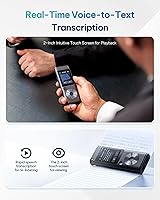
For native or near-native English speakers in a quiet, controlled environment, accuracy is generally strong and consistent with what you would expect from a dedicated transcription device at this tier. That said, the manufacturer itself notes that heavy accents and significant background noise can reduce recognition quality, and real user feedback supports this. If you have a strong regional accent or often record in noisy spaces, it is worth factoring that in before purchasing.

You can switch between all five supported languages — English, Chinese, Japanese, Korean, and Russian — on the same device. The caveat is that mixed-language recordings, where speakers alternate between two languages within a single session, tend to produce less reliable transcription results. For best accuracy, keep each recording session to one consistent language.

Yes, the USB audio import feature lets you bring in existing MP3 or WAV files and transcribe them directly on the device without a computer or internet connection. It is a genuinely useful addition for journalists, researchers, or anyone who has built up an audio archive. Just keep in mind that file organization on the device is fairly basic, so managing a large batch of imported files can get tedious.

For most professionals recording meetings and interviews, 8GB covers hundreds of hours of audio, so day-to-day capacity is rarely a problem. Where it becomes limiting is if you plan to store recordings on the device itself for extended periods without offloading files to a computer. There is no SD card slot, so routine file management via USB transfer to a PC or laptop is necessary for heavy users.

It performs well in moderate-noise environments — small conference rooms, offices with ambient HVAC noise, or meeting spaces with a handful of people talking. In genuinely loud settings like trade show floors or crowded public spaces, the noise reduction has real limits and background sounds can bleed through into both the recording and the transcript. Setting realistic expectations here is important; this is not a broadcast-grade noise suppressor.

The transcription output is saved as a .doc file, which opens directly in Microsoft Word or any compatible word processor. You can edit, search, copy, and format it like any other document. The audio file itself is also saved separately, so you can cross-reference the original recording alongside the transcript if something needs verification.

It is a manual trigger — you tap a designated button during recording to drop a bookmark at that moment in the timeline. It does not auto-detect key phrases or moments on its own. The practical benefit is that you can flag a section mid-meeting without stopping or pulling out your phone, which makes post-session review much faster when you only need to revisit specific moments.

The recorder is fully functional as a standalone device — you do not need the PC software to record, transcribe, bookmark, or playback audio. The software is mainly useful for managing files on a larger screen and transferring transcripts to your computer. That said, user feedback on the software itself is mixed; it works, but it is not polished, and some users find it easier to just connect via USB and drag files manually.

For the core use case — press record, speak, get a transcript — it is about as straightforward as this category gets. The one-tap recording button means you do not even need to navigate the touch screen to start. Where it gets slightly less intuitive is when you want to change languages, adjust recording modes, or manage imported files, but these are not things you need to touch for everyday use. Older buyers and those new to AI recorders consistently rate the basic operation positively.