Overview

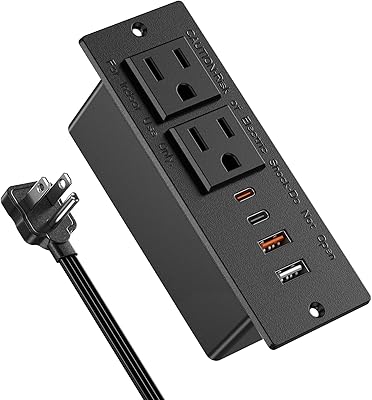
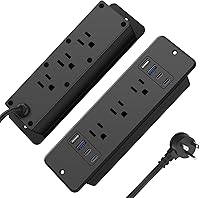
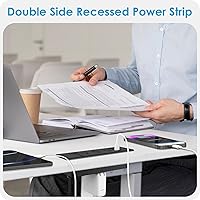
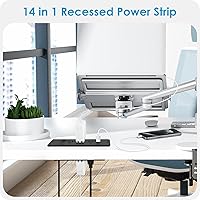
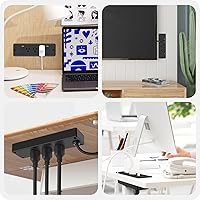
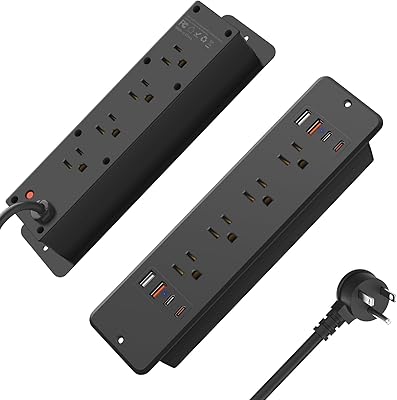
The HHSOET 14-in-1 Recessed Power Strip takes a different approach to desk power — instead of sitting on the surface or dangling off the edge, it drops flush into a hole you cut directly into your desk. The dual-sided port layout means people on both sides of a table can reach an outlet without fighting over the same face. It ships with a cutout template, mounting screws, and a 6ft flat-plug cord, which makes the setup process more approachable than you might expect. HHSOET is a newer brand, so rather than taking longevity on faith, it pays to focus on what the specs actually confirm.

Features & Benefits

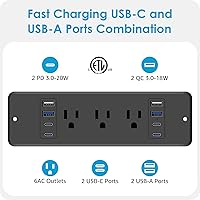
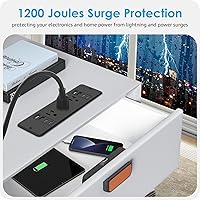
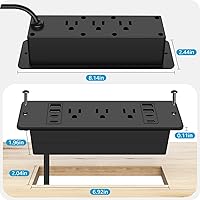
Fourteen charging points sounds impressive until you factor in the 10A / 1250W total ceiling — running every outlet and all eight USB ports at full tilt will hit that cap fast, so prioritize accordingly. That said, for most real-world desk setups, the mix of six AC outlets alongside four QC 3.0 USB-A and four PD 3.0 USB-C ports covers nearly every device in the room. The housing is flame-retardant ABS with grounding and overload protection built in, and the 1200-joule surge protection is solid for everyday use — just don't expect it to match dedicated whole-home surge suppressors. The cutout is a precise 6.92″ × 2.04″ and sits nearly flush with the surface once installed.

Best For

This recessed charging strip makes the most sense for home-office workers who want a permanent, built-in power solution rather than a cord snaking across the desk. It's equally well-suited to shared workstations and small conference tables where two people need outlet access from opposite sides. DIY desk builders or furniture makers who are already cutting custom surfaces will find the installation painless. Worth noting: the strip requires 1.73 inches of clearance beneath the desktop, which rules it out for thinner panels — measure before you cut. Anyone running a mix of USB-A and USB-C devices will appreciate not needing a separate adapter or charging brick just to support both standards.

User Feedback

Buyers consistently praise how clean the finished install looks and how helpful the included template makes the cutting process — most describe it as a straightforward afternoon project. On the critical side, some users flag heat buildup during heavy simultaneous use, which is worth monitoring if your setup regularly maxes out multiple ports. A handful of reviewers with thinner desktops reported minor wobble after installation, so the fit isn't universal. The surge indicator light can be hard to see once the unit sits flush. Long-term durability remains an open question given how recently this flush-mount power hub hit the market, but early impressions on build quality are generally positive.

Pros

  • Sits nearly flat with the desk surface, leaving only 0.12 inches of protrusion for a genuinely clean look.
  • The included cutout template takes the guesswork out of installation — no measuring from scratch.
  • Fourteen charging points cover almost every device on a busy desk without a secondary power strip.
  • QC 3.0 and PD 3.0 support means phones and laptops actually charge at full speed, not trickle speed.
  • Dual-sided port access makes it practical for conference tables or partner desks where two people share the surface.
  • Flame-retardant housing with overload and overvoltage protection adds a meaningful layer of everyday safety.
  • The 6ft flat-plug cord routes discreetly under furniture without creating a visible or trip-hazard bulge.
  • At its price point, the port count and fast-charge specs offer genuinely good value for a recessed charging solution.
  • Grounding and short-circuit protection are built in, which matters when the unit is permanently embedded in furniture.

Cons

  • HHSOET is a newer brand with limited long-term reliability data — durability beyond the first year is still an open question.
  • The 1250W total load ceiling is easy to hit if you run multiple high-draw appliances at the same time.
  • Thinner desktops under roughly two inches may not accommodate the required under-desk clearance, making installation impossible.
  • Heat buildup during heavy simultaneous use has been flagged by some users, which warrants attention in enclosed desk setups.
  • The surge protection indicator light is difficult to see once the unit sits flush in the desk cutout.
  • Installation permanently modifies the desk surface — a poor fit for renters or anyone who reconfigures their workspace often.
  • Buyers with very thin desktop panels have reported minor wobble post-installation, suggesting fit tolerance is not universal.
  • No mention of UL certification in the product listing, which cautious buyers may want to verify before purchasing.

Ratings

The scores below reflect AI-driven analysis of verified global buyer reviews for the HHSOET 14-in-1 Recessed Power Strip, with spam, incentivized, and bot-flagged submissions actively filtered out before scoring. Each category is weighted against real-world usage patterns reported by confirmed purchasers, from home-office builders to shared-workspace managers. Both the highlights and the friction points are represented honestly — nothing is smoothed over to make the product look better than it is.

Ease of Installation
83%
Most buyers were genuinely surprised by how approachable the install process is. The included paper template takes the precision work out of marking the cutout, and the hardware kit means you are not hunting for obscure screws. People with basic DIY experience typically finished the job in under an hour.
A jigsaw or oscillating cutter is required and not included, which catches some buyers off guard. Those who underestimated the under-desk clearance requirement ended up with a misfit install — a frustrating outcome when the hole is already cut and permanent.
Port Count & Variety
88%
Fourteen total charging points across three port types covers nearly every device on a modern desk in one shot. The combination of QC 3.0 USB-A and PD 3.0 USB-C means users with a mix of older phones and newer laptops or tablets do not need a separate hub or adapter brick.
The headline number of 14 ports can be misleading if buyers assume each port operates independently at full power. The 1250W shared ceiling across all AC outlets becomes a real constraint in setups with two monitors and a desktop tower already on the strip.
Fast Charging Performance
79%
21%
In day-to-day use, the USB-C ports push phones and iPads to full charge speed reliably, and the QC 3.0 USB-A ports perform as advertised with compatible Android devices. For users who have juggled slow charging hubs before, the difference is immediately noticeable.
The 20W USB-C ceiling is adequate for phones and lightweight laptops but falls short for users expecting to fast-charge a MacBook Pro, Dell XPS, or any machine that needs 60W or more. Buyers who did not check the wattage specs before purchasing were disappointed by slow laptop charging.
Surge Protection
71%
29%
The 1200-joule rating is a genuine step above completely unprotected power strips and handles the kind of everyday voltage spikes from appliances cycling on and off. For a desk setup housing phones, tablets, and a laptop, it offers a reasonable and practical level of protection.
It is not premium-tier protection — dedicated whole-home suppressors or high-end APC units run significantly higher joule ratings. Buyers with sensitive audio equipment, high-end workstations, or exposure to frequent storm activity in their region should not rely on this as their primary line of defense.
Build Quality
67%
33%
The flame-retardant ABS shell feels solid and does not flex noticeably under normal use. The dual-sided design is well-formed and the port openings are cleanly finished, which gives the unit a more polished feel than its price tier might suggest.
HHSOET has limited long-term reviews to draw from given the mid-2024 launch date, so multi-year durability remains unproven. A subset of buyers noted slightly inconsistent plastic finishing on some units, and the mounting hardware, while functional, does not feel over-engineered.
Fit & Stability Post-Install
62%
38%
On desktops within the recommended thickness range and made from dense hardwood or thick MDF, the unit mounts firmly and does not shift under regular plugging and unplugging. The near-flush 0.12-inch surface profile looks clean and intentional once properly seated.
Users with thinner or softer desktop surfaces — particularly lightweight particleboard or hollow-core panels — reported noticeable wobble after installation. The mounting system has limited tolerance for surface irregularities, and there is no adjustment mechanism to compensate for slight mismatches.
Heat Management
63%
37%
Under light to moderate load — a laptop charger, a phone, and a monitor — this flush-mount power hub runs at a comfortable temperature and does not create any notable warmth at the desk surface. Most users in home-office contexts never encounter a heat issue.
Under sustained heavy loads across multiple AC outlets and USB ports simultaneously, some buyers reported warmth that felt more noticeable than expected. Since the unit is embedded in a desk surface with limited airflow on all sides, heat dissipation is inherently less efficient than a freestanding strip.
Cable Management
81%
19%
The flat-plug cord design is a thoughtful detail that makes routing cables along a baseboard or through a desk cable tray much cleaner. Buyers who previously dealt with bulky angled plugs blocking adjacent outlets appreciated the low-profile entry point.
The 6ft cord length works for most desk setups, but buyers whose wall outlet is further from the desk center — or who have a particularly large surface — occasionally found themselves just barely short of a clean, tension-free run to the wall.
Value for Money
84%
For a permanently installed, dual-sided charging hub with fast-charge USB-A and USB-C support at its price point, this desk outlet insert is difficult to beat on paper. Competing recessed strips with fewer ports often cost noticeably more.
The value equation changes if the unit develops issues after the warranty window closes, since HHSOET is a newer brand without a well-established service reputation. Buyers are effectively betting on hardware quality holding up rather than a brand safety net.
Indicator Visibility
54%
46%
The power-on and surge-protection indicators work as intended and give some visual confirmation that the unit is live. In an exposed or upright placement, they would be easy to glance at during setup.
Once the unit is flush-mounted into a desk at standard seated height, the indicator lights fall at an angle that makes them nearly invisible in normal use. Several buyers only realized the surge protection had tripped when devices stopped charging, not from the light itself.
Compatibility
78%
22%
The mix of USB-A and USB-C ports means this recessed charging strip works without adapters across a wide range of devices from different years and manufacturers. Standard three-prong and two-prong AC devices both fit the outlets without issue.
USB-C compatibility is functional but not universal at higher wattages — older or non-PD devices may not trigger the full 20W output. There is no wireless charging integration, which is an increasingly common expectation in desk-mounted charging products.
Noise & Operation
91%
Under all typical load conditions, the unit operates silently. There is no audible relay click, fan noise, or hum — a genuinely welcome trait for users installing it in quiet home offices or conference rooms where any background noise is noticeable.
A very small number of reviewers reported a faint buzzing sound at high load, though this appears to be an outlier rather than a consistent issue. It is worth noting as a possibility, even if it is unlikely to affect the majority of buyers.
Instruction Clarity
77%
23%
The included instruction sheet covers the cutout process step by step and the template is accurate to the unit dimensions, which removes most of the guesswork for first-time installers. Buyers who followed the guide reported clean, properly aligned results.
The instructions are printed in small type and the diagrams are compact, which can be frustrating in a hands-on installation environment. Non-native English speakers flagged some translation awkwardness that made certain steps less immediately clear.

Suitable for:

The HHSOET 14-in-1 Recessed Power Strip is a strong fit for home-office workers who want their desk to look clean and intentional rather than like a cable explosion. If you're building a custom desk, renovating a home office, or outfitting a small conference table, the flush-mount design is exactly the kind of permanent solution that makes the space feel finished. The dual-sided port layout is particularly useful for shared surfaces — two people can plug in from opposite sides without awkward cord-sharing. It also suits anyone running a mix of older USB-A devices alongside newer USB-C gadgets, since both fast-charge standards are covered without needing separate adapters. DIY builders who are already cutting holes in plywood or butcher block will find the included template and hardware make this a natural add-on to any custom furniture project.

Not suitable for:

This flush-mount power hub is not the right call if your desk surface is thinner than about two inches, since the unit needs at least 1.73 inches of clearance underneath — measure carefully before committing to an irreversible cut. Renters or anyone who moves frequently should think twice, because installation is permanent and damages the desk surface. If you plan to run power-hungry equipment like desktop monitors, space heaters, or high-draw audio gear simultaneously across all outlets, the 10A / 1250W total limit will become a real constraint. The 1200-joule surge protection is adequate for everyday electronics but is not a substitute for a dedicated surge protector if you own sensitive or expensive equipment. Finally, buyers who prefer established, well-reviewed brands with long track records may want to wait for this desk outlet insert to accumulate more long-term user data before committing.

Specifications

  • Total Ports: The unit provides 14 charging points in total: 6 AC outlets, 4 USB-A ports, and 4 USB-C ports arranged across a dual-sided housing.
  • AC Outlet Rating: Each AC outlet is rated at 10 amps, 125 volts, with a combined maximum load of 1250W across all outlets simultaneously.
  • USB-A Output: All four USB-A ports support Qualcomm Quick Charge 3.0, delivering up to 18W per port for compatible devices.
  • USB-C Output: All four USB-C ports support USB Power Delivery 3.0, with a maximum output of 20W per port for fast charging of phones, tablets, and laptops.
  • Surge Protection: Built-in surge protection is rated at 1200 joules, guarding connected electronics against voltage spikes and power fluctuations.
  • Safety Systems: The housing incorporates grounding, short-circuit protection, overload protection, and overvoltage protection as a multi-layer safety system.
  • Housing Material: The outer shell is constructed from flame-retardant ABS polycarbonate, chosen for its resistance to heat and combustion.
  • Cord Length: The attached power cord measures 6 feet in length and uses a flat plug design to minimize bulk where it meets the wall outlet.
  • Cutout Dimensions: The required desk opening measures 6.92″ in length by 2.04″ in width for a proper flush installation.
  • Under-Desk Clearance: A minimum of 1.73 inches of clearance is required beneath the desktop surface to accommodate the body of the unit after installation.
  • Surface Protrusion: Once installed, the top face of the unit sits approximately 0.12 inches above the desk surface, keeping it nearly flush.
  • Port Layout: Ports are arranged on two opposing sides of the unit, allowing users on either side of a desk or table to access outlets independently.
  • Item Weight: The unit weighs 1.06 pounds, making it light enough to handle easily during installation without additional support hardware.
  • Package Dimensions: The retail package measures 9.76 × 4.06 × 2.68 inches and includes the power strip, screws, a cutout template, and printed instructions.
  • Color: The unit is available in black, with a matte finish that blends into most desk surfaces and office environments.
  • Date Available: This product was first listed for sale in June 2024, making it a relatively recent entry in the recessed power strip category.
  • Manufacturer: The unit is manufactured and sold under the HHSOET brand, a consumer electronics label that entered the market in mid-2024.

Related Reviews
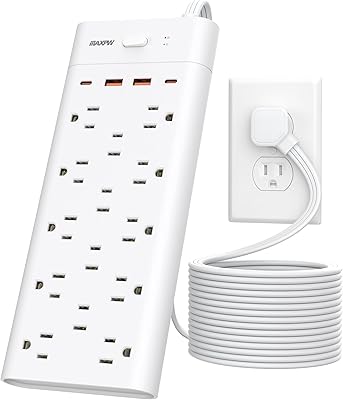
HHSOET 8 Outlet Recessed Power Strip with USB-C and USB-A Ports
88%
94%
Surge Protection
89%
Ease of Installation
88%
Charging Speed
91%
Design & Space-Saving
87%
Build Quality
More
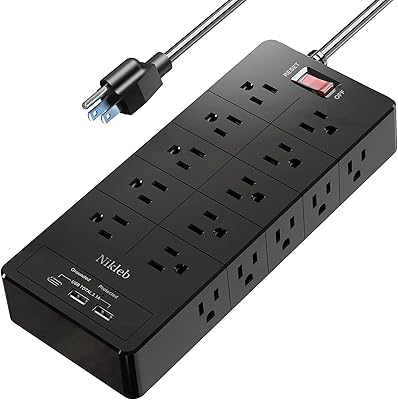
Maxpw 18-in-1 Power Strip Surge Protector with 14 Outlets and 4 USB Ports
85%
91%
Surge Protection
88%
Value for Money
85%
Ease of Use
92%
Cord Length & Flexibility
86%
USB Charging Performance
More
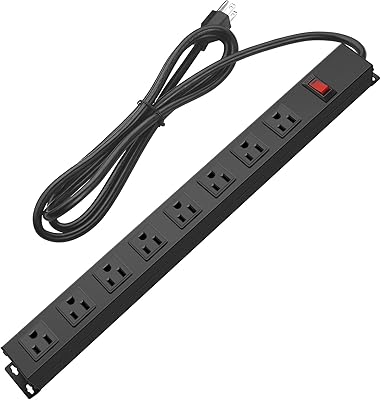
Nikleb Power Strip 23 in 1 with 20 Outlets, 2 USB, 1 USB-C, 6ft Extension Cord
86%
94%
Surge Protection Effectiveness
89%
Usability and Convenience
92%
Build Quality and Durability
87%
Value for Money
93%
Port Availability (Outlets + USB)
More
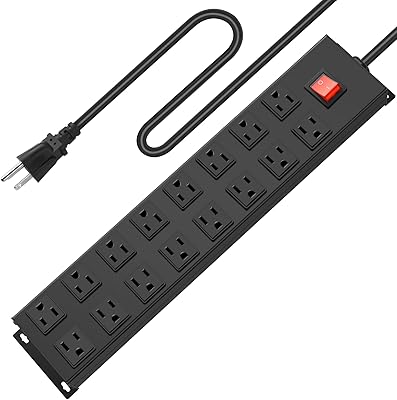
HHSOET 8-Outlet Metal Wall Mount Power Strip
79%
93%
Build Quality
91%
Outlet Spacing
88%
Ease of Mounting
74%
Surge Protection
51%
Cord Length
More
HHSOET Metal 16-Outlet Power Strip
87%
93%
Surge Protection
89%
Build Quality
87%
Outlet Spacing
70%
Cord Length
92%
Ease of Installation
More
UWIWUTEI Power Strip with Wireless Charger 17-in-1
89%
89%
Charging Performance
85%
Build Quality
90%
Design & Usability
92%
Value for Money
87%
Surge Protection
More
HHSOET 360° Rotating 12 Outlet Power Strip
85%
94%
Build Quality
88%
Surge Protection Performance
80%
Ease of Installation
91%
Flexibility of Rotating Design
85%
Outlet Spacing and Compatibility
More
Nikleb 23-in-1 Power Strip Surge Protector
86%
94%
Surge Protection Effectiveness
90%
USB Charging Ports Performance
88%
Build Quality & Durability
85%
Ease of Setup & Installation
72%
Cord Length Flexibility
More
HHSOET Desk Clamp Power Strip with USB Ports
84%
88%
Ease of Installation
91%
Build Quality
65%
Cord Length
72%
USB Charging Performance
89%
Mounting Stability
More
Anker A91F2 10-in-1 Flat Plug Power Strip
82%
96%
Flat Plug Design
91%
Outlet Count & Layout
83%
USB-C Charging Speed
61%
USB-A Charging Speed
88%
Build Quality & Materials
More

FAQ

It is manageable for most people with basic DIY confidence. The package includes a paper cutout template you trace directly onto the desk, so you know exactly where to cut. You will need a jigsaw or oscillating tool to make the rectangular opening, and a screwdriver to secure the mounting hardware. The whole process typically takes under an hour if you have the right tools on hand.

You need at least 1.73 inches of clearance beneath the desktop surface for the body of the unit to sit properly. If your desk panel is thinner than roughly two inches total, or if there is a support rail or frame directly under the intended install spot, this flush-mount power hub may not fit without modification. Always measure before cutting.

Yes, but with a caveat. The USB-C ports support PD 3.0 at up to 20W per port, which is enough to charge most phones and tablets at full speed and will charge thin laptops like a MacBook Air or iPad Pro, albeit more slowly than a dedicated 65W or 96W adapter. Power-hungry gaming laptops or workstation-class machines will charge very slowly or not at all from a 20W source.

The unit is capped at 10 amps and 1250W total across all AC outlets combined. If you push every port simultaneously — say, three monitors, a desktop, and several phones — you can trip that limit and trigger the overload protection, which cuts power. In a realistic home-office setting with a mix of moderate-draw devices, most people never hit the ceiling, but it is worth being aware of before you plan your entire setup around it.

Based on its listed specs, yes — the flame-retardant housing, grounding, and multi-layer protection systems are appropriate for permanent desk installation. That said, HHSOET is a newer brand without a long public track record, so if you are embedding this into a high-end custom desk or a commercial environment, it is worth checking whether a UL or ETL certification is listed on the unit itself before finalizing the install.

It offers 1200 joules of surge protection, which handles typical voltage spikes and minor power fluctuations well. For a nearby direct lightning strike, no consumer-grade surge strip provides full protection — the energy involved far exceeds what any in-line suppressor can absorb. If you are in a storm-prone area, unplugging sensitive gear during severe weather is still the safest move.

Yes, that is actually one of the more practical design features of this desk outlet insert. The ports are split across two faces of the unit, so someone sitting on each side of a shared desk or conference table can plug in without reaching across. It works well for partner workstations or small meeting tables.

Some users have reported noticeable warmth during sustained heavy charging sessions, which is fairly normal for multi-port charging devices. If you are regularly running all outlets and USB ports at or near capacity for extended periods, keep the area around the unit reasonably ventilated and avoid covering it with desk accessories that could trap heat.

A small number of buyers with thinner or softer desktop materials have reported minor wobble after installation. The mounting hardware is designed for standard desk thicknesses, so if your surface is at the lower end of the usable range or made of a softer material like MDF, the fit may be less snug. Adding a thin strip of foam tape around the mounting flange can help stabilize it without permanent modifications.

This is a minor but real limitation. Once the unit sits flush in the desk, the indicator light on the housing can be hard to see depending on your viewing angle and ambient lighting. It is not a safety issue — the protection circuits function regardless — but if visual confirmation matters to you, plan to check it during installation before the unit is fully seated and secured.