
Overview

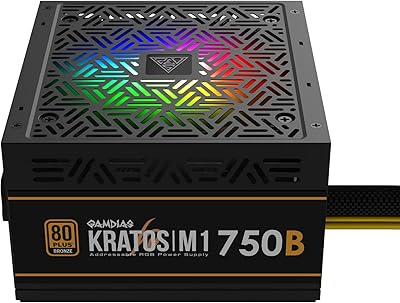
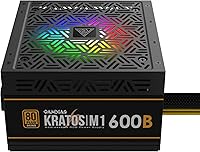
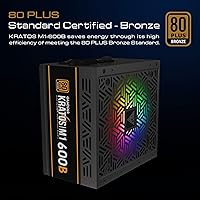
The GAMDIAS Kratos M1-600B 600W Bronze PSU is a straightforward, no-frills entry point into RGB-equipped power supplies for budget-conscious PC builders. GAMDIAS is primarily known for making peripherals and components aimed at casual-to-mid-tier gamers, and this unit fits squarely in that lane. The 80 Plus Bronze rating means it runs at roughly 82–85% efficiency under typical loads — not the top of the efficiency ladder, but a genuine step above uncertified units. It conforms to the ATX12V v2.2 standard, so it slots into most standard mid-tower cases without fuss. Keep realistic expectations though: 600W handles mid-range builds well, but it is not the right foundation for a high-end GPU setup.

Features & Benefits

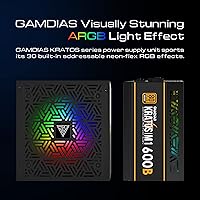
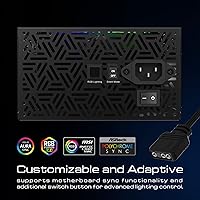
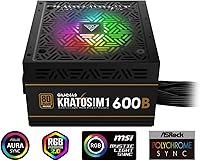
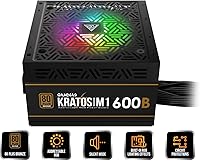
The Kratos M1-600B packs in a few genuine highlights worth knowing about. Most notable is the addressable RGB fan with 30 lighting modes, which hooks into your motherboard’s software directly — compatible with ASUS AURA, GIGABYTE FUSION, MSI MYSTIC, ASRock Polychrome, and Biostar Vivid LED DJ — so no third-party controller is required. The ECO fan control adjusts speed automatically based on how hard the system is working, keeping things quiet during lighter tasks. There is also a dedicated physical switch to lock the fan into silent mode entirely — genuinely useful if your PC is idling at a desktop or handling basic office work. Active PFC rounds things out, helping stabilize power delivery and improving compatibility with UPS devices.

Best For

This GAMDIAS power supply is a practical fit for builders who want RGB on a budget without stretching into premium territory. If your build is centered around a mid-range GPU — an RTX 3060, an RX 6700 XT, or something in that generation — 600W gives you comfortable headroom. First-time builders may actually appreciate the non-modular cable design here; fewer decisions during install can reduce confusion. It also suits a dual-purpose home office setup where quiet operation matters during the workday but you still want a capable gaming rig after hours. If you are planning something more power-intensive — RTX 4080-level hardware, for instance — this is not the right unit for that job.

User Feedback

Sitting at a 4.5-star average from over 370 buyers, this RGB gaming PSU has earned a solid reception — without being a runaway category leader. The most common praise centers on hassle-free installation and the RGB output, which apparently lives up to expectations once it is running inside a windowed case. Noise levels under everyday workloads get favorable mentions as well. Where buyers push back is predictable: the non-modular cabling means tucking away several unused connectors regardless of your build, which frustrates anyone who cares about a tidy interior. A handful of reviewers also raise questions about long-term durability — a fair concern for any value-tier PSU from a brand without a deep reliability track record.

Pros

  • RGB fan syncs natively with major motherboard platforms, so no separate controller is required.
  • 80 Plus Bronze certification puts efficiency meaningfully above uncertified budget power supplies.
  • The physical silent mode switch cuts fan noise instantly without needing any software or settings menu.
  • ECO fan control automatically balances thermals and noise, staying quiet during light to moderate workloads.
  • ATX12V v2.2 form factor fits virtually any standard mid-tower without compatibility headaches.
  • A 4.5-star average across over 370 buyers reflects solid real-world satisfaction for the price tier.
  • Active PFC delivers cleaner power draw and works reliably with most UPS battery backup devices.
  • Pre-attached cables simplify installation for first-time builders who find modular decisions stressful.

Cons

  • Non-modular cabling forces unused connectors to be bundled and hidden, which frustrates clean windowed builds.
  • 600W leaves limited headroom if you plan to upgrade to a more demanding GPU in the next year or two.
  • GAMDIAS does not carry the long-term reliability reputation of established PSU brands like Seasonic or Corsair.
  • 80 Plus Bronze is the lowest certified efficiency tier; continuous or heavy users will save more with Gold or Platinum.
  • The review pool is under 400 ratings, making it genuinely difficult to assess multi-year durability with confidence.
  • Cables can be stiff out of the box, making routing inside tighter or more cramped cases more tedious than expected.
  • No semi-modular variant exists in the lineup, so there is no option to reduce cable bulk at this price point.
  • Buyers focused purely on electrical performance may find the RGB-forward design priorities misaligned with their goals.

Ratings

The GAMDIAS Kratos M1-600B 600W Bronze PSU has been evaluated across verified global buyer reviews, with our AI actively filtering out incentivized, bot-generated, and low-quality feedback to surface what real owners genuinely experienced. The scores below reflect a balanced analysis of this affordable RGB gaming power supply — capturing both the genuine strengths and the recurring frustrations that surface across hundreds of real builds. Both the highs and the honest limitations are represented here, giving you a fully informed picture before you decide.

Value for Money
83%
For a budget-tier power supply that includes RGB lighting, motherboard sync support, and an ECO fan controller, the asking price is genuinely competitive. Buyers consistently note that the Kratos M1-600B delivers more visual and functional features per dollar than most comparable non-RGB alternatives at the same wattage.
The value equation weakens if your build demands higher wattage or a modular cable setup, since upgrading to either pushes you into a meaningfully higher budget bracket. At this price point, buyers accept trade-offs in long-term reliability data and brand reputation that a slightly higher spend could address.
RGB Lighting
87%
The addressable RGB fan with 30 lighting modes draws consistent praise from buyers who built inside windowed cases, with many noting it looks noticeably better in person than in product photos. Native motherboard sync eliminates the need for a third-party controller and integrates cleanly with ASUS AURA, GIGABYTE FUSION, MSI MYSTIC LIGHT, ASRock Polychrome, and Biostar Vivid LED DJ.
Buyers without a compatible addressable RGB header on their motherboard are limited to cycling modes manually via the onboard button, which significantly reduces the appeal of the feature. The RGB fan is not individually addressable at the LED level, so customization depth is more limited than what enthusiast-grade lighting systems offer.
Noise Level
79%
21%
Under light-to-moderate gaming loads, most buyers describe fan noise as genuinely unobtrusive, with the ECO control keeping the fan from ramping up unless the unit is under real thermal stress. The physical silent mode switch adds a practical layer of control for work-from-home setups or late-night gaming sessions where ambient noise matters.
A subset of buyers report that the fan becomes noticeably audible when the system is under sustained heavy load, which can be surprising inside an otherwise quiet case. A handful of units have shown fan bearing noise earlier than expected for the price tier, though this appears to be an outlier rather than a systemic issue.
Cable Management
51%
49%
The permanently attached cable set makes initial installation faster and simpler for first-time builders, since every cable is pre-attached and there is no guesswork about which modular cables to connect. For builds where interior aesthetics are not a priority, the fixed harness works without any real friction.
The non-modular design is one of the most consistently raised complaints from buyers with windowed cases, where unused connectors must be bundled and stuffed behind the motherboard tray regardless of the build configuration. Cables are also reported as noticeably stiff out of the box, making clean routing in tighter cases more frustrating than it needs to be.
Reliability & Longevity
63%
37%
The 4.5-star average across over 370 buyers is a positive signal, and most reviewers who have used this GAMDIAS power supply for a year or more report no stability or failure issues during everyday gaming and office workloads. For moderate use scenarios, the unit holds up adequately within its rated parameters.
GAMDIAS does not carry the established multi-year track record of tier-one PSU brands, and the review pool is not yet large enough to draw confident conclusions about performance beyond two to three years of daily use. A small but notable share of buyers flag concerns about build consistency between units, suggesting quality control could be tighter.
Installation Ease
86%
The non-modular design, while limiting for cable aesthetics, makes installation faster and less confusing for newcomers — every cable is pre-attached and identifiable, removing guesswork about which modular cables to use. Most buyers report getting the unit seated and connected inside a standard mid-tower comfortably within a single session.
Cable stiffness is the primary installation gripe, with some buyers finding the rigid harness awkward to route and secure cleanly in cases with limited depth behind the motherboard tray. First-time builders may also need guidance on which connectors to leave unused, rather than assuming every cable needs a destination.
Power Efficiency
71%
29%
The 80 Plus Bronze certification confirms the unit delivers 82–85% efficiency at typical operating loads, keeping energy waste and heat generation within acceptable limits for a mid-range gaming build running a few hours per day. Most buyers in moderate-use scenarios will not notice any meaningful electricity cost impact.
Bronze is the lowest certified efficiency tier, and buyers who run their systems for eight or more hours daily will lose more energy as heat than they would with a Gold or Platinum unit. Over a one-to-two-year span, the cumulative electricity cost difference could justify spending more upfront on a higher-efficiency alternative.
Compatibility
84%
The ATX12V v2.2 form factor and standard connector layout make this RGB gaming PSU a straightforward fit for virtually any standard mid-tower or full-tower build on a mainstream Intel or AMD platform. The Active PFC also broadens compatibility with UPS devices, which not all budget power supplies in this class can claim.
Buyers using compact ITX or small-form-factor cases should verify PSU clearance carefully, as the 9.45-inch body can be tight in enclosures with strict depth limits. The unit is also not well-suited for high-TDP GPU configurations, which limits its relevance for anyone building toward an enthusiast-class system.
Thermal Performance
76%
24%
Under normal mid-range gaming workloads, the unit maintains stable temperatures without running uncomfortably hot, and buyers report no thermal throttling or instability during typical two-to-three-hour gaming sessions. The ECO fan management contributes meaningfully to keeping internal temperatures within a safe and steady operating range.
Sustained heavy workloads — prolonged high-utilization gaming or combined CPU and GPU stress — push the single fan noticeably harder, and the one-fan cooling setup has less thermal headroom than dual-fan designs found at higher price tiers. Buyers in poorly ventilated cases or warm ambient environments should factor this in.
Build Quality
68%
32%
The physical construction is solid enough for a budget unit, with a steel casing that feels adequately sturdy during handling and installation. Most buyers report no physical defects out of the box, and the unit sits securely in the PSU mount without flex or movement.
Cable sheathing quality and connector finish are a noticeable step below what mid-to-premium tier PSUs deliver, which is expected at this price but still a point of friction during a careful build. A subset of buyers also report loose SATA connector fits, which can create an unreliable connection if not checked carefully.
Wattage Adequacy
74%
26%
For mid-range builds centered on GPUs like the RTX 3060 or RX 6700 XT, 600W provides comfortable headroom under real gaming conditions without any signs of instability. Buyers running these configurations consistently report stable output and no unexpected shutdowns during extended gaming sessions.
The 600W ceiling becomes a genuine constraint for anyone pairing this unit with a current-generation high-TDP GPU or planning a meaningful upgrade in the near future, as cards like the RTX 4070 Ti regularly push into uncomfortable territory for this unit. Future-proofing beyond the current mid-range is essentially off the table at this wattage.
Motherboard Sync
82%
18%
Native integration with five major motherboard lighting platforms means most buyers get the RGB working through existing software without additional setup steps or third-party tools. Buyers who already have a synced RGB build find the PSU fan integrates cleanly and consistently with their existing theme.
Older motherboards or less common platforms without a dedicated addressable RGB header cannot use the sync feature at all, falling back to manual button cycling only. A small number of buyers also report intermittent sync drop-outs where the PSU RGB reverts to a default pattern after system restarts.
Aesthetics & Design
81%
19%
The illuminated fan visible through a side window gives a mid-range build a cohesive, lit aesthetic without requiring a premium RGB power supply. Buyers building with a budget windowed case frequently mention the unit looks better in practice than they expected given the price tier.
The non-modular cable bundle creates a somewhat cluttered appearance in open-layout windowed builds where unused cables remain partially visible despite best routing efforts. The unit also lacks the brushed metal or premium finish of higher-end PSUs, which may feel underwhelming to buyers with a strong focus on interior build aesthetics.
Fan Control System
78%
22%
The ECO fan control genuinely delivers quieter operation during everyday use, automatically reducing speed when the system is browsing, streaming, or doing light productivity work. The physical silent mode switch gives builders a no-fuss way to enforce near-silent operation on demand without navigating any software menus.
In silent mode, the fan runs at a reduced fixed speed regardless of actual thermal load, so leaving it engaged during a full gaming session risks letting the unit run warmer than intended. Some buyers also find the ECO ramp-up curve slightly aggressive under moderate loads, producing noticeable fan speed transitions during gameplay.

Suitable for:

The GAMDIAS Kratos M1-600B 600W Bronze PSU is a genuinely practical choice for anyone assembling a mid-range gaming PC on a tight budget who also wants visible RGB inside a windowed case. If your GPU sits in the RTX 3060 or RX 6700 XT class — or older — the 600W output provides comfortable headroom without paying for wattage you will never use. First-time builders will find the non-modular setup less intimidating than modular alternatives, since every cable is pre-attached and ready to route with no guesswork involved. The native motherboard RGB sync, compatible with ASUS AURA, GIGABYTE FUSION, MSI MYSTIC, ASRock Polychrome, and Biostar Vivid LED DJ, is a genuine convenience for anyone wanting a unified lighting setup without adding a separate controller. It also suits hybrid home office and gaming rigs well, where the physical silent mode switch offers a fast, no-fuss way to dial back fan noise during quieter work sessions.

Not suitable for:

The GAMDIAS Kratos M1-600B 600W Bronze PSU is the wrong call if your build is trending toward high-TDP hardware — pairing it with an RTX 4080, RTX 4090, or RX 7900 XTX would push well beyond what this unit is rated to handle safely. Experienced builders who care deeply about cable management will find the non-modular harness a persistent annoyance, particularly in compact or small-form-factor cases where routing unused connectors cleanly is already a challenge. Buyers prioritizing long-term reliability above all else should note that GAMDIAS does not carry the same established track record as tier-one PSU makers, and the available review pool is not yet large enough to draw strong multi-year durability conclusions. Anyone running a workstation around the clock or with above-average electricity costs would be better served by an 80 Plus Gold or Platinum unit, where the efficiency gains pay back the price difference over time. Finally, builders with an aggressive upgrade path in mind — one that could push power demand past 650–700W within a year or two — are better off sizing up from the start.

Specifications

  • Wattage: Rated at 600W continuous output, sufficient for mid-range gaming builds using GPUs in the RTX 3060 class or below when paired with a mainstream CPU.
  • Efficiency Rating: Holds 80 Plus Bronze certification, indicating approximately 82–85% energy efficiency under typical operating loads, a meaningful step above uncertified units.
  • Form Factor: Conforms to the ATX12V v2.2 standard, making it physically compatible with the vast majority of standard mid-tower and full-tower PC cases.
  • RGB Lighting: Features an addressable RGB fan with 30 selectable lighting modes, manually accessible via an onboard button switch on the unit itself.
  • Motherboard Sync: Supports native RGB synchronization with ASUS AURA, GIGABYTE FUSION, MSI MYSTIC LIGHT, ASRock Polychrome, and Biostar Vivid LED DJ through a single addressable RGB header.
  • Fan Control: ECO fan speed management automatically adjusts fan RPM based on real-time system load, keeping noise low during lighter or idle workloads.
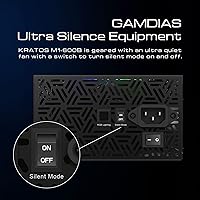
  • Silent Mode: A dedicated physical toggle switch enables silent mode, reducing fan speed for near-quiet operation when the system is idling or running undemanding tasks.
  • Power Factor: Equipped with Active PFC (Power Factor Correction), which provides a cleaner power draw from the wall outlet and improves compatibility with UPS battery backup devices.
  • Cooling: Relies on a single air-cooled fan for heat dissipation; no passive or liquid cooling is present.
  • Dimensions: Measures 9.45 x 7.87 x 3.54 inches (L x W x H), consistent with standard ATX PSU sizing conventions.
  • Weight: Weighs approximately 2.2 pounds (1 kg), which is on the lighter end for a non-modular 600W power supply.
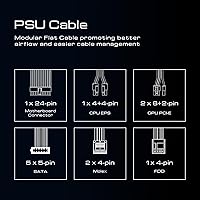
  • Cable Design: Fully non-modular configuration, meaning all cables are permanently attached to the unit and cannot be removed or swapped out.
  • Connector Type: Uses a standard ATX output connector interface, compatible with ATX motherboards and conventional desktop PC component configurations.
  • Input Voltage: Manufacturer-listed input voltage is 220V; buyers in 110–120V regions should confirm regional compatibility with GAMDIAS directly before purchasing.
  • Release Date: First available in August 2019, giving this unit several years of real-world consumer use from which buyer feedback has been gathered.

Related Reviews
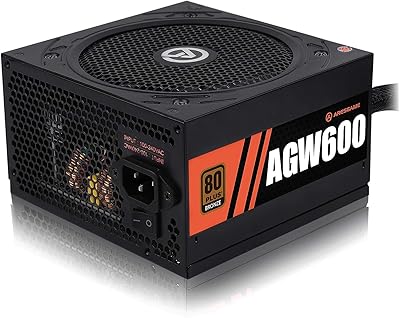
ARESGAME AGW600 600W 80+ Bronze PSU
84%
88%
Performance & Power Efficiency
82%
Build Quality & Durability
90%
Noise Level & Cooling
85%
Ease of Installation
70%
Cable Management
More
GAMDIAS Kratos M1-750B 750W Power Supply
72%
83%
Value for Money
78%
RGB Lighting Quality
81%
Noise Level
77%
Installation Ease
54%
Cable Management
More
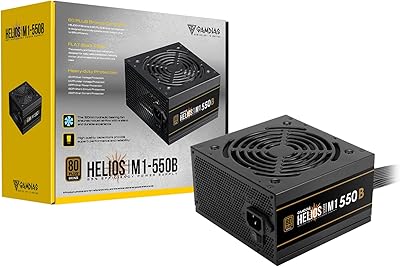
GAMDIAS Helios M1-550B 550W ATX Power Supply
75%
83%
Value for Money
88%
Installation Ease
67%
Noise Level
71%
Build Quality
78%
Thermal Performance
More
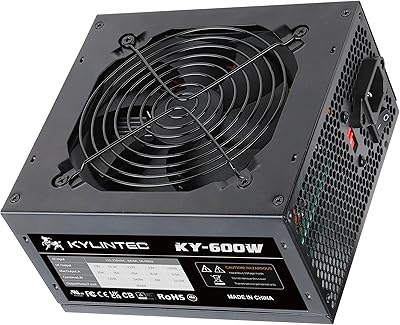
KYLINTEC 600W Power Supply ATX PSU
81%
90%
Ease of Installation
85%
Cooling Performance
88%
Power Stability
75%
Cable Management
80%
Build Quality
More
ASUS TUF Gaming 550W Power Supply
81%
91%
Build Quality
88%
Noise Level
93%
Reliability & Longevity
86%
Value for Money
57%
Cable Management
More
ESGAMING 600W Non-Modular ATX Power Supply
75%
88%
Value for Money
83%
Noise Level
91%
Ease of Installation
86%
Connector Coverage
67%
Cable Quality
More
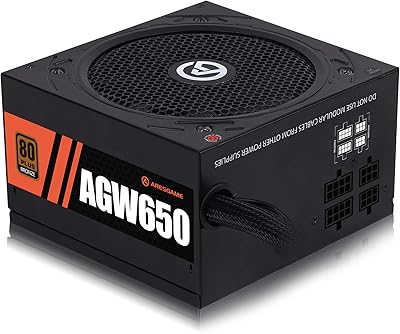
ARESGAME AGW650 650W 80+ Bronze PSU
86%
88%
Energy Efficiency
90%
Cooling Performance
85%
Ease of Installation
87%
Build Quality
92%
Noise Levels
More
ARESGAME AGW550 550W ATX Power Supply
75%
88%
Value for Money
76%
Noise Level
54%
Cable Management
83%
Efficiency & Power Delivery
91%
Ease of Installation
More
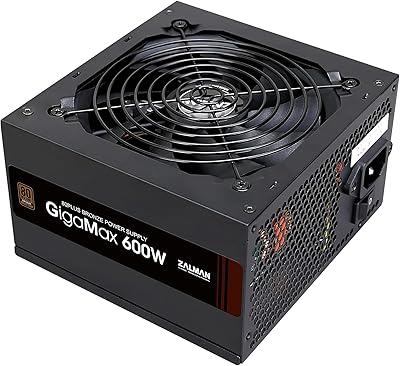
Zalman GigaMax 600W ATX Power Supply

81%
88%
Value for Money
84%
Noise Level
76%
Efficiency
79%
Build Quality
58%
Cable Management
More
N.Y.C. New York Color Sun N' Bronze Bronzing Powder Montauk Bronze 0.42oz
86%
88%
Buildable Coverage
92%
Texture and Feel
85%
Longevity
91%
Skin Compatibility
90%
Natural Finish
More

FAQ

Almost certainly yes. The Kratos M1-600B follows the ATX12V v2.2 form factor at 9.45 x 7.87 x 3.54 inches, which is the industry-standard size that fits virtually every mid-tower and most full-tower cases. If you are using a compact Mini-ITX or SFF case, double-check your case’s specific PSU clearance specifications before buying.

An RTX 3070 paired with a mid-range CPU like a Ryzen 5 or Core i5 is workable on 600W, though the headroom is modest. An RTX 3080 is a different story — its power draw under load makes 600W genuinely risky for sustained gaming sessions. For anything above the RTX 3070, stepping up to at least a 750W unit is the safer and smarter move.

No separate controller or third-party software is required. This GAMDIAS power supply connects to your motherboard through a single addressable RGB header, and from there your motherboard’s native lighting platform — ASUS AURA, GIGABYTE FUSION, MSI MYSTIC LIGHT, ASRock Polychrome, or Biostar Vivid LED DJ — handles everything. If your motherboard lacks an addressable header, you can still cycle through the 30 lighting modes manually using the onboard button on the PSU itself.

Flipping it tells the fan to run at a lower fixed speed regardless of how hard the system is working, which noticeably cuts the audible noise when your PC is idling or handling light tasks like web browsing or streaming. It is a physical toggle on the unit — no software, no settings menu. That said, keep in mind that with the fan spinning slower, heat dissipation is reduced, so silent mode is best saved for low-demand situations rather than extended heavy gaming sessions.

No, it is fully non-modular, so all cables are permanently attached. You will end up with connectors you do not use in your specific build, and those need to be bundled and tucked behind the motherboard tray. It is not a dealbreaker, but anyone building inside a windowed case who cares about a clean interior should factor that in before buying.

For a typical gaming setup running a few hours each day, the efficiency gap between Bronze and Gold translates to a relatively small difference on your electricity bill — likely a few dollars per year. Where it matters more is in systems that run continuously, in hot environments, or at consistently high loads. If that sounds like your setup, a Gold or Platinum unit would pay back the price difference over time.

Yes. The Active PFC on this unit is specifically what makes it compatible with most UPS devices. Some older or passive-PFC power supplies can cause issues with certain UPS units, particularly simulated sine wave models, so the Active PFC here is a practical advantage if you are using a UPS for surge or outage protection.

Most buyers describe it as quiet to unobtrusive under moderate gaming loads. The ECO fan control ramps speed up only when heat actually builds up, so it is not spinning hard unless the unit is under sustained heavy demand. In a typical mid-range gaming build, the PSU fan is unlikely to be the loudest component in your system.

It has a 4.5-star average from over 370 buyers, which is a genuinely positive signal for a budget-tier unit. That said, GAMDIAS does not carry the same multi-year reliability track record as brands like Seasonic, Corsair, or be quiet!, and the review pool is not yet large enough to draw strong conclusions about five-plus-year durability. For a primary rig with heavy daily use, a more established brand might offer better peace of mind; for a secondary or budget build with moderate use, it is a reasonable pick.

It depends on where your upgrade lands. Moving from something like a GTX 1660 Super to an RTX 3060 is totally fine — 600W handles that comfortably. But if your upgrade path points toward an RTX 4070 or anything more demanding, you will likely need to replace this RGB gaming PSU at the same time, since 600W becomes uncomfortably tight for those higher-draw cards. It is worth thinking through your two-to-three-year upgrade trajectory before committing to this wattage.