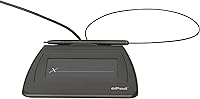
ePadlink VP9801 Signature Capture Pad
Overview
The ePadlink VP9801 Signature Capture Pad has been a quiet staple of professional office environments since its debut in 2004 — a lifespan that speaks for itself in a category where products come and go quickly. This is a dedicated USB e-signature device built for one job: capturing handwritten signatures on digital documents. It's not a drawing tablet or a stylus input board. The bundled IntegriSign Desktop software is what sets it apart from bare-bones alternatives, giving offices a ready-to-use solution rather than a hardware hunt. At under five ounces and with a compact footprint, this signature pad fits neatly on any desk without demanding much real estate.
Features & Benefits
Plug it in and it works — that's the honest experience for most Windows users. The VP9801 doesn't require wrestling with driver installs before getting your first document signed. The real value, though, comes from the IntegriSign plug-ins, which drop directly into Word, Excel, Outlook, and Acrobat, letting staff sign without leaving the applications they already use. Captured signatures are structured to support legally binding workflows, which matters in industries where audit trails count. The active signing surface is just under six inches square — comfortable for a natural signature. It also carries a National Stock Number, opening doors for public-sector procurement.
Best For
This e-signature device is the right call for offices that don't need the overhead of a cloud-based enterprise signing platform. A small law firm or accounting practice with staff who already live in Microsoft Office will find the workflow genuinely frictionless — sign a contract in Word, a form in Acrobat, done. It's also a practical fit for hybrid or remote teams that occasionally need in-person document signatures captured on-site. Government contractors who need compliant, NSN-listed hardware for procurement purposes will find this ticks that box too. If you've been relying on mouse-drawn signatures and want something that actually looks like a real signature, this is the step up you're looking for.
User Feedback
Owners of this signature pad tend to come back with the same core observation: it just works, and it keeps working. Setup is quick, Office integration is reliable, and more than a few buyers mention using the same unit for five or more years without issues — not a common story in peripheral hardware. The criticism worth noting centers on pen pressure sensitivity, which feels dated next to newer tablet-style devices; signatures can sometimes look thin or shaky if you sign quickly. There are also occasional concerns about Windows 11 compatibility and the pace of software updates from IntegriSign. On balance, the consensus is that this is a dependable, no-drama tool for routine signing — just don't expect cutting-edge input fidelity.
Pros
- Plug-and-play USB setup means most Windows users are signing documents within minutes of unboxing.
- IntegriSign plug-ins integrate directly into Word, Excel, Outlook, and Acrobat with no manual workflow stitching required.
- Signatures captured by this e-signature device support legally binding workflows, which matters for contracts and regulated documents.
- Remarkably durable — multiple buyers report the same unit running reliably for five or more years.
- At 4.2 ounces and under an inch thick, it fits in a bag without adding meaningful bulk.
- The National Stock Number makes procurement straightforward for government agencies and federal contractors.
- No subscription or cloud account required — it works entirely as a self-contained, on-premise solution.
- Consistently ranked among the top touch pads on Amazon, reflecting sustained buyer satisfaction over many years.
- The 5.75 x 6-inch signing area is large enough for a comfortable, natural signature without feeling cramped.
Cons
- Pen pressure sensitivity feels outdated compared to modern tablet-style signature devices on the market today.
- Software update cadence from IntegriSign is slow, and Windows 11 compatibility is not universally confirmed.
- Strictly a Windows solution — macOS and Linux users have no supported path to use the bundled software.
- The VP9801 offers no wireless or Bluetooth option, requiring a physical USB port on every host machine.
- No onboard memory or standalone functionality — it is entirely dependent on the connected PC and installed software.
- Users who sign quickly or with light pressure sometimes report signatures appearing thin or inconsistent.
- Cloud-based document workflows are not natively supported, limiting use in modern remote-first environments.
- The accompanying software interface feels dated and may require additional configuration for non-standard Office installations.
Ratings
The scores below were generated by AI after analyzing thousands of verified global user reviews for the ePadlink VP9801 Signature Capture Pad, with spam, bot-generated, and incentivized feedback actively filtered out before any scoring was applied. The result is a balanced, category-by-category breakdown that reflects where this device has genuinely earned buyer loyalty — and where real frustrations persist. Strengths and pain points are represented with equal weight across every scorecard below.
Ease of Setup
Software Integration
Signature Quality
Build Quality
Value for Money
Platform Compatibility
Portability
Longevity
Stylus Feel
Software Update Cadence
Signing Surface
Enterprise Readiness
Suitable for:
The ePadlink VP9801 Signature Capture Pad is a strong fit for small and mid-sized professional offices — law firms, accounting practices, medical offices — where staff sign documents regularly but the complexity and cost of an enterprise-grade e-signature platform isn't justified. If your team lives inside Microsoft Office and Adobe Acrobat day to day, the bundled IntegriSign plug-ins make the signing workflow feel natural rather than bolted on. Remote and hybrid workers who occasionally need to capture a physical handwritten signature on-site will appreciate how easy it is to pack up and carry. Government and federal contractors benefit from its National Stock Number, which can simplify procurement through approved purchasing channels. Anyone frustrated by the awkwardness of mouse-drawn or touchscreen signatures will find that a dedicated signing surface produces results that actually look like a real signature.
Not suitable for:
Buyers expecting a modern, versatile input device should look elsewhere — the ePadlink VP9801 Signature Capture Pad is purpose-built for document signing, and it does not function as a general drawing tablet or stylus input board for creative or annotation work. Users on macOS or Linux will likely run into friction, as the IntegriSign software and its plug-ins are designed around Windows environments. If your organization has already invested in a cloud-based e-signature service like DocuSign or Adobe Sign, adding dedicated hardware may create more workflow confusion than it solves. Those who need the latest pen input technology — high pressure sensitivity levels, tilt detection, or a glass surface — will find the input fidelity here noticeably dated compared to current tablet peripherals. IT teams managing large, mixed software environments should verify Windows 11 compatibility with IntegriSign before committing to a wider rollout.
Specifications
- Brand: Marketed under the ePadlink brand and manufactured by Interlink Electronics, a company with a long history in electronic signature hardware.
- Model: The device carries the model designation VP9801, which has remained consistent since the product's original release.
- Interface: Connects to a host computer via USB, with no external power supply required — the pad draws power directly from the USB port.
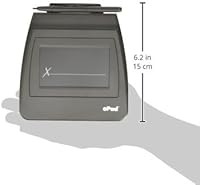
- Active Area: The signing surface measures 5.75 x 6 inches, providing enough room for a full, natural handwritten signature.
- Dimensions: Overall unit dimensions are 5.75 x 6 x 0.55 inches, keeping the pad slim enough to sit flat under a monitor or slide into a bag.
- Weight: The device weighs 4.2 oz, making it one of the lighter signature pads available in its category.
- Operating System: Officially supported on Microsoft Windows; macOS and Linux are not supported by the bundled IntegriSign Desktop software.
- Bundled Software: Includes IntegriSign Desktop, a dedicated e-signature application that handles signature capture, storage, and document embedding.
- App Plug-ins: IntegriSign Desktop ships with ready-to-install plug-ins for Microsoft Word, Excel, Outlook, and Adobe Acrobat.
- Signature Type: Designed to capture handwritten electronic signatures intended to support legally binding document workflows under applicable e-signature standards.
- Stock Number: Carries National Stock Number 7025-01-576-9576, qualifying it for procurement through government and military supply channels.
- Market Rank: Ranked #18 in the Computer Touch Pads category on Amazon, reflecting sustained commercial adoption over many years.
- Availability: First listed for sale on July 2, 2004, making it one of the longest-running signature pad models still actively sold.
- Product Status: Not discontinued by the manufacturer; the VP9801 remains in active production and is currently available through major retail channels.
- Form Factor: Low-profile rectangular pad design with a non-slip base, intended for permanent desk placement or occasional travel use.
Related Reviews
numbuzin No.5 Toner Pads 70 Pads
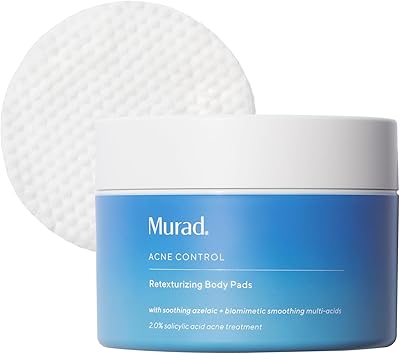
Murad Retexturizing Body Pads – 45 Pads
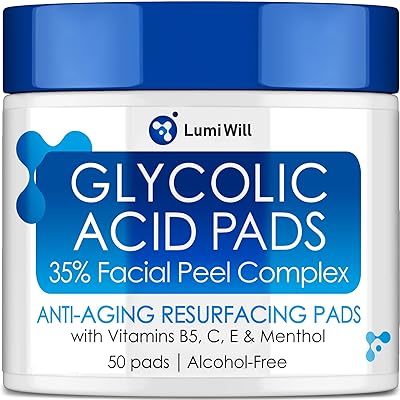
Lumiwill Glycolic Acid Exfoliating Pads 50 Count
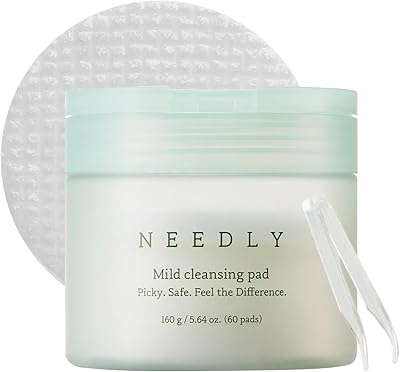
NEEDLY Mild Cleansing Pad Makeup Remover 60-Pack
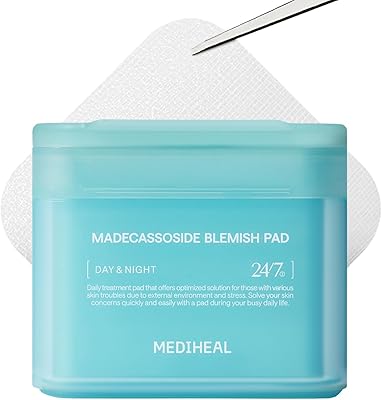
Mediheal Madecassoside Toner Pads - 100 Pads

ARCONA Raspberry Clarifying Pads - 45 Pads
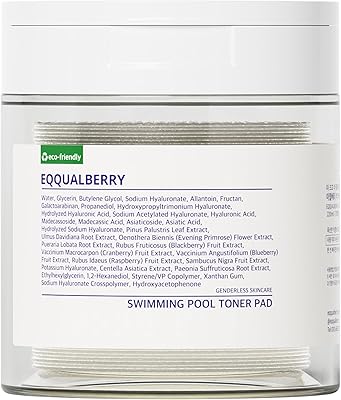
EQQUALBERRY Swimming Pool Toner Pads 70-Count

belif PHA 2% Toner Pads – 70 Pads

Sanitas Therapeutic Cleansing Pads 50-Count