Elite Screens ezCinema 2 84-inch Projector Screen
Overview
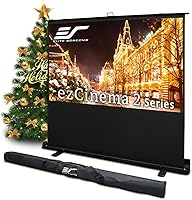
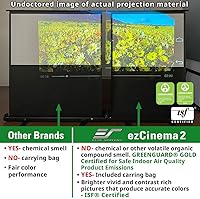
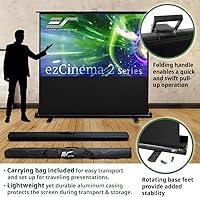
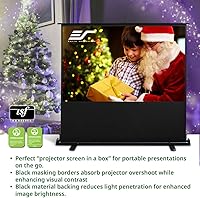
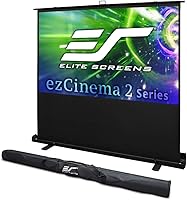
The Elite Screens ezCinema 2 84-inch Projector Screen is a floor pull-up portable display built for people who need a large image surface without committing to a permanent installation. Whether you're setting up a movie night in the living room, running a training session at the office, or teaching a class, this floor-standing screen deploys in under a minute thanks to its scissor-back mechanism. The aluminum casing stays light enough to carry comfortably, and the included bag makes transport straightforward. One important caveat upfront: ultra-short-throw projectors are not compatible here — stick with standard or long-throw models, or you will run into problems.
Features & Benefits
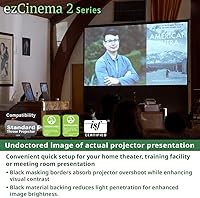
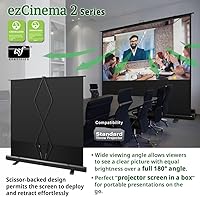
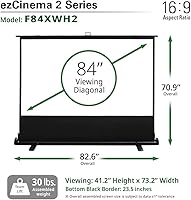
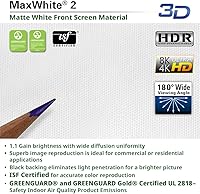
The active viewing area stretches 73.2″ wide by 41.2″ tall across a 16:9 surface, handling everything from widescreen films to standard presentation slides without awkward cropping. The MaxWhite 2 material carries a 1.1 gain and spreads light evenly across a full 180-degree angle, meaning viewers sitting well off to the side still get a clean, consistent picture. It is ready for 4K, 8K, HDR, and active 3D signals, so it will not become obsolete as projector technology advances. The GREENGUARD Gold certification is a practical bonus for classroom or office environments where indoor air quality matters, and a two-year US-backed warranty with lifetime tech support rounds out a solid package.
Best For
This portable projection screen makes the most sense for people who need a large display they can actually move around. Home theater fans who rent or relocate frequently will appreciate not needing to drill anything into a wall. Teachers and corporate trainers will find the fast one-person setup especially practical when switching between rooms or venues. Small business owners presenting at client sites get a clean, professional surface without lugging heavy gear. That said, the fixed 16:9 ratio and 25.6-pound weight are not ideal for everyone — if you need a different aspect ratio or a truly ultralight option, look elsewhere.
User Feedback
Buyers consistently praise the ease of setup and image surface quality — most report the screen goes up quickly and holds its position without fuss. Image clarity earns strong marks, particularly from home theater users pairing it with 4K projectors. On the downside, a handful of buyers have flagged base stability concerns on uneven or soft flooring, worth noting if carpet is involved. The carrying bag receives mixed reactions — adequate for occasional transport but showing wear under heavy, repeated use. There are also recurring mentions of buyers purchasing the ezCinema 2 for short-throw projectors and hitting compatibility issues, reinforcing why checking specs before purchasing genuinely matters.
Pros
- The scissor-back mechanism makes solo setup and teardown fast and genuinely tool-free.
- MaxWhite 2 material delivers consistent brightness across a full 180-degree viewing angle.
- Ready for 4K, 8K, HDR, and active 3D — compatible with current and near-future projector tech.
- GREENGUARD Gold certification makes this portable projection screen a responsible choice for classrooms and offices.
- A two-year manufacturer warranty backed by US-based lifetime tech support adds real peace of mind.
- The included carrying bag keeps transport organized and protects the unit between uses.
- Aluminum casing strikes a reasonable balance between durability and manageable weight.
- ISF certification signals the screen material meets professional color accuracy standards.
- At 84 inches diagonal, the ezCinema 2 delivers a genuinely large image without requiring permanent installation.
- Strong sales ranking in its category reflects broad, sustained buyer satisfaction across diverse use cases.
Cons
- Ultra-short-throw projector owners cannot use this screen at all — compatibility is a hard stop.
- At 25.6 pounds, frequent solo travel with the floor-standing screen can become tiring quickly.
- The carrying bag is functional but reportedly shows wear sooner than expected under heavy use.
- Base stability can be unreliable on soft carpet or uneven surfaces without additional support.
- The fixed 16:9 ratio offers no flexibility for users who regularly work with other aspect ratios.
- Long-term durability of the scissor mechanism under repeated daily folding has drawn some buyer skepticism.
- The overall footprint when deployed is substantial — tight or small rooms may feel cramped.
- No motorized or auto-retract option means manual operation every single time.
Ratings
Our AI rating system analyzed thousands of verified global buyer reviews for the Elite Screens ezCinema 2 84-inch Projector Screen, actively filtering out incentivized, bot-generated, and duplicate feedback to surface what real users actually experience. The scores below reflect both the genuine strengths that keep this floor-standing screen near the top of its category and the recurring frustrations that prospective buyers deserve to know about before committing.
Ease of Setup
Image Surface Quality
Portability
Base Stability
Build Quality
Carrying Bag Quality
Projector Compatibility Clarity
Screen Flatness & Tension
Value for Money
Warranty & Support
Long-Term Durability
Setup Footprint
4K & HDR Readiness
Environmental Certifications
Suitable for:
The Elite Screens ezCinema 2 84-inch Projector Screen is a practical choice for anyone who needs a large, high-quality projection surface without the permanence of a wall mount. Home theater enthusiasts who rent their space or simply prefer a flexible setup will find the floor pull-up design a genuine convenience — no drilling, no hardware, no commitment. Teachers and corporate trainers stand to benefit significantly, since the scissor-back mechanism means one person can have the screen up and ready in under a minute, even in an unfamiliar room. The GREENGUARD Gold certification makes it a responsible pick for shared indoor environments like classrooms or conference rooms where air quality standards matter. Small business owners who present at client sites will also appreciate arriving with a clean, professional 84-inch surface that stores neatly in its own carrying bag.
Not suitable for:
The Elite Screens ezCinema 2 84-inch Projector Screen is a poor match for anyone using or planning to use an ultra-short-throw projector — this incompatibility is clearly stated but frequently missed, and it will result in a distorted, unusable image. Buyers who need aspect ratios beyond 16:9, such as those working with older 4:3 content or CinemaScope formats, will find the fixed format limiting. At 25.6 pounds, this floor-standing screen is not what most people would call ultralight, so anyone hoping to carry it on a commute or through airports regularly may find the weight a genuine inconvenience over time. People looking to permanently install a screen in a dedicated home theater room would be better served by a fixed-frame or ceiling-mounted option that offers a tighter, more consistent surface tension. Finally, buyers who frequently set up on soft carpet or uneven flooring should be aware that the base may feel less stable than expected under those conditions.
Specifications
- Screen Size: The active diagonal measures 84 inches at a 16:9 widescreen aspect ratio.
- Active View Area: The usable projection surface spans 41.2″ in height by 73.2″ in width.
- Overall Dimensions: The fully deployed unit stands 70.9″ tall and extends 82.6″ wide including the casing.
- Screen Material: The projection surface uses MaxWhite 2, a matte white material with a 1.1 gain rating certified by the Imaging Science Foundation.
- Viewing Angle: The MaxWhite 2 surface supports a full 180-degree viewing angle with consistent brightness from edge to edge.
- Signal Compatibility: The screen surface is compatible with active 3D, 4K Ultra HD, 8K, and HDR projection signals.
- Projector Type: Designed exclusively for standard throw and long-throw projectors; ultra-short-throw projectors are not compatible.
- Mounting Type: Portable floor-standing design with a scissor-back retraction mechanism requiring no tools or wall anchors.
- Casing Material: The outer housing is constructed from lightweight aluminum to balance durability with portability.
- Unit Weight: The complete unit weighs 25.6 pounds including the casing.
- Transport Storage: A dedicated carrying bag is included in the package for storage and transport between locations.
- Certifications: Holds ISF, GREENGUARD, GREENGUARD Gold, and UL 2818 Indoor Air Quality certifications.
- Warranty: Covered by a two-year manufacturer warranty for standard purchases, with a three-year warranty available for educational, non-profit, religious, government, and military buyers.
- Tech Support: Lifetime technical support is provided by Elite Screens via toll-free phone, email, and web chat.
- Manufacturer: Made by Elite Screens Inc., a US-based ISO9001-certified manufacturer operating since 2004.
- Model Number: The model identifier for this configuration is F84XWH2.
- Case Color: The aluminum casing ships in black.
Related Reviews
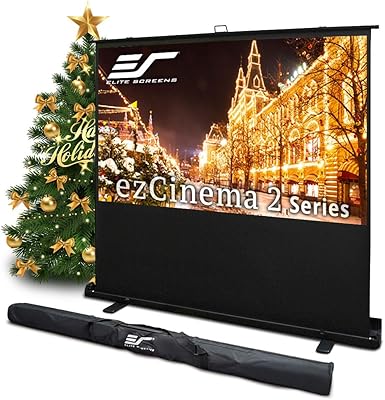
Elite Screens ezCinema 2 70-inch Projector Screen
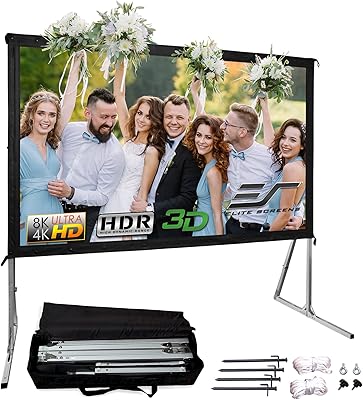
Elite Screens Yard Master 2 90-inch Screen
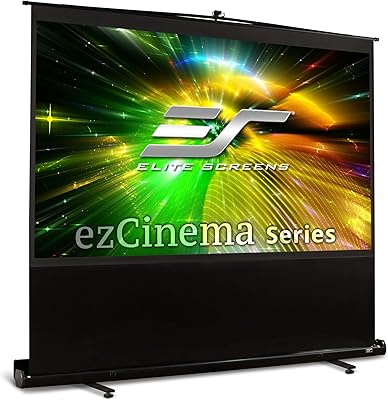
Elite Screens ezCinema 150-inch Manual Projector Screen
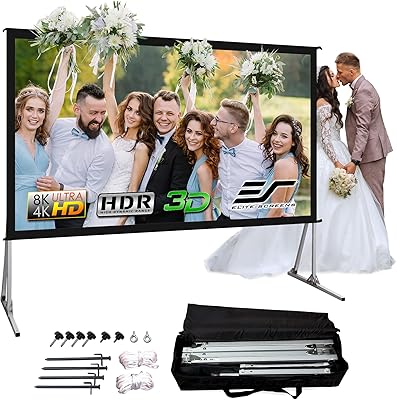
Elite Screens Yard Master 2 120″ Screen
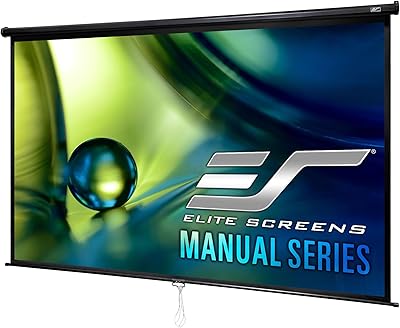
Elite Screens M84UWH 84-inch Projector Screen
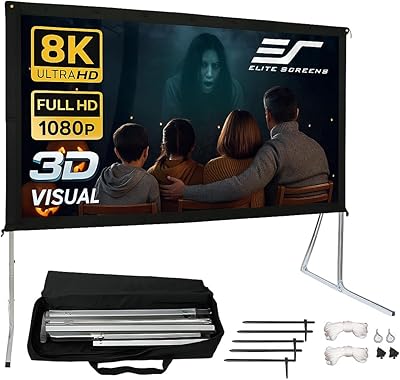
Elite Screens Yard Master 2 135-inch Screen
Elite Screens OMS120H2 120-inch Portable Projector Screen
Elite Screens T60UWH 60-Inch Tripod Projector Screen
Elite Screens Aeon CineGrey 3D 135″