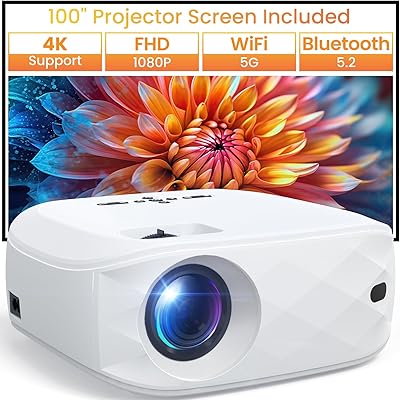
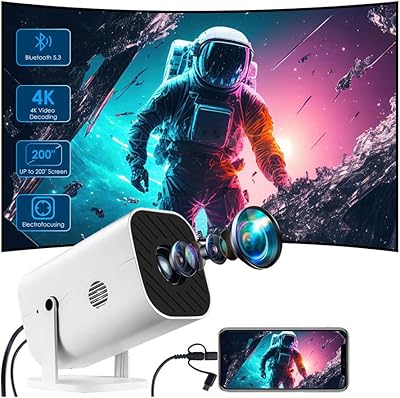
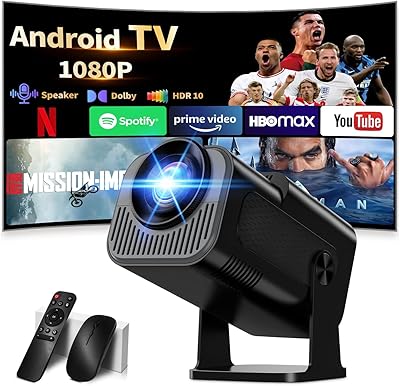
Overview

The Caydo P1 Art Projector occupies an interesting niche: it is built specifically for artists who want to trace, scale, and sketch reference images, yet it doubles as a capable home entertainment projector when the sketchbook is put away. What sets it apart from a generic mini projector is the built-in drawing app, which gives it genuine creative utility rather than forcing you to rely on a phone screen or separate software. Compact enough to carry in a bag and reasonably priced for the mid-range market, it targets painters, illustrators, and crafters. That said, at 150 ANSI lumens and a native 720p output, it performs best in a controlled, dimly lit space.
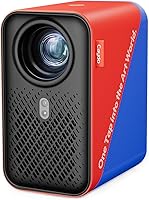
Features & Benefits

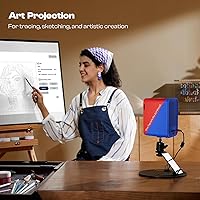
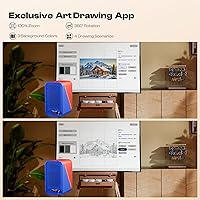
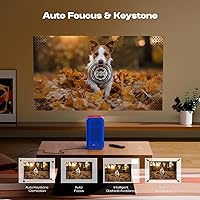
The drawing app is where the P1 earns its keep for artists. You get four distinct modes — Gridify for proportional accuracy, Sketchify for a pencil-sketch look, Comicize for bold outlines, and Monochromize for high-contrast studies — plus 360° rotation so you never have to physically reposition your canvas. Auto-focus and keystone correction kick in automatically, which removes the usual fiddling that plagues cheaper projectors when you shift the angle or move it between surfaces. Wireless image transfer via AirPlay, Miracast, or Eshare keeps things tidy, and the dual-band Wi-Fi handles the connection reliably. Two-way Bluetooth 5.0 is a thoughtful bonus for playing audio during a long painting session.

Best For

This drawing projector is a strong match for hobbyist painters and illustrators who regularly trace or scale reference images onto canvas — it removes the guesswork from proportion without requiring expensive lightbox setups. Art students on a budget will find it practical, especially since it works with both iOS and Android without a dedicated internet connection during use. It also suits multi-purpose home setups where the same device needs to handle a movie night after studio hours. One important caveat: if your workspace gets a lot of natural light, you will want to be able to darken the room, since low ambient light is genuinely necessary to get a usable, sharp projection.

User Feedback

Sitting at a 4.0-star average, the P1 earns generally positive marks, with buyers consistently praising how quick and painless the setup is and how useful the app modes are for actual artistic work. Portability comes up often as a highlight. The criticism, though, is worth noting honestly: several users point out that the marketed 4K support refers to video playback compatibility, not native output — the actual projected image is 720p, and that distinction matters if you are projecting fine detail. A handful of reviewers mention a noticeable learning curve with the app and occasional inconsistency in image sharpness at the longer end of the projection range. The remote is functional but unremarkable.

Pros

  • The built-in drawing app with four distinct modes removes the need for any third-party tracing software.
  • Auto-focus and keystone correction set up in seconds — no manual fiddling required between surfaces.
  • Compact and light enough at under three pounds to carry between a home studio and an art class.
  • Dual-band Wi-Fi keeps image transfer fast and stable without relying on a shared 2.4GHz network.
  • Gridify mode is a standout feature for proportion work, dividing reference images directly on the canvas.
  • 360° image rotation lets artists reframe a reference without physically moving the projector.
  • AirPlay, Miracast, and Eshare support covers virtually every device ecosystem artists are likely to use.
  • Two-way Bluetooth 5.0 doubles as a speaker connection, handy for long painting sessions.
  • The sealed optical core resists dust accumulation, which meaningfully extends long-term image quality.
  • Works as a home entertainment projector when the sketchbook is put away, adding everyday utility.

Cons

  • 150 ANSI lumens is genuinely limiting — any ambient light in the room degrades the projected image fast.
  • Native output is 720p, not 4K; buyers who miss that distinction in the marketing often feel misled.
  • The app has a learning curve that frustrates less tech-comfortable artists in the first few sessions.
  • Image sharpness softens noticeably at projection distances beyond seven or eight feet.
  • The remote control layout is unintuitive and requires more button presses than it should for basic adjustments.
  • Batteries for the remote are not included, which is a minor but immediately annoying oversight on first use.
  • Miracast performance on Android devices is inconsistent compared to the smoother AirPlay experience on iOS.
  • No carry case or protective bag is included despite the portable form factor being a key selling point.
  • Switching between drawing modes mid-session interrupts workflow more than it should at this price point.
  • The lens cover feels flimsy and is easy to misplace after the first use.

Ratings

The Caydo P1 Art Projector has been scored across 13 performance categories by our AI system, which analyzed verified buyer reviews from global markets while actively filtering out incentivized, bot-generated, and duplicate feedback. The result is an honest picture of where this drawing projector genuinely delivers for artists and where real-world use reveals limitations. Both the strengths and the frustrations are reflected in full.
Drawing App Utility
83%
Artists consistently praise the app modes for practical tracing sessions — Gridify in particular gets called out as a genuine help for proportion work, letting painters break a reference image into manageable sections directly on the canvas. The 360° rotation means repositioning the image without touching the projector, which speeds up real workflow.
Several buyers report a noticeable learning curve before the app feels intuitive, especially for users who are not tech-comfortable. Switching between modes mid-session can feel clunky, and a few users wished the app offered more fine-tuned control over contrast and edge sharpness.
Image Brightness
58%
42%
In a properly darkened studio or bedroom, the projection is clear enough for detailed tracing work, and hobbyist painters working evening sessions tend to find the output more than usable at close range. At shorter projection distances, the image holds reasonable punch for sketching purposes.
At 150 ANSI lumens, this drawing projector struggles the moment any ambient light enters the room. Afternoon studio sessions with windows uncovered make the projected image washed out and difficult to trace accurately. This is one of the most repeated complaints across buyer reviews and is a hard constraint to work around.
Native Resolution & Clarity
62%
38%
At short distances — under five feet — the 720p native output is clean enough for most tracing and sketching tasks, where pin-sharp detail is less critical than accurate proportions and edge lines. For casual home cinema use in that same close range, it holds up reasonably well.
The marketed 4K support refers to video playback compatibility, not native output, and buyers who missed that distinction felt genuinely misled. At longer projection distances the image softens noticeably, and fine linework in reference images can lose definition — a real issue when projecting detailed botanical or figure-drawing references.
Setup & Ease of Use
86%
Auto-focus and automatic keystone correction are the two features buyers mention most positively about the setup experience. Pointing the P1 at a wall or easel and having it self-correct within seconds is a tangible time-saver, especially for artists who want to sketch without a technical preamble.
The initial pairing process for screen mirroring can be inconsistent depending on the device and network environment. A handful of users report that the auto-focus occasionally locks onto the wrong plane when projecting at an angle, requiring a manual override that is not immediately obvious from the remote.
Portability & Form Factor
88%
At under three pounds and small enough to sit comfortably on a bookshelf or desk corner, the P1 earns consistent praise from artists who move between workspaces — a home studio during the week, a class or workshop on weekends. The compact footprint means it does not dominate the desk when not in use.
The unit does not include a carry case or protective bag, which a few buyers flagged as an oversight given the portable positioning. The lens cover must be removed manually before each use, and more than one reviewer mentioned misplacing it after the first session.
Wireless Connectivity
77%
23%
Dual-band Wi-Fi support is a genuine advantage over single-band competitors at this price point. Artists transferring high-resolution reference photos via AirPlay or Miracast find the 5GHz connection noticeably more stable and faster than older art projectors they had used previously.
Some Android users report more inconsistent Miracast performance compared to the AirPlay experience on iOS devices. In environments with heavy network congestion — shared apartments, co-working spaces — the connection occasionally drops mid-session, which interrupts the creative flow at an annoying moment.
Bluetooth Audio
71%
29%
The two-way Bluetooth 5.0 implementation is a thoughtful addition that lets artists stream music or podcasts while painting without needing a separate speaker. Pairing with external Bluetooth headphones works reliably, and the connection range is solid within a normal-sized studio room.
The built-in speaker quality is adequate for background audio but falls flat on anything requiring real fidelity. A few buyers also noted confusion around the Bluetooth limitation — it handles audio only, not video — which can catch users off guard when they expect full wireless streaming.
Screen Mirroring Options
74%
26%
Having three mirroring protocols — AirPlay, Eshare, and Miracast — covers essentially every device ecosystem an artist is likely to bring to the table. The offline image transfer option is a practical touch that removes dependence on a stable internet connection during a session.
The setup instructions for Eshare are less clear than for the other two options, and a portion of users needed to watch third-party tutorials to get it working. Cross-platform mirroring from less common Android devices occasionally produced lag or dropped frames.
Projection Range & Flexibility
79%
21%
A projection range of 3.1ft to 10.5ft gives artists enough flexibility to work on everything from small sketchbook pages at close range to larger canvas formats at the far end. The ability to scale up to a 100-inch display also keeps the device relevant for home cinema evenings.
Image quality degrades meaningfully toward the upper end of the projection range, where brightness drop-off and softening edges become hard to ignore. Artists projecting onto large canvases in particular may find the results insufficient for precise tracing without a very dark room.
Build Quality & Durability
76%
24%
The fully sealed optical core is a design choice that buyers with experience of cheaper projectors specifically appreciate — it reduces the dust accumulation that causes image degradation over time. The unit feels solid in hand for its weight class, and the plastic chassis does not feel cheap at this price tier.
The exterior finish shows fingerprints easily and the lens cover, while functional, feels like a lightweight afterthought. A small number of long-term buyers mentioned that the casing showed scuff marks after regular transport, which is worth noting for users who move the device frequently.
Remote Control
63%
37%
The remote covers the core functions — mode switching, zoom, and rotation — well enough for a basic session without touching the projector body. Artists who work at arm's length from the unit appreciate not having to break their drawing posture to adjust settings.
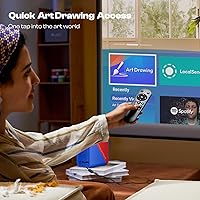
Batteries are not included, which catches buyers off guard on first use. The button layout is not particularly intuitive, and several reviewers note that accessing specific app functions through the remote requires more button presses than feels reasonable for something billed as quick-access navigation.
Value for Money
72%
28%
For artists who specifically need the drawing app features and want a device that pulls double duty as an entertainment projector, the mid-range price is defensible. The inclusion of auto-focus, keystone correction, and dual-band Wi-Fi at this tier is genuinely competitive against comparable niche art projectors.
Buyers who purchase primarily for the 4K or brightness claims and discover the 720p native output and 150-lumen real-world performance feel the price point is harder to justify. If you already own a reliable mini projector and only need tracing support, the value case narrows considerably.
App Drawing Modes Variety
81%
19%
Having four distinct modes serves meaningfully different creative needs: Gridify for measured proportion work, Comicize for bold graphic outlines, and Monochromize for studying tonal contrast. Artists experimenting with different styles appreciate not being locked into a single projection treatment.
Some users feel the modes are more novelty than professional utility beyond Gridify and Sketchify. The inability to layer or combine modes — for instance, applying a grid over a sketchified image — is a missing feature that more advanced artists notice fairly quickly.

Suitable for:

The Caydo P1 Art Projector is a practical fit for hobbyist painters, illustrators, and art students who regularly need to transfer or scale reference images onto canvas, paper, or a whiteboard without the expense of a dedicated lightbox or professional tracing setup. If your studio or workspace is a spare bedroom, a home office corner, or any room where you can dim the lights on demand, this drawing projector slots in naturally and earns its keep quickly. Art students on a tighter budget will find the built-in drawing app genuinely useful rather than a gimmick — particularly the Gridify mode, which helps maintain proportions across larger canvases without a ruler in sight. Creators who want one device to handle both creative sessions and the occasional movie night will also find the dual-purpose design a reasonable trade-off at this price tier. It also makes a thoughtful, practical gift for an artistic friend or family member who has been making do with printed reference sheets or awkward phone-propping setups.
Not suitable for:

The Caydo P1 Art Projector is not the right tool for artists who work in naturally bright spaces and cannot control ambient light — 150 ANSI lumens simply is not enough to cut through daylight or even a well-lit room, and that is a hard limitation no software fix can overcome. Buyers expecting genuine 4K output should look elsewhere; the native resolution is 720p, and while the unit supports 4K video playback, the projected image itself tops out at 1280x720, which matters when projecting fine-detail references like botanical illustration or intricate architectural drawings. Professional illustrators or commercial designers who depend on razor-sharp projection clarity for production-level work will find this drawing projector underpowered for those demands. If you already own a capable mini projector and only need tracing support, the value case for adding this specific device narrows considerably. Anyone who needs reliable, plug-and-play wireless mirroring from a wide range of Android devices may also run into inconsistency that a more connectivity-focused projector would handle better.
Specifications

  • Brand & Model: Manufactured by Caydo under the model designation P1 (internal model number P-017W).
  • Native Resolution: The projector outputs at a native resolution of 1280 x 720 pixels (720p HD).
  • Brightness: Rated at 150 ANSI lumens, suited for use in dimmed or fully darkened environments.
  • Display Technology: Uses LCD display technology to produce the projected image.
  • Projection Distance: Supports a projection distance range of 3.1ft to 10.5ft from the projection surface.
  • Screen Size: Capable of producing screen sizes ranging from 30″ up to a maximum of 100″ diagonal.
  • Video Playback: Supports 4K video playback input, though the native output resolution remains 720p.
  • Lamp Life: The light source is rated for up to 10,000 hours of operational life under normal conditions.
  • Wi-Fi: Equipped with dual-band Wi-Fi supporting both 2.4GHz and 5GHz network frequencies.
  • Bluetooth: Features two-way Bluetooth 5.0 for audio transmission to and from compatible speakers, headphones, and soundbars.
  • Connectivity Ports: Physical connections include HDMI, USB, and a 3.5mm audio jack for wired input and output options.
  • Screen Mirroring: Supports wireless screen mirroring via AirPlay, Miracast, and Eshare protocols across iOS and Android devices.
  • Drawing App Modes: The built-in drawing app includes four projection modes: Gridify, Sketchify, Comicize, and Monochromize, plus 360° image rotation.
  • Dimensions: The unit measures 3.66 x 4.92 x 6.61 inches, making it compact enough for desktop or shelf placement.
  • Weight: Weighs 2.88 pounds, light enough for regular transport between workspaces.
  • Remote Control: A dedicated remote control is included; it requires 2 AAA batteries, which are not included in the box.
  • Optical Core: The optical core is fully sealed to prevent dust ingress and reduce image degradation over extended use.
  • Compatibility: Compatible with both iOS and Android mobile devices for app-based image transfer and screen mirroring.

Related Reviews

VOPLLS N3 Mini Portable Projector
70%
91%
Portability & Form Factor
63%
Image Quality
44%
Brightness & Ambient Performance
83%
Value for Money
88%
Ease of Setup
More
Groview JQ818C Native 1080P Projector
72%
88%
Value for Money
52%
Image Brightness
79%
Image Sharpness
91%
Setup & Ease of Use
77%
WiFi & Screen Mirroring
More
YFDSPSM QY360 Mini Projector
74%
83%
Image Clarity
61%
Brightness
91%
Setup Experience
74%
Portability
77%
Smart OS & App Access
More
XuanPad X3 Portable Projector
75%
81%
Image Clarity
58%
Brightness
91%
Ease of Setup
86%
Built-in Streaming (Netflix)
88%
Portability
More
YABER K1 Projector
YABER K1 Projector
84%
88%
Image Quality
91%
Ease of Setup
85%
Portability
75%
Sound Quality
82%
Wireless Connectivity
More
YOWHICK DP06 1080P Smart Home Projector
75%
91%
Ease of Setup
83%
Image Clarity
62%
Brightness Performance
88%
Auto Focus & Keystone
79%
WiFi & Connectivity
More
YGSKK Mini Projector
86%
91%
Value for Money
87%
Image Quality
94%
Ease of Setup
89%
Portability
90%
Bluetooth Connectivity
More
Polaring Mini Projector
83%
92%
Value for Money
89%
Portability
86%
Display Quality
88%
Ease of Setup
84%
Connectivity
More
FUDONI GC888 Projector
84%
91%
Image Quality
88%
Ease of Setup
85%
Wireless Connectivity
80%
Portability
94%
Screen Size Support
More
AKASO Cookie Portable DLP Projector
72%
93%
Portability & Form Factor
47%
Brightness & Ambient Light Performance
58%
Image & Resolution Clarity
81%
Connectivity & Compatibility
72%
Battery Life
More

FAQ

The Caydo P1 Art Projector supports 4K video as an input format — meaning it can accept and process a 4K signal — but the native output resolution is 720p (1280 x 720). In practice, what you see projected on the wall is a 720p image. For tracing and sketching purposes this is generally fine, but it is worth knowing before you buy if resolution is a priority for you.
Realistically, you need a dim or darkened room to get a usable image. At 150 ANSI lumens, any meaningful ambient light — especially daylight through windows — will wash out the projection and make tracing difficult. Evening sessions with the curtains drawn or a windowless studio space are where this drawing projector performs best.

The drawing app is built directly into the projector, so there is nothing to download onto the unit itself. You transfer your reference image to the projector wirelessly from your phone or tablet via AirPlay, Miracast, or Eshare, or directly through the built-in Eshare app on your device. Once loaded, you control the mode, zoom, and rotation using the included remote.

Gridify overlays a proportional grid over your image, which is particularly useful for scaling a reference accurately onto a larger canvas. Sketchify applies a pencil-sketch treatment that helps you see line structure more clearly. Comicize adds bold, high-contrast outlines ideal for graphic or illustration-style work. Monochromize strips color and pushes contrast, which is helpful for studying light and shadow relationships before painting.

It works with both iOS and Android. iPhone and iPad users get the smoothest experience via AirPlay, while Android users can connect through Miracast or the Eshare app. That said, Miracast performance can be inconsistent depending on your specific Android device and network conditions, so if you run into issues it is worth trying Eshare as an alternative.

The projection range runs from about 3.1ft to 10.5ft. At around four to five feet you will get a clear, manageable image suitable for mid-sized canvases, which is a comfortable working distance for most home studio setups. The closer you are, the sharper and brighter the image will appear.

Most users find the auto-focus genuinely useful and accurate for standard flat-surface projections. Where it can occasionally struggle is when projecting at a sharp angle or onto an uneven surface — in those cases the system can lock onto the wrong focal plane. A manual override is available, though it takes a moment to find in the menu if you have not done it before.

Yes, the two-way Bluetooth 5.0 lets you pair the projector with an external Bluetooth speaker or headphones so you can stream music from your phone while you work. You can also use the projector itself as a basic speaker if you connect your phone to it. Keep in mind that Bluetooth on this unit is for audio only — it cannot transmit video wirelessly.

The P1 is light and compact enough to move around without much effort — under three pounds and small enough to tuck under your arm. However, no carry case or protective bag is included in the box, which is worth knowing if you plan to take it to classes or workshops regularly. You would want to source a small padded pouch separately to protect the lens.

The remote requires two AAA batteries, and they are not included — so it is worth having a pair on hand before your first session or you will not be able to use the remote straight out of the box. It is a minor but easily overlooked detail that catches a surprising number of buyers off guard.

Where to Buy

Walmart
In stock $169.99
Caydo
In stock $234.99