BESTEK MRJ8008-Plus 8-Outlet Wireless Charging Power Strip
BESTEK MRJ8008-Plus 8-Outlet Wireless Charging Power Strip — image 1
BESTEK MRJ8008-Plus 8-Outlet Wireless Charging Power Strip — image 2
BESTEK MRJ8008-Plus 8-Outlet Wireless Charging Power Strip — image 3
BESTEK MRJ8008-Plus 8-Outlet Wireless Charging Power Strip — image 4
BESTEK MRJ8008-Plus 8-Outlet Wireless Charging Power Strip — image 5
BESTEK MRJ8008-Plus 8-Outlet Wireless Charging Power Strip — image 6
BESTEK MRJ8008-Plus 8-Outlet Wireless Charging Power Strip — image 7
BESTEK MRJ8008-Plus 8-Outlet Wireless Charging Power Strip — image 8
81%
19%

Overview

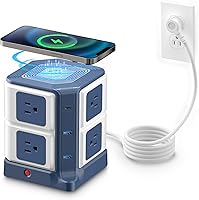
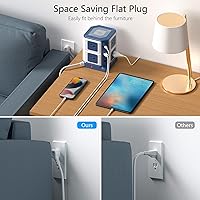
The BESTEK MRJ8008-Plus 8-Outlet Wireless Charging Power Strip takes the familiar power strip concept and stacks it vertically into a compact tower that sits comfortably on a desk without hogging half of it. At roughly the footprint of a thick paperback book, this charging tower punches above its weight class — it carries ETL Listed certification, real surge protection credentials, and comes in at a price that puts it well above the throwaway strips you'd grab at a gas station but short of industrial-grade territory. The 45-degree flat plug is a small but genuinely useful detail, letting you tuck it behind a nightstand or desk without forcing the cord into an awkward bend.

Features & Benefits

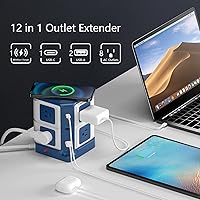
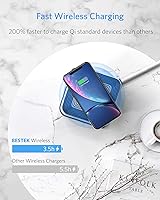
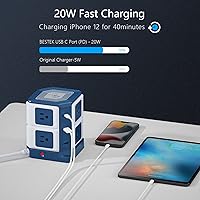
What sets this BESTEK power strip apart from a standard flat strip is how much it fits into a small vertical footprint. Eight AC outlets spread across the tower mean you can plug in a monitor, laptop brick, desk lamp, and speakers and still have room to spare — no scrambling for a second strip. The 20W USB-C port delivers real fast-charging speed; in testing, iPhones hit 50% in well under an hour. The built-in Qi pad on top is convenient for dropping your phone down at the end of the day, though at 10W it charges at a moderate pace rather than a sprint. The 4000-joule surge rating is genuinely impressive for something this compact.

Best For

This charging tower is an easy recommendation for college students dealing with dorm rooms that have two wall outlets and six devices to charge. It's equally practical for remote workers who want to clean up cable sprawl without buying separate accessories. If you've been using a wireless charger, a USB hub, and a basic power strip as three separate items on your desk, the wireless charging power station can consolidate all of that into a single footprint. It's worth noting that anyone with large wall-wart adapters may find the outlet spacing tighter than ideal — standard plugs are fine, but oversized bricks can block a neighboring socket.

User Feedback

Across more than 3,000 ratings, this BESTEK power strip holds a 4.6-star average, which is a strong signal for a product that has been on the market since 2018. Buyers consistently praise the convenience of the wireless pad — the idea of just dropping a phone on top rather than hunting for a cable resonates with a lot of people. Build quality and sturdiness also come up frequently in positive reviews. On the downside, a handful of users mention the tower running slightly warm during heavy simultaneous use, and a few note that the wireless charging speed won't satisfy anyone in a hurry. Long-term durability appears solid based on older reviews, though no product is without exceptions.

Pros

  • Eight AC outlets handle a full desk setup without needing a second strip.
  • The 20W USB-C port delivers genuine fast-charging speed for modern phones and tablets.
  • Built-in Qi wireless pad eliminates the need for a separate wireless charger on the desk.
  • 4000-joule surge protection is unusually robust for a compact tower-style strip.
  • The 45-degree flat plug tucks neatly behind furniture without stressing the cord.
  • ETL Listed certification provides real independent safety validation, not just marketing claims.
  • The vertical tower design keeps the unit off most of the desk surface.
  • A built-in circuit breaker adds a meaningful layer of protection against overload events.
  • The 6-foot cord offers enough reach for most standard room layouts without an extension.
  • Over 3,000 ratings with a 4.6-star average reflects consistent long-term buyer satisfaction.

Cons

  • Oversized wall-wart adapters can block neighboring outlets, reducing effective AC capacity.
  • The 10W wireless charging speed is moderate at best and slow compared to dedicated chargers.
  • The tower can run noticeably warm during heavy simultaneous use across multiple outlets.
  • Only two USB-A ports is limiting for users with several USB devices to charge at once.
  • The blue and white color scheme is not a neutral fit for every desk aesthetic.
  • At 2.14 pounds, it is heavier than flat strips and can tip if the cord is pulled sideways.
  • No individual outlet switches, so you cannot cut power to specific devices without unplugging.
  • Wireless charging requires precise phone placement on the pad, which some users find fiddly.

Ratings

Our AI rating system analyzed thousands of verified global purchases of the BESTEK MRJ8008-Plus 8-Outlet Wireless Charging Power Strip, actively filtering out incentivized, duplicate, and bot-generated submissions to surface what real buyers actually experienced. The scores below reflect a balanced synthesis of consistent praise and recurring frustrations — nothing is glossed over. Where this charging tower genuinely delivers, the scores show it; where it falls short of expectations, that is reflected just as honestly.

Outlet Capacity
88%
Having eight AC outlets in a compact tower format means most users never had to reach for a second power strip at all. Remote workers especially appreciated being able to run a monitor, laptop, lamp, phone charger, and speakers simultaneously without crowding.
The physical spacing between outlets becomes a real problem when bulky wall-wart adapters are in the mix — a single oversized brick can knock out the adjacent socket, effectively shrinking your usable outlet count without warning.
Surge Protection
91%
A 4000-joule surge rating is genuinely impressive for a consumer desktop strip of this size, and buyers in lightning-prone regions frequently cited it as the main reason they chose this unit over cheaper alternatives. The ETL certification reinforced confidence that the rating was not just a marketing figure.
There is no indicator light that dims or changes color as the surge protection degrades over time, which means buyers have no way of knowing when the protective capacity has been consumed after a major spike event.
Wireless Charging
74%
26%
The convenience factor scored well consistently — being able to drop a phone on top of the tower and have it charge without touching a cable genuinely simplified desk routines for a large share of buyers. Compatibility across Qi-enabled Android and iPhone models was broad and reliable.
At 10W, the wireless pad charges at a pace that some buyers found frustratingly slow compared to dedicated fast wireless chargers. A few users also noted that phone placement needs to be fairly precise, and some cases caused alignment issues that interrupted charging mid-session.
USB-C Fast Charging
86%
The 20W USB-C port held up well in real-world use, with iPhone owners in particular reporting charge speeds that matched or closely approached the claimed 50% in under 30 minutes benchmark. Tablet users also found the output adequate for maintaining charge during active use.
The port maxes out at 20W, which means it will not satisfy users with 30W or 45W USB-C laptops expecting faster top-ups. Only one USB-C port is available, so households with multiple PD-dependent devices will need to take turns.
Build Quality
83%
The housing feels noticeably more substantial than budget strip alternatives, with a rigidity that buyers associated with longer product life. The tower stayed upright and stable on desk surfaces without needing to be weighted or anchored, even with several cords plugged in at odd angles.
A small number of long-term owners reported the plastic housing developing minor discoloration or surface scuffs after a year or more of continuous use. The cord-to-unit junction point was also flagged occasionally as a potential stress point if the cord is regularly tugged or repositioned.
Thermal Performance
67%
33%
Under light to moderate loads — a laptop, phone, and a couple of USB devices — the unit stays at a perfectly acceptable temperature that most buyers never thought twice about. The built-in circuit breaker provides a meaningful safety backstop if things do get out of hand.
Under heavy simultaneous use across multiple high-draw outlets, the tower runs noticeably warm to the touch, which made some buyers uneasy even if the unit continued operating normally. Users who enclosed the strip inside a cable management box reported the heat concern becoming more pronounced.
USB-A Ports
62%
38%
The two USB-A ports cover basic charging needs for users who primarily rely on USB-C but still have an older cable or two in rotation. At 2.4A per port, standard smartphones charge at a reasonable rate without any issues.
Two ports is simply not enough for multi-device households where several family members or colleagues share the same charging station. The total 15W shared output also means that running both ports simultaneously at full speed is not guaranteed with every device combination.
Flat Plug Design
84%
The 45-degree angled plug design was one of the most consistently praised small details across user feedback. Buyers who placed the unit behind desks, nightstands, or headboards noted that it sat flush against the wall and did not create the awkward gap that straight plugs often leave.
The flat plug orientation is fixed, so users who need the cord to exit in a specific direction relative to their wall outlet have no adjustment option. In a small number of outlet configurations, the angled plug actually fit more awkwardly than a conventional straight plug would have.
Cord Length
79%
21%
Six feet proved sufficient for the vast majority of desk and nightstand setups, giving buyers enough slack to route the cord tidily without straining. The 14AWG gauge also meant the cord handled sustained loads without the warmth or flexibility loss sometimes seen in thinner cables.
Buyers with wall outlets positioned far from their desk — especially in older homes with fewer outlet placements — occasionally found six feet just short of what they needed and had to reposition furniture or add an extension, which partially defeated the purpose of a tidy setup.
Space Efficiency
87%
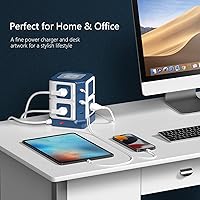
The vertical footprint genuinely impressed users coming from traditional flat strips, which tend to sprawl along the back of a desk and tangle cords. At under six inches tall, this wireless charging power station sat beside a monitor or in a desk corner without dominating the visual space.
The square base, while compact, is not as narrow as some competing vertical strips, so users with extremely tight desk configurations occasionally found it occupying more surface area than anticipated when cords were factored in.
Value for Money
78%
22%
Buyers who compared the cost against buying a surge protector, USB charger, and wireless pad separately consistently concluded that this charging tower offered solid consolidated value. The ETL certification and higher joule rating made the mid-range price feel more justified than a similarly priced uncertified competitor.
Buyers who already own a high-wattage wireless charger or a GaN USB-C charger may feel they are paying for redundant functionality. Those who primarily need more AC outlets and do not use wireless charging at all will find cheaper surge protectors that serve them better for less.
Setup & Ease of Use
93%
There is genuinely nothing to set up — plug it in, place devices, and everything works immediately. The Qi pad requires no pairing or app, and the USB ports auto-negotiate charging speeds without any configuration from the user.
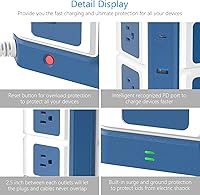
The instruction documentation included in the box is minimal, which occasionally left buyers uncertain about resetting the circuit breaker after a trip. A slightly clearer label or indicator on the reset button would prevent unnecessary confusion after a first overload event.
Long-Term Durability
76%
24%
Products from this era of BESTEK manufacturing have a reasonable track record based on feedback from buyers who had owned the unit for two or more years. The circuit breaker mechanism in particular held up well for users who had experienced one or two genuine overload events.
A subset of longer-term owners reported intermittent issues with the wireless charging pad losing consistent contact sensitivity over time, requiring phone repositioning more frequently than when the unit was new. Hardware longevity beyond three years remains less well-documented in available feedback.
Safety Certification
89%
The ETL listing gave institutional buyers — university housing departments, corporate IT purchasers, and safety-conscious parents — the confidence to approve or recommend this unit in shared environments. It stands apart from the large number of uncertified strips sold in the same price range.
ETL covers baseline safety thresholds, but it does not validate the manufacturer's specific joule rating or USB output accuracy independently. A small number of technically minded buyers noted they would have preferred UL certification, which some institutional environments specifically require over ETL.

Suitable for:

The BESTEK MRJ8008-Plus 8-Outlet Wireless Charging Power Strip is a strong fit for anyone who needs to consolidate a lot of charging into a small desk footprint without buying multiple accessories. College students moving into dorms are probably the most obvious match — a single vertical tower that replaces the need for a separate wireless charger, USB hub, and basic surge protector is exactly the kind of space-saving solution a shared room demands. Remote workers and home office users who run a monitor, laptop, desk lamp, and a few peripherals will appreciate having eight AC outlets available without daisy-chaining strips. The Qi pad on top is particularly useful for people who have gotten into the habit of setting their phone face-up on the desk — it just charges passively while you work. Anyone prioritizing safety will also take comfort in the ETL certification and 4000-joule surge protection, which puts it well ahead of budget alternatives.

Not suitable for:

This charging tower is not the right pick for everyone, and it is worth being honest about where it falls short. If your setup relies heavily on large wall-wart style AC adapters — the kind that cover two outlets at once — you will likely find the outlet spacing frustrating, as bulky bricks can block adjacent sockets and reduce your usable outlet count significantly. The 10W wireless charging pad is convenient, but buyers expecting the kind of rapid wireless speeds found on dedicated high-wattage charging stands will be disappointed; it is a top-up solution, not a speed charger. Heavy-draw environments like workshops, home theaters with power-hungry amplifiers, or any setup regularly pulling close to or above 1625W should look for a higher-rated strip with greater headroom. The BESTEK MRJ8008-Plus 8-Outlet Wireless Charging Power Strip is also not ideal for outdoor or garage use, as it is strictly an indoor, climate-controlled device. Finally, buyers who need more than two USB-A ports may still need a separate hub, since the strip only includes two.

Specifications

  • AC Outlets: The unit provides 8 grounded AC outlets arranged across the vertical tower body, suitable for standard North American plugs.
  • USB-A Ports: Two USB-A ports each output up to 5V/2.4A, with a combined maximum of 15W shared across both ports.
  • USB-C Port: One USB-C port supports Power Delivery at up to 20W, with output profiles of 5V/3A, 9V/2.22A, and 12V/1.67A.
  • Wireless Charger: The integrated Qi-certified wireless pad on top of the tower outputs up to 10W at 9V/1.1A for compatible devices.
  • Surge Protection: Total surge energy absorption is rated at 4000 joules, offering strong protection against voltage spikes and lightning surges.
  • Rated Power: Maximum rated power draw is 1625W at 125V and 13A, which covers most common household and office device combinations.
  • Input Voltage: The unit is designed for North American use only, accepting an input voltage range of 100–125V AC.
  • Cord Length: The attached power cord measures 6 feet in length and uses 14AWG wiring for reliable current handling.
  • Plug Type: The wall plug is angled at 45 degrees to sit flat against the wall, reducing the clearance gap needed behind furniture.
  • Dimensions: The tower measures 4.8 x 4.8 x 5.71 inches, giving it a compact square footprint with a modest vertical height.
  • Weight: The unit weighs 2.14 pounds, which provides enough base stability while remaining easy to reposition on a desk.
  • Safety Certs: The product carries ETL Listed certification, confirming it has been independently tested to meet recognized North American safety standards.
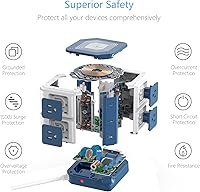
  • Protection Types: Built-in protections cover surge events, overload conditions, short-circuit faults, and lightning-induced voltage spikes.
  • Circuit Breaker: A built-in resettable circuit breaker automatically cuts power if the load exceeds safe operating limits, protecting both devices and the strip.
  • Form Factor: The vertical tower design keeps the unit standing upright on a flat surface rather than lying flat like a traditional power strip.
  • Color: The unit is finished in a two-tone blue and white color scheme designed to suit modern desk and dorm room aesthetics.

Related Reviews
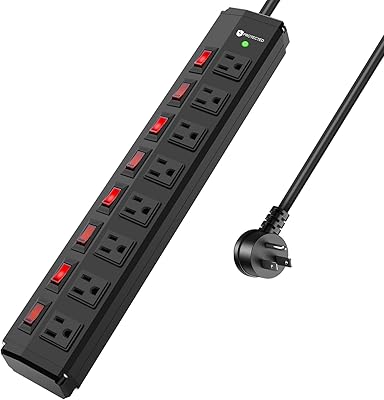
ANNQUAN 8 Outlet Power Strip with 8 Individual Switches
85%
91%
Surge Protection Performance
89%
Build Quality & Durability
84%
Ease of Installation
88%
Energy Efficiency (Individual Switches)
90%
Cord Length & Flexibility
More
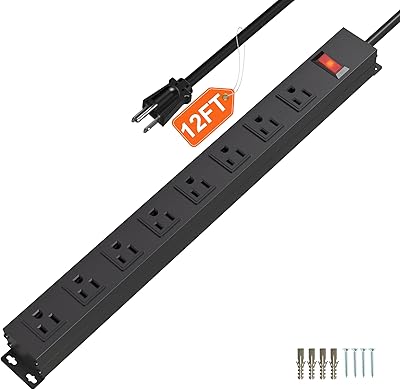
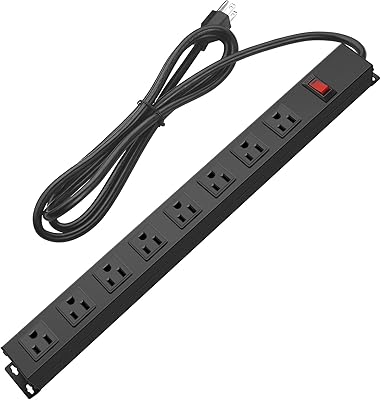
HHSOET 8-Outlet Metal Wall Mount Power Strip
79%
93%
Build Quality
91%
Outlet Spacing
88%
Ease of Mounting
74%
Surge Protection
51%
Cord Length
More
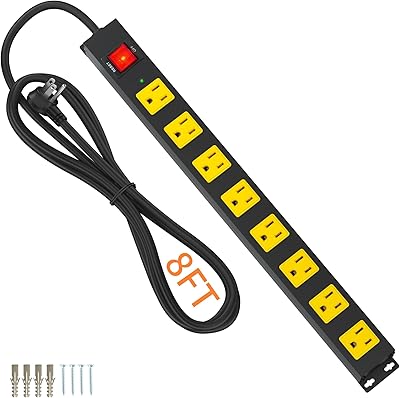
CFMASTER 8-Outlet Metal Surge Protector Power Strip
81%
92%
Build Quality
78%
Surge Protection Effectiveness
91%
Outlet Spacing & Usability
88%
Wall Mount Design
84%
Cord Quality & Length
More
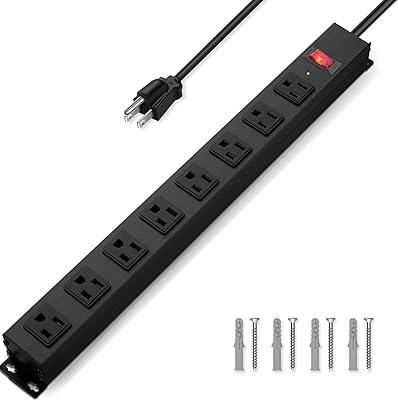
Plug'n 8-Outlet 8FT Surge Protector Power Strip
81%
88%
Build Quality
83%
Surge Protection
91%
Outlet Spacing
86%
Cord Length & Quality
79%
Mountability
More
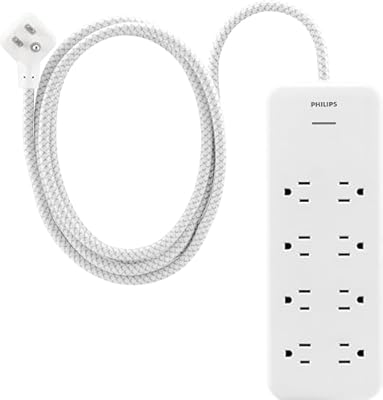
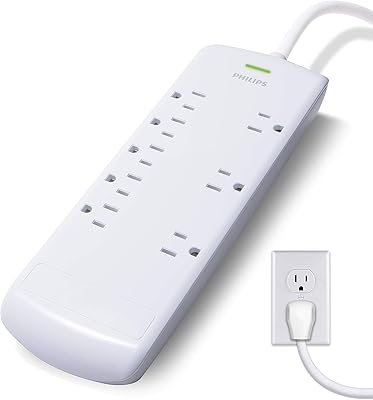
Philips EZFit 8-Outlet Surge Protector Power Strip
82%
93%
Outlet Spacing & Layout
88%
Flat Plug Design
91%
Cord Length & Reach
89%
Cord Quality & Durability
82%
Surge Protection
More
CRST 8-Outlet Metal Power Strip Surge Protector
82%
93%
Build Quality
91%
Individual Outlet Switches
74%
Surge Protection
88%
Outlet Spacing
71%
Cord Length & Quality
More
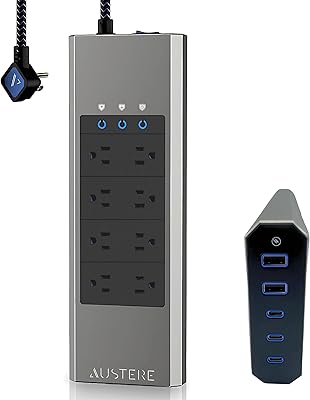
Austere V Series 8-Outlet Surge Protector
83%
93%
Surge Protection
91%
Build Quality
89%
Outlet Design
86%
EMI/RFI Filtering
88%
Installation & Form Factor
More
CFMASTER PDUUS8 8-Outlet Heavy Duty Power Strip
83%
91%
Build Quality
93%
Outlet Spacing
89%
Cord Length & Quality
86%
Overload Protection
82%
Mounting Design
More
Philips 8-Outlet Power Strip Surge Protector SPP3086WB/37
86%
94%
Surge Protection
88%
Cord Length & Flexibility
85%
Ease of Use
90%
Build Quality
86%
Space Efficiency (Flat Plug)
More
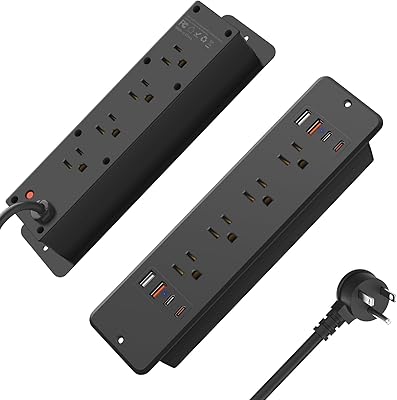
HHSOET 8 Outlet Recessed Power Strip with USB-C and USB-A Ports
88%
94%
Surge Protection
89%
Ease of Installation
88%
Charging Speed
91%
Design & Space-Saving
87%
Build Quality
More

FAQ

Yes, you can do both simultaneously. Place your phone on the Qi pad on top for wireless charging while another device charges through the 20W USB-C port. Just keep in mind the wireless pad runs at 10W, so wired USB-C will always be the faster option for iPhones that support fast charging.

It depends on the size of the adapter. Standard laptop bricks with a single-outlet footprint usually fit fine, but oversized wall-wart adapters — the kind that are wider than a single outlet slot — can physically block the socket next to them. If you have several bulky adapters, you may end up with fewer usable outlets than the eight listed.

Yes, any smartphone that supports the Qi wireless standard will work with it, including most modern Android flagships from Samsung, Google, and others. Just set the phone flat on the top pad and charging starts automatically — no cables needed.

In most cases, yes. Qi charging works through standard plastic and silicone cases without any issue. Very thick cases, wallet cases with metal cards, or cases with embedded magnets can interfere with the signal, so those may need to be removed for reliable charging.

This charging tower has no fan, so under normal use it is completely silent. Some users report hearing a faint high-frequency hum when the wireless pad is active but no phone is placed on it, though this is very subtle and unlikely to be noticeable in a typical room environment.

The ETL certification is an important credential here — many dorms specifically require surge-protected, ETL or UL Listed strips rather than uncertified ones. That said, dorm policies vary widely, so it is worth checking your specific institution's rules before assuming any power strip is permitted.

It is designed to stand upright as a vertical tower, and that orientation is really the only practical one given where the outlets and wireless pad are positioned. Laying it on its side would make the pad unusable and could stress the cord connection, so it is best kept standing.

A small amount of warmth during sustained heavy use is normal for any multi-outlet surge protector, and this one is no exception. A number of buyers have mentioned it runs noticeably warm — not dangerously so, but warm to the touch — when several high-draw devices are plugged in at once. Avoid covering it or enclosing it in confined spaces to keep airflow around it.

No, the built-in circuit breaker is resettable. If the load exceeds safe limits, the breaker trips and cuts power to protect your devices. You just unplug some devices to reduce the draw, then press the reset button on the unit to restore power. You do not need to replace anything.

For most standard desk setups, yes. Six feet is generally enough to go from a floor-level or baseboard outlet up to a desk surface with some slack remaining. If your outlet is positioned awkwardly or your desk is particularly far from the wall, you may want to measure the distance first before relying on the cord reaching comfortably.