Overview

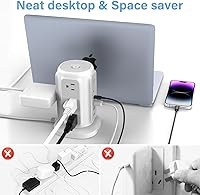
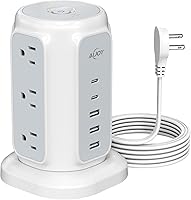
The AiJoy Power Strip Tower 9-Outlet 5-USB is the kind of practical desk accessory that quietly solves a problem most people have just learned to live with — not enough outlets, and never in the right place. What sets this charging tower apart from the usual flat strips is its vertical tower form factor, which keeps a surprisingly small footprint on your desk while supporting up to 14 devices at once. The flat angled plug is a genuine differentiator here; it tucks neatly behind furniture without fighting for wall space. At its price point, it sits comfortably between bare-bones budget strips and pricier smart power stations, making it a solid pick for home offices, dorm rooms, and nightstand setups alike.
Features & Benefits

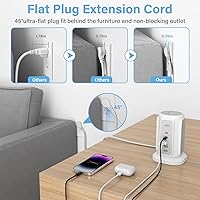
The most immediately useful feature is that 45-degree flat plug, which sits almost flush against the wall and keeps the cord running along the baseboard rather than jutting outward. The tower's outlet spacing — 1.3 inches between ports — means even chunky wall adapters sit side by side without eating into neighboring slots. On the USB side, you get two USB-C and three USB-A ports, all with smart charging detection to match output to your device. The 1200-joule surge protection and fire-resistant casing add real peace of mind. One practical note: the cord runs 6.5 feet, which covers most desk and nightstand situations without requiring an additional extension.

Best For

This flat-plug power hub earns its place on a small desk or shared workspace where outlet access is genuinely limited. Students setting up a dorm room will appreciate running a laptop, a lamp, a fan, and multiple phone chargers off a single wall outlet without cables sprawling across the floor. Remote workers dealing with cramped home office setups get similar value. That said, high-draw appliances like space heaters, hair dryers, or microwaves are off the table — the 1625W ceiling is real, and exceeding it will trip the breaker. Think phones, tablets, monitors, and small lamps; that is the sweet spot for the AiJoy strip.

User Feedback

Buyers consistently praise how easy the setup is and how well the flat plug fits in tight spots behind furniture — a recurring theme from people who bought this to solve a real problem. The tower's stability on a desk gets positive mentions too, with most users reporting it stays upright without tipping. USB charging speed earns good marks for phones and tablets. The most common criticism, though, is worth taking seriously: the USB-C ports top out at 15W per port, so a power-hungry laptop will charge, just slowly. A handful of reviewers note the build feels more plastic than premium, though most agree long-term reliability holds up fine for everyday use.

Pros

  • The flat 45-degree plug sits flush against walls and slides behind furniture without straining the cord.
  • Nine AC outlets with generous spacing means bulky wall adapters never block neighboring ports.
  • Tower form factor keeps a surprisingly small footprint on desks and nightstands.
  • Smart IC detection on USB ports adjusts output to match each connected device automatically.
  • 1200-joule surge protection and a fire-resistant shell offer real safety for connected electronics.
  • Setup takes under a minute with zero configuration required — just plug in and go.
  • The 6.5-foot cord covers the vast majority of desk and nightstand placements without needing an extension.
  • Having both USB-C and USB-A ports on one unit reduces the need for separate charging bricks.
  • The master on/off switch makes cutting all power at bedtime or end of workday genuinely convenient.
  • At its price point, the combination of outlet count, USB variety, and surge protection is hard to match.

Cons

  • USB-C ports max out at 15W each, which will slow-charge most modern laptops rather than keep pace with active use.
  • No individual outlet switching means you cannot selectively power off some ports while leaving others active.
  • USB-A ports lack fast-charge protocol support, so top-up speeds are adequate but not impressive.
  • The surge indicator light has been reported to dim or go dark over time, creating uncertainty about active protection.
  • The plastic finish picks up fingerprints and minor scuffs more readily than the price might suggest it should.
  • On soft or fabric surfaces the base can shift when cables are pulled, as there is no rubberized grip underneath.
  • With only two USB-C ports, households or offices transitioning away from USB-A may find the ratio limiting quickly.
  • Cable management around the tower can get untidy fast when all ports are in use simultaneously.

Ratings

The AiJoy Power Strip Tower 9-Outlet 5-USB has been evaluated by our AI rating system after processing thousands of verified global buyer reviews, with spam, bot-generated, and incentivized feedback actively filtered out. The scores below reflect real-world satisfaction across specific performance categories — strengths and shortcomings weighted equally so you get an honest picture before buying.
Flat Plug Design
93%
Buyers who picked this charging tower specifically because of the flat plug rarely regret it. The 45-degree angled profile sits nearly flush against the wall and slides behind furniture without bowing the cord or blocking adjacent outlets — something standard plugs consistently fail at in tight spaces.
A small number of users found the plug slightly stiff to insert and remove on older or recessed wall outlets. It is not a widespread complaint, but worth knowing if your outlets are positioned awkwardly behind heavy furniture you cannot easily move.
Outlet Spacing & Usability
89%
The 1.3-inch spacing between AC outlets is one of the most praised practical details on this flat-plug power hub. Users routinely plug in multiple bulky wall adapters — routers, monitors, phone chargers — without any blocking, which is something cheaper strips almost never manage.
With nine outlets on a vertical tower, the bottom-most ports can be a little awkward to reach once cables are already plugged in above them. A few buyers noted that the tower feels slightly top-heavy when several large adapters are loaded into the upper ports simultaneously.
USB-C Charging Performance
67%
33%
For smartphones, earbuds, and tablets, the two USB-C ports deliver reliably and the smart IC detection keeps things from getting warm during overnight charging. Users appreciate having USB-C available at all given the price tier this tower sits in.
At 15W per port, the USB-C output will slow-charge most modern laptops rather than keep pace with active use. Buyers expecting to charge a MacBook or a gaming laptop at a useful rate have reported frustration — this is the single most consistent complaint across negative reviews.
Surge Protection & Safety
88%
The 1200-joule surge rating and fire-resistant ABS casing give buyers genuine confidence, especially those using the AiJoy strip near expensive electronics like monitors, gaming consoles, or work laptops. The surge indicator light is noted as a helpful visual confirmation that protection is active.
A handful of users reported the surge indicator light dimming or going out after several months, raising questions about whether protection remained active. It is not a common failure, but users who rely on the indicator for peace of mind may find that uncertainty unsettling over time.
Build Quality & Materials
72%
28%
For its price bracket, the tower feels sturdy enough for daily desk use. The base holds the unit upright reliably on flat surfaces, and most buyers report no cracking or flex in the housing even after months of regular plug-and-unplug cycles.
The plastic finish reads as mid-range rather than premium — which is fair at this price, but noticeable if you are used to handling more expensive power stations. A few reviewers described the surface as prone to showing fingerprints and minor scuffs over time.
USB-A Charging Performance
84%
The three USB-A ports handle simultaneous charging without noticeable slowdown on standard devices. Phones and tablets charge at the expected rate, and buyers running a phone, a smartwatch, and a pair of earbuds all at once report consistent results overnight.
At 5V/2.4A per port, you are not getting the fastest USB-A speeds available — quick-charge standards like Qualcomm QC 3.0 are absent. For users who prioritize top-up speed over full overnight charges, this limitation is worth factoring in.
Cord Length & Flexibility
79%
21%
A 6.5-foot cord covers the overwhelming majority of desk and nightstand placements without needing a secondary extension cord. Buyers consistently note the cord is flexible enough to route cleanly along walls or under desks without kinking.
Users in larger rooms or those needing to reach an outlet across a workspace occasionally find 6.5 feet just short. An extra foot or two would have made this a no-compromise choice — it is adequate for most situations but not universally sufficient.
Tower Stability
81%
19%
The vertical form factor stays put on hard flat surfaces like desks and nightstands, which matters when you are yanking cables in and out daily. Most buyers report no tipping issues even with multiple heavy adapters inserted at once.
On softer surfaces like fabric-covered desks or carpet, the base has less grip and can shift when cables are tugged. A rubberized base pad would have addressed this cleanly — its absence is a minor but real design gap that a few users mention.
Value for Money
86%
Relative to what you get — nine AC outlets, five USB ports including two USB-C, surge protection, and a flat plug — the price sits at a point where it is genuinely hard to argue against for light to moderate users. Most buyers feel they got more than they paid for.
Budget shoppers can find simpler strips for less, and premium users may want more USB-C wattage or smart outlet controls at a higher price. The AiJoy strip occupies a solid middle ground, but it does not decisively win at either end of the price spectrum.
Setup & Ease of Use
92%
Unboxing and setup take under a minute — there is nothing to configure, no app to pair, and the master switch is clearly placed. Buyers who describe themselves as non-technical consistently rate this as one of the easiest power accessories they have ever set up.
The only friction point some users mention is figuring out cable management after plugging in many devices at once — the tower design concentrates all your cables in one spot, which can create a bundle if you are not intentional about routing them from the start.
Outlet Count & Port Variety
91%
Having nine AC outlets and five USB ports on a single unit genuinely reduces the need to compromise on what gets plugged in. Buyers in shared spaces like dorm rooms especially appreciate the ability to run everyone's devices from a single wall outlet.
The split between USB-C and USB-A (two versus three) feels slightly backward as USB-C adoption continues to grow. Users with newer devices would prefer seeing at least three USB-C ports — the current ratio may feel dated within a year or two for tech-forward buyers.
Size & Desk Footprint
87%
The tower occupies a surprisingly compact desk footprint given how many ports it offers. Buyers with small home office setups or cramped nightstands consistently highlight this as a meaningful quality-of-life improvement over sprawling flat strips.
Vertical towers are inherently less discreet than flat strips when visible on a desk — some users working in minimalist or client-facing spaces find the upright profile a bit conspicuous. It is purely an aesthetic concern, not a functional one, but worth noting.
Master Power Switch
78%
22%
The single on/off switch lets users cut power to all connected devices at once, which is genuinely useful for overnight energy saving or quickly shutting down a full workstation setup. Buyers who care about standby power draw appreciate having this control.
There is no individual outlet switching — every port shares the same master switch. Users who want to leave some devices charging while powering off others are out of luck, and a few reviewers specifically called out the lack of per-outlet control as a missed opportunity.
Long-Term Durability
74%
26%
Most buyers who have used this charging tower for six months or more report that it continues functioning as expected with no outlet loosening or USB port degradation. Day-to-day reliability appears solid for typical home or office usage patterns.
There is limited long-term data given the product's relatively recent market entry, and a small cohort of users has reported the surge indicator light fading earlier than expected. Whether that signals a deeper reliability issue or purely a cosmetic LED problem remains unclear from current feedback.

Suitable for:

The AiJoy Power Strip Tower 9-Outlet 5-USB is purpose-built for anyone who has ever stared at a wall outlet behind a heavy sofa and wished they had a better solution. Students moving into dorms get the most obvious value here — one wall outlet can realistically support a laptop, a monitor, a desk lamp, a fan, a phone, and a few accessories without any cable chaos. Remote workers running a small home office from a tight desk will find the upright tower keeps the charging footprint minimal while keeping every port accessible. Renters and frequent movers appreciate the flat plug design because it tucks away cleanly and travels well without damaging the cord. If your day-to-day devices are phones, tablets, wireless earbuds, small monitors, and similarly modest electronics, this flat-plug power hub covers all of them simultaneously without breaking a sweat. It also works well on nightstands for households where multiple people charge several devices overnight and want a single organized hub rather than a tangle of individual chargers.
Not suitable for:

The AiJoy Power Strip Tower 9-Outlet 5-USB is not the right tool if your power needs lean toward high-draw appliances or professional-grade USB charging. The 1625W maximum load means space heaters, hair dryers, toaster ovens, and similar energy-intensive devices will trip the circuit breaker — this charging tower is strictly for electronics, not kitchen or grooming gear. Laptop users who depend on USB-C for power delivery will find the 15W per port ceiling frustrating; it will technically charge a laptop, but slowly enough that active use will drain the battery faster than the port can replenish it. Anyone who needs individual outlet switching — say, leaving a phone charging while completely cutting power to a gaming console — will also be disappointed, since the single master switch controls everything at once. Power users who want fast-charge protocols like Qualcomm Quick Charge on USB-A ports should look elsewhere, as the standard 12W per USB-A port is adequate but not fast by current standards. If you need more than 6.5 feet of reach to your nearest wall outlet, plan on adding a separate extension cord, which somewhat undercuts the clean setup this hub is designed to provide.
Specifications

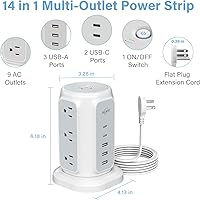
  • AC Outlets: The tower includes 9 grounded AC outlets arranged vertically with 1.3-inch spacing between each port to accommodate large wall adapters without blocking.
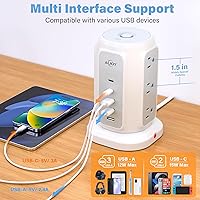
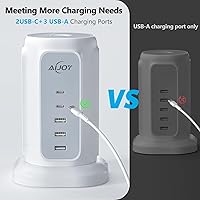
  • USB-C Ports: Two USB-C ports deliver 5V at 3.0A each, providing up to 15W per port — suitable for smartphones and tablets but not high-speed laptop charging.
  • USB-A Ports: Three USB-A ports each output 5V at 2.4A, with smart IC technology that adjusts delivery based on the connected device.
  • Total USB Output: Combined USB output across all five ports is rated at 5V/3.1A total shared capacity, meaning simultaneous use distributes available current across connected devices.
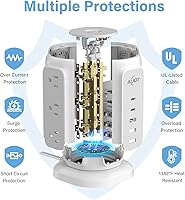
  • Surge Protection: Integrated surge protection is rated at 1200 joules, guarding against voltage spikes that could damage connected electronics.
  • Max Power Load: The unit supports a maximum continuous load of 1625W at 125V, with a 13A circuit breaker that trips automatically if that threshold is exceeded.
  • Cord Length: The power cord measures 6.5 feet in length, offering enough reach for most desk, nightstand, and floor-level outlet placements.
  • Plug Type: The plug is a flat 45-degree angled design measuring approximately 0.39 inches thick, allowing it to fit behind furniture and in tight wall-outlet spaces.
  • Voltage Compatibility: The unit is rated for 110–125V AC only and is designed for use on standard North American residential and office electrical systems.
  • Form Factor: The charging tower uses a vertical upright design that minimizes desk footprint while keeping all ports accessible from a single compact unit.
  • Shell Material: The outer housing is constructed from fire-resistant ABS plastic and PC94V0-rated material, rated to withstand temperatures up to 1382°F before igniting.
  • Power Switch: A single master on/off switch controls power to all outlets and USB ports simultaneously, with an LED indicator showing active power status.
  • Unit Weight: The tower weighs 1.46 pounds, making it light enough to move between rooms or pack into a bag for travel or relocation.
  • Outlet Spacing: Outlets are spaced 1.3 inches apart center-to-center along the tower column, a wider-than-average gap that prevents oversized adapters from occupying multiple slots.
  • Circuit Breaker: A built-in 13A resettable circuit breaker provides overload protection and can be manually reset after a trip, avoiding the need for a fuse replacement.
  • USB Smart Charging: All USB ports use embedded smart IC detection circuitry to identify connected devices and deliver the optimal current within the port's rated output range.
  • Total Device Capacity: The unit supports up to 14 simultaneously connected devices — 9 via AC outlets and 5 via USB ports — from a single wall outlet connection.
  • Overload Protection: In addition to the surge protector, the unit includes dedicated overload and short-circuit protection that cuts power automatically to prevent damage or fire risk.

Related Reviews
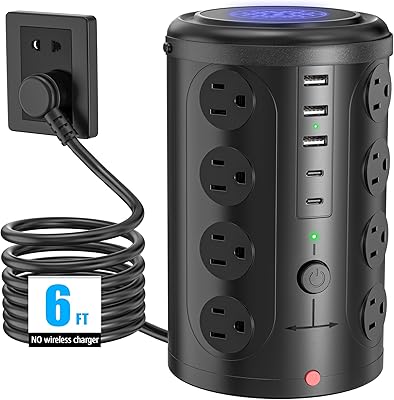
UWIWUTEI TS001 Power Strip Tower (16 Outlets, 6FT)
86%
94%
Port Density & Capacity
68%
USB Charging Performance
89%
Build Stability
73%
Cable Flexibility
92%
Outlet Spacing
More
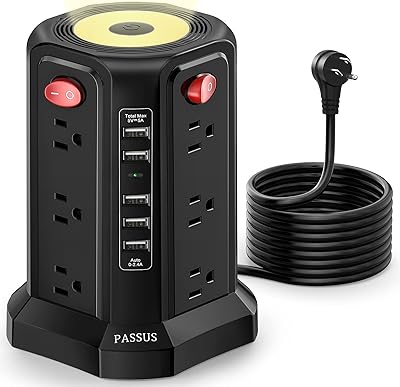
PASSUS XT-U3011 Power Strip Tower (10ft)
84%
94%
Outlet Density
91%
Cord Length & Reach
88%
Build Stability
67%
USB Charging Speed
84%
Power Management
More
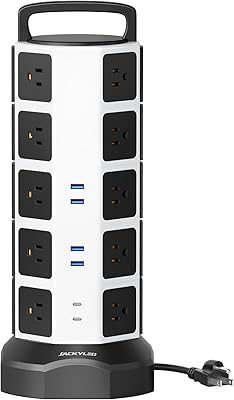
JACKYLED Power Strip Tower with 20 Outlets and 6 USB Ports
86%
88%
Value for Money
92%
Ease of Use
90%
Surge Protection Performance
94%
Space-Saving Design
87%
USB Charging Speed
More
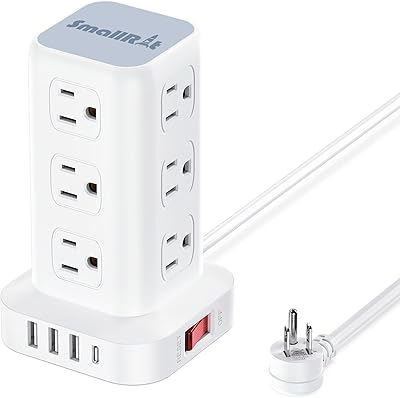
SMALLRT yun-dong-199 Tower Surge Protector
86%
92%
Outlet Spacing & Layout
89%
Space Efficiency
81%
USB Charging Capabilities
94%
Plug & Cord Design
86%
Safety & Surge Protection
More
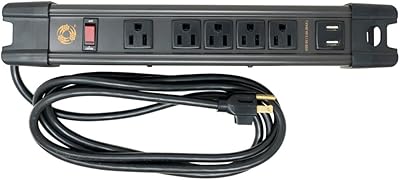
Southwire 5 Outlet All-Metal Magnetic Power Strip with 2.4A USB
86%
92%
Build Quality
89%
Magnetic Mounting Strength
88%
USB Charging Efficiency
90%
Durability in Harsh Environments
85%
Ease of Setup & Use
More
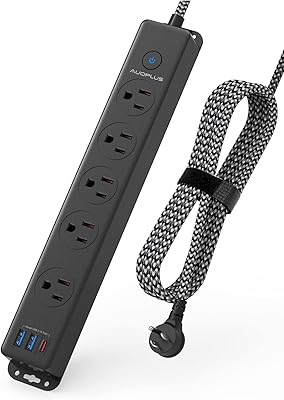
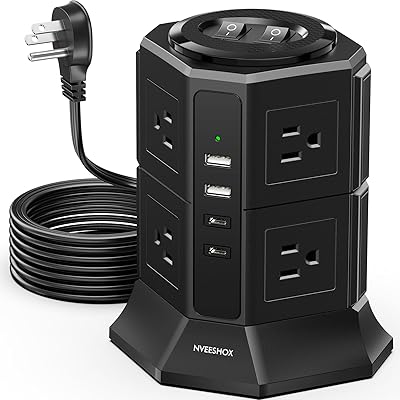
AUOPLUS Surge Protector Power Strip with USB-C, 10FT Extension Cord, 5 Outlets
85%
90%
Surge Protection Effectiveness
88%
USB-C Charging Speed
94%
Cord Length & Flexibility
78%
Build Quality
85%
Space Efficiency
More
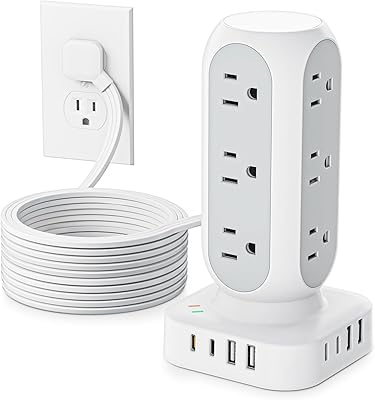
NVEESHOX Surge Protector Power Strip Tower
82%
92%
Outlet Layout & Spacing
89%
Flat Plug Design
61%
USB-C Charging Speed
78%
Surge Protection Reliability
83%
Dual-Switch Functionality
More
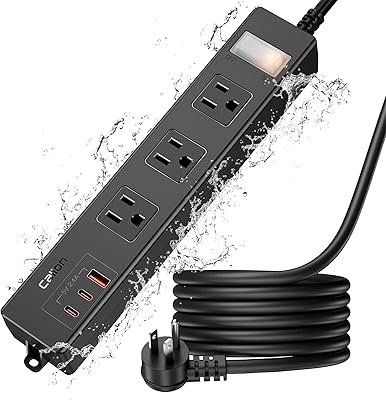
TenTrend TS3-WT-5 10FT Power Strip Tower
84%
94%
Space Efficiency
97%
Plug Accessibility & Clearance
78%
USB Charging Capabilities
91%
Cord Length & Quality
82%
Stability & Gripping
More
CALIONLTD USB Outdoor Power Strip with 3 Outlets and 3 USB Ports
85%
87%
Overall Performance
91%
Durability
84%
Ease of Use
92%
Waterproofing & Weather Resistance
89%
Safety Features (Surge Protection & Overload)
More
HHSOET 8 Outlet Recessed Power Strip with USB-C and USB-A Ports
88%
94%
Surge Protection
89%
Ease of Installation
88%
Charging Speed
91%
Design & Space-Saving
87%
Build Quality
More

FAQ

It will charge most laptops, but slowly. The USB-C ports max out at 15W each, which is fine for keeping a phone or tablet topped up but falls short of the 45W to 100W that most laptops need to charge at a useful rate during active use. If your laptop is off or in sleep mode, it will charge — just not quickly.

No — and this is worth taking seriously. The unit has a 1625W maximum load rating, and most space heaters and hair dryers draw close to or beyond that on their own. Plugging one in risks tripping the circuit breaker at best and creating a hazard at worst. Stick to electronics, lamps, and similar low-draw devices.

Yes, and this is genuinely one of the most practical things about this charging tower. The plug sits at a 45-degree angle and is less than half an inch thick, so it tucks behind most sofas, beds, and desks without the cord bowing outward. It also leaves the second outlet on a standard duplex receptacle completely clear.

On hard flat surfaces like wooden or laminate desks, the tower sits firmly and does not tip easily even with several heavy adapters loaded into the outlets. The main caveat is soft surfaces — on fabric-covered desks or carpet it can shift when cables are tugged, since the base has no rubber grip. A piece of non-slip mat underneath fixes that easily.

Yes, to some degree. The total shared USB output is 5V/3.1A across all five ports, so running all of them simultaneously will distribute that capacity rather than give each port its full rated maximum. In practice, overnight charging with multiple devices connected tends to work fine — you just would not want to rely on this hub for rapid top-ups of five devices at the same time.

Yes, it is designed for continuous use. The fire-resistant housing, 1200-joule surge protection, automatic circuit breaker, and overload protection all work together to reduce risk during extended or overnight operation. That said, as with any powered device, avoid covering it with fabric or placing it inside an enclosed cabinet where heat could build up.

Yes. If you overload the unit and the breaker trips, simply unplug whatever was drawing too much power, then press the small reset button on the unit. There is no fuse to replace — the breaker is fully resettable and the tower should power back on normally once the cause of the overload is removed.

Technically you can, but it is not recommended practice — daisy-chaining power strips and extension cords can create overload risks depending on the gauge and rating of the extension cord. If you need more reach, a better approach is to use a single heavy-duty extension cord rated for the load you are running, and plug that directly into the wall.

The indicator light should remain illuminated as long as surge protection is active and the unit is powered on. If the light goes out while the outlets still work, it typically means the internal Metal Oxide Varistors have been depleted by absorbing one or more significant voltage spikes — which means surge protection is no longer functioning even though power still flows. In that case, the unit should be replaced.

This flat-plug power hub is rated for 110–125V only, which means it is built for North American outlets exclusively. Using it in countries with 220–240V systems without a proper voltage converter would damage the unit and could be dangerous. For international travel, you would need a separate travel adapter or a unit with dual-voltage support.